
11 Best Real-Time Analytics Platforms in 2026, Compared
Compare the 11 best real-time analytics platforms on price, free plans and live reporting for 2026, with every price verified November 12, 2026.
 Shamim Mia, Founder, SerpAstraLast verified November 12, 202612 min read
We compare pricing pages, documentation and public reviews. We never accept payment for rankings.

Key takeaways
- Mixpanel leads for most product teams at $140 a month for 1.5M events, with Amplitude free to 2M events and PostHog free to 1M events.
- The single most important buying factor is the billing unit: events, sessions, users and data sources all price the same traffic differently.
- Ten of the 11 tools have a free plan or tier — only Datadog RUM has no free tier, just a 14-day trial — but the free caps decide how long $0 lasts.
- Every price below was verified against the vendor's own pricing page on November 12, 2026. Ratings are G2, with review counts shown; four tools show no rating.
On this page
Quick comparison
| Tool | Best for | Starting price | Free plan |
|---|---|---|---|
| Mixpanel | Product and growth teams at B2B SaaS companies that want real-time funnels, retention and session replay in one tool | $140/mo (1.5M events) | Yes (1M events) |
| Amplitude | Mid-size product teams that need deep behavioral analytics, experimentation and session replay | $0 (Plus starts free) | Yes (2M events) |
| PostHog | Engineering-led startups that want analytics, replay, flags and experiments in one open-source platform | $0 (usage-based) | Yes (1M events) |
| Google Analytics | Every website owner who needs free, real-time traffic and ecommerce reporting | Free | Yes (free) |
| Matomo | Privacy-regulated businesses and EU teams that want GA-level depth with full data ownership | €29/mo | Yes (self-hosted) |
| Heap | Product teams that want retroactive analysis without writing a tracking plan first | $0 (Free plan) | Yes (10K sessions) |
| FullStory | UX and product teams that debug with session replay and need to see why users struggle | $0 (FullstoryFree) | Yes (30K sessions) |
| Pendo | SaaS product teams that want analytics plus in-app guides and onboarding in one platform | $0 (Free plan) | Yes (500 MAUs) |
| Segment | Data teams that need one clean event stream feeding every analytics and marketing tool | $120/mo (Team) | Yes (1,000 MTUs) |
| Datadog | Engineering teams that need real-user performance data alongside infrastructure monitoring | $0.15/1,000 sessions | No (14-day trial) |
| Databox | Small marketing teams that want live KPI dashboards without writing SQL | $89/mo | Yes (free plan) |
Make one of these tools?
We re-check this list every quarter. Send a correction, request a review, or ask about a clearly labeled sponsored spot.
Request a listingThe best real-time analytics platforms

Mixpanel
Best for: Product and growth teams at B2B SaaS companies that want real-time funnels, retention and session replay in one tool
Mixpanel is the most complete product analytics tool in this list, and it earns the top spot because the free tier is usable: 1 million events a month, unlimited seats, session replay and two years of data at $0. Growth adds saved reports and cohorts, 20,000 replays a month and feature flags, and the price at each volume tier is published on the pricing page — $140 a month at 1.5 million events, $613 at 5 million.
The trade-off is the meter. Event-based pricing is fair at low volume and steep at high volume, and every event needs a name in a tracking plan before it can be analysed, which costs engineering time up front. If your product team lives in funnels and retention curves, start here; if you mostly need web traffic reports, Google Analytics or Matomo cost nothing.
What we like
- First 1M events a month free on every plan, so small products start at $0
- Real-time funnels, retention, cohorts and flows with unlimited saved reports on Growth
- Session replay, experiments and feature flags bundled into the same plans, not sold separately
- Published event-tier prices, so the bill at 1.5M, 5M or 10M events is visible before you buy
Watch out for
- Event-based pricing climbs steeply: 5M events cost $613/month billed monthly, $438 billed annually
- Needs a defined tracking plan and engineering time to instrument events properly
- Group analytics is a paid add-on on Growth, not included in the base price

Amplitude
Best for: Mid-size product teams that need deep behavioral analytics, experimentation and session replay
Amplitude is the deepest analysis tool here: cohorts, funnels, journeys and experimentation in one place, with a free plan that covers 2 million events a month — double Mixpanel's allowance. The Plus plan starts free and scales with usage to 70 million events, and session replay is included from the free tier, so a small product team can run serious behavioural analysis without a budget line.
The depth is also the drawback. Reviewers praise the insights and warn about the learning curve in the same breath, and the paid tiers are custom-quoted, so a team that outgrows the free allowance cannot price the next step without a sales call. Buy Amplitude when the questions are hard — retention by cohort, journey paths, experiment results — and buy Mixpanel when you want the same answers with a published price.
What we like
- Largest free allowance in this list — 2M events a month at $0
- Strongest cohort, funnel and journey analysis, with experimentation built in
- Session replay included from the free plan, with 10,000 replays a month
- Scales to 70M events a month on Plus before a custom contract is needed
Watch out for
- Paid tiers are custom-quoted, so there is no published price past the free allowance
- Reviewers cite a steep learning curve and an interface that takes weeks to learn
- Scaling past the free tier means a sales conversation, not a self-serve checkout

PostHog
Best for: Engineering-led startups that want analytics, replay, flags and experiments in one open-source platform
PostHog is the value pick because it replaces five tools: product analytics, session replay, feature flags, A/B experiments and surveys, all metered from the same free allowances — 1 million events, 5,000 recordings and 1 million flag requests a month. The open-source core can be self-hosted, EU hosting is available, and there are no seat charges, so the bill follows usage and nothing else.
The bill is also the thing to watch. Each product meters separately, identified events carry an extra person-profile charge, and the per-unit rates only make sense once you know your mix of anonymous and logged-in traffic. Run the pricing calculator with your real event split before committing; for a small app inside the free allowances, the answer is $0 either way.
What we like
- Open-source core you can self-host, with EU hosting and HIPAA compliance
- Every product has its own free allowance, so a small app can run analytics, replay and flags for $0
- Per-unit prices fall with volume, down to $0.000009 per event above 250M events
- No seat charges and no base fee — you pay only for the usage above the free allowances
Watch out for
- Identified events carry an extra person-profile charge (+$0.000198 per event at 1–2M), so logged-in traffic costs more
- Each product is metered separately, so the bill is harder to forecast than a flat subscription
- Self-hosting the open-source edition means running the infrastructure yourself

Google Analytics
Best for: Every website owner who needs free, real-time traffic and ecommerce reporting

Google Analytics 4 is the default for a reason: it costs $0, it has no event cap, and the real-time reports show active users, pages and events as they happen. For a website, it covers traffic, campaigns, ecommerce and funnel explorations, and it links natively to Google Ads, Search Console and Looker Studio, so the data flows into the tools a marketing team already uses.
It is a web analytics tool, not a product analytics tool: the reporting is session-based, explorations sample above 10 million events, and there is no SLA or support on the free tier. Use it as the free baseline for every site, then add Mixpanel, Amplitude or PostHog when you need to follow individual users through a product.
What we like
- Free for essentially any size of site, with no per-event fee
- Real-time reports show active users, pages and events as they happen
- Native links to Google Ads, Search Console and Looker Studio
- BigQuery daily export included up to 1M events a day on the free tier
Watch out for
- Reports sample above 10M events per exploration query, and there is no SLA on the free tier
- Exploration data keeps only 14 months; GA360 extends it to 50 months on a custom contract
- Session-based reporting and the interface take real learning time for product teams

Matomo
Best for: Privacy-regulated businesses and EU teams that want GA-level depth with full data ownership

Matomo is the only tool in this list that can replace Google Analytics, a heatmap tool and an A/B testing tool in one interface, and it does it with full data ownership: Cloud hosting sits in Frankfurt, cookieless tracking is an option, and nothing is sampled. Cloud Business starts at €29 a month for 50,000 hits with funnels, heatmaps, recordings and A/B testing included.
The catch is the hit. Matomo Cloud bills on hits, not pageviews, so a busy site outgrows the €29 tier faster than the headline suggests — price the next tier before committing. The On-Premise Community edition is free forever, but then you own the server, the upgrades and the archiving. Pick Matomo when privacy or EU data rules decide the purchase.
What we like
- Full data ownership, with hosting in Frankfurt and cookieless tracking options
- Only tool here that replaces GA plus a heatmap tool plus an A/B tool in one interface
- On-Premise Community edition is free forever with unlimited users and hits
- No data sampling on any plan, unlike free GA4 explorations
Watch out for
- Cloud pricing is hit-based and climbs with traffic, so high-volume sites pay far more than €29
- Self-hosting means owning the server, upgrades and archiving yourself
- Premium features on On-Premise need paid plugin bundles from €230 a month

Heap
Best for: Product teams that want retroactive analysis without writing a tracking plan first
Heap's pitch is simple: it records every click, tap and form interaction automatically, so you never have to decide in advance which events to track. When a new question comes up, you define the event from data already captured — no code deploy, no waiting for data to accumulate. The free plan covers 10,000 sessions a month with six months of history.
The free tier is small and the paid tiers are quote-only with annual contracts, so Heap is cheap to try and hard to budget. Reviewers also flag occasional data-accuracy quirks on large datasets. Buy Heap when your team asks questions faster than engineering can instrument answers; buy Mixpanel when you want published prices and a bigger free tier.
What we like
- Autocapture records every interaction, so analysis never waits on instrumentation
- Define events retroactively from already-captured data — no code deploys for new questions
- Sense AI assistant on Growth answers questions in plain language
- Unlimited users and reports from Growth, with 12 months of data history
Watch out for
- Paid plans are quote-only with annual contracts, so there is no published price past the free tier
- The free tier caps at 10,000 sessions and 6 months of history
- Reviewers report data-accuracy quirks and slow performance on large datasets

FullStory
Best for: UX and product teams that debug with session replay and need to see why users struggle

FullStory answers a different question from the rest of this list: not how many users converted, but what the ones who did not do wrong. Autocapture records every session, replay shows the exact moment a user got stuck, and search finds sessions by event, funnel step or frustration signal. FullstoryFree covers 30,000 sessions a month for up to 10 users.
It is a diagnostics tool first and an analytics tool second: the funnels and dashboards exist, but the deeper analysis lives in Mixpanel or Amplitude. Paid plans are quote-only, mobile analytics is an add-on, and StoryAI needs a paid plan. Use FullStory alongside a product analytics tool, not instead of one — the pair is the point.
What we like
- Autocapture plus replay means you can watch the exact session behind any bug report
- Search sessions by event, frustration signal or funnel step — no manual tagging
- StoryAI summaries explain sessions without watching the whole recording
- The largest free replay allowance here: 30,000 sessions a month
Watch out for
- Paid plans are quote-only with no public prices, so budgeting needs a sales call
- Mobile analytics is a paid add-on, not in the free plan
- StoryAI, dashboards and higher session limits need a paid plan

Pendo
Best for: SaaS product teams that want analytics plus in-app guides and onboarding in one platform
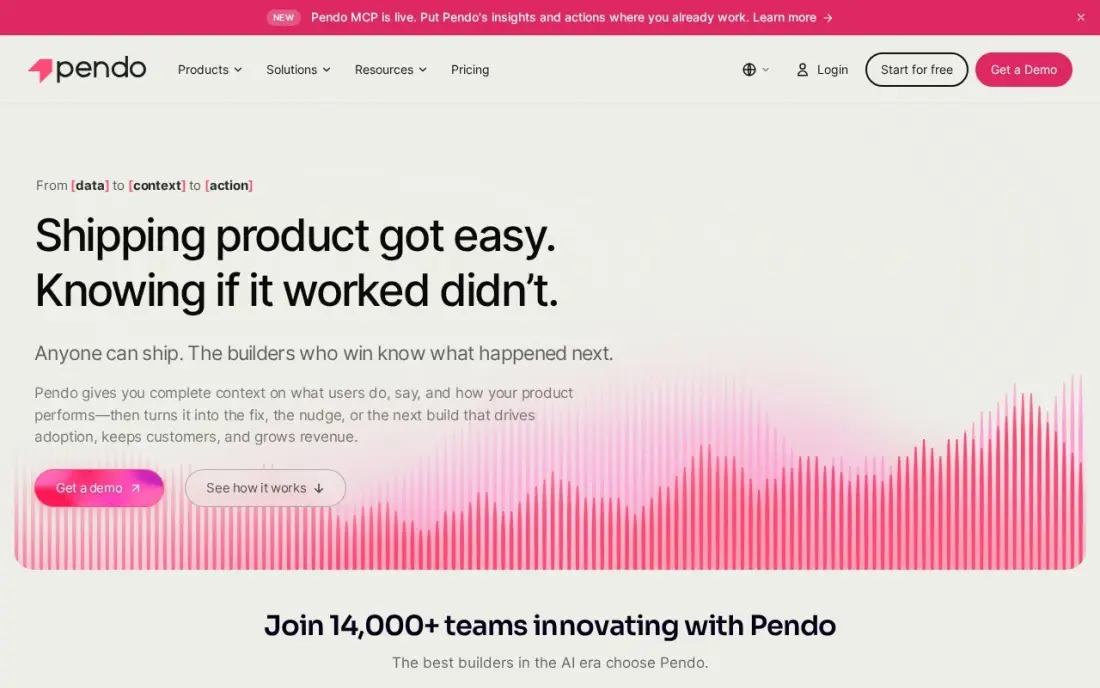
Pendo is the only tool here that pairs product analytics with the thing that changes behaviour: in-app guides, onboarding checklists and NPS surveys. The free plan covers 500 monthly active users with analytics, guides and Pendo-branded surveys, and the retroactive analytics mean you start learning the day you install the snippet.
The free tier is a proof of concept, not an operating plan: crossing 500 users blocks new guides, surveys and segments until you upgrade, and every paid tier is a custom quote on MAU volume. Session replay waits for Core. Buy Pendo when onboarding and adoption are the job; buy Mixpanel or Amplitude when pure analytics is.
What we like
- Combines analytics, in-app guides and sentiment surveys, so onboarding and measurement share one tool
- Retroactive analytics — no tagging plan needed before you start
- Free tier includes unlimited web and mobile app keys with no credit card
- A 30-day trial of the full platform sits alongside the permanent free plan
Watch out for
- Paid plans are quote-only, so there is no way to budget before a sales call
- Crossing 500 MAUs blocks new guides, surveys and segments until you upgrade
- Session replay sits on Core, not on the entry paid tier

Segment
Best for: Data teams that need one clean event stream feeding every analytics and marketing tool
Segment is infrastructure, not analytics: it collects each event once and routes it to more than 700 destinations, so Mixpanel, GA4, your warehouse and your email tool all see the same data. The free plan covers 1,000 monthly tracked users, Team starts at $120 a month for 10,000, and the overage rates are published — the most transparent pricing of any data platform here.
The trap is the billing unit. Anonymous visitors count as monthly tracked users, so a high-traffic B2C site burns the allowance on people who never sign up, and identity resolution and AI predictions need the custom-priced Business tier. Buy Segment when you run three or more downstream tools; skip it when one analytics tool does the whole job.
What we like
- One tracking implementation feeds 700+ destinations, so tools never drift apart
- Published pricing with per-1,000-user overage rates — the most transparent CDP pricing here
- Free plan covers 1,000 MTUs with no credit card, plus a 14-day Team trial
Watch out for
- Anonymous visitors count as MTUs, so high-traffic B2C sites burn the allowance fast
- Identity resolution, data quality and AI predictions need the custom-priced Business tier
- Segment routes data but does not analyse it — you still need an analytics tool downstream

Datadog
Best for: Engineering teams that need real-user performance data alongside infrastructure monitoring
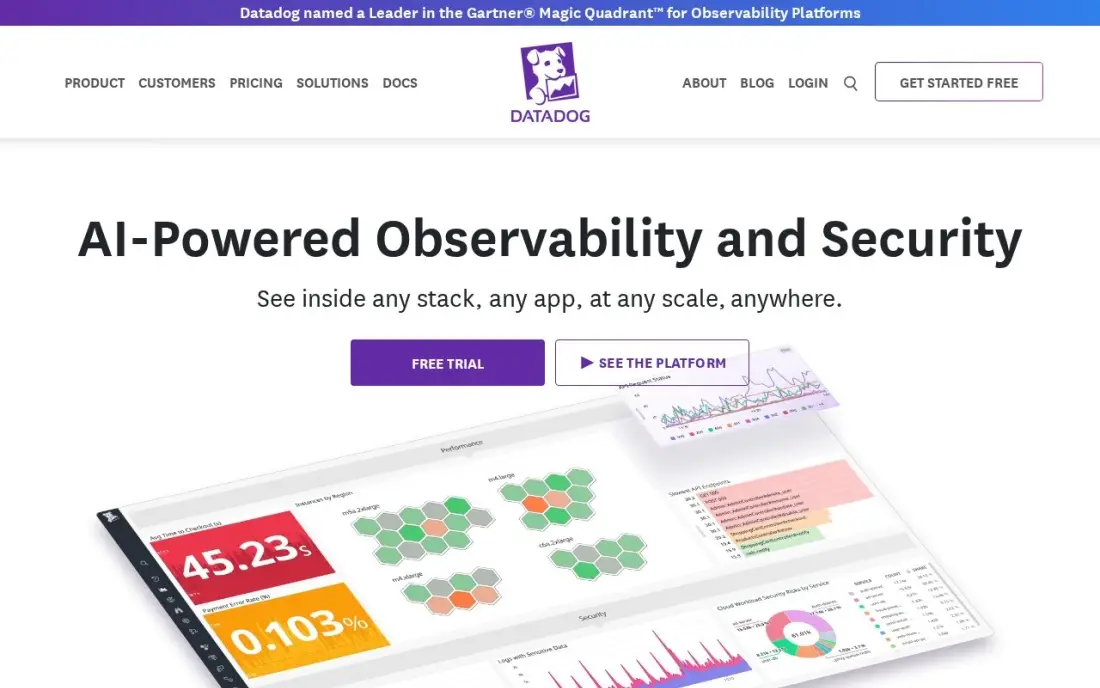
Datadog RUM watches what the other tools in this list cannot: how fast real users' pages load, which errors they hit, and whether the slowdown is the frontend or the backend. RUM Measure starts at $0.15 per 1,000 sessions — the cheapest per-session rate here — and the session data joins with APM, logs and infrastructure in the same platform.
It is a performance tool, not a product analytics tool: there are no funnels or retention curves, and the modular bill adds up — Investigate is $3 per 1,000 sessions and replay adds $2.50. There is no free tier, only a trial. Buy Datadog RUM when slow pages cost revenue; buy Mixpanel or PostHog when the question is what users do, not how fast it loads.
What we like
- Session data joins with APM, logs and infrastructure in one platform
- RUM Measure starts at $0.15 per 1,000 sessions — the cheapest per-session rate here
- Session replay and error tracking show exactly what users hit before a failure
Watch out for
- Modular pricing means RUM, APM, logs and hosts bill separately and the total climbs fast
- Investigate jumps to $3 per 1,000 sessions and session replay adds $2.50 per 1,000
- No free tier for RUM — only a 14-day trial

Databox
Best for: Small marketing teams that want live KPI dashboards without writing SQL
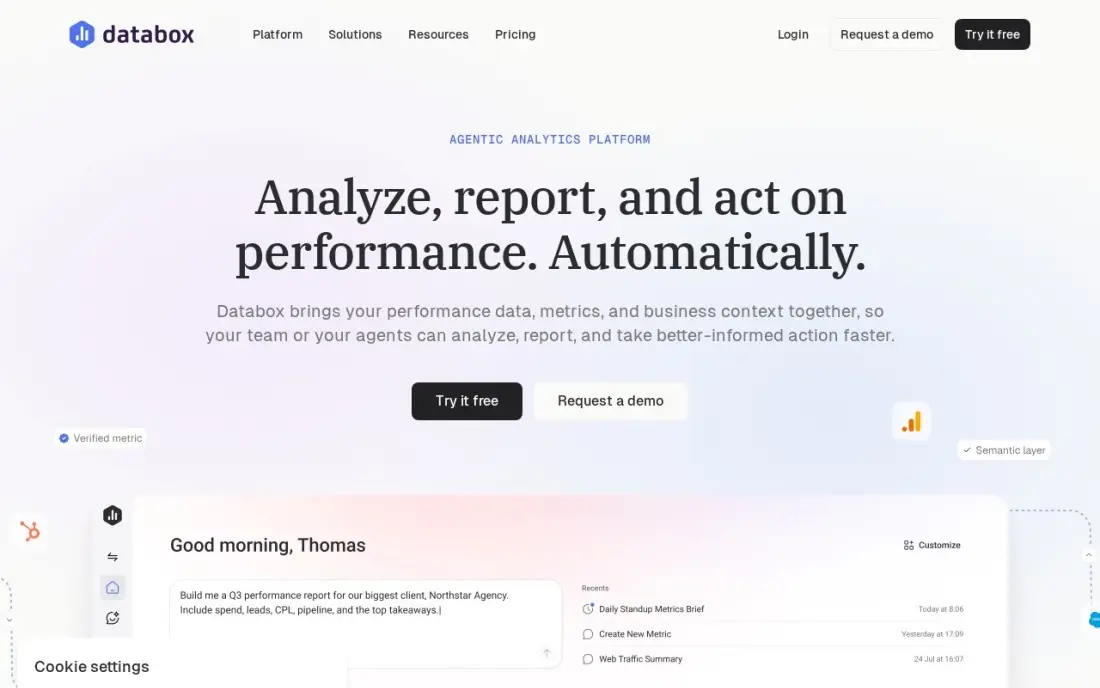
Databox is the dashboard of this list: it pulls metrics from more than 130 platforms into live KPI dashboards, and the Analyst plan adds an AI analyst called Genie that answers questions and flags anomalies. The free plan covers one user, three data sources and one dashboard; Analyst is $71 a month billed annually for one user and five sources with hourly sync.
Databox shows data, it does not reshape it: there is no event-level analysis, no funnels and no replay, so it sits on top of GA4 or Mixpanel rather than replacing them. The per-source pricing also climbs as you connect more tools, and a second user means Team at $199 a month. Buy it when the team needs one live screen of numbers; skip it when the numbers themselves need investigating.
What we like
- Pre-built metric libraries for 130+ platforms mean the first dashboard takes minutes, not a sprint
- Genie AI analyst answers questions and flags anomalies on the entry paid plan
- Free plan covers 1 user, 3 sources and 1 dashboard at $0
- Hourly sync on Analyst, with an API and MCP access for AI tools
Watch out for
- Priced per data source, so the bill climbs as you connect more tools
- Analyst covers one user — a second login means Team at $199 a month billed annually
- White-label reporting is a paid add-on, not part of the base price
The best real-time analytics platforms show you what users do the moment they do it — no waiting for tomorrow's report, no guessing from sampled data. The 11 tools below are ranked by fit for the most common buyer, a small product or marketing team that needs live funnels, replays and dashboards, and every price was verified against the vendor's own pricing page on November 12, 2026.
How to choose the best real-time analytics platforms
- Name the billing unit first. Events, sessions, users and data sources price the same traffic differently — 1.5M events cost $140 on Mixpanel, $0 on Amplitude and $25 on PostHog.
- Check what "real-time" means. Product analytics streams events as they happen; dashboards refresh hourly on Databox Analyst and slower on some BI plans, so check the refresh rate, not the marketing.
- Count the free allowance against your real volume. 1M events, 10,000 sessions and 500 users are very different caps — measure your monthly events before trusting a $0 start.
- Decide who analyses the data. Engineers want PostHog or Segment; marketers want Google Analytics or Databox; product teams want Mixpanel or Amplitude. The best tool is the one the team will actually open.
- Check what happens past the free tier. Five tools here are quote-only once you pay, so ask for a written quote before the free allowance runs out.
- Test with your own traffic. Every tool here has a free plan or trial — run your real events for two weeks and compare the numbers against Google Analytics before paying.
Real-time data only helps if someone acts on it. Our monthly SEO service turns analytics into a ranked fix list, and the free UTM builder makes sure the campaigns you measure are tagged cleanly in the first place.
Real-time analytics pricing: what you will actually pay
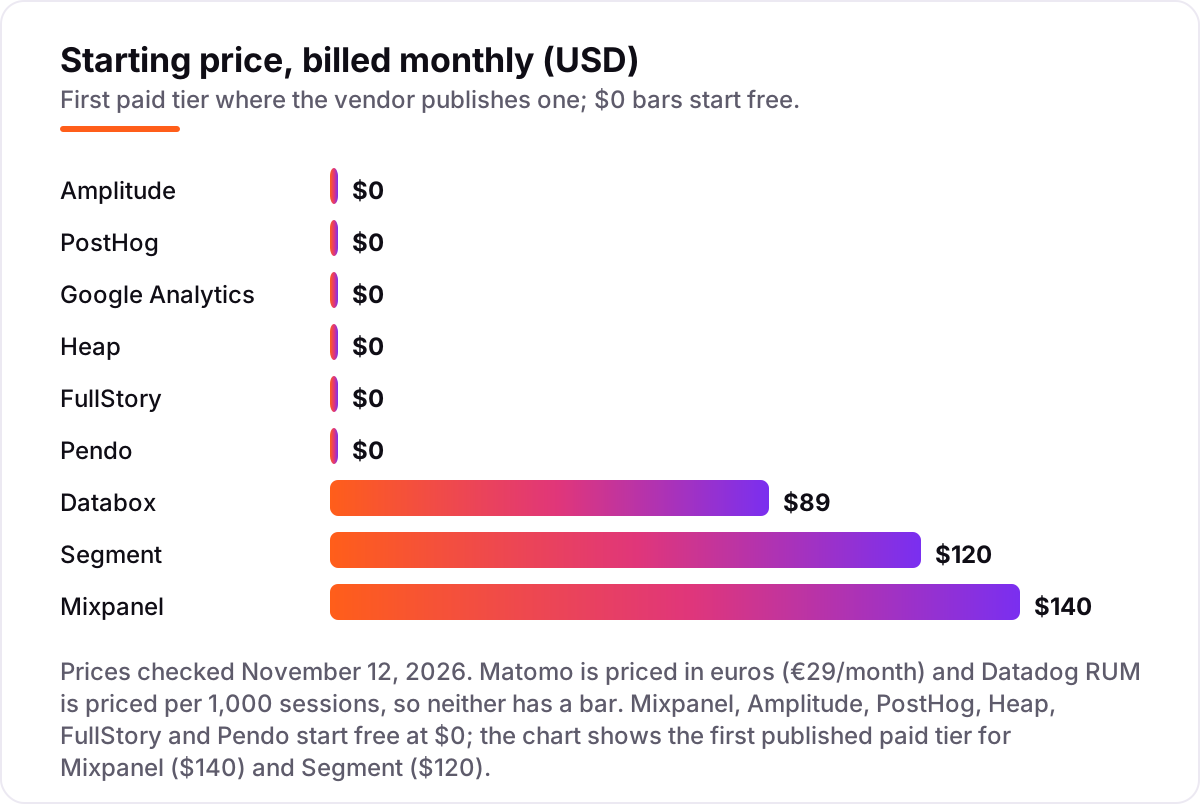
Take a small SaaS product with 10,000 monthly active users, about 15,000 sessions and 1.5 million events a month. On list prices, the monthly cost is $140 on Mixpanel Growth billed monthly ($100 billed annually), $0 on Amplitude Plus (the first 2M events are free), $25 on PostHog for the 500,000 anonymous events above the free million — identified events add person-profile charges on top — $0 on Google Analytics, €29 on Matomo Cloud Business for 50,000 hits, $0 on FullstoryFree (15,000 sessions fits the 30,000 cap), $120 on Segment Team for 10,000 MTUs, $2.25 on Datadog RUM Measure for 15,000 sessions, and $89 on Databox Analyst billed monthly ($71 billed annually). Heap Free stops at 10,000 sessions, so 15,000 sessions needs a Growth quote, and Pendo Free stops at 500 MAUs, so 10,000 users needs a Base quote.
Over a year on annual billing, that is $1,200 on Mixpanel, $0 on Amplitude, PostHog and Google Analytics, about €348 on Matomo, $1,440 on Segment and $852 on Databox. The cheapest stack is not one tool: Google Analytics for web traffic plus PostHog for product events costs $25 a month at this volume, while Mixpanel alone costs $100. The expensive mistake is the billing unit — a tool that is free at 1M events can be the dearest at 5M, so price the volume you will have in a year, not the volume you have today.
Know the difference: product analytics, web analytics and everything in between
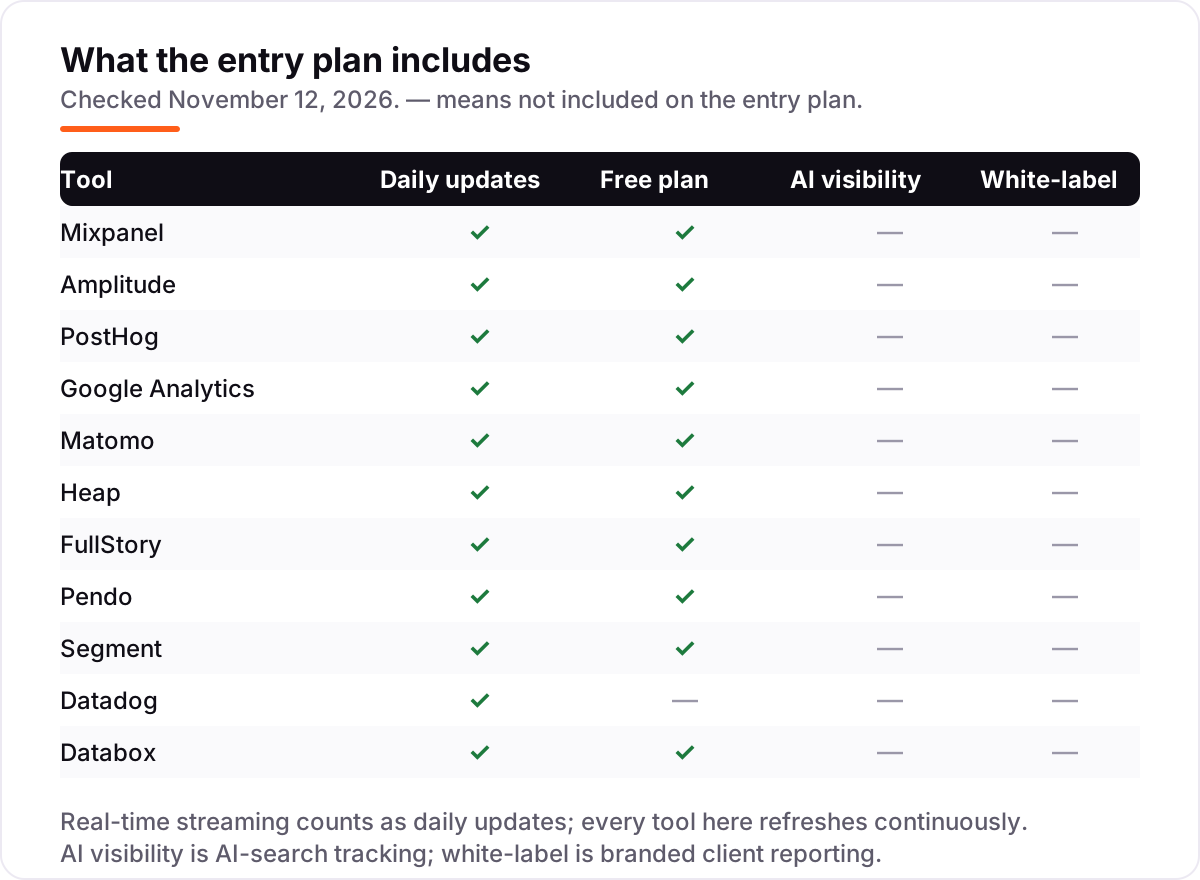
The biggest confusion in this category is that "real-time analytics" names five different jobs. Product analytics (Mixpanel, Amplitude, PostHog, Heap, Pendo) follows individual users through funnels and retention — it answers what people do inside a product. Web analytics (Google Analytics, Matomo) counts sessions and pageviews on a website — it answers where traffic comes from and what it reads. Session replay (FullStory, and the replay in Mixpanel and PostHog) shows what one user actually did — it answers why a funnel step fails. Event pipelines (Segment) move data between tools without analysing it. And RUM (Datadog) and dashboards (Databox) report performance and KPIs, not behaviour.
A best real-time data analytics tools comparison that ranks all eleven side by side is really comparing five categories, so shortlist inside one category first: pick product analytics for a SaaS app, web analytics for a content site, replay for UX debugging, Segment when you run three or more downstream tools, and Datadog or Databox when the question is speed or KPIs. Buying a dashboard when you need funnels is the most common mistake in this category — and the most expensive, because the dashboard still needs an analytics tool underneath it.
Quick comparison: tool type by need
| Buyer | Best pick | Why |
|---|---|---|
| Small SaaS product, first analytics tool | Mixpanel | $140/month at 1.5M events, free to 1M, published prices |
| Deepest behavioural analysis | Amplitude | Free to 2M events, strongest cohorts and experiments |
| Best value all-in-one | PostHog | Analytics, replay, flags and surveys from $0 |
| Free web analytics | Google Analytics | $0, real-time reports, no event cap |
| Privacy or EU data rules | Matomo | Data you own, hosted in Frankfurt, from €29/month |
| See why users struggle | FullStory | 30,000 replay sessions a month free |
Mistakes to avoid
- Comparing headline prices without the billing unit. 1.5M events cost $140 on Mixpanel, $0 on Amplitude and $25 on PostHog — the same traffic, three answers.
- Trusting a $0 start without measuring volume. Heap Free stops at 10,000 sessions and Pendo Free at 500 users; the free tier ends the week a launch goes well.
- Buying a dashboard when you need analysis. Databox shows KPIs; it cannot run a funnel or a retention curve. Pair it with Google Analytics or Mixpanel.
- Ignoring identified-event surcharges. PostHog charges extra for person profiles, Segment counts anonymous visitors as MTUs, and Matomo bills hits, not pageviews — the meter decides the bill.
- Skipping the quote for quote-only tools. Five tools here publish no paid price. Get the number in writing before the trial ends, not after.
How we chose
We verified each price against the vendor's own pricing page on November 12, 2026, using fresh search-index copies of the pages where the vendor site would not load directly in our browser — the figures are the vendors' own published prices, not directory listings. One figure changed against our earlier verified facts: Mixpanel Growth at 1.5M events is $100 a month billed annually, not $120, confirmed by four independent reads of the vendor's pricing page. Ratings come from fresh G2 copies (crawled within the last three days) for Amplitude, Matomo, PostHog, Segment, Datadog, FullStory and Databox; Mixpanel, Google Analytics, Heap and Pendo show no rating because no fresh G2 copy was available and G2 could not be opened directly. Datadog's RUM Measure rate of $0.15 per 1,000 sessions comes from Datadog's own pricing page; the $1.50 figure in older guides is stale. We ranked the tools by fit for the most common buyer — a small product or marketing team that needs live data without an enterprise contract — not by brand size. No vendor paid for a place in this list, and none of the links here are affiliate links.
What to do next
Start with the free plan or trial of your top pick and run your real events through it for two weeks — count your monthly events first, then check the bill the tool would charge at that volume. If the numbers match Google Analytics and the reports answer a real question, you have your tool. If the stack is sorted but the site is not bringing in the traffic to analyse, compare dashboards in our guide to the best web analytics platform. Once your tools are in place, find out what's holding your rankings back.
Frequently asked questions
What is the best real-time analytics platform in 2026?
Mixpanel is the best fit for most product teams: real-time funnels, retention and replay from $140 a month at 1.5M events, with 1M events free. Amplitude is the best free start at 2M events, PostHog is the best value all-in-one, and Google Analytics is the free default for websites. The right pick depends on whether you analyse a product, a website or both.
How much does a real-time analytics platform cost?
From $0 to about $140 a month at small volumes. Ten tools here start free, and the first paid tiers run $71 to $140 a month. At 1.5M events a month, Mixpanel costs $140, PostHog about $25 for anonymous events and Amplitude $0. Five tools are quote-only once you pay, so get the number in writing before you commit.
Is there a free real-time analytics platform?
Yes — ten of the eleven tools here have a free plan or tier. Google Analytics is free with no cap, Amplitude covers 2M events a month, PostHog 1M events and FullStory 30,000 sessions. Only Datadog RUM has no free tier, just a 14-day trial. Free plans work until the volume cap hits, so measure your monthly events first.
What is the difference between product analytics and web analytics?
Product analytics (Mixpanel, Amplitude, PostHog) follows individual users through funnels, retention and feature use inside an app. Web analytics (Google Analytics, Matomo) counts sessions, pageviews and traffic sources on a website. A SaaS product needs the first; a content or ecommerce site needs the second; many teams run both.
Do I need Mixpanel or Amplitude if I already have Google Analytics?
Yes, if you need to follow individual users. GA4 reports sessions and pageviews well, but it cannot run per-user funnels, retention cohorts or feature analysis the way Mixpanel and Amplitude can. Keep GA4 as the free baseline for traffic, and add a product analytics tool when the question is what users do inside the product.
Can I switch real-time analytics platforms later?
Yes, but plan the migration. Export your historical events and dashboards, run both tools in parallel for two to four weeks, and compare the numbers before you cut over. Keep the old tool until the new one's funnels match, because event definitions differ between platforms and a rushed switch loses history.
What should I check before paying for a real-time analytics platform?
Check the billing unit and your real volume, what happens when the free allowance runs out, whether the paid price is published or quote-only, and whether identified users or anonymous visitors cost extra. Then run the free plan with your real events for two weeks and confirm the numbers match GA4 before you pay.
Sources we checked (18)
- Mixpanel pricing — mixpanel.com/pricing (checked November 12, 2026)
- Amplitude pricing — amplitude.com/pricing (checked November 12, 2026)
- PostHog pricing — posthog.com/pricing (checked November 12, 2026)
- Google Analytics — marketingplatform.google.com/about/analytics (checked November 12, 2026)
- Matomo pricing — matomo.org/pricing (checked November 12, 2026)
- Heap pricing — heap.io/pricing (checked November 12, 2026)
- FullStory pricing — fullstory.com/pricing (checked November 12, 2026)
- Pendo pricing — pendo.io/pricing (checked November 12, 2026)
- Segment pricing — twilio.com/en-us/segment/pricing (checked November 12, 2026)
- Datadog pricing — datadoghq.com/pricing (checked November 12, 2026)
- Databox pricing — databox.com/pricing (checked November 12, 2026)
- Amplitude on G2 — 4.5/5, 2,977 reviews (checked November 12, 2026)
- Matomo on G2 — 4.2/5, 97 reviews (checked November 12, 2026)
- PostHog on G2 — 4.5/5, 1,051 reviews (checked November 12, 2026)
- Segment on G2 — 4.5/5, 567 reviews (checked November 12, 2026)
- Datadog on G2 — 4.4/5, 726 reviews (checked November 12, 2026)
- FullStory on G2 — 4.5/5, 1,058 reviews (checked November 12, 2026)
- Databox on G2 — 4.4/5, 194 reviews (checked November 12, 2026)
Make one of these tools?
We re-check this list every quarter. Send a correction, request a review, or ask about a clearly labeled sponsored spot.
Request a listingShamim
Founder of SerpAstra
A full-stack SEO and digital marketer who spends most days on Local SEO for dental practices, AI search visibility and lead generation.
Free SEO and AI visibility audit
Find out what is holding your rankings back
Send us your site. Within 2 business days you get a written audit, an AI visibility check and a short fix list ranked by impact. Free, with no contract attached.
Request my free audit→Related buying guides
 Marketing7 Best Web Analytics Platforms for 2026 (Pros, Cons and Pricing)Compare the 7 best web analytics platforms on price, free plans and features — from free GA4 to privacy-first Plausible, with prices checked November 12, 2026.Read guide →
 Project & Product Management10 Best Product Analytics Tools in 2026 (Free and Paid, Compared)10 best product analytics tools compared on price, free plans and fit, from Mixpanel and Amplitude to free GA4. Priced from vendor pages, November 2026.Read guide →
 Marketing9 Best Marketing Dashboard Software in 2026, ComparedCompare the 9 best marketing dashboard software options on price, free plans, white-label and AI features, with every price checked November 5, 2026.Read guide →