
8 Best E-Commerce Analytics Tools in 2026, Compared
Compare the 8 best e-commerce analytics tools for store reports, attribution, heatmaps and customer revenue, with free plans and prices checked on vendor pages.
 Shamim Mia, Founder, SerpAstraLast verified November 2, 20268 min read
We compare pricing pages, documentation and public reviews. We never accept payment for rankings.
Key takeaways
- Start with what you already have: Shopify's own reports come with the plan, and Google Analytics 4 is free for traffic, conversions and channel value.
- Triple Whale is the pick for Shopify brands that want attribution and an AI analyst, with a free plan; paid plans are priced by annual GMV on 12-month terms.
- Northbeam starts at $1,500 a month and only pays off when ad spend is large; below that, GA4 plus Triple Whale's free plan covers most stores.
- Microsoft Clarity gives unlimited heatmaps and recordings for $0; Lucky Orange adds live chat and funnels from $32 a month billed annually.
On this page
Quick comparison
| Tool | Best for | Starting price | Free plan |
|---|---|---|---|
| Shopify Analytics | Shopify stores that want sales, customer and inventory reports with nothing to install | $39/mo | No (3-day trial) |
| Google Analytics 4 | Every online store that needs a free baseline for traffic, conversions and channel value | Free | Yes (free) |
| Triple Whale | Shopify brands that want attribution, dashboards and an AI analyst in one place | Custom quote | Yes (free plan) |
| Northbeam | Ecommerce brands with large paid media budgets that need multi-touch attribution and MMM | $1,500/mo | No (demo available) |
| Microsoft Clarity | Small stores that want unlimited heatmaps and session recordings for free | Free | Yes (free forever) |
| Lucky Orange | Shopify and small ecommerce stores that want heatmaps, recordings and live chat together | $39/mo | No (7-day trial) |
| Looker Studio | Stores that want free dashboards combining GA4, Google Ads and spreadsheet data | Free; Pro $9/mo | Yes (free plan) |
| Kissmetrics | Stores that want to tie campaigns to revenue per customer, not just total conversions | $99/mo | Yes (100k events) |
Make one of these tools?
We re-check this list every quarter. Send a correction, request a review, or ask about a clearly labeled sponsored spot.
Request a listingThe best e-commerce analytics tools

Shopify Analytics
Best for: Shopify stores that want sales, customer and inventory reports with nothing to install
Shopify's built-in analytics are the first e-commerce analytics tool most stores should use, because the data is the store itself: no connector, sync or import to maintain. More than 200 reports cover sales, customers, inventory and marketing, and the analytics come with the plan — Basic costs $29 a month billed annually, or $39 monthly.
The limits show as you grow. Standard reports start on Grow at $79 a month billed annually, not Basic, and the reports stop at describing what happened; deeper questions about cohorts or channel profit need an app or a BI tool. It holds 4.4 on G2. Learn these reports before buying anything else.
What we like
- More than 200 reports come with the plan, covering sales, customers, inventory and marketing
- The data is live because it is the store itself — no connector, sync or import to maintain
- Grow adds standard reports and a lower card rate, so the analytics grow with the store
Watch out for
- Standard reports are missing on Basic — they start on Grow ($79/month billed annually)
- Card processing (2.9% + 30 cents online on Basic) is charged on every order, on top of the subscription
- Deeper analysis still needs an app or a BI tool; Shopify's own reports stop at descriptive dashboards

Google Analytics 4
Best for: Every online store that needs a free baseline for traffic, conversions and channel value
Google Analytics 4 is free for the standard version and shows where shoppers come from, what they do and which channels lead to purchases. Data-driven attribution is the default model, and it connects to Google Ads, Search Console and BigQuery export, so a store can see paid and organic performance side by side. It holds 4.5 on G2 from more than 6,800 reviews.
Setup takes real effort: ecommerce events must be configured correctly, the interface has a steep learning curve, and exploration data is kept for 14 months at most on the free version. Attribution is session-based, so returning customers can blur. Get the purchase events right once and GA4 becomes the reference every other tool is checked against.
What we like
- Free for most sites, with no traffic fee and no paid upgrade inside the product
- Data-driven attribution is the default model, crediting touchpoints across the journey
- Deep integration with Google Ads, Search Console and BigQuery export
- Key events, audiences and explorations cover most reporting needs without a second tool
Watch out for
- Attribution is session and event based, not person or account based, so long B2B cycles blur
- Exploration data is kept for 14 months at most on the free version
- The interface has a steep learning curve and setup takes real time to get right

Triple Whale
Best for: Shopify brands that want attribution, dashboards and an AI analyst in one place
Triple Whale is built for Shopify brands that spend on ads and want one view of what each channel returns. The free plan includes a real-time business dashboard, Triple Pixel first- and last-click attribution and Moby AI, which answers questions and builds reports. Paid packages add server-side tracking through Sonar at no extra cost, plus segments and a SQL editor.
There is no published starting price: paid plans are set by annual GMV, and all are 12-month subscriptions. G2 reviewers rate it 4.5 but mention billing and support friction, and its attribution figures can differ from ad platform reports. Start on the free plan to see whether its numbers change your decisions.
What we like
- Free plan includes a real-time business view, Triple Pixel first- and last-click attribution, and Moby AI
- Moby AI answers questions, builds reports and automates recurring work across paid, owned and subscription channels
- Sonar (server-side tracking) is included in every paid package at no extra cost
- Trusted by 65,000+ brands, with no-code dashboards, customer segments and a SQL editor
Watch out for
- No starting price is published — pricing is set by annual GMV, so you must request a quote to know the cost
- All paid plans are 12-month subscriptions, with monthly or annual billing; there is no month-to-month option
- G2 reviewers report billing and support friction, and attribution numbers can differ from ad platform reporting

Northbeam
Best for: Ecommerce brands with large paid media budgets that need multi-touch attribution and MMM
Northbeam is attribution for brands where getting the ad budget wrong costs real money. It combines multi-touch attribution, media mix modelling and incrementality testing, credits view-through sales with Clicks plus Deterministic Views, and its Apex feature feeds the model back into ad delivery. Starter costs $1,500 a month for brands spending under $1.5 million a year on ads.
Starter is month to month for qualifying Shopify brands, and other platforms start on Professional at $3,500 a month. The final price depends on pageview volume. It has only 16 G2 reviews. Below a few hundred thousand dollars a year in ad spend, GA4 and a free attribution tool are better value.
What we like
- Multi-touch attribution plus media mix modelling and incrementality testing in one platform
- Clicks plus Deterministic Views credits view-through sales without cookie guesswork
- Apex feeds attribution back into ad delivery, so budgets follow the model
- Starter is month to month for qualifying Shopify brands, with no annual lock-in
Watch out for
- At $1,500 a month it only pays when ad spend is large enough to misallocate
- Starter is Shopify only; other platforms start at Professional at $3,500 a month
- Final price depends on pageview volume, so the $1,500 figure is a starting point

Microsoft Clarity
Best for: Small stores that want unlimited heatmaps and session recordings for free
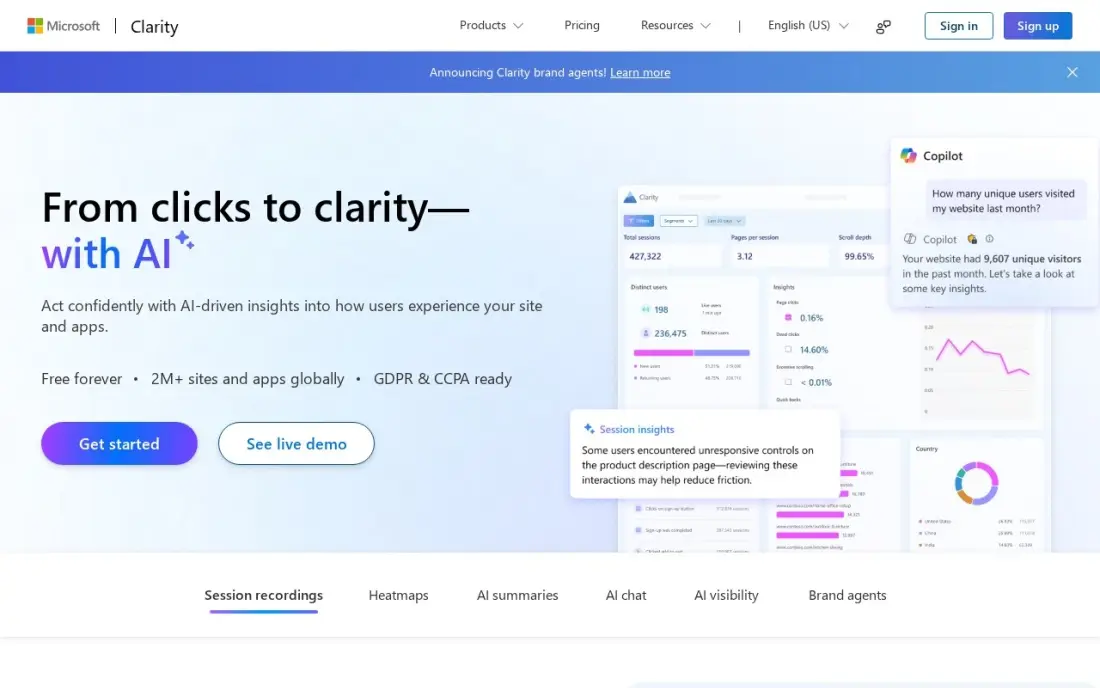
Microsoft Clarity shows why shoppers drop off product and checkout pages, for $0. It is free forever with no traffic caps — unlimited recordings and heatmaps, up to 100,000 sessions per project a day — and dead-click and error-click heatmaps reveal buttons that do nothing or break. Copilot AI summaries and a native GA4 integration are included.
Recordings are kept for only 30 days, and there are no deep funnels or cohorts. Microsoft uses aggregated, anonymised Clarity data to improve its products, and EEA, UK and Swiss traffic needs a consent signal. For a store that has never watched a real checkout session, it is the first tool to install.
What we like
- Free forever with no traffic caps: unlimited recordings and heatmaps, up to 100,000 sessions per project per day
- Dead-click and error-click heatmaps show exactly where visitors click things that do nothing or break
- Copilot AI summaries and a native GA4 integration come free on every account
- No credit card, no session sampling, no paid tier to grow into
Watch out for
- Recordings are kept only 30 days, so long-term trend analysis is out
- No deep funnels or cohort analysis — it shows what happened in a session, not how behaviour changes across user groups
- Microsoft uses aggregated, anonymised Clarity data to improve its own products, and EEA, UK and Swiss traffic needs a consent signal since October 31, 2025

Lucky Orange
Best for: Shopify and small ecommerce stores that want heatmaps, recordings and live chat together
Lucky Orange bundles every feature on every plan: dynamic heatmaps that follow changing page elements, session recordings, live chat, surveys, funnels and form analytics, with a live visitor view for watching the store in real time. Build costs $32 a month billed annually, or $39 monthly, for 3,500 sessions, with unlimited team members. It scores 4.6 on G2.
The session allowance decides the price. Build's 3,500 sessions suit a small store; growing traffic moves you to Grow at $89 a month, and the price climbs to $249 at 50,000 sessions. There is a 7-day trial but no free plan. Choose it when chat and behaviour data should sit in one tool.
What we like
- Every feature on every plan, including live chat, surveys, funnels and form analytics
- Dynamic heatmaps that follow moving and changing page elements
- Live visitor view and visitor profiles for real-time store watching
- Unlimited team members and unlimited heatmaps on all plans
Watch out for
- No free plan on the current pricing page; the old 100-session free tier is not advertised
- Build covers only 3,500 sessions, so a growing store jumps to Grow at $89 a month
- Price jumps sharply at scale, from $249 a month at 50,000 sessions to $1,049 at 300,000

Looker Studio
Best for: Stores that want free dashboards combining GA4, Google Ads and spreadsheet data
Looker Studio turns GA4, Google Ads, Search Console and Google Sheets into shareable dashboards for free, with unlimited reports and no user cap. More than 1,000 community connectors pull in other sources, so a store can put ad spend, traffic and a sheet of order data on one page and share it by link.
The free plan has no scheduled email delivery, and Gemini AI features need Pro at $9 a user per project a month. Large or heavily blended data can slow reports down. It scores 4.4 on G2. It is the cheapest way to give an owner a single weekly view of the business.
What we like
- Free, with unlimited reports and no user cap
- The simplest way to report on GA4, Google Ads and Search Console
- Over 1,000 community connectors extend it well beyond Google data
- Sharing is a link, so viewers need no licence at all
Watch out for
- AI features (Gemini in Looker Studio) are Pro-only, not on the free plan
- No scheduled email delivery of dashboards on the free plan
- Performance can slow down on very large or heavily blended data

Kissmetrics
Best for: Stores that want to tie campaigns to revenue per customer, not just total conversions
Kissmetrics tracks people rather than sessions, so every event — first visit, signup, purchase, repeat order — attaches to one customer. Its funnels and cohorts answer who converted and what they spent, and the performance report puts campaign, signup and revenue on the same person by first and last click. It is free up to 100,000 events a month.
Growth starts at $99 a month from 500,000 events. It is narrower than product analytics suites, with no session replay or heatmaps, and reviewers mention an interface that shows its age. It suits stores selling subscriptions or repeat purchases that want lifetime value by acquisition channel.
What we like
- Person-based tracking ties every event to an individual, so funnels and cohorts answer who converted
- Free up to 100,000 events a month, and Growth starts at $99 a month from 500,000 events
- Performance report puts campaign, signup and revenue on the same person, by first and last click
Watch out for
- Narrower than Mixpanel or Amplitude: no session replay, heatmaps or feature flags
- Reviewers note a steeper learning curve and an interface that shows its age
The best e-commerce analytics tools tell a store owner three things: where buyers come from, why visitors leave without buying and which channels make money after ad costs. We compared eight tools across four jobs — store reporting, traffic analytics, attribution and on-site behaviour — on what each shows, how hard it is to set up and the real monthly cost. This guide also covers the best analytics tools for ecommerce more broadly, and every price below comes from the vendor's own pricing page as checked in November 2026.
How to choose the best e-commerce analytics tools
- Use the free baseline first. Your store platform's reports and GA4 answer most questions; buy more only when they cannot.
- Decide which question you need answered. Traffic, attribution, on-page behaviour and customer value are different tools.
- Match attribution spend to ad spend. An attribution platform pays off only when the budget it reallocates is large.
- Check how pricing scales. Sessions, events, pageviews and GMV all drive bills up as the store grows.
- Mind privacy and consent. Recording and tracking tools need consent in many regions, so set that up before going live.
- Pick one source of truth. Agree which tool settles revenue disputes before reports start to disagree.
Analytics shows which channels sell; growing the cheapest one — organic search — is our work. Our guide to SEO for ecommerce explains how stores win organic traffic, and the free UTM builder tags campaign links so GA4 credits every sale to the right channel.
E-commerce analytics tools pricing: what you will actually pay
Take a Shopify store doing a few hundred orders a month. A free stack — Shopify Basic's built-in reports, GA4, Microsoft Clarity and Looker Studio — costs nothing beyond the $29 a month Basic plan billed annually, or $39 monthly. Adding Lucky Orange Build for heatmaps, recordings and chat costs $32 a month billed annually, or $384 a year; monthly billing raises that to $39. Standard Shopify reports need Grow at $79 a month billed annually.
Attribution is where costs jump. Triple Whale's free plan covers a real-time dashboard and first- and last-click attribution; its paid packages are priced by annual GMV on 12-month terms, so get a quote. Northbeam Starter costs $1,500 a month, or $18,000 a year, for Shopify brands spending under $1.5 million a year on ads. Kissmetrics is free to 100,000 events a month and $99 a month on Growth from 500,000 events.
Know the difference: web analytics vs ecommerce attribution
Web analytics counts visits and actions. GA4, Shopify's reports and Clarity show how many people came, from which channel, which pages they saw and where they left. That is enough to fix a broken checkout, find a weak product page or see that organic search is growing.
Attribution decides which marketing touch earned the sale. Triple Whale and Northbeam follow a buyer across ad clicks, views, emails and visits and divide credit between them, so you can move budget from a channel that looks good in its own dashboard to one that actually drives orders. It matters most when a store spends heavily on several ad platforms; for a store growing mostly on search and email, it is often overkill.
Quick comparison: tool type by need
| Buyer | Best pick | Why |
|---|---|---|
| Shopify stores | Shopify Analytics | 200+ reports included with the plan |
| Every store | Google Analytics 4 | Free traffic, conversion and channel data |
| Shopify brands running ads | Triple Whale | Free plan with attribution and Moby AI |
| Large ad budgets | Northbeam | Multi-touch attribution and MMM from $1,500/month |
| Free behaviour data | Microsoft Clarity | Unlimited heatmaps and recordings for $0 |
| Heatmaps plus live chat | Lucky Orange | Every feature on every plan, from $32/month annual |
| Free combined dashboards | Looker Studio | GA4, Ads and Sheets in one shareable report |
| Revenue per customer | Kissmetrics | Person-based tracking, free to 100,000 events |
Mistakes to avoid
- Skipping purchase event checks. Place a test order and confirm the value appears correctly in GA4 before trusting any report.
- Trusting ad platform numbers alone. Each platform credits itself; compare against one neutral source.
- Watching recordings with no question. Pick one page and one problem, such as checkout drop-off, then review sessions.
- Ignoring margin. Revenue by channel without product cost and discounts can reward the wrong campaigns.
- Buying attribution too early. Below a meaningful ad budget, the subscription can cost more than the waste it finds.
How we chose
We checked each vendor's pricing page in November 2026 and recorded starting prices exactly as shown, with annual and monthly figures where both are listed. Triple Whale publishes no starting price, so we describe how it is priced rather than repeat an estimate. We ranked tools for the most common buyer — an online store doing tens to thousands of orders a month — and weighed setup effort, insight per dollar and how pricing scales. Ratings come from G2 pages checked on the dates shown in the sources. No vendor paid for a place in this list, and none of the links here are affiliate links.
What to do next
Place a test order this week and check that it appears with the right value and source in your store reports and GA4, then install Clarity on the checkout. If the data shows organic search is underperforming, book a free review of your store's SEO.
Frequently asked questions
What are the best e-commerce analytics tools?
Most stores should start with Shopify's built-in reports and Google Analytics 4, which is free. Add Triple Whale for attribution with a free plan, Microsoft Clarity for free heatmaps and recordings, and Northbeam from $1,500 a month once ad spend is large.
Are there free analytics tools for ecommerce?
Yes. Google Analytics 4, Microsoft Clarity and Looker Studio are free, Triple Whale has a free plan with a dashboard and attribution, and Kissmetrics is free up to 100,000 events a month. Shopify's reports are included with the store plan.
How much do e-commerce analytics tools cost?
On published prices, GA4, Clarity and Looker Studio cost $0, Lucky Orange starts at $32 a month billed annually, Kissmetrics Growth at $99 a month and Northbeam at $1,500 a month. Triple Whale's paid plans are priced by annual GMV.
What is the best analytics tool for a Shopify store?
Start with Shopify's own reports and GA4, then add Triple Whale for attribution and Moby AI, which has a free plan. Lucky Orange suits Shopify stores that want heatmaps and live chat together, from $32 a month billed annually.
Which ecommerce metrics matter most?
Conversion rate, average order value, customer acquisition cost by channel, repeat purchase rate and lifetime value. Track gross margin alongside revenue, because a channel that sells a lot at a discount can lose money.
Why do my ad platforms and analytics tools show different sales numbers?
Each tool uses its own attribution window and model, and ad platforms credit their own clicks and views. Pick one source of truth, such as GA4 or an attribution tool, and use it for budget decisions.
Sources we checked (16)
- Shopify Analytics — www.shopify.com (checked November 2, 2026)
- Shopify Analytics reviews on G2 (checked November 2, 2026)
- Google Analytics 4 — marketingplatform.google.com/about/analytics (checked November 4, 2026)
- Google Analytics 4 reviews on G2 (checked November 4, 2026)
- Triple Whale — triplewhale.com/pricing (checked November 4, 2026)
- Triple Whale reviews on G2 (checked November 4, 2026)
- Northbeam — www.northbeam.io/pricing (checked November 4, 2026)
- Northbeam reviews on G2 (checked November 4, 2026)
- Microsoft Clarity — clarity.microsoft.com (checked November 12, 2026)
- Microsoft Clarity reviews on G2 (checked November 12, 2026)
- Lucky Orange — luckyorange.com/pricing (checked November 5, 2026)
- Lucky Orange reviews on G2 (checked November 5, 2026)
- Looker Studio — cloud.google.com/looker-studio (checked November 12, 2026)
- Looker Studio reviews on G2 (checked November 12, 2026)
- Kissmetrics — kissmetrics.io/pricing (checked November 2, 2026)
- Kissmetrics reviews on G2 (checked November 2, 2026)
Make one of these tools?
We re-check this list every quarter. Send a correction, request a review, or ask about a clearly labeled sponsored spot.
Request a listingShamim
Founder of SerpAstra
A full-stack SEO and digital marketer who spends most days on Local SEO for dental practices, AI search visibility and lead generation.
Free SEO and AI visibility audit
Find out what is holding your rankings back
Send us your site. Within 2 business days you get a written audit, an AI visibility check and a short fix list ranked by impact. Free, with no contract attached.
Request my free audit→Related buying guides
 Marketing7 Best Web Analytics Platforms for 2026 (Pros, Cons and Pricing)Compare the 7 best web analytics platforms on price, free plans and features — from free GA4 to privacy-first Plausible, with prices checked November 12, 2026.Read guide →
 Marketing9 Best Marketing Attribution Software in 2026, ComparedCompare the 9 best marketing attribution software tools in 2026 on price, attribution models and free plans, with every price checked November 4, 2026.Read guide →
 Retail, Restaurants & Hospitality11 Best Retail Analytics Software in 2026, Compared11 best retail analytics software tools compared on price, from free POS analytics to enterprise in-store tracking. Prices checked November 2, 2026.Read guide →