
8 Best Website Hosting Platforms in 2026, Compared
Compare the 8 best website hosting platform picks on intro vs renewal prices, managed WordPress, cloud servers and support, with prices checked on vendor pages.
 Shamim Mia, Founder, SerpAstraLast verified November 6, 20269 min read
We compare pricing pages, documentation and public reviews. We never accept payment for rankings.

Key takeaways
- Hostinger is the cheapest way onto real web hosting, from $1.99 a month on a 48-month term, but Premium renews at $10.99 a month.
- SiteGround publishes its regular prices openly, from $14.99 a month on a 24-month prepay, which makes the true cost after the first term easy to plan.
- Kinsta, WP Engine and Liquid Web are managed WordPress hosts for business sites; Cloudways puts a managed layer on cloud servers from $14 a month.
- Always compare the renewal price and the prepaid term, not the headline monthly figure.
On this page
Quick comparison
| Tool | Best for | Starting price | Free plan |
|---|---|---|---|
| Hostinger | Small businesses and bloggers that want the cheapest entry into shared web hosting | $1.99/mo (48-mo term) | No |
| SiteGround | Small business WordPress sites that want strong support and openly published regular prices | $14.99/mo (24-mo regular) | No |
| Kinsta | Business WordPress sites that want premium managed hosting priced by site and traffic | From $17.50/mo (promo) | No (first month free, select plans) |
| Cloudways | Agencies and growing sites that want managed cloud servers with hourly billing | $14/mo | No (5-day trial) |
| WP Engine | Marketing teams running business-critical WordPress sites that need managed hosting with an enterprise path | $28/mo (annual) | No |
| Liquid Web | Businesses that want managed WordPress, VPS and dedicated servers from one provider | From $19/mo | No |
| DigitalOcean | Developers who want to run their own web servers on flat, predictable cloud pricing | $4/mo | No (trial credit) |
| WordPress.com | Site owners who want WordPress with hosting, security and updates bundled in one subscription | $40/mo | Yes (free plan) |
Make one of these tools?
We re-check this list every quarter. Send a correction, request a review, or ask about a clearly labeled sponsored spot.
Request a listingThe best website hosting platforms

Hostinger
Best for: Small businesses and bloggers that want the cheapest entry into shared web hosting

Hostinger is where most first websites should start. Premium costs $1.99 a month on a 48-month term for three websites and 20 GB of SSD storage, and Unlimited costs $2.79 a month for unlimited sites and 50 GB of NVMe. The control panel is simple, and a growing site can step up to Cloud Startup at $7.99 a month on the same 48-month term.
The low price comes with a long commitment and a big renewal: Premium means $95.52 paid upfront and renews at $10.99 a month, Unlimited at $16.99. Budget on the renewal price. For a small site, it is still good value.
What we like
- Premium starts at $1.99 a month for 3 websites and 20 GB SSD on a 48-month term
- Unlimited plan at $2.79 a month covers unlimited sites and 50 GB NVMe storage
- Cloud Startup at $7.99 a month on a 48-month term gives more resources and 100 GB NVMe
Watch out for
- Intro prices need a 48-month prepayment — $95.52 upfront for Premium
- Renewal prices are far higher: Premium renews at $10.99 and Unlimited at $16.99 a month
- Shared hosting resources suit small sites, not busy stores or apps

SiteGround
Best for: Small business WordPress sites that want strong support and openly published regular prices
SiteGround is the shared host for small businesses that value support and want to know what they will pay after the honeymoon. Its knowledge base lists regular prices by term: StartUp costs $24.99 a month month-to-month, $17.99 on a 12-month prepay and $14.99 on 24 months; GrowBig runs $24.99 to $34.99 and GoGeek $39.99 to $49.99. Signup discounts appear on its sales pages.
Those regular prices are high for shared hosting, so SiteGround is not the budget pick. New orders carry a 30-day money-back guarantee. Choose it when reliable support is worth more than the lowest bill.
What we like
- Publishes its regular prices by term, so the cost after any intro discount is clear
- Three tiers — StartUp, GrowBig and GoGeek — with month-to-month billing available
- 30-day money-back guarantee on new shared hosting orders
Watch out for
- Regular prices are high for shared hosting: GrowBig is $24.99 to $34.99 a month
- The best monthly rate needs a 24-month prepayment
- Prices exclude VAT, GST and sales tax

Kinsta
Best for: Business WordPress sites that want premium managed hosting priced by site and traffic
Kinsta is a premium managed WordPress host: updates, caching, backups and security are handled, and plans are sized by number of sites and monthly visits or bandwidth. At the time we checked, a single-site plan started at $17.50 a month and WP 2 for two sites cost $35 a month or $630 a year, with Enterprise from $500 a month.
Those figures were Black Friday prices for new customers, valid until December 1, 2026, so confirm the regular rate before you buy. Single-site plans include 10 GB of storage, and traffic beyond your visit allowance pushes you up a tier.
What we like
- Plans sized by site count and monthly visits or bandwidth, from a single site up to 60 installs on Agency
- Annual billing available on every plan, for example WP 2 at $630 a year
- First month free on select plans and a 30-day money-back guarantee
Watch out for
- Current published prices are a Black Friday discount for new customers ending December 1, 2026
- Single-site plans include only 10 GB of storage
- Visit and bandwidth limits mean traffic spikes can push you up a tier

Cloudways
Best for: Agencies and growing sites that want managed cloud servers with hourly billing
Cloudways sits between shared hosting and running your own server. You pick a cloud provider — DigitalOcean, Vultr, Linode, AWS or Google Cloud — and Cloudways manages the server, stack, caching and backups. The Flexible Micro plan costs $14 a month for 1 GB of RAM, 1 vCPU, 25 GB of NVMe storage and 1 TB of bandwidth, billed hourly, and there is a five-day free trial with no card.
Many useful extras are paid add-ons, from offsite backup storage to malware protection and advanced support at $100 a month. It suits agencies hosting several client sites.
What we like
- Managed layer on top of DigitalOcean, Vultr, Linode, AWS or Google Cloud servers
- Pay monthly or by the hour, starting at $14 a month for 1 GB and 1 vCPU
- 5-day free trial with no credit card required
Watch out for
- Add-ons cost extra: backups storage $0.033 per GB, malware protection from $4 per app a month
- AWS and Google Cloud servers are priced by region and excluded from the trial
- The pricing page shows two different starting prices, $11 and $14

WP Engine
Best for: Marketing teams running business-critical WordPress sites that need managed hosting with an enterprise path
WP Engine is one of the longest-running managed WordPress hosts, and it is built for sites that make money. Essential costs $28 a month billed annually, or $336 a year, with an estimated 25,000 to 400,000 visits a month, 10 to 50 GB of storage and 75 GB of bandwidth. WordPress updates, caching and security are handled for you.
The page shows no monthly-billed price, and the next published tier, Business, costs $400 a month billed annually, so growth can be expensive. Overages may apply when traffic exceeds the plan. Choose it for a business site that needs an established host.
What we like
- Essential starts at $28 a month billed annually with 75 GB of bandwidth
- Clear path from Essential to Business and custom Enterprise plans
- Fully managed WordPress with updates, caching and security handled
Watch out for
- No monthly-billed price is shown; Essential is $336 paid for the year
- The jump from Essential to Business is large, at $400 a month billed annually
- Visit counts are estimates and overages may apply

Liquid Web
Best for: Businesses that want managed WordPress, VPS and dedicated servers from one provider
Liquid Web covers the whole range a growing business moves through: managed WordPress and WooCommerce from $19 a month, self-managed VPS from $18 a month with 4 GB of RAM, cloud dedicated from $116.75 a month and fully managed dedicated servers. Storage scales with your visit tier, and extra traffic is sold in packs of 100,000 visits for $10 a month.
The pricing page leaves the managed WordPress tier prices blank beyond the starting figure, so get a quote for your traffic. Extra sites cost $9 to $12 a month each. It suits businesses that want one host from first site to dedicated server.
What we like
- Managed WordPress and managed WooCommerce hosting from $19 a month
- VPS, cloud dedicated and dedicated servers available when a site outgrows managed plans
- Visit packs add 100,000 monthly visits for $10 a month
Watch out for
- Base monthly prices for each managed WordPress tier are not shown on the pricing page
- Extra sites cost $9 to $12 a month each
- Dedicated server intro prices last only two months

DigitalOcean
Best for: Developers who want to run their own web servers on flat, predictable cloud pricing

DigitalOcean is the hosting platform for people who want a server rather than a hosting plan. A Basic Droplet starts at $4 a month, billed per second up to a monthly cap, and you install exactly the web stack you want. App Platform, managed databases and Kubernetes cover the next steps, egress costs about $0.01 a GB, and the tutorials are excellent.
You are the system administrator: security updates, backups and web server tuning are your job, and backups add 20% to the Droplet price. There is no free plan beyond trial credit. Pick it if you or your developer are comfortable on the command line.
What we like
- Flat monthly droplet pricing from $4, billed per second with a monthly cap
- A console a new developer can learn in an afternoon, with strong tutorials and community content
- Egress around $0.01 per GB, roughly a ninth of AWS
- Managed databases, Kubernetes and App Platform cover most early products
Watch out for
- A far smaller service catalog than the hyperscalers, with fewer regions and compliance certifications
- No free plan, and backups cost 20% on top of the droplet price
- Enterprise support and controls are thinner than the big three

WordPress.com
Best for: Site owners who want WordPress with hosting, security and updates bundled in one subscription
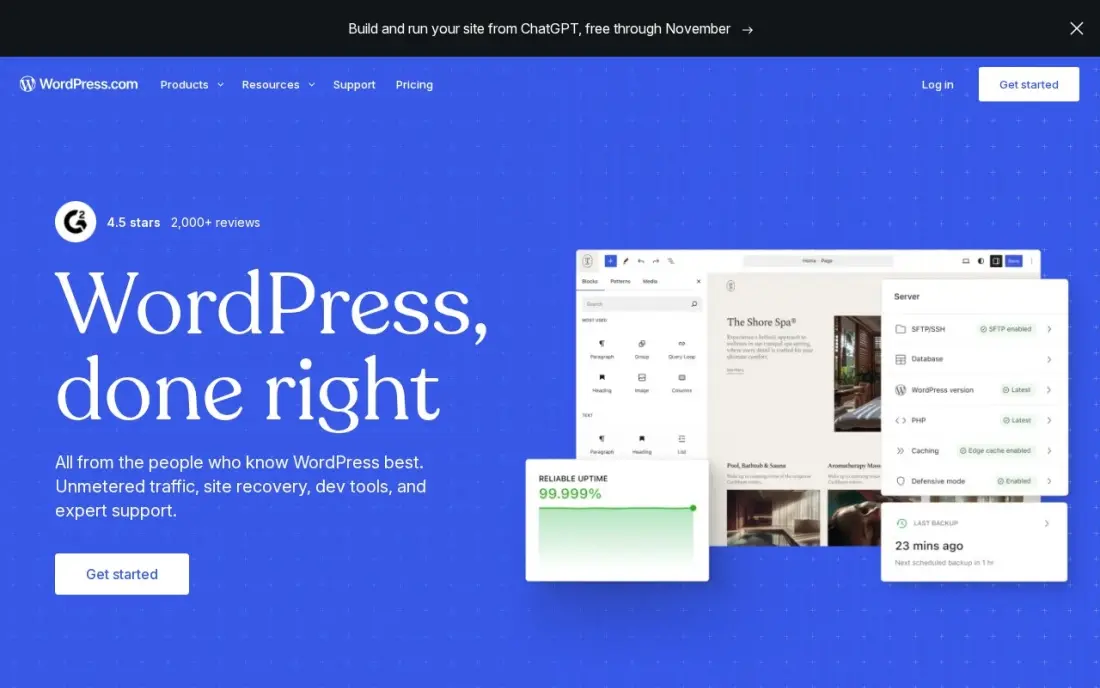
WordPress.com is hosting and software sold as one product: the hosting, security, updates and CDN come with the plan, and you never touch a server. There is a free plan, Personal at $4 a month billed annually can now install plugins, and Business costs $40 a month billed monthly or $25 billed annually in the first year, with staging, real-time backups and SFTP.
Business renews at $28 a month on annual billing, and each site needs its own plan. You trade some control for simplicity. It suits owners who want WordPress without any hosting work.
What we like
- The lowest-friction way to run a manufacturing website: hosting, security, updates and CDN included
- Business adds staging, real-time backups, SFTP, WP-CLI and GitHub deployments for developer teams
- More than 60,000 plugins cover product catalogues, quote forms, dealer locators and multilingual sites
- A free plan exists, and Personal at $4 a month billed annually can now install plugins too
Watch out for
- The $25 a month annual figure is a first-year price; Business renews at $28 a month
- Each site needs its own plan, so a second brand site doubles the bill
- Plugin and theme choice is broad, but deep custom development still needs a developer
The best website hosting platform keeps your site fast, secure and online, and costs what you expected at renewal as well as at signup. We compared eight hosting platforms across shared hosting, managed WordPress, managed cloud and raw cloud servers, on intro and renewal prices, terms, resources and how much work each leaves to you, and every price below comes from the vendor's own pricing page as checked in November 2026.
How to choose the best website hosting platform
- Compare renewal prices, not intro prices. The first term is often discounted by 70% or more, and the renewal is what you pay for years.
- Check the prepaid term behind the headline. Many low monthly prices need 24 or 48 months paid upfront.
- Decide how much server work you want. Shared and managed hosting handle the stack for you; cloud servers make you the administrator.
- Match resources to traffic. Managed hosts price by visits or bandwidth, so estimate monthly traffic before choosing a tier.
- Look at backups and restores. Daily backups with one-click restore save a site after a bad plugin update.
- Test support before you need it. Send a pre-sales question and judge the speed and quality of the answer.
Hosting is one part of how fast a site feels, and speed is one part of how it ranks. Our technical SEO audit checklist covers the server and page speed checks worth running after a move, and our SEO audit service can run them for you.
Website hosting platforms pricing: what you will actually pay
Take one small business site over four years. On Hostinger Premium, the first 48 months cost $95.52 upfront, which is $1.99 a month, and the plan then renews at $10.99 a month. On SiteGround StartUp at the regular 24-month rate of $14.99 a month, four years cost about $719.52 before any signup discount. WordPress.com Business costs $25 a month in the first year on annual billing and renews at $28 a month, about $1,308 over four years.
For managed and cloud hosting the numbers rise with traffic. WP Engine Essential costs $336 a year billed annually, or $1,344 over four years. Cloudways Flexible Micro costs $14 a month, $672 over four years, before paid add-ons. Kinsta's single-site plan was $17.50 a month at a Black Friday price when we checked, so confirm the regular rate. Liquid Web's managed WordPress starts at $19 a month, and a DigitalOcean Droplet starts at $4 a month, $192 over four years, if you can manage the server yourself.
Know the difference: shared hosting vs managed hosting
Shared hosting puts many websites on one server and splits its resources. It is the cheapest way online — Hostinger and SiteGround both sell it — and the host handles the server, while you handle WordPress updates, plugins and most troubleshooting. A busy neighbour can slow your site, and resources are limited.
Managed hosting, from Kinsta, WP Engine, Liquid Web, WordPress.com and Cloudways, gives each site more dedicated resources and takes over the application layer: updates, caching, backups, staging and security. It costs several times more than shared hosting, but for a site that brings in leads or sales, the time saved and the speed gained usually pay for the difference.
Quick comparison: tool type by need
| Buyer | Best pick | Why |
|---|---|---|
| First websites on a budget | Hostinger | From $1.99/month on a 48-month term |
| Small businesses wanting support | SiteGround | Published regular prices from $14.99/month |
| Premium managed WordPress | Kinsta | Plans by site and traffic, Enterprise from $500/month |
| Agencies on cloud servers | Cloudways | Managed cloud from $14/month, hourly billing |
| Business-critical WordPress | WP Engine | Essential $28/month billed annually |
| From managed to dedicated | Liquid Web | Managed WordPress from $19/month, VPS from $18 |
| Developers running servers | DigitalOcean | Droplets from $4/month |
| WordPress with no hosting work | WordPress.com | Free plan, Business $25/month first year annually |
Mistakes to avoid
- Buying on the intro price alone. A $1.99 plan that renews at $10.99 costs far more over five years than it first appears.
- Prepaying four years before testing. Use the money-back window to test speed and support before committing to a long term.
- Skipping your own backups. Keep an off-host backup; a host's backups can fail at the same moment the site does.
- Moving hosts without a checklist. Changing hosts can break redirects, SSL and email; test everything on a staging URL before switching DNS.
- Overbuying resources. Most small business sites run fine on an entry managed plan; upgrade when traffic data says so.
How we chose
We checked each vendor's own pricing page in November 2026 and recorded intro prices, prepaid terms and renewal or regular prices exactly as shown, and we note where a page shows a promotion or conflicting figures. We compared shared, managed and cloud hosting on resources, management work and price over time, and grouped the platforms by the site owner they suit. Ratings come from G2 pages checked on the dates shown in the sources; where we did not read a review page we show no rating. No vendor paid for a place in this list, and none of the links here are affiliate links.
What to do next
Estimate your monthly visits and the number of sites you run, then price four years on two hosts from different rows of the table, renewals included. Test both with a staging copy of your site during the money-back window. If you are moving an established site, book a free SEO review before you switch DNS.
Frequently asked questions
What is the best website hosting platform?
Hostinger is the best low-cost platform for small sites, from $1.99 a month on a 48-month term. SiteGround suits small businesses that want strong support and clear regular prices, Kinsta and WP Engine suit business WordPress sites, and Cloudways suits agencies that want managed cloud servers.
What is the cheapest reliable web hosting?
Hostinger Premium costs $1.99 a month on a 48-month term and renews at $10.99 a month. For developers, a DigitalOcean Droplet starts at $4 a month, but you manage the server yourself.
Why does web hosting cost more when it renews?
Most shared hosts sell the first term at a deep discount and renew at the regular price. Hostinger Premium, for example, starts at $1.99 a month and renews at $10.99. Compare total cost over three to four years, including renewal.
What is managed WordPress hosting?
Managed WordPress hosting means the host handles WordPress updates, caching, backups and security for you. Kinsta, WP Engine, Liquid Web and WordPress.com work this way. It costs more than shared hosting but removes most maintenance.
What is web hosting software?
Web hosting software is what runs and manages a website on a server: the web server, the control panel, and management layers such as Cloudways. Managed hosts include it in the plan; on a raw server such as DigitalOcean you install and maintain it yourself.
Does my web host affect SEO?
Yes, indirectly. Slow servers hurt Core Web Vitals, frequent downtime can stop pages being crawled, and poor security can get a site flagged. A fast, reliable host will not rank a site on its own, but a bad one can hold it back.
Sources we checked (10)
- Hostinger — www.hostinger.com/pricing/1 (checked November 16, 2026)
- SiteGround — www.siteground.com/kb/current-rates-shared-hosting-plans (checked November 16, 2026)
- Kinsta — kinsta.com/plans (checked November 16, 2026)
- Cloudways — www.cloudways.com/pricing (checked November 16, 2026)
- WP Engine — wpengine.com/enterprise-managed-wordpress-hosting-plans (checked November 16, 2026)
- Liquid Web — www.liquidweb.com/pricing (checked November 16, 2026)
- DigitalOcean — www.digitalocean.com/pricing (checked November 6, 2026)
- DigitalOcean reviews on G2 (checked November 6, 2026)
- WordPress.com — wordpress.com/pricing (checked November 12, 2026)
- WordPress.com reviews on G2 (checked November 12, 2026)
Make one of these tools?
We re-check this list every quarter. Send a correction, request a review, or ask about a clearly labeled sponsored spot.
Request a listingShamim
Founder of SerpAstra
A full-stack SEO and digital marketer who spends most days on Local SEO for dental practices, AI search visibility and lead generation.
Free SEO and AI visibility audit
Find out what is holding your rankings back
Send us your site. Within 2 business days you get a written audit, an AI visibility check and a short fix list ranked by impact. Free, with no contract attached.
Request my free audit→Related buying guides
 Website Builders & Hosting8 Best Website Platforms for SEO in 2026 (Pros, Cons and Pricing)The 8 best website platform for SEO options compared on price, controls, speed and ease of use, with real prices checked November 2, 2026, and pros and cons.Read guide →
 Business SoftwareBest Email Hosting Services for 2026: 11 Providers Ranked by ValueCompare the 11 best email hosting service providers for small business on price, storage and free plans, with every price checked November 6, 2026.Read guide →
 Business Software11 Best Cloud Infrastructure Services Reviews in 2026The 11 best cloud infrastructure services reviews compared on price, free tiers, egress and AI features, with every price checked November 6, 2026.Read guide →