
Best PDF Extraction Tools for 2026: 10 Picks Ranked by What You Need
The best pdf extraction tool picks for 2026, compared: 10 tools ranked by what you need, with US starting prices checked on November 12, 2026.
 Shamim Mia, Founder, SerpAstraLast verified November 12, 202613 min read
We compare pricing pages, documentation and public reviews. We never accept payment for rankings.

Key takeaways
- Adobe Acrobat Pro leads for most buyers at $19.99 a month, with ABBYY FineReader PDF from $99 a year for scan-heavy work and Foxit PDF Editor from $10.99 a month as the value desktop pick.
- The single most important buying factor is whether your PDFs are born-digital or scanned: text-layer PDFs extract with any tool, while scans need real OCR — and OCR quality is where the prices diverge.
- Four of the 10 tools have a genuinely free plan or free version — Smallpdf, iLovePDF, Sejda and PDF-XChange Editor — but volume caps and watermarks push regular users to paid plans.
- Every price below was checked on the vendor's own pricing page, or a fresh read of it, on November 12, 2026, except Nitro's, which comes from third-party reads. Ratings are G2, with review counts shown.
On this page
Quick comparison
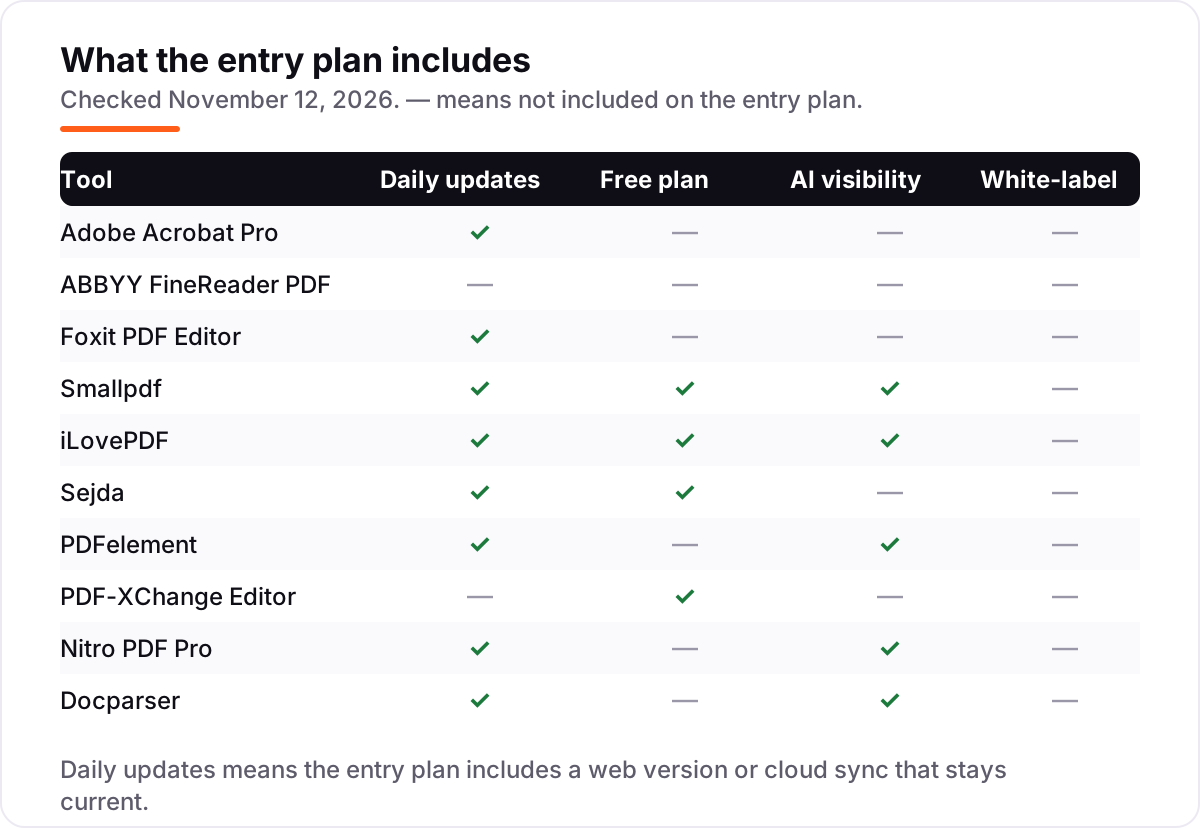
| Tool | Best for | Starting price | Free plan |
|---|---|---|---|
| Adobe Acrobat Pro | Small businesses that need one desktop tool for text, table and scan extraction | $19.99/mo | No (7-day trial) |
| ABBYY FineReader PDF | Businesses extracting text from large volumes of scanned paper and archives | $16/mo | No (7-day trial) |
| Foxit PDF Editor | Windows and Mac users who want a full desktop editor for less than Acrobat | $10.99/mo | No (14-day trial) |
| Smallpdf | People who extract from PDFs in a browser and want the job done in minutes | $15/mo | Yes (free plan) |
| iLovePDF | Budget-conscious users who need an online PDF toolkit every day | $9/mo | Yes (free plan) |
| Sejda | Occasional users who want a good free tier and a cheap one-week pass | $7.50/mo | Yes (free plan) |
| PDFelement | Buyers who want a desktop editor with a one-time purchase option | $79.99/yr | No (free trial) |
| PDF-XChange Editor | Windows users who want the cheapest perpetual PDF editor | $62 once | Yes (free version) |
| Nitro PDF Pro | Teams that extract tables and forms into Excel every week | $15/user/mo | No (14-day trial) |
| Docparser | Businesses that pull the same fields from the same documents every month | $39/mo | No (14-day trial) |
Make one of these tools?
We re-check this list every quarter. Send a correction, request a review, or ask about a clearly labeled sponsored spot.
Request a listingThe best pdf extraction tool

Adobe Acrobat Pro
Best for: Small businesses that need one desktop tool for text, table and scan extraction
Acrobat Pro is the default answer for a reason: it pulls text, tables and images out of PDFs into Word, Excel and PowerPoint, and its OCR turns scanned pages into searchable, selectable text. Export keeps table structure intact more often than any other tool here, and the built-in redaction, forms and e-signatures mean the file rarely needs a second app.
The price is the catch. At $19.99 a month on an annual plan, or $29.99 month to month, it costs more than every desktop rival here, and cancelling an annual plan after 14 days can cost up to half the remaining commitment. Buy it when extraction is daily work and accuracy matters; pick Foxit or ABBYY when the budget is tighter.
What we like
- Exports text and tables to Word, Excel and PowerPoint with table structure intact more often than any rival here
- OCR turns scans into searchable, selectable text, and the built-in redaction, forms and e-signatures cover the whole workflow
- Integrates with Microsoft 365 and cloud storage, so extracted files land where the team already works
- The most widely used PDF tool, so files, training and support are easy to find
Watch out for
- $19.99 a month on an annual plan is the dearest desktop subscription here, and month-to-month costs $29.99
- Cancelling an annual plan after 14 days can cost up to half the remaining commitment
- Heavy on older machines, and some advanced tools sit deep in the menus

ABBYY FineReader PDF
Best for: Businesses extracting text from large volumes of scanned paper and archives
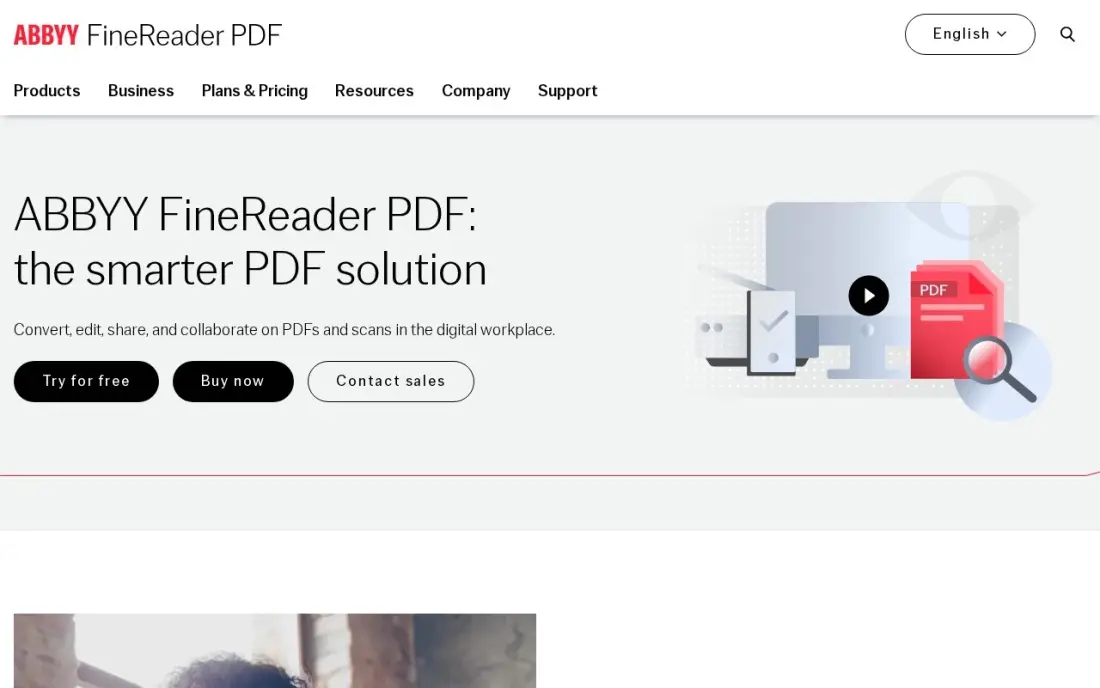
FineReader is the OCR specialist in this list. Its recognition engine reads scanned pages, photos and faxes into editable text in 198 languages, and it preserves tables, columns and formatting better than any general editor here. Version 16 adds a full PDF editor with redaction, forms and document comparison, so scanned archives become working documents rather than pictures of text.
The Windows and Mac versions are not equal: the Mac edition costs $69 a year but drops Hot Folder automation and document comparison, and Corporate at $165 a year is the tier that automates conversion at volume. There is no free plan, only a 7-day trial. Pick FineReader when scans are the job; pick Acrobat when the work is mostly born-digital PDFs.
What we like
- The most accurate OCR in this list, reading scans in 198 languages and keeping tables and columns intact
- Version 16 adds a full PDF editor with redaction, forms and document comparison
- Standard at $99 a year undercuts Acrobat Pro's $239.88 a year by more than half
- Hot Folder automation on Corporate converts whole folders of scans without opening each file
Watch out for
- No free plan — only a 7-day trial before the subscription starts
- The Mac edition at $69 a year drops Hot Folder automation and document comparison
- Advanced features carry a steep learning curve for new users

Foxit PDF Editor
Best for: Windows and Mac users who want a full desktop editor for less than Acrobat
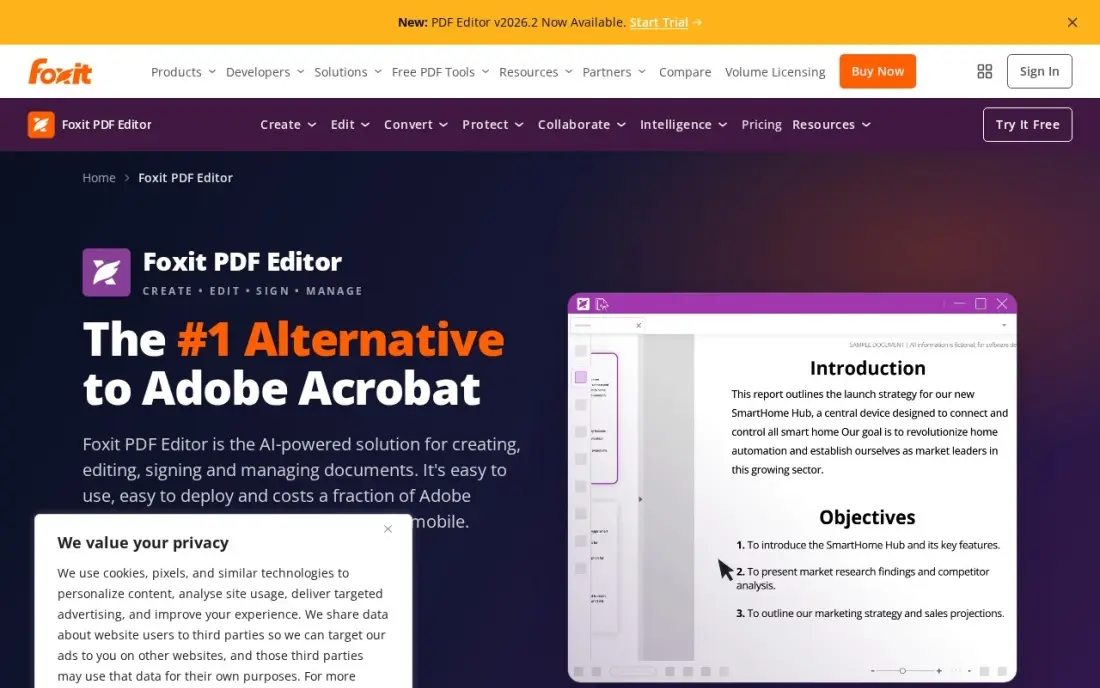
Foxit does nearly everything Acrobat does for roughly half the price: edit text, pull tables into Excel, convert scans with OCR, fill forms and sign documents, on Windows, Mac and the web. The interface will feel familiar to anyone who has used Microsoft Office, and batch processing handles whole folders of PDFs in one run.
The extras cost extra. The AI Assistant and mobile apps sit on PDF Editor+ at $13.99 a month, or $159.99 a year, and a one-time perpetual licence for version 14 costs $209.99 for buyers who refuse subscriptions. Renewal prices have risen year on year, so check the renewal figure before the first year ends. Pick Foxit when Acrobat's price stings but the work still needs a real desktop editor.
What we like
- Full desktop editing, OCR, forms and batch processing for about half the price of Acrobat Pro
- Familiar Microsoft Office-style interface, with Windows, Mac and web versions on the entry plan
- Batch processing converts and extracts whole folders of PDFs in one run
- A perpetual licence for version 14 costs $209.99 for buyers who refuse subscriptions
Watch out for
- The AI Assistant and mobile apps sit on PDF Editor+ at $13.99 a month, not the entry plan
- Renewal prices have risen year on year, so the second year can cost more than the first
- Slows down on very large or complex PDF files

Smallpdf
Best for: People who extract from PDFs in a browser and want the job done in minutes
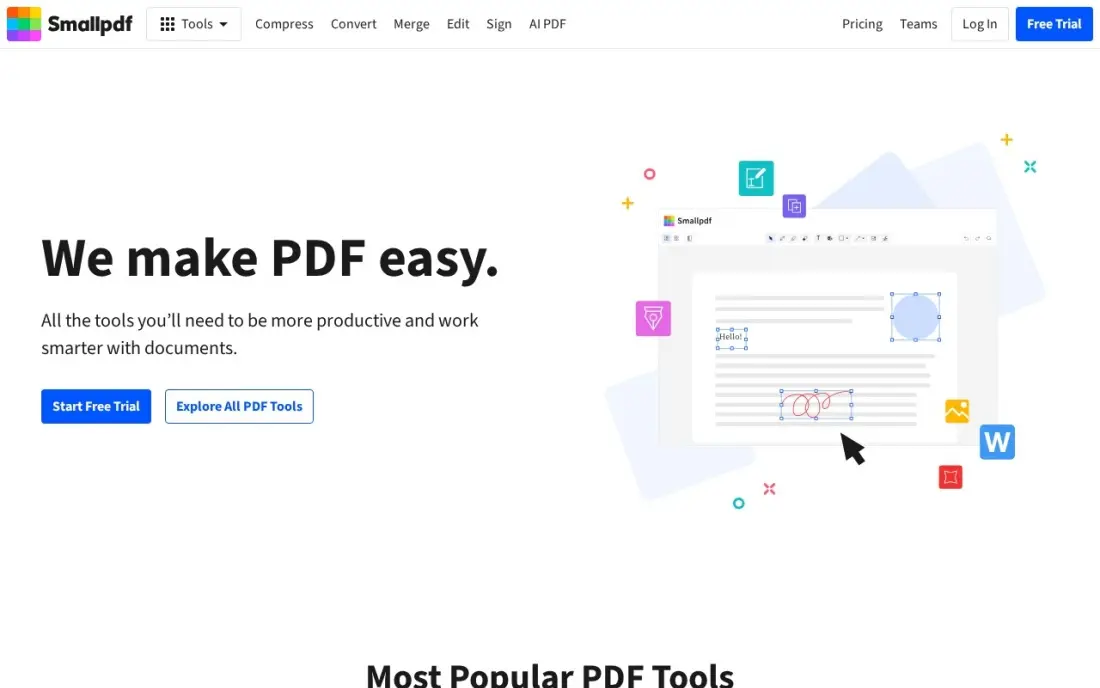
Smallpdf is the fastest way from a PDF to usable data when the file is already digital: drop it in the browser, convert to Word or Excel, compress, split or OCR it, and download the result. Pro removes the limits, raises files to 5GB, and adds unlimited AI tools plus a Sign.com subscription for signature requests, with mobile and Windows apps included.
The free plan is tight — two tasks a day and a 5MB cap — so regular users pay within the first week. Note the price moved: older reads showed $12 a month, while the November 9, 2026 read of Smallpdf's own pricing page shows $15 a month, or $120 a year. Pick Smallpdf for quick browser jobs; pick a desktop editor when files are large, scanned or confidential.
What we like
- The fastest browser workflow here: drop in a PDF, convert to Word or Excel, and download the result in minutes
- Pro raises files to 5GB, removes all limits and adds unlimited AI tools plus a Sign.com subscription
- Mobile and Windows apps included on Pro, with strong Swiss data-protection credentials
- Free plan needs no account and handles the odd quick job
Watch out for
- The free plan allows only 2 tasks a day with a 5MB file cap
- The price moved: the November 9, 2026 read shows $15 a month, where older reads showed $12
- Files are processed on Smallpdf's servers, so sensitive documents need a desktop tool instead
iLovePDF
Best for: Budget-conscious users who need an online PDF toolkit every day
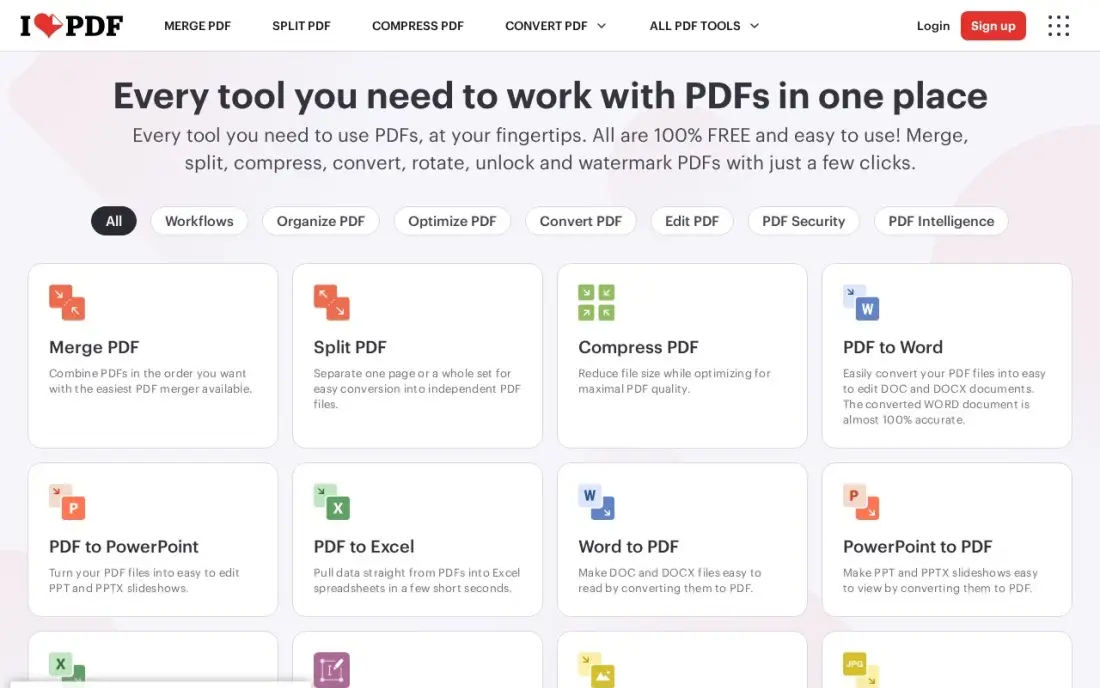
iLovePDF is the cheapest online suite here, and the cheapest way to extract tables and text without installing anything: about 30 browser tools cover PDF to Word, Excel and PowerPoint, OCR, merge, split and compress, with desktop and mobile apps on Premium. Premium lifts per-task caps to 4GB on most tools and adds 2,000 AI credits a month.
The free Basic plan works for occasional use but caps each task — merge at 100MB and 25 files, Office conversions at 15MB — and shows ads. Premium covers 1 to 25 users on one plan, which makes it a quiet bargain for a small team. Pick iLovePDF when the budget is the deciding factor and the files are not sensitive; keep confidential work on a desktop tool.
What we like
- The cheapest online suite here: Premium is $9 a month, or $5 a month billed annually
- About 30 browser tools cover PDF to Word, Excel and PowerPoint, OCR, merge, split and compress
- Premium lifts per-task caps to 4GB on most tools and adds 2,000 AI credits a month
- One Premium plan covers 1 to 25 users, a quiet bargain for a small team
Watch out for
- The free Basic plan caps each task — Office conversions stop at 15MB — and shows ads
- Prices vary by region and by where you buy, so the checkout figure can differ
- Files are processed on iLovePDF's servers, so confidential work belongs on a desktop tool

Sejda
Best for: Occasional users who want a good free tier and a cheap one-week pass
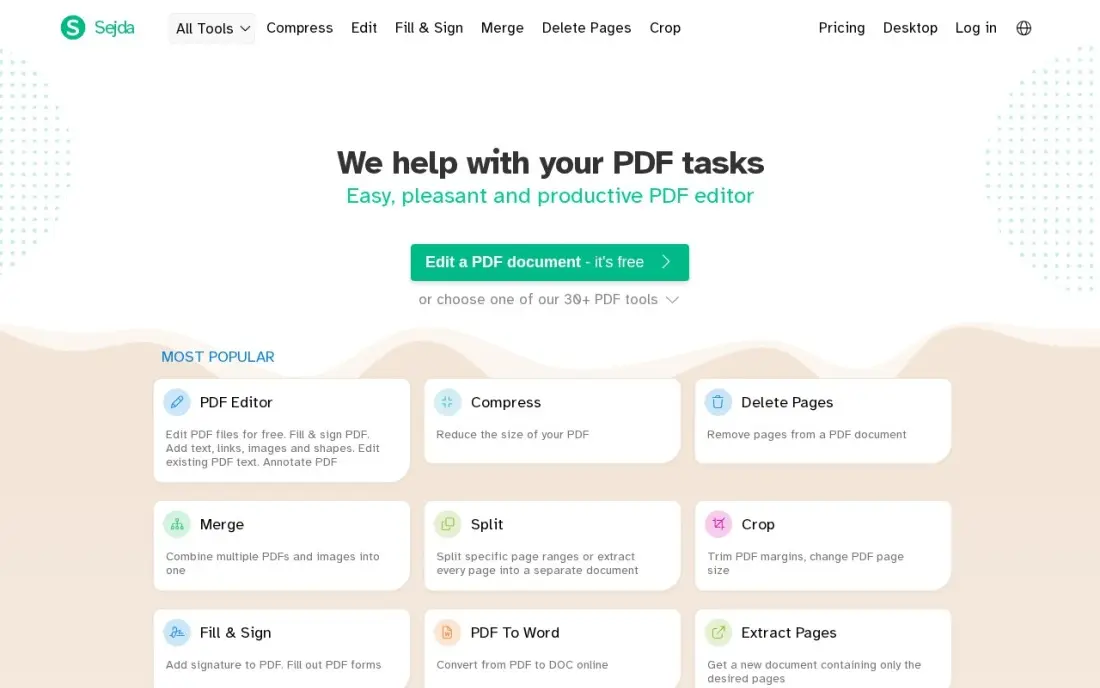
Sejda is the friendliest free editor in this list: no account needed, three tasks an hour, files up to 50MB or 200 pages, and a visual editor that lets you click into a PDF and change text, fill forms and extract pages. The $5 Web Week Pass buys seven days of unlimited web use for a one-off job, and Web Monthly at $7.50 removes the caps entirely.
The annual plan is the value pick at $63 a year, and it is the only tier that includes the desktop app. Paid plans still cap OCR at 100 pages and processing at 21 minutes a task, and there is no mobile app. Pick Sejda for occasional work and one-off projects; a business processing PDFs daily will outgrow the hourly caps fast.
What we like
- The friendliest free tier here: 3 tasks an hour, files up to 50MB or 200 pages, no account needed
- A $5 Web Week Pass buys seven days of unlimited web use for a one-off job
- The $63-a-year annual plan is the only tier that includes the desktop app
- Visual editing lets you click into a PDF and change text, fill forms and extract pages
Watch out for
- Paid plans still cap OCR at 100 pages and processing at 21 minutes a task
- Web Monthly at $7.50 excludes the desktop app — only the annual plan includes it
- No mobile app, and the hourly caps push daily users to a paid plan fast

PDFelement
Best for: Buyers who want a desktop editor with a one-time purchase option
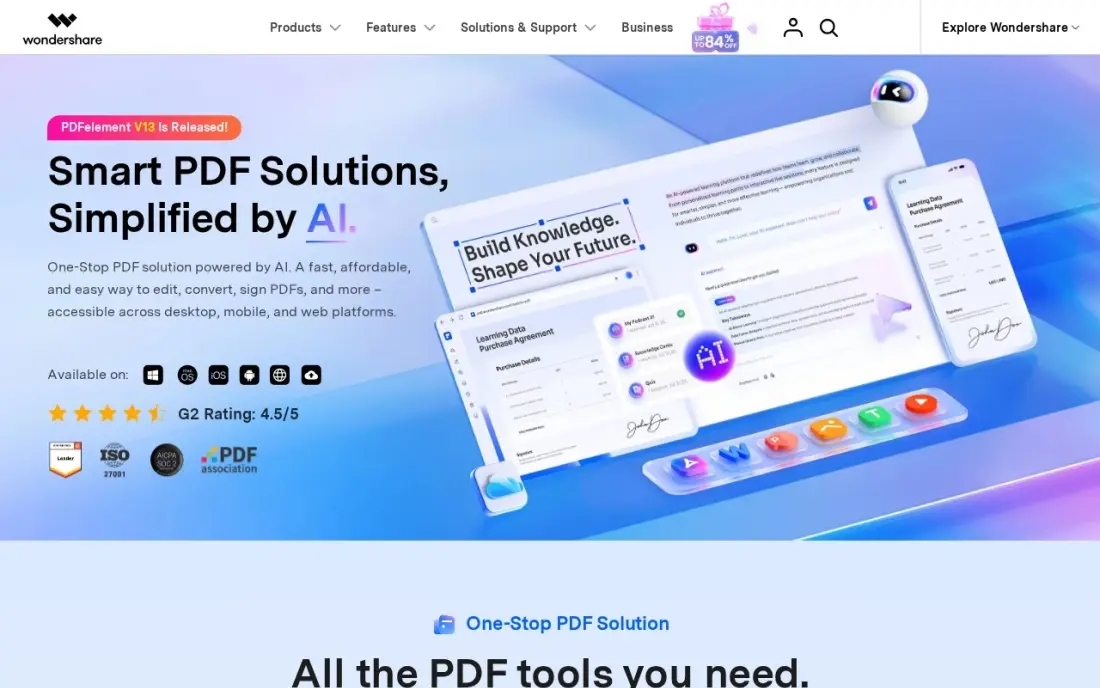
PDFelement is Wondershare's full desktop editor for Windows and Mac, with OCR in 26 languages, batch conversion, forms, redaction and e-signatures, plus phone apps and a web version through PDFelement Cloud. The Yearly Plan at $79.99 covers one platform, and the Perpetual Plan at $129.99 buys version 13 outright for buyers who will not rent software.
The pricing page is the hardest to read in this list: quarterly, yearly, two-year and perpetual options sit beside crossed-out prices and a countdown, and the manual-renewal yearly plan can cost far less than the auto-renewing one. AI beyond 50 uses is a separate add-on, and the trial watermarks exports. Pick PDFelement when a one-time licence matters; check the checkout total before paying.
What we like
- A full desktop editor with OCR in 26 languages, batch conversion, forms, redaction and e-signatures
- The Perpetual Plan at $129.99 buys version 13 outright for buyers who will not rent software
- Phone apps and a web version come through PDFelement Cloud on the yearly plan
- Yearly at $79.99 costs a third of Acrobat Pro's $239.88 a year
Watch out for
- The pricing page mixes quarterly, yearly, two-year and perpetual options beside crossed-out prices and a countdown
- AI beyond 50 uses is a separate add-on at $3.99 a month or $39.99 a year
- The free trial watermarks every export, and OCR is excluded from it

PDF-XChange Editor
Best for: Windows users who want the cheapest perpetual PDF editor
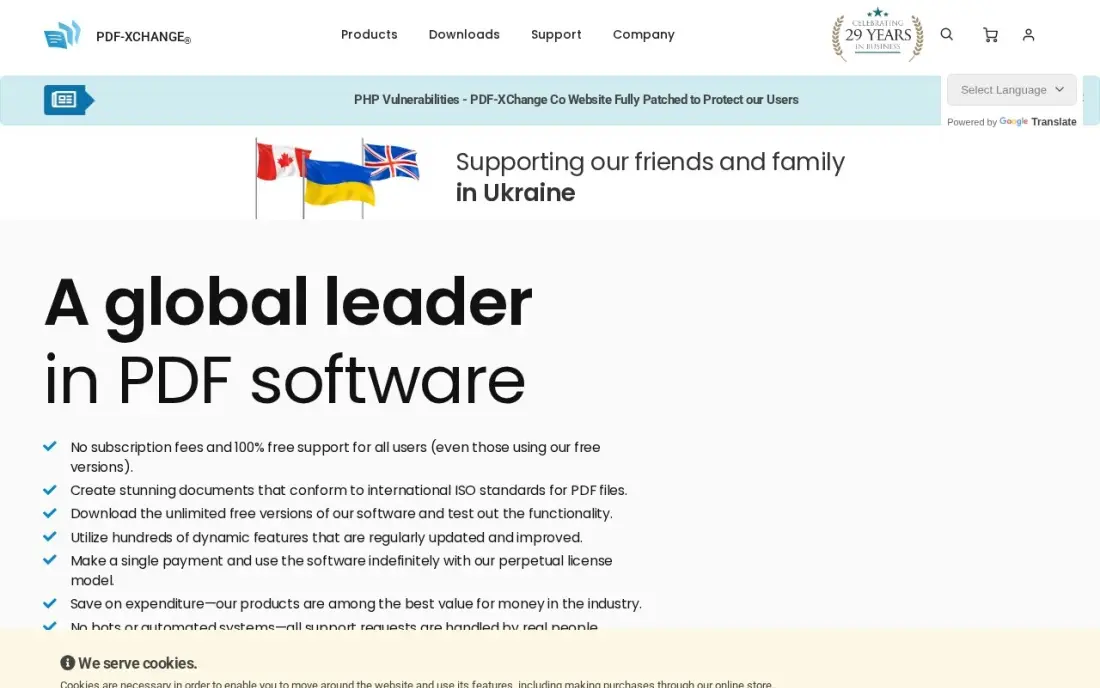
PDF-XChange Editor is the cheapest way to own a PDF editor outright: $62 once for the standard licence, $79 for Editor Plus with enhanced OCR, fillable forms and document comparison, and no subscription anywhere. The free version leaves about 70% of features unrestricted, so it doubles as a capable free reader and annotator, and one year of updates comes with every licence.
The limits are real: Windows only, no Mac or mobile app, and the licence covers one desktop and one laptop per user. Maintenance renewal after the first year costs about 25% of the licence price a year, and the standard OCR is weaker than ABBYY's. Pick it when the work is all on Windows and the budget is one-off; Mac users need Foxit or Acrobat instead.
What we like
- The cheapest way to own a PDF editor: $62 once, or $79 for Editor Plus with enhanced OCR and forms
- The free version leaves about 70% of features unrestricted, so it works as a capable free reader
- No subscription anywhere, and every licence includes one year of updates
- One licence covers a desktop and a laptop per user
Watch out for
- Windows only — no Mac, mobile or web version
- Standard OCR is weaker than ABBYY's, and the enhanced engine needs Editor Plus
- Maintenance renewal after the first year costs about 25% of the licence price a year

Nitro PDF Pro
Best for: Teams that extract tables and forms into Excel every week
Nitro's strength for extraction is Table Extract and Form Extract, which pull structured data from PDFs straight into Excel without retyping rows. Standard covers Windows, Mac and iOS under one subscription, with full editing, conversion, OCR and built-in AI tools, and the Classic licence offers a one-time three-year term for $270 for buyers who want a fixed cost.
Two warnings. First, Nitro's own pricing page lists the plan names but the price is not visible in the fetched copy, so the $15 a month figure comes from third-party reads of the same page — check it at checkout. Second, there is no free plan, only a 14-day trial. Pick Nitro when tables and forms are the daily work; pick Foxit when the same money needs to cover more seats.
What we like
- Table Extract and Form Extract pull structured data from PDFs straight into Excel
- One subscription covers Windows, Mac and iOS, with full editing, OCR and built-in AI tools
- The Classic licence is a one-time three-year term for $270, a fixed cost with no monthly bill
- Volume discounts are available for teams buying several seats
Watch out for
- Nitro's own pricing page shows the plan names but no price in the fetched copy, so $15 a month is third-party-sourced
- No free plan — only a 14-day trial before the subscription starts
- Pricing is per user, so the bill grows with every seat on the team

Docparser
Best for: Businesses that pull the same fields from the same documents every month
Docparser is the only tool here built for recurring extraction: set parsing rules once for each document layout, and every matching invoice, order or form that arrives is read and sent to Excel, Google Sheets or your business system by API or webhook, with no manual work per file. One credit covers a document of up to five pages, and the 14-day trial needs no credit card.
The catch is the setup: one parser per layout, capped at 15 parsers on Starter, and multi-layout parsing costs $25 a month extra on the two lower plans. Starter covers only 100 documents a month, so 200 invoices need Professional at $74 a month. Pick Docparser when the same documents arrive every month; pick a desktop editor for one-off files.
What we like
- Built for recurring extraction: rules set once read every matching invoice, order or form automatically
- Sends extracted data to Excel, Google Sheets or business systems by API or webhook, with no manual work per file
- One credit covers a document of up to five pages, so long invoices cost the same as short ones
- A 14-day trial with 50 credits needs no credit card
Watch out for
- One parser per layout, capped at 15 parsers on Starter, so varied document types need more setup
- Multi-layout parsing costs $25 a month extra on the two lower plans
- Starter covers only 100 documents a month — 200 invoices need Professional at $74 a month
Pulling text, tables and figures out of a PDF should take minutes, not an afternoon of retyping — and the best pdf extraction tool for your job depends on what your files look like. The 10 tools below are ranked by fit for the most common buyer, a small US business that needs clean text and tables out of PDFs every week, and every price was checked on the vendor's own pricing page, or a fresh read of it, on November 12, 2026.
How to choose the best pdf extraction tool for your work
- Check whether your PDFs are digital or scanned. Born-digital PDFs carry a text layer any tool can read; scans need OCR, and OCR quality is the biggest difference between cheap and dear tools.
- Decide what comes out. Plain text is easy; tables need structure preserved into Excel, and forms need field-by-field capture — pick the tool for the output, not the input.
- Count the volume. A few files a month fit a free plan; hundreds a month need a subscription priced by documents, pages or seats, and the unit decides the bill.
- Check where the files go. Browser tools upload your documents to their servers; desktop tools keep them on your machine. Confidential files belong on the desktop.
- Check the pricing unit. Per-seat, per-document and per-page pricing behave very differently as volume grows — price the volume you will have next year, not this month.
- Test with your own worst file. A clean one-page PDF tells you nothing. Run a scanned page, a table-heavy page and a form through the trial before paying.
Extracting data is only half the job — the files still have to be found. If the business is not showing up when people nearby search, our SEO audit service covers that side. And before publishing pages built from extracted content, the free SERP snippet preview tool shows how the page will look in search results.
Whatever you shortlist, try it with your own files before you pay. The trials in this list run 7 to 14 days, which is long enough to run a scanned page, a table-heavy page and a form through each tool and check the output in Excel. Check two things in the trial: that tables keep their columns, and that the tool never silently drops a page. Every tool here offers a trial or a free plan, so there is no reason to buy before the business has run a real week on it.
PDF extraction pricing: what you will actually pay
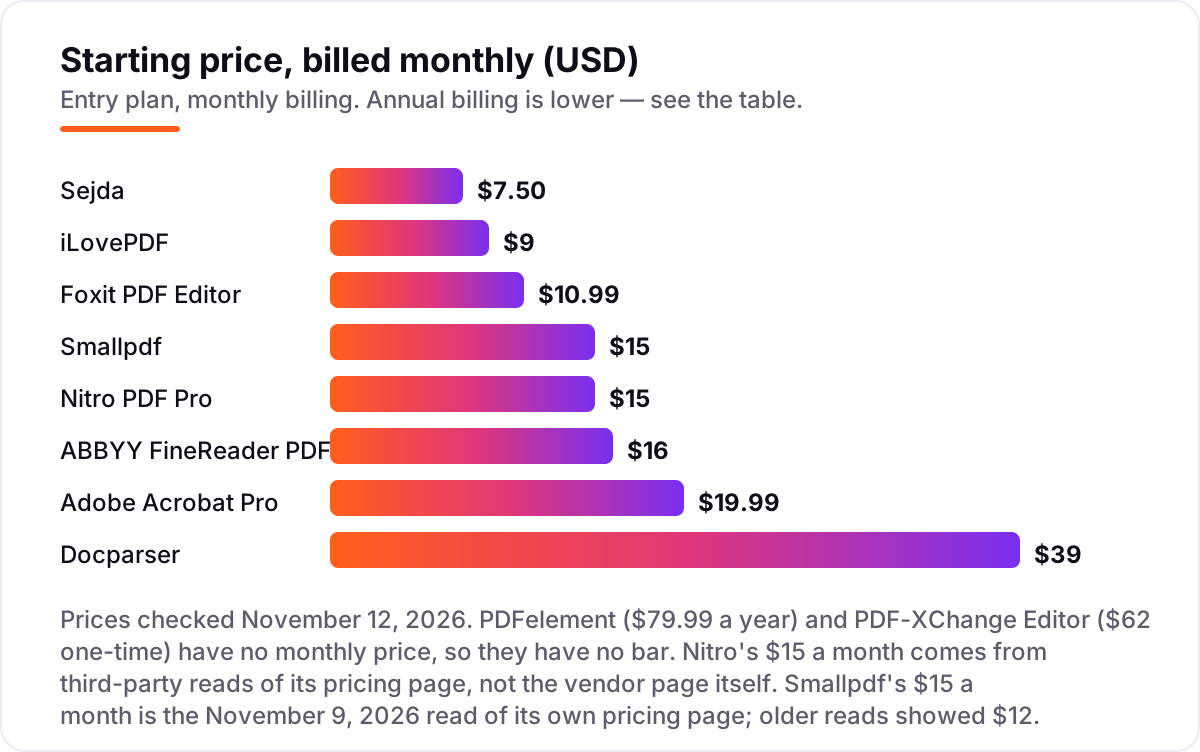
Take one person extracting from about 100 documents a month for a year. On list prices, the subscription costs $239.88 on Adobe Acrobat Pro, $99 on ABBYY FineReader PDF Standard billed annually ($192 on monthly billing), $129.99 on Foxit PDF Editor billed annually ($131.88 monthly), $120 on Smallpdf Pro billed annually ($180 monthly), $60 on iLovePDF Premium billed annually ($108 monthly), $63 on Sejda Desktop+Web Annual ($90 on Web Monthly), $79.99 on PDFelement Yearly, $62 once on PDF-XChange Editor, $180 on Nitro PDF Standard and $390 on Docparser Starter billed annually ($468 monthly).
The cheapest year here is $60 on iLovePDF, and the dearest is $468 on Docparser — but the two tools do different jobs. iLovePDF converts files one at a time in a browser; Docparser reads the same invoices every month and sends the fields to a spreadsheet with no manual work. The free plans cover occasional use at $0: Sejda allows 3 tasks an hour, Smallpdf 2 tasks a day, iLovePDF caps each task by size, and PDF-XChange Editor's free version leaves about 70% of features open.
Two costs sit outside every number above. First, volume: Docparser Starter covers only 100 documents a month, so 200 invoices need Professional at $74 a month, or $888 a year. Second, time: a desktop editor means repeating the export by hand for every file, while Docparser and the browser tools batch the work. Price the year on the volume you will actually process, not on the headline monthly figure.
Know the difference: text extraction, table extraction and data capture
The confusion in this category is what "extraction" means, because three different jobs share the word. Text extraction reads the text layer already inside a born-digital PDF — fast, exact, and every tool here does it. Table extraction is harder: the tool must keep rows and columns lined up when the table lands in Excel, and merged cells or multi-line rows can shift everything. Data capture is a third job again: pulling the same fields — invoice number, date, total — out of the same document type every month, and sending them somewhere automatically.
Scans add a fourth layer. A scanned page has no text layer at all, so the tool must run OCR first, and OCR quality is where the money goes: ABBYY's engine reads 198 languages and keeps table structure, while a cheap browser OCR can misread figures. If your files are scans, buy for the OCR and test it on your worst page. If your files are digital, buy for the table export and the pricing unit. And if the same invoices arrive every month, none of the editors will do: only a capture tool like Docparser, which reads by rules you set once, removes the manual work.
Quick comparison: tool type by need
| Buyer | Best pick | Why |
|---|---|---|
| Needs the strongest OCR on scans | ABBYY FineReader PDF | $99 a year, OCR in 198 languages |
| Wants one desktop editor for everything | Adobe Acrobat Pro | $19.99/month, redaction, forms and OCR |
| Wants the cheapest good desktop editor | Foxit PDF Editor | $10.99/month, $129.99 a year |
| Works in the browser, occasional jobs | Sejda | Free plan, Web Monthly is $7.50 |
| Cheapest online suite for daily use | iLovePDF | Premium $9/month, $60 a year |
| Same invoices every month, hands-free | Docparser | Starter $39/month, 100 documents |
Mistakes to avoid
- Buying an editor when the job is extraction. Editing a PDF and pulling structured data out of it are different jobs. A pretty editor that mangles tables costs more in rework than a plain extractor that keeps columns straight.
- Paying for OCR you do not need — or skipping the OCR you do. Digital PDFs need no OCR at all; scans live or die by it. Test the OCR on your worst scanned page, not on a clean digital file.
- Ignoring the pricing unit. Per-seat, per-document and per-page pricing behave very differently as volume grows: Docparser charges per document, Nitro per seat, Sejda by the month. Price the volume you will have next year.
- Trusting a free plan for daily volume. Sejda stops at 3 tasks an hour, Smallpdf at 2 a day, and PDFelement's trial watermarks every export. A free plan that runs out mid-job forces an upgrade at the worst moment.
- Uploading confidential files to a browser tool. Smallpdf, iLovePDF and Sejda process files on their servers. Contracts, medical records and financial documents belong on a desktop tool that never uploads them.
How we chose
We checked each vendor's own pricing page, or a fresh read of it, on November 12, 2026 and recorded the starting price exactly as shown, including the annual-billing figure where the page lists one, and we ranked the tools by fit for the most common buyer — a small US business that needs clean text and tables out of PDFs every week — not by brand size. Two prices needed extra care. Nitro's own pricing page lists the Standard, Plus and Classic plan names but the price is not visible in the fetched copy, so the $15 a user a month figure comes from third-party reads of the same page, and we say so wherever it appears. Smallpdf's price moved: older reads showed $12 a month, while the November 9, 2026 read of its own pricing page shows $15 a month, or $120 a year. Prices for Adobe, ABBYY, Foxit, iLovePDF, Sejda, PDFelement, PDF-XChange Editor and Docparser come from fresh search-index crawls of the vendors' own pages plus independent October and November 2026 reads. Ratings come from G2 pages with fresh crawls: Adobe Acrobat 4.5 from 5,332 reviews, ABBYY FineReader PDF 4.5 from 297, Foxit PDF Editor 4.6 from 3,784 and Smallpdf 4.5 from 305. The other six tools show no rating because their G2 pages were not crawl-verified. No vendor paid for a place in this list, and none of the links here are affiliate links.
What to do next
Start with the free plan or trial of your top pick and run one real week of your own files through it. Check that tables keep their columns in Excel, that scanned pages read cleanly, and that the tool never silently drops a page. If the files are sorted but new clients are not finding the business, our monthly SEO service handles the visibility side — or compare providers in our guide to SEO companies for small business. Once your tools are in place, find out what's holding your rankings back.
Frequently asked questions
What is the best pdf extraction tool?
Adobe Acrobat Pro is the best fit for most buyers at $19.99 a month, with the strongest export and OCR in one tool. ABBYY FineReader PDF is the best pick for scan-heavy work from $99 a year, and Foxit PDF Editor is the best value desktop editor at $10.99 a month. For recurring invoices, Docparser at $39 a month automates the whole job.
How much does PDF extraction software cost?
Most buyers pay $0 to $39 a month. Four tools here have free plans or free versions, and the first paid plans run $7.50 to $39 a month. One year for one person costs $60 on iLovePDF annual billing, $120 on Smallpdf, $239.88 on Acrobat Pro and $468 on Docparser monthly — or $62 once for PDF-XChange Editor.
Is there a free PDF extraction tool?
Yes, with limits. Sejda's free plan allows 3 tasks an hour up to 50MB, Smallpdf allows 2 tasks a day, iLovePDF Basic caps each task by size, and PDF-XChange Editor's free version leaves about 70% of features open. All four still need a paid plan once extraction becomes daily work.
What is the difference between OCR and text extraction?
Text extraction reads the text layer already inside a born-digital PDF, so it is fast and exact. OCR reads the image of a scanned page and recognises the characters, which takes longer and can misread poor scans. Scans need OCR; digital PDFs do not. OCR quality varies most: ABBYY leads, desktop editors follow, browser tools vary.
Can I extract tables from a PDF into Excel?
Yes, on every tool here, but check the result. Acrobat Pro, Foxit, Nitro Table Extract, Smallpdf and iLovePDF all export tables to Excel or CSV, and Nitro pulls them straight into a sheet. Scanned tables need OCR first, and always check the output: merged cells and multi-line rows can shift columns.
Do I need a different tool for recurring invoices?
Yes, if the same documents arrive every month. Docparser reads each matching invoice by rules you set once and sends the fields to Excel or your business system, with no manual work per file. A desktop editor means repeating the export by hand every time. At 200 invoices a month, Docparser needs Professional at $74 a month.
What should I check before paying for a PDF extraction tool?
Test it with your own files first: one scanned page, one table-heavy page and one form. Check the output in Excel, not just on screen. Then check the pricing unit — per seat, per document or per page — and check where files are processed, because browser tools upload your documents to their servers.
Sources we checked (14)
- Adobe Acrobat pricing — adobe.com/acrobat/plans.html (checked November 12, 2026)
- Adobe Acrobat on G2 — 4.5/5, 5,332 reviews (checked November 12, 2026)
- ABBYY FineReader PDF pricing — pdf.abbyy.com/pricing (checked November 12, 2026)
- ABBYY FineReader PDF on G2 — 4.5/5, 297 reviews (checked November 12, 2026)
- Foxit PDF Editor pricing — foxit.com/pdf-editor/pricing (checked November 12, 2026)
- Foxit PDF Editor on G2 — 4.6/5, 3,784 reviews (checked November 12, 2026)
- Smallpdf pricing — smallpdf.com/pricing (checked November 12, 2026)
- Smallpdf on G2 — 4.5/5, 305 reviews (checked November 12, 2026)
- iLovePDF pricing — ilovepdf.com/pricing (checked November 12, 2026)
- Sejda pricing — sejda.com/en/upgrade (checked November 12, 2026)
- PDFelement pricing — pdf.wondershare.com (checked November 12, 2026)
- PDF-XChange Editor pricing — pdf-xchange.com comparison chart (checked November 12, 2026)
- Nitro pricing — gonitro.com/affordable-pdf-editor (checked November 12, 2026)
- Docparser pricing — docparser.com/pricing (checked November 12, 2026)
Make one of these tools?
We re-check this list every quarter. Send a correction, request a review, or ask about a clearly labeled sponsored spot.
Request a listingShamim
Founder of SerpAstra
A full-stack SEO and digital marketer who spends most days on Local SEO for dental practices, AI search visibility and lead generation.
Free SEO and AI visibility audit
Find out what is holding your rankings back
Send us your site. Within 2 business days you get a written audit, an AI visibility check and a short fix list ranked by impact. Free, with no contract attached.
Request my free audit→Related buying guides
 Marketing10 Best PDF Combining Tools with No Ads in 2026, ComparedCompare the 10 best pdf combining tool with no ads on price, limits and privacy, with every price checked November 5, 2026, before you merge your next file.Read guide →
 Legal8 Best Document Management Software for Small Law Firm in 2026, ComparedCompare the 8 best document management software for small law firm on price, matter filing and email management, with every price checked November 7, 2026.Read guide →
 Productivity & Office9 Best AI Workspace Tools for Documents in 2026, ComparedThe 9 best ai workspace tool for documents, compared with real 2026 prices, free plans and AI limits — from Notion and Google Workspace to Coda and ClickUp.Read guide →