
7 Best Platforms for Content Creators in 2026 (Pros, Cons and Pricing)
Compare the 7 best platforms for content creators on fees, free plans and features, with every price checked November 12, 2026, against the vendor's own page.
 Shamim Mia, Founder, SerpAstraLast verified November 12, 202614 min read
We compare pricing pages, documentation and public reviews. We never accept payment for rankings.

Key takeaways
- Patreon, Substack, Gumroad and Ko-fi all start at $0 and take a percentage instead — 10% on Patreon and Substack, 10% plus $0.50 a sale on Gumroad, 0% on Ko-fi tips.
- The single most important buying factor is how the platform charges: a percentage of earnings beats a flat fee while revenue is small, and a flat fee wins once sales pass roughly $1,000 a month.
- Kajabi is the priciest start at $179 a month, Teachable starts at $39 and Podia at $49 — all three charge a flat monthly fee with no free plan.
- Every price below was checked on November 12, 2026, against the vendor's own pricing page or a fresh read of it. Ratings are G2, except Ko-fi, which is Trustpilot.
On this page
Quick comparison
| Tool | Best for | Starting price | Free plan |
|---|---|---|---|
| Patreon | Creators building a paid membership community with tiers, posts and member-only perks | Free; 10% of earnings | Yes (free to start) |
| Substack | Writers starting a paid newsletter who want discovery built in | Free; 10% of paid subs | Yes (free to publish) |
| Kajabi | Established creators who want website, courses, email and community in one subscription | $179/mo | No (14-day trial) |
| Teachable | Course creators who want a dedicated course platform with a low flat fee | $39/mo | No (free trial) |
| Gumroad | Creators selling digital downloads who want to start with no monthly bill | Free; 10% + $0.50/sale | Yes (free to start) |
| Podia | Creators who want website, courses, downloads, email and community in one flat-fee plan | $49/mo | No (14-day trial) |
| Ko-fi | Creators who want tips and small sales with the lowest possible fees | Free; Gold $12/mo | Yes (free plan) |
Make one of these tools?
We re-check this list every quarter. Send a correction, request a review, or ask about a clearly labeled sponsored spot.
Request a listingThe best platforms for content creators

Patreon
Best for: Creators building a paid membership community with tiers, posts and member-only perks
Patreon is the membership platform most creators mean when they say they want to earn from an audience: fans pay monthly for tiers the creator sets, and get member-only posts, video, livestreams, chat and a shop in return. There is no monthly fee to start, and every feature sits on the one plan, so a creator with no audience yet risks nothing.
The catch is the cut. New creators pay 10% of everything they earn, plus 2.9% plus $0.30 processing on every pledge, so a $10-a-month patron is worth about $8.41 after fees. Pages published before August 4, 2025 keep the old 5%, 8% or 12% rates while they stay published; a new page pays 10%. Pick Patreon when the audience is ready to subscribe monthly; pick Substack when the work is writing, and Ko-fi when tips matter more.
What we like
- The default home for paid memberships: tiers, member-only posts, video, livestreams, chat and a shop in one place
- Free to start with no monthly fee, so a creator with no audience yet risks nothing
- Pages published before August 4, 2025 keep legacy rates of 5% (Lite), 8% (Pro) or 12% (Premium) while they stay published
- Exportable email list and Discord role granting keep the audience portable
Watch out for
- New creators pay a 10% platform fee, up from the 5% and 8% legacy rates
- Payment processing of 2.9% + $0.30 sits on top of the platform fee on every pledge
- Most of the audience stays on Patreon, so the creator does not fully own the relationship

Substack
Best for: Writers starting a paid newsletter who want discovery built in
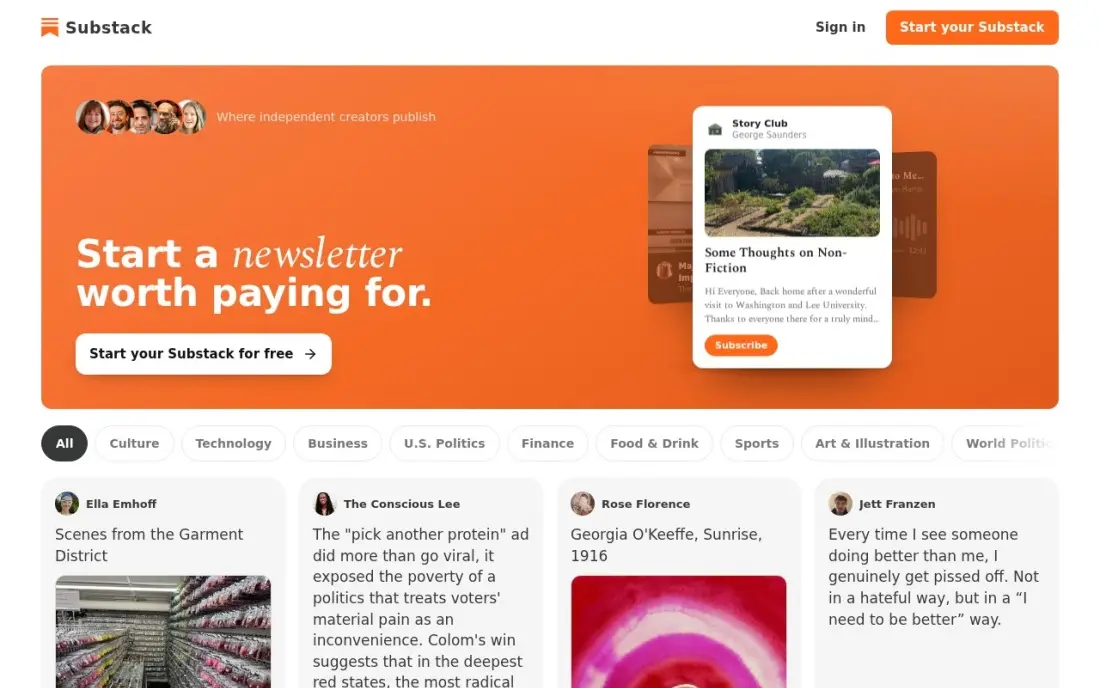
Substack is the simplest place to start a paid newsletter: publishing, email delivery, Notes, podcast hosting and video are all free, with no subscriber cap and no send limit, and the creator only pays when readers pay. Turn on paid subscriptions and Substack keeps 10% of the revenue, with Stripe's card processing on top.
What makes Substack different is discovery. Substack says more than 30% of paid subscriptions now start inside its own network, through recommendations and the app, so a good publication can grow without the writer bringing every reader. The trade is the 10% cut, which never tapers: at $5,000 a month it costs $500, more than Kajabi Basic. Pick Substack to grow a paid readership from nothing; pick Ghost or beehiiv when the list is big enough that a flat fee beats 10%.
What we like
- Free to publish at any list size, with no subscriber cap and no send limit
- More than 30% of paid subscriptions now start inside Substack's own network, per Substack
- Writing, email, Notes, podcast and video hosting are all included at $0
- A custom domain costs a one-time $50, and the minimum subscription price is $5 a month
Watch out for
- The 10% cut never tapers, so a large paid list costs far more than a flat-fee tool
- No automation or advanced email marketing — it is a publication, not a marketing suite
- Leaving means moving paid subscribers, and Substack keeps taking 10% of subscriptions moved on the same Stripe account

Kajabi
Best for: Established creators who want website, courses, email and community in one subscription
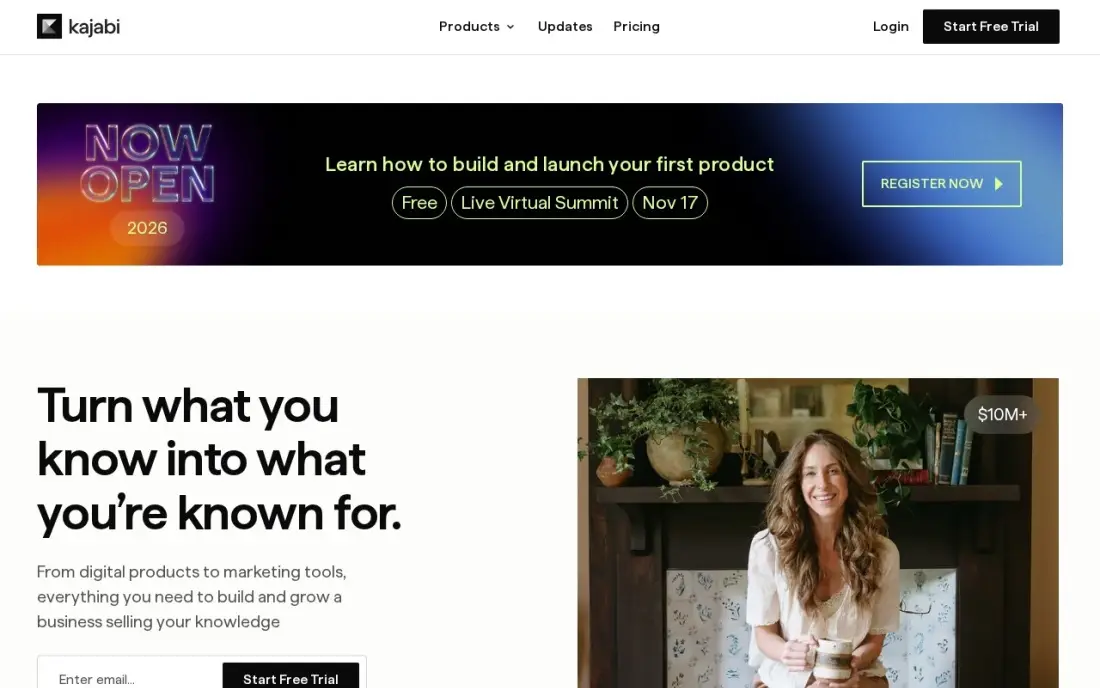
Kajabi is the all-in-one in this list: a website, online courses, memberships, email marketing, sales funnels, a community and podcast hosting, all on one subscription. Basic is $179 a month, or $143 billed annually, and Kajabi takes no share of sales made through Kajabi Payments — only the card processing fee of 2.9% plus $0.30.
The price is the whole story. Basic caps at 5 products and 2,500 contacts, and Kajabi counts courses, coaching offers, memberships, downloads, podcasts and newsletters as products, so a small catalog can hit the cap fast. There is no free plan, only a 14-day trial, and the cheaper Kickstarter plan was removed in January 2026. Pick Kajabi when one subscription replacing four tools saves money; pick Podia or Teachable while it does not.
What we like
- The only all-in-one here: website, courses, memberships, email, funnels, community and podcast hosting on one bill
- Takes no revenue share on sales through Kajabi Payments — only card processing of 2.9% + $0.30 on Basic
- Unlimited marketing emails, landing pages and funnels on every plan, including Basic
- Every plan carries a 14-day free trial and a 30-day money-back guarantee
Watch out for
- The highest entry price here at $179 a month, with no free plan and no cheap tier since Kickstarter was removed
- Basic caps at 5 products and 2,500 contacts, and counts courses, coaching offers, downloads and podcasts together
- Basic keeps Kajabi branding on pages and has no AI credits; those need Growth at $249 a month

Teachable
Best for: Course creators who want a dedicated course platform with a low flat fee
Teachable is the course-first platform in this list: the editor, lessons, quizzes, certificates, coupons and checkout are the product, not add-ons to a website builder. Starter is $39 a month, or $29 billed annually, the cheapest flat-fee way to sell a course — but Starter also takes 7.5% of every sale on top of payment processing.
The fee is the thing to price. On annual billing, Starter is $29 plus 7.5% and Builder is $69 with 0%, so Builder is cheaper once monthly sales pass about $533. There is no free plan since the 2026 overhaul, only a free trial, and the old Basic and Pro plan names are gone. Pick Teachable when the product is a course and the catalog is small; pick Kajabi when the business also needs the website and email in the same bill.
What we like
- The cheapest flat-fee course platform here: Starter is $39 a month, or $29 billed annually
- Built for courses first: lessons, quizzes, certificates, coupons and checkout are the core, not add-ons
- Builder at $69 a month billed annually removes the transaction fee entirely and adds affiliates
- The most widely used course platform, with a straightforward editor a first-time creator can learn in a day
Watch out for
- Starter takes a 7.5% transaction fee on every sale, on top of payment processing
- No free plan since the 2026 overhaul — Starter at $29 a month billed annually is the entry point
- The 0% transaction fee only starts at Builder, $69 a month billed annually

Gumroad
Best for: Creators selling digital downloads who want to start with no monthly bill
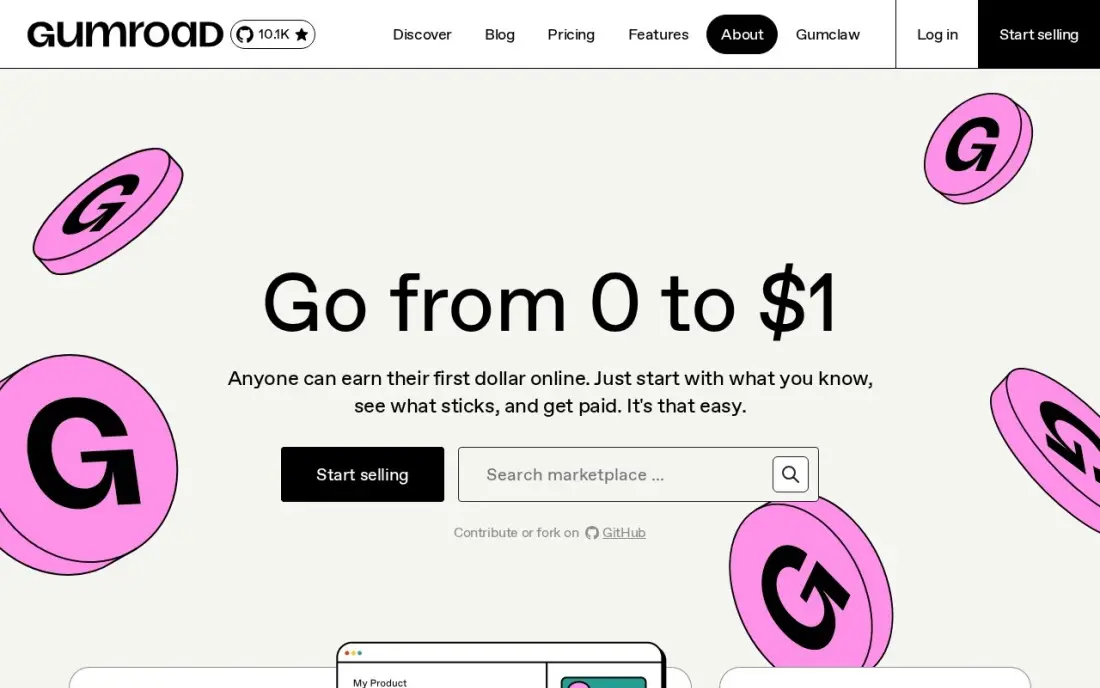
Gumroad is the fastest way to start charging for digital products: upload a file, set a price, share the link — no monthly fee, no tiers, no setup weekend. The price is 10% plus $0.50 on every direct sale, with card processing of 2.9% plus $0.30 on top, and Gumroad has acted as merchant of record since January 2025, collecting and remitting sales tax worldwide.
The flat fee bites hardest on cheap products. On a $5 download the platform fee alone is 20% of the price, and processing pushes the all-in cost to about 29%. Sales through Gumroad's Discover marketplace cost a flat 30% instead, and the storefront is bare-bones. Pick Gumroad when the catalog is small and sales are irregular; pick Ko-fi's shop when the products are cheap, and Podia when the catalog needs a real storefront.
What we like
- No monthly fee and no tiers: list a product and pay only when something sells
- The fastest start here — a product can be listed and selling in minutes
- Merchant of record since January 2025, so Gumroad collects and remits sales tax worldwide
- A built-in Discover marketplace can find buyers the creator would never reach alone
Watch out for
- 10% + $0.50 per direct sale, plus 2.9% + $0.30 processing, makes cheap products expensive — about 29% on a $5 sale
- Sales through the Gumroad Discover marketplace cost a flat 30% instead
- Bare-bones storefront with little customization and no built-in funnels or upsells

Podia
Best for: Creators who want website, courses, downloads, email and community in one flat-fee plan

Podia packs a website, courses, digital products, a community, a blog and email marketing into one subscription, and Mover at $49 a month, or $42 billed annually, is the cheapest all-in-one start in this list. Every plan allows unlimited members and sales, and Mover covers 50 products and 25 community spaces.
The catch is the 5% transaction fee on Mover, on top of payment processing. At $1,000 a month in sales, Mover costs $49 plus $50 in fees — exactly the same as Shaker at $99 a month, which charges 0% — so a creator selling over $1,000 a month should skip straight to Shaker. There is no free plan since October 2024, only a 14-day trial. Pick Podia when the business needs a website, courses and community under one roof; pick Teachable for courses alone.
What we like
- One subscription covers a website, courses, digital products, community, blog and email marketing
- Mover at $49 a month is the cheapest all-in-one subscription here
- At $1,000 a month in sales, Mover's $49 plus 5% costs exactly the same as Shaker's flat $99
- Unlimited members and unlimited sales on every plan, including Mover
Watch out for
- Mover adds a 5% transaction fee to every sale; removing it needs Shaker at $99 a month
- No free plan since October 2024 — only a 14-day trial before the subscription starts
- Mover caps at 50 products and 25 community spaces, so a large catalog outgrows it

Ko-fi
Best for: Creators who want tips and small sales with the lowest possible fees
Ko-fi is the cheapest way in this list to take money from fans: a page costs $0 to join, one-time tips carry a 0% platform fee, and payments land straight in the creator's own PayPal or Stripe with no payout minimum. The same page covers tips, memberships, a shop and commissions — one page for a tip jar and a small store.
The fee worth knowing is the 5% service fee on shop sales, memberships, monthly tips and commissions — only one-time tips are free. Gold removes it for $12 a month, paying for itself once those sales pass about $240 a month; the $6 figure quoted across the web is the old price older creators keep. Check the Contributor setting: switched on, it adds 5% to tips. Pick Ko-fi when every dollar counts; pick Patreon for a subscription business.
What we like
- Free to join with no monthly fee, and 0% platform fee on one-time tips
- Payments go straight to the creator's own PayPal or Stripe, with no payout minimum
- One page covers tips, memberships, a shop and commissions, so a creator needs no second tool
- Gold at $12 a month for new users removes the 5% fee on shop, membership and commission sales
Watch out for
- Shop sales, memberships and commissions cost 5% on the free plan — only one-time tips are 0%
- Gold costs $12 a month for new users, not the $6 figure still quoted across the web; annual plans are gone
- Membership and analytics tools are weaker than Patreon's, and there is no discovery network
The best platforms for content creators all promise the same thing — a way to earn from an audience — but they charge for it in opposite ways: four of the seven below cost $0 a month and take a percentage of what you earn, while three charge a flat monthly fee and let you keep the rest. The right pick depends on what you sell and how much of it, not on which logo looks friendliest.
The seven tools below are ranked by fit for the most common buyer, a creator with a small but growing audience who wants to start earning without a big monthly bill, and every price was checked on November 12, 2026, against the vendor's own pricing page or a fresh read of it.
How to choose the best platforms for content creators
- Start with what you sell. Memberships point to Patreon, a newsletter to Substack, courses to Teachable or Kajabi, downloads to Gumroad or Ko-fi's shop, and tips to Ko-fi. A platform built for another format will fight you every week.
- Work out how it charges, not just how much. A percentage of earnings costs nothing while revenue is small and a lot once it grows; a flat fee costs the same at $100 a month and at $10,000. Do the math at the revenue you expect in a year, not the revenue you have today.
- Count the processing on top. Every platform here adds card processing of about 2.9% plus $0.30 a payment, and the percentage platforms add it on top of their own cut, so the real cost is always higher than the headline rate.
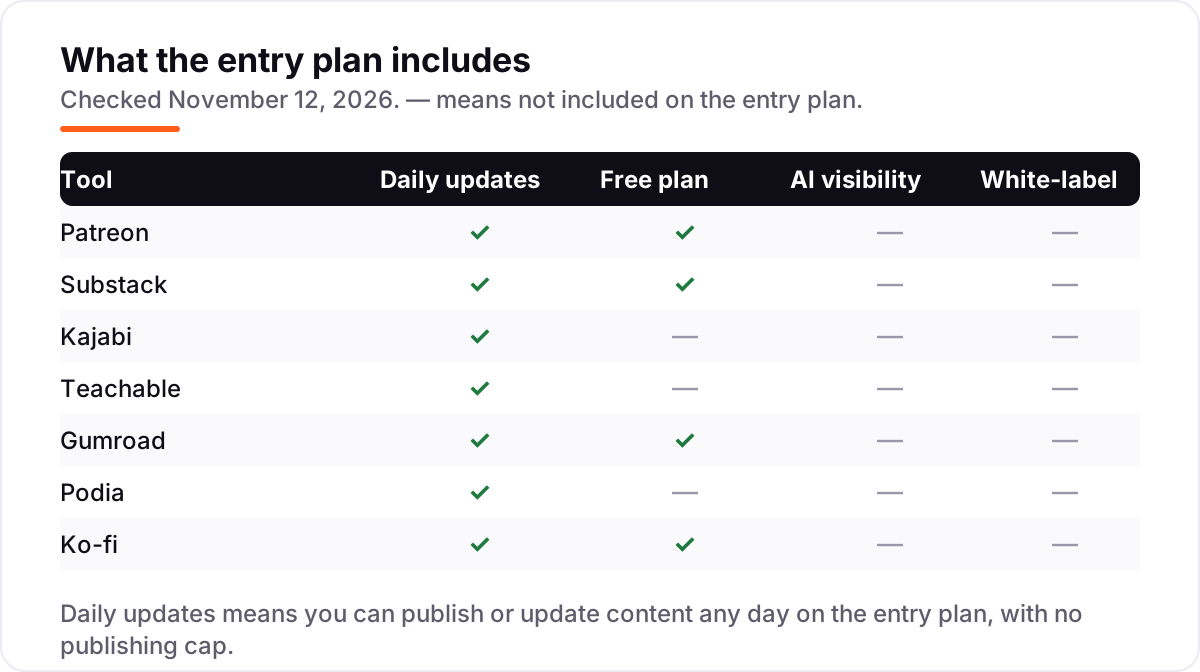
- Check what the free tier actually includes. Patreon, Substack, Gumroad and Ko-fi are free to start, but the features that protect revenue — no transaction fee, membership tiers, custom branding — sit on a paid plan or behind a percentage.
- Make sure you can take your audience with you. An email list you can export is the only asset no platform can take away. Check the export before you build, not after you want to leave.
- Decide whether you need discovery or ownership. Substack's network and Gumroad's Discover marketplace can bring readers and buyers you never met, but they take a cut for it. A platform with no discovery keeps more of each sale and brings none of its own.
A platform earns money, but it does not bring the audience on its own. If the content is not showing up when people search, our AI search optimization service covers that side. And before publishing, the free SERP snippet preview shows how the page will look in search results.
Whatever you shortlist, try it with a real sale before you commit. The free plans in this list need no trial at all, and the paid ones offer 14-day trials, which is long enough to list a product, take a real payment and check the payout lands. Check two things in the trial: that a buyer can pay without an account, and that the money reaches your bank or PayPal on the schedule the platform promises.
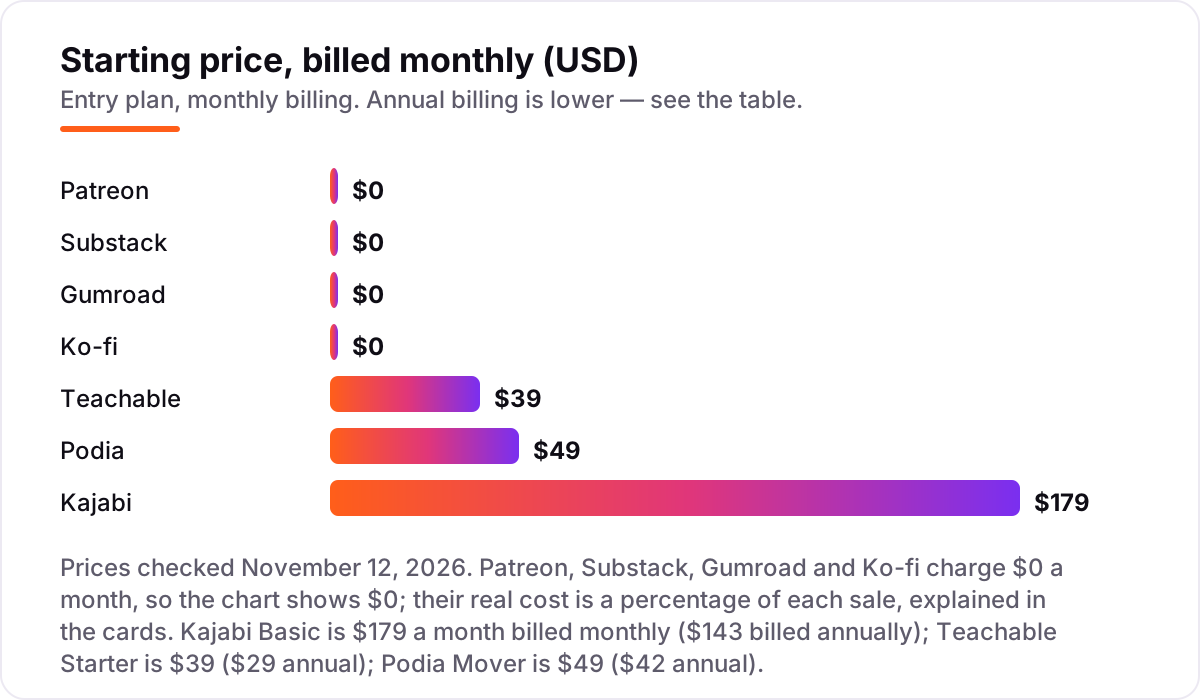
Creator platform pricing: what you will actually pay
Take a creator earning $1,000 a month. For the subscription platforms, assume 100 supporters at $10 a month; for the product platforms, assume 50 sales at $20 each. Card processing runs about 2.9% plus $0.30 a payment, which is $59 on 100 payments and $44 on 50 payments, and it sits on top of every platform fee below.
On Patreon, the bill is $100 in platform fees plus $59 in processing, so the creator keeps $841. On Substack it is $100 plus $59 in processing plus $7 in Stripe Billing fees, so the creator keeps $834. On Gumroad, 50 direct sales cost $100 in platform fees plus $25 in per-sale fees plus $44 in processing, so the creator keeps $831 — but the same sales through Discover cost a flat 30%, $300, and the creator keeps $700. On Ko-fi, $1,000 in one-time tips costs $59 in processing only, so the creator keeps $941; $1,000 in shop sales costs $50 in fees plus $59 in processing, so the creator keeps $891, and Gold at $12 a month drops that to $71 in total fees, keeping $929.
The flat-fee tools look different at the same revenue. Kajabi Basic at $179 a month costs $179 plus $44 in processing, so the creator keeps $777 — the subscription is the whole platform cost, because Kajabi takes no share of sales. Teachable Starter at $39 a month costs $39 plus $75 in transaction fees plus $44 in processing, keeping $842, while Builder at $89 a month charges no transaction fee and keeps $867. Podia Mover at $49 a month costs $49 plus $50 in fees plus $44 in processing, keeping $857 — exactly the same as Shaker at $99 a month, which is why the upgrade point is $1,000 in monthly sales.
Annual billing cuts the flat fees: Kajabi Basic drops to $143 a month, or $1,716 a year; Teachable Starter drops to $29 a month, or $348 a year; Podia Mover drops to $42 a month, or $504 a year. The percentage tools have no annual option, because there is no subscription to discount — the 10% is the price, at any revenue. Three costs sit outside every number above: payment processing, marketplace fees on sales the platform finds for you, and a one-time $50 custom domain on Substack.
Know the difference: a percentage of earnings vs a flat monthly fee
The confusion in this category is the pricing model, not the feature list. A percentage platform charges nothing while you earn nothing and takes a fixed share forever: Patreon and Substack both take 10%, Gumroad takes 10% plus $0.50 a sale, and Ko-fi takes 0% on tips and 5% on shop sales. A flat-fee platform charges the same every month whether you sell one course or a hundred: Kajabi Basic at $179, Teachable Starter at $39 and Podia Mover at $49.
The crossover is the number to remember. At $1,000 a month in revenue, Patreon's 10% costs $100, which is more than Teachable Starter's $39 and Podia Mover's $49, and close to Kajabi Basic's $143 on annual billing. At $500 a month, the same 10% costs $50 — still more than Teachable Starter, but less than Podia Mover plus its 5% fee. At $100 a month, 10% is $10, and no flat fee comes close.
There is a second, quieter confusion: a $0 start is not a $0 business. A creator on Patreon, Substack or Gumroad pays nothing in a month with no sales, but pays more than any flat fee in a good month, and the percentage never stops. Budget on the fee at the revenue you expect next year, not on the $0 headline — and if the revenue is already there, price the flat-fee tools first.
Quick comparison: tool type by need
| Buyer | Best pick | Why |
|---|---|---|
| Creator who wants to pay $0 and keep tips | Ko-fi | Free plan, 0% on one-time tips, Gold is $12/month |
| Writer starting a paid newsletter | Substack | Free to publish, 10% of paid subscriptions only |
| Creator building a membership community | Patreon | Free to start, tiers and member-only content for 10% |
| Course creator who wants one flat fee | Teachable | Starter is $39/month, Builder removes the 7.5% fee |
| Creator selling digital downloads | Gumroad | Free to start, 10% + $0.50 per direct sale |
| Creator who wants website, courses and community in one | Podia | Mover is $49/month, Shaker removes the 5% fee |
Mistakes to avoid
- Budgeting on the $0 headline. A percentage platform costs nothing in a slow month and more than a flat fee in a good one: 10% of $5,000 a month is $500, which is more than Kajabi Basic at $179. Price the fee at next year's revenue, not this month's.
- Forgetting the processing on top. Card processing of 2.9% plus $0.30 a payment applies on every platform here, on top of the platform's own cut. On 100 payments of $10 it adds $59 a month that no headline price mentions.
- Paying a marketplace for buyers you already had. Gumroad Discover takes 30% of a sale it finds, against 10% plus $0.50 for a buyer who came through your own link. If the audience already follows you, turn Discover off or sell direct.
- Picking the cheapest tier and hitting its cap. Kajabi Basic stops at 5 products and 2,500 contacts, Podia Mover at 50 products, and Teachable Starter still takes 7.5% of every sale. The upgrade is always dearer than choosing the right tier first.
- Building on a platform without an exit. An audience you cannot export is rented, not owned. Check that the member list exports, and keep your own email list from day one, before the platform changes its fees or its rules.
How we chose
We checked each vendor's own pricing page on November 12, 2026 and recorded the starting price exactly as shown, including the annual-billing figure where the page lists one, and we ranked the tools by fit for the most common buyer — a creator with a small but growing audience who wants to start earning without a big monthly bill — not by brand size. Browser page fetches were unavailable today, so prices were verified from fresh search-index copies of the vendors' own pricing pages, crawled within the last three days, cross-checked against independent October and November 2026 reads of the same pages. Three prices needed extra care. Patreon's own pages block automated fetching, so the 10% flat fee for new creators is confirmed by several independent reads of Patreon's pricing page dated November 2026; the 5%, 8% and 12% rates survive only for pages published before August 4, 2025. Teachable's old Basic and Pro prices are stale — the 2026 overhaul renamed the plans Starter, Builder, Growth and Advanced, and dropped the free plan. Ko-fi Gold is $12 a month for new users, per Ko-fi's own help centre; the $6 figure still quoted across the web is the price older creators keep. Ratings come from G2 pages checked November 12, 2026: Patreon 4.2 from 63 reviews, Substack 4.3 from 17, Kajabi 4.1 from 93, Teachable 3.8 from 53, Gumroad 4.2 from 16 and Podia 4.4 from 26; Ko-fi has no G2 listing, so its rating is Trustpilot, 4.5 from 795 reviews. No vendor paid for a place in this list, and none of the links here are affiliate links.
What to do next
Start with the free plan or trial of your top pick and make one real sale through it. Check that a buyer can pay without creating an account, that the payout reaches your bank or PayPal on the schedule promised, and that the fee on the payout matches the math in the pricing section above. If the platform is sorted but new readers are not finding the work, our monthly SEO service handles the visibility side — or compare providers in our guide to SEO companies for small business. Once your tools are in place, find out what's holding your rankings back.
Frequently asked questions
What is the best platform for content creators?
Patreon is the best fit for paid memberships at $0 to start with a 10% fee, Substack is the best for a paid newsletter at the same 10%, and Ko-fi is the best for tips at 0%. Course sellers should start with Teachable at $39 a month, and creators who want everything in one subscription should look at Podia at $49 or Kajabi at $179.
How much does it cost to start as a content creator?
Nothing up front on four of the seven tools here: Patreon, Substack, Gumroad and Ko-fi all cost $0 a month and take a percentage only when you earn. The flat-fee tools start at $39 a month on Teachable, $49 on Podia and $179 on Kajabi, and all three offer a free trial, so the subscription starts only after you have tested the platform.
Is Patreon or Substack better for creators?
It depends on what you sell. Patreon is better for memberships: tiers, member-only posts, video, livestreams and a shop, with the audience paying monthly. Substack is better for writing: a newsletter with email delivery, Notes and a discovery network that brings new readers. Both charge 10% of what you earn, so the choice is the format, not the fee.
What is the cheapest platform for selling digital products?
Ko-fi is the cheapest for most sellers: a 5% fee on shop sales on the free plan, or 0% on Gold at $12 a month, plus payment processing. Gumroad charges 10% plus $0.50 per direct sale plus processing, which costs more on every order. Podia Mover at $49 a month plus 5% only wins once monthly sales pass about $1,000.
Can I move my audience off the platform later?
Yes, but check the export before you build. Patreon lets you export your member email list, Substack exports subscribers, and Kajabi, Teachable and Podia all hold the customer list inside your own account. The harder move is paid subscribers: Substack keeps taking 10% of subscriptions moved on the same Stripe account, so keep your own email list from day one.
Is Kajabi worth $179 a month?
Only if you use most of what it replaces. Kajabi at $179 a month covers a website, courses, memberships, email, funnels, community and podcast hosting, and takes no share of sales. If you only need courses, Teachable at $39 does the same job for less. If you need the all-in-one set but not the price, Podia at $49 is the cheaper middle step.
Do I need a free plan or a trial before paying?
Try before you pay on every tool here. Patreon, Substack, Gumroad and Ko-fi are free to start, so there is nothing to trial. Kajabi and Podia both offer a 14-day free trial, and Teachable offers a free trial too. Use the trial to make a real sale end to end: list a product, take a payment, and check the payout lands before the trial ends.
Sources we checked (14)
- Patreon pricing — patreon.com/pricing (checked November 12, 2026)
- Patreon on G2 — 4.2/5, 63 reviews (checked November 12, 2026)
- Substack pricing — support.substack.com, How much does Substack cost? (checked November 12, 2026)
- Substack on G2 — 4.3/5, 17 reviews (checked November 12, 2026)
- Kajabi pricing — kajabi.com/pricing (checked November 12, 2026)
- Kajabi on G2 — 4.1/5, 93 reviews (checked November 12, 2026)
- Teachable pricing — teachable.com/pricing (checked November 12, 2026)
- Teachable on G2 — 3.8/5, 53 reviews (checked November 12, 2026)
- Gumroad pricing — gumroad.com/pricing (checked November 12, 2026)
- Gumroad on G2 — 4.2/5, 16 reviews (checked November 12, 2026)
- Podia pricing — podia.com/pricing (checked November 12, 2026)
- Podia on G2 — 4.4/5, 26 reviews (checked November 12, 2026)
- Ko-fi pricing — ko-fi.com/pricing (checked November 12, 2026)
- Ko-fi on Trustpilot — 4.5/5, 795 reviews (checked November 12, 2026)
Make one of these tools?
We re-check this list every quarter. Send a correction, request a review, or ask about a clearly labeled sponsored spot.
Request a listingShamim
Founder of SerpAstra
A full-stack SEO and digital marketer who spends most days on Local SEO for dental practices, AI search visibility and lead generation.
Free SEO and AI visibility audit
Find out what is holding your rankings back
Send us your site. Within 2 business days you get a written audit, an AI visibility check and a short fix list ranked by impact. Free, with no contract attached.
Request my free audit→Related buying guides
 Marketing8 Best AI Tools for Content Creators in 2026 (Free and Paid, Compared)The 8 best ai tools for content creators, compared on price, free plans and strengths — writing, design, video. Prices checked on vendor sites, Nov 2, 2026.Read guide →
 Marketing7 Best Email Marketing Platforms for Creators in 2026, Compared7 best email marketing platforms for creators compared on price, free plans and monetization. Real prices checked November 4, 2026, sorted by creator need.Read guide →
 Marketing8 Best Influencer Platforms for Creators in 2026, ComparedCompare the 8 best influencer platforms for creators in 2026 on price, fees and free plans, with prices checked November 4, 2026 for creators and brands.Read guide →