
10 Best Platforms for Content for Retail in 2026, Compared
Compare the 10 best platform for content for retail options for small shops on price, free plans and features, with every price checked November 12, 2026.
 Shamim Mia, Founder, SerpAstraLast verified November 12, 202614 min read
We compare pricing pages, documentation and public reviews. We never accept payment for rankings.

Key takeaways
- Canva Pro leads for most small retailers at $18 a month, with Buffer from $6 a channel and Mailchimp Essentials from $13 a month.
- The single most important buying factor is the pricing unit: per-person, per-channel, per-contact and per-screen pricing turn a cheap headline price into a dear team price.
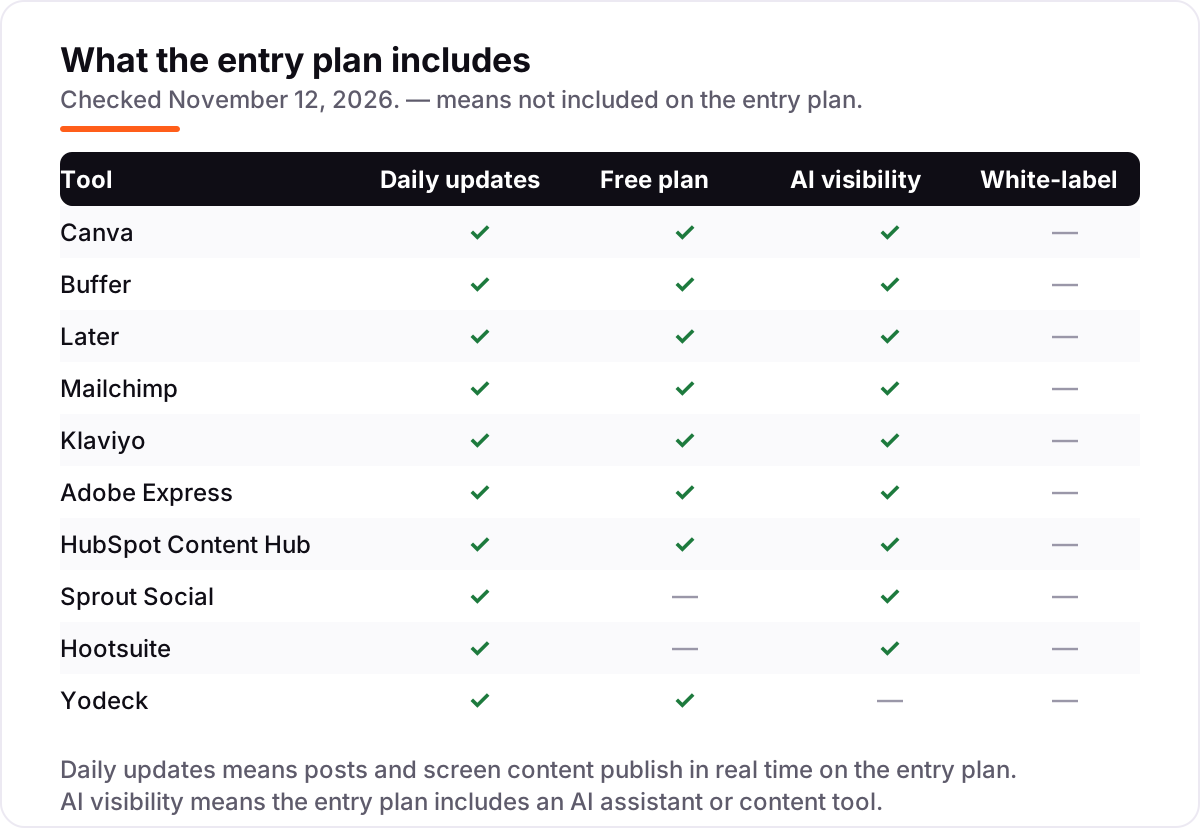
- Eight of the 10 tools have a genuinely free plan or free tools — only Sprout Social and Hootsuite offer a trial with no free tier.
- Every price below was checked on the vendor's own pricing page on November 12, 2026. Ratings are G2, except Yodeck, which is Capterra, with review counts shown.
On this page
Quick comparison
| Tool | Best for | Starting price | Free plan |
|---|---|---|---|
| Canva | Retailers who design their own social posts, signs and flyers without a designer | $18/mo | Yes (free plan) |
| Buffer | Small retailers who want the cheapest way to schedule posts across a few channels | $6/channel/mo | Yes (free plan) |
| Later | Visual-first retailers who plan Instagram, TikTok and Pinterest around photos | $25/mo | Yes (free plan) |
| Mailchimp | Retailers who send a regular newsletter and want email, SMS and a website in one place | $13/mo | Yes (free plan) |
| Klaviyo | Online retailers on Shopify who want abandoned-cart and post-purchase flows that pay for themselves | $20/mo | Yes (free plan) |
| Adobe Express | Retailers who want Adobe stock photos, fonts and Firefly AI in a simple editor | $9.99/mo | Yes (free plan) |
| HubSpot Content Hub | Retailers who want their website, blog and customer list in one CRM-connected system | $20/seat/mo | Yes (free tools) |
| Sprout Social | Retail teams that need reporting, optimal send times and a shared calendar across five profiles | $99/seat/mo | No (30-day trial) |
| Hootsuite | Retail chains and teams that need approvals, listening and one inbox across many accounts | $99/user/mo | No (30-day trial) |
| Yodeck | Shops that want promos, menus and offers on the screens inside the store | $8/screen/mo | Yes (free plan) |
Make one of these tools?
We re-check this list every quarter. Send a correction, request a review, or ask about a clearly labeled sponsored spot.
Request a listingThe best platform for content for retail

Canva
Best for: Retailers who design their own social posts, signs and flyers without a designer
Canva is the design tool most small retailers open every day, and Pro at $18 a month is where it starts to pay for itself. The template library covers social posts, sale signs, price tags and flyers, and Brand Kit stores the shop's logos, colors and fonts so every post looks like it came from the same store. Magic Resize turns one design into the right size for Instagram, Facebook and Pinterest.
The catch is the per-person price: Pro covers one person, so a team of three pays $54 a month, and Business is $25 a person. Canva does not schedule or publish anything, so designs still need a scheduler like Buffer or Later. Pick Canva when the shop makes its own visuals and wants them on-brand fast; pick Adobe Express when Adobe stock photos and fonts matter more.
What we like
- A huge template library covers social posts, signs, flyers and price tags in minutes
- Brand Kit keeps every post on-brand with the shop's logos, colors and fonts
- Magic Resize re-sizes one design for every channel in a click
- The free plan is genuinely usable for a small shop starting out
Watch out for
- Pro is priced per person, so a team of three pays $54 a month
- Print and photo editing are weaker than desktop design tools
- No scheduling or publishing built in — posts still need a scheduler

Buffer
Best for: Small retailers who want the cheapest way to schedule posts across a few channels
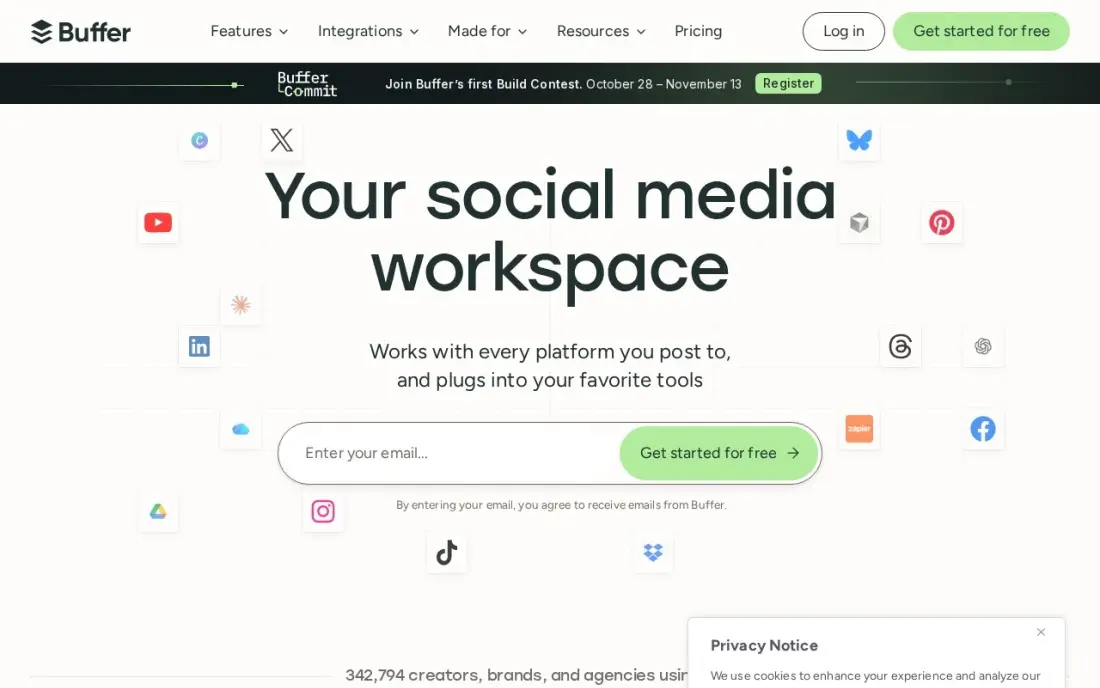
Buffer is the cheapest scheduler here, and its pricing unit is the reason: $6 a channel a month on Essentials, so a shop with three channels pays $18, not a flat $99. The free plan covers three channels with 10 scheduled posts each, enough for a small shop to run a week of posts before paying. The AI Assistant drafts captions when the owner is stuck for words.
The limit is the one-user rule: Essentials covers a single person, and a second person needs Team at $12 a channel a month. There is no inbox and no approval step on Essentials, so replies happen in each network's app. Pick Buffer when the shop posts to a few channels and wants the lowest bill; pick Later when the feed is photo-led and the grid preview matters more.
What we like
- Per-channel pricing means a shop pays only for the channels it actually uses
- The free plan covers three channels with 10 scheduled posts each
- AI Assistant drafts captions, rewrites posts and suggests replies
- A simple calendar with no learning curve — a new hire can post on day one
Watch out for
- Essentials covers 1 user — a second person needs Team at $12 a channel a month
- No inbox or approval workflows on Essentials
- Analytics exports need the paid plan

Later
Best for: Visual-first retailers who plan Instagram, TikTok and Pinterest around photos
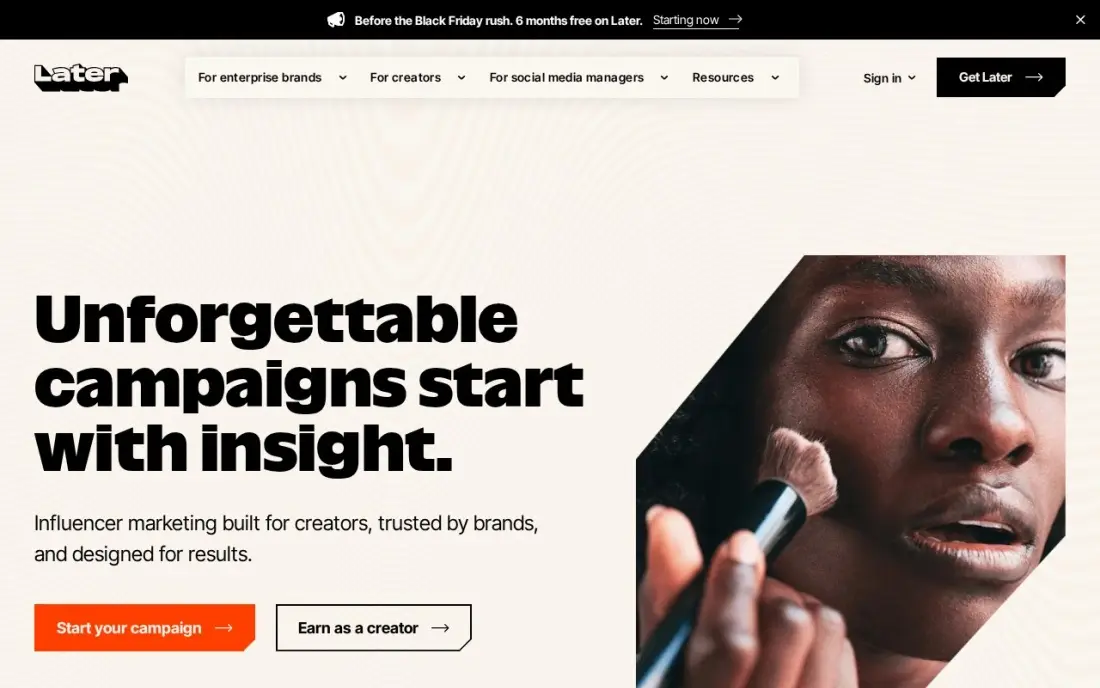
Later is built for shops whose content is visual first: the calendar and the Instagram grid preview show how the feed will look before anything is published. Starter at $25 a month covers one Social Set of up to eight profiles, with 30 posts per profile a month and 5 AI credits for captions. Link in Bio turns the shop's Instagram bio into a page that sends shoppers to products.
Two limits matter. Later dropped X scheduling in August 2025, so a shop that still posts there needs a second tool. And Starter covers one brand only: extra Social Sets and users are not available, so a second store needs the $50 Growth plan. The 14-day trial needs a card and converts. Pick Later when photos lead the content; pick Buffer when the shop wants the lowest monthly bill.
What we like
- A visual calendar with an Instagram grid preview, built for photo-led shops
- Link in Bio is included, so the shop's Instagram bio becomes a shoppable page
- Posts to eight networks, including Pinterest, TikTok and Threads
- AI caption credits come with every paid plan
Watch out for
- No X scheduling since support ended in August 2025
- Starter covers one brand only — extra Social Sets and users are not available
- The 14-day trial needs a card and converts to a paid plan automatically

Mailchimp
Best for: Retailers who send a regular newsletter and want email, SMS and a website in one place
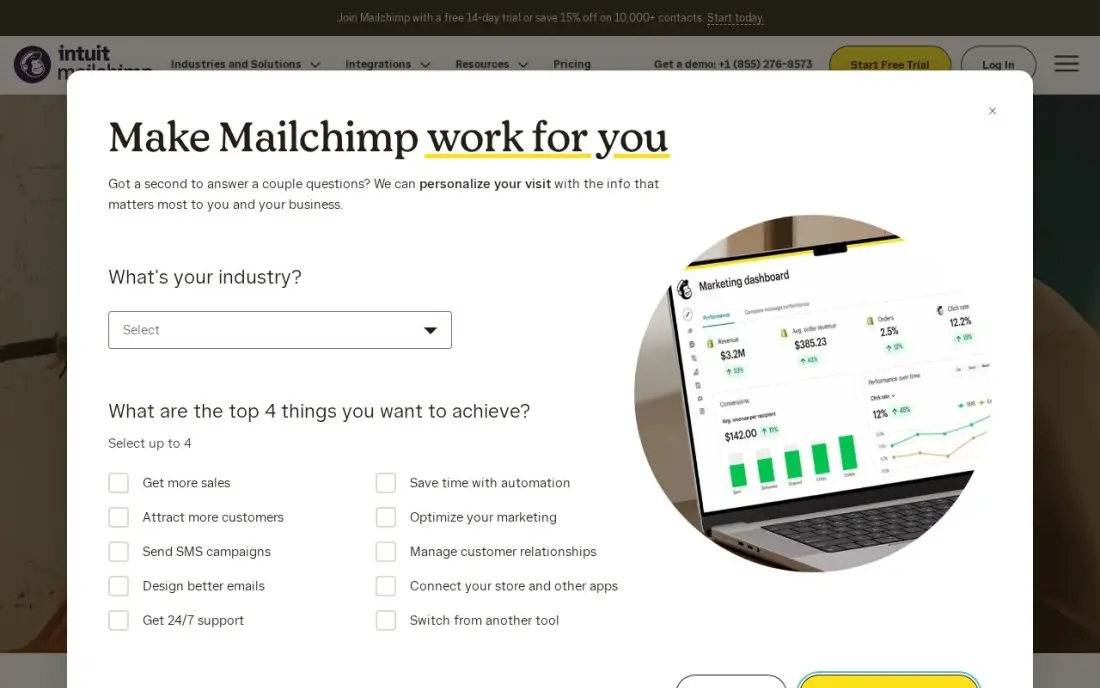
Mailchimp is the all-rounder for shop email: Essentials at $13 a month for 500 contacts covers templates, A/B testing and scheduling, and the free plan covers 250 contacts with 500 sends a month. The same account adds SMS as a paid extra and a website builder, so a shop can send the newsletter, text the regulars and keep the site current without a second subscription.
The catch is how the bill grows: Mailchimp charges by contacts, not by sends, so a list that doubles costs roughly double even if it sends the same number of emails. Multi-step automation waits for Standard at $20 a month, and SMS costs extra on every plan. Pick Mailchimp when the shop wants email, SMS and a website in one place; pick Klaviyo when the shop sells online and wants flows tied to orders.
What we like
- A free plan covers a tiny list at $0, with 250 contacts and 500 sends a month
- SMS add-on and a website builder sit in the same account as the email
- Predictive segments and send-time optimization come with Standard
- 500 contacts are included at the $13 entry price
Watch out for
- The price climbs fast as the list grows — contacts, not sends, set the bill
- Multi-step automation needs Standard at $20 a month, not Essentials
- SMS costs extra on every plan

Klaviyo
Best for: Online retailers on Shopify who want abandoned-cart and post-purchase flows that pay for themselves
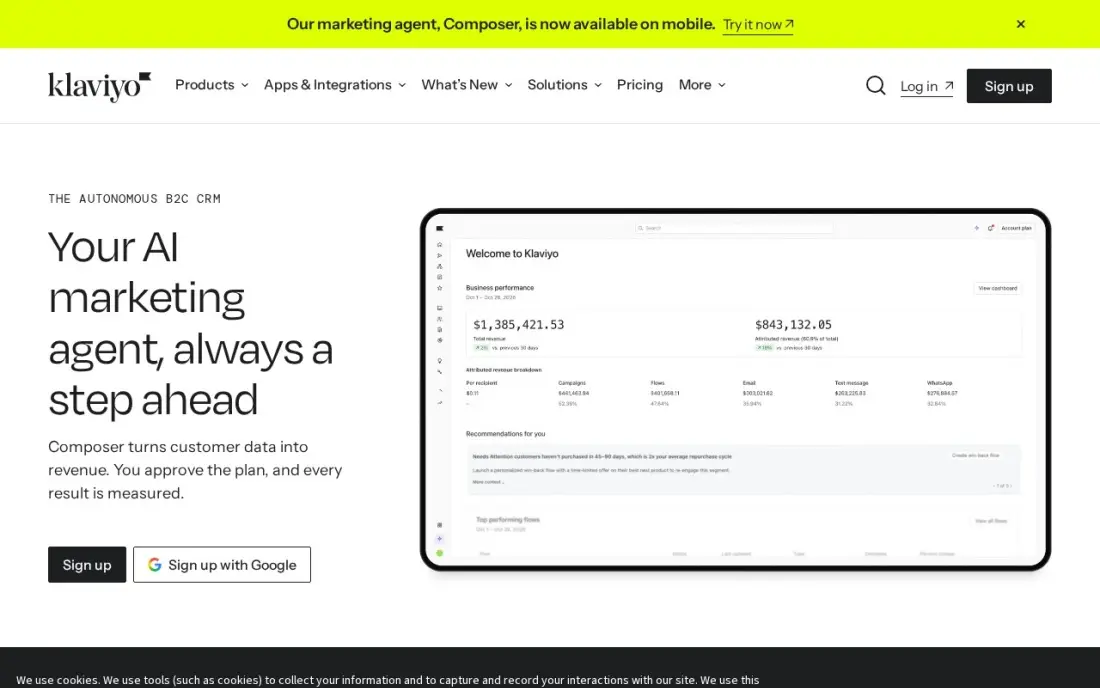
Klaviyo is the email platform built for shops that sell online. The Email plan at $20 a month covers 500 active profiles and 5,000 emails, and only active profiles count — inactive contacts cost nothing, which keeps the bill honest as the list grows. Multi-step flows are included on every plan, including the free one, so abandoned-cart and post-purchase emails work from day one without an upgrade.
The Shopify integration is the real draw: it shows which email drove each sale, so the shop can see revenue per campaign instead of guessing. The trade-off is the learning curve, which is steeper than Mailchimp's, and a bill that climbs with every profile tier. Pick Klaviyo when the shop sells online and lives on repeat orders; pick Mailchimp when the shop mainly sends a simple newsletter.
What we like
- Only active profiles count — inactive contacts cost nothing
- Multi-step flows are included on every plan, including the free one
- Deep Shopify integration shows which email actually drove each sale
- SMS credits are included on the free plan
Watch out for
- The bill rises with every profile tier, so a growing list gets dear fast
- The learning curve is steeper than Mailchimp's
- The $1 first-month Marketing offer renews at $25 a month — check the renewal price

Adobe Express
Best for: Retailers who want Adobe stock photos, fonts and Firefly AI in a simple editor
Adobe Express is the simple end of Adobe: Premium at $9.99 a month buys premium templates, Adobe Stock photos, Adobe Fonts and Brand Kits in an editor a shop owner can learn in an afternoon. Firefly AI generates images and text effects from a prompt, which helps when the shop has no product photos for a sale post. Files sync between web and mobile, so a design started at the counter can be finished at home.
The price buys design only. Adobe Express does not schedule or publish anything, so posts still need Buffer or Later, and its retail template library is thinner than Canva's. There is no team plan at this price — each person needs their own subscription. Pick Adobe Express when Adobe stock and fonts matter; pick Canva when templates and Magic Resize matter more.
What we like
- Adobe Stock photos and Adobe Fonts are included in the price
- Firefly AI generates images and text effects from a prompt
- Brand Kits keep logos and colors consistent across every design
- Works on web and mobile with the same files
Watch out for
- No scheduling or publishing — designs still need a scheduler
- Fewer ready-made retail templates than Canva
- $9.99 a month buys design only, not distribution

HubSpot Content Hub
Best for: Retailers who want their website, blog and customer list in one CRM-connected system
HubSpot Content Hub is the pick for a retailer whose website is part of the content plan. Starter at $20 a seat a month covers website and blog hosting, AI content tools and the CRM, so pages, posts and the customer list share one record. Content Remix turns one blog post or offer into social posts for every channel, and the free tools cover a basic site at $0 before paying anything.
The catch is the per-seat price: $20 a seat means a team of three pays $60 a month, and the $7 promo is for new customers only and ends. The step up is steep — Professional starts at $450 a month with annual billing. Pick HubSpot when the website and customer list should live together; pick Canva and Buffer when the shop only needs designs and scheduling.
What we like
- Website, blog and CRM share one customer record
- Content Remix turns one post into social posts for every channel
- Free tools cover a basic site at $0
- Managed hosting and security are included
Watch out for
- $20 is per seat, so a team of three pays $60 a month
- Professional jumps to $450 a month with annual billing
- The $7 promo is for new customers only and ends

Sprout Social
Best for: Retail teams that need reporting, optimal send times and a shared calendar across five profiles
Sprout Social is the reporting pick in this list. Essentials at $99 a seat a month covers five social profiles, a shared content calendar and Optimal Send Times, which picks the best time to post on each profile. Profile and post reports show which content actually drove sales, and the built-in image editor and SproutLink bio tool mean the shop rarely leaves the app to finish a post.
The price is the problem for a small shop: $99 a seat makes a three-person team $297 a month, and there is no free plan — only a 30-day trial. The inbox waits for Standard at $199 a seat, so replies on Essentials still happen in each network's app. Pick Sprout when one person runs social and wants real reporting; pick Hootsuite when the team needs an inbox and approvals.
What we like
- Optimal Send Times (ViralPost) picks the best posting time per profile
- Profile and post reports show which content actually drove sales
- A built-in image editor and Link in Bio tool are included
- The 30-day trial needs no credit card
Watch out for
- $99 a seat makes a three-person team $297 a month
- No inbox on Essentials — replies need Standard at $199 a seat a month
- No free plan, only a 30-day trial

Hootsuite
Best for: Retail chains and teams that need approvals, listening and one inbox across many accounts
Hootsuite is the all-in-one for retail teams. Standard at $99 a user a month covers up to 10 social accounts with unlimited scheduling, an AI assistant, best-time-to-post recommendations and one inbox for comments and messages. Listening basics are included on every plan, so the shop can see what customers say about the brand without buying a separate tool.
Per-user pricing is the catch: three users cost $297 a month, the same as Sprout, and there is no free plan — only a 30-day trial. Advanced analytics and deeper listening wait for the $249 Advanced plan. Pick Hootsuite when the team needs an inbox, approvals and many accounts in one place; pick Buffer when one person posts to a few channels and wants the lowest bill.
What we like
- Up to 10 social accounts are included on the entry plan
- One inbox gathers comments and messages from every network
- Listening basics are included on every plan
- Best-time-to-post recommendations are built in
Watch out for
- Per-user pricing gets dear fast — three users cost $297 a month
- No free plan, only a 30-day trial
- Advanced analytics and listening sit on the $249 Advanced plan

Yodeck
Best for: Shops that want promos, menus and offers on the screens inside the store
Yodeck turns any TV in the shop into a promo screen. Basic at $8 a screen a month covers scheduling, templates and more than 140 free apps for menus, offers and social feeds, and the first screen is free forever. Screens keep playing offline for up to a month, so shaky shop internet never leaves a blank screen, and annual plans include a free player for each screen.
The free screen has a catch: it stops being free once a second screen is added, so a two-screen shop pays $16 a month, not $8. Premium and Enterprise rose $1 a screen in April 2026, and there is no POS link, so menu prices are typed in. Pick Yodeck when the screens inside the store are part of the content plan; skip it when the shop only posts online.
What we like
- The cheapest in-store content here at $8 a screen a month
- The first screen is free forever
- Screens keep playing offline for up to a month
- Annual plans include a free player per screen
Watch out for
- The free screen stops being free once a second screen is added
- Premium and Enterprise rose $1 a screen in April 2026
- No POS link — menu prices are typed in by hand
The best platform for content for retail is the one that fits how a shop actually makes content: quick social posts, a weekly email, a website that stays current, and the screens inside the store. The 10 tools below are ranked by fit for the most common buyer, a small US retailer with one store and a team of one to three, and every price was checked on the vendor's own pricing page on November 12, 2026.
How to choose the best platform for content for retail
- Start with what the shop makes most. A shop that posts photos daily needs a visual planner like Later; a shop that sends a weekly newsletter needs Mailchimp or Klaviyo first, and design can wait.
- Count the pricing unit, not the headline price. Canva and HubSpot charge per person, Buffer per channel, Mailchimp and Klaviyo per contact or profile, Yodeck per screen. The unit decides what a growing shop pays, not the first number on the page.
- Check the free-plan caps. Buffer stops at 10 posts per channel, Later at 12 posts per profile, Mailchimp at 250 contacts — a free plan that runs out mid-month is not a free plan.
- Check whether the tool publishes or only designs. Canva and Adobe Express make visuals but do not post them; Buffer, Later, Sprout Social and Hootsuite schedule and publish. A design-only tool always needs a second subscription.
- Check the next step up. Sprout Social jumps from $99 to $199 a seat for the inbox, and HubSpot jumps from $20 to $450 a month for Professional. Price the tier the shop will need next year, not just the entry tier.
- Think about the screens in the store. If the shop has TVs, menu boards or a window display, Yodeck covers them for $8 a screen; if it sells only online, that money is better spent on email.
Content fills the shop's channels, but it does not bring in new shoppers on its own. If the store is not showing up when people nearby search, our local SEO service covers that side. And before the shop publishes its next post, the free SERP snippet preview tool shows how the page will look in search results.
Whatever you shortlist, try it with real content before you pay. The trials in this list run 14 to 30 days, which is long enough to design a week's posts, schedule them, send one real newsletter and put one screen live. Check two things in the trial: that a post made in the morning actually goes out on time, and that the price does not jump when the shop adds its second person, channel or screen. Every tool here offers a trial or a free plan, so there is no reason to buy before the shop has run a real week on it.
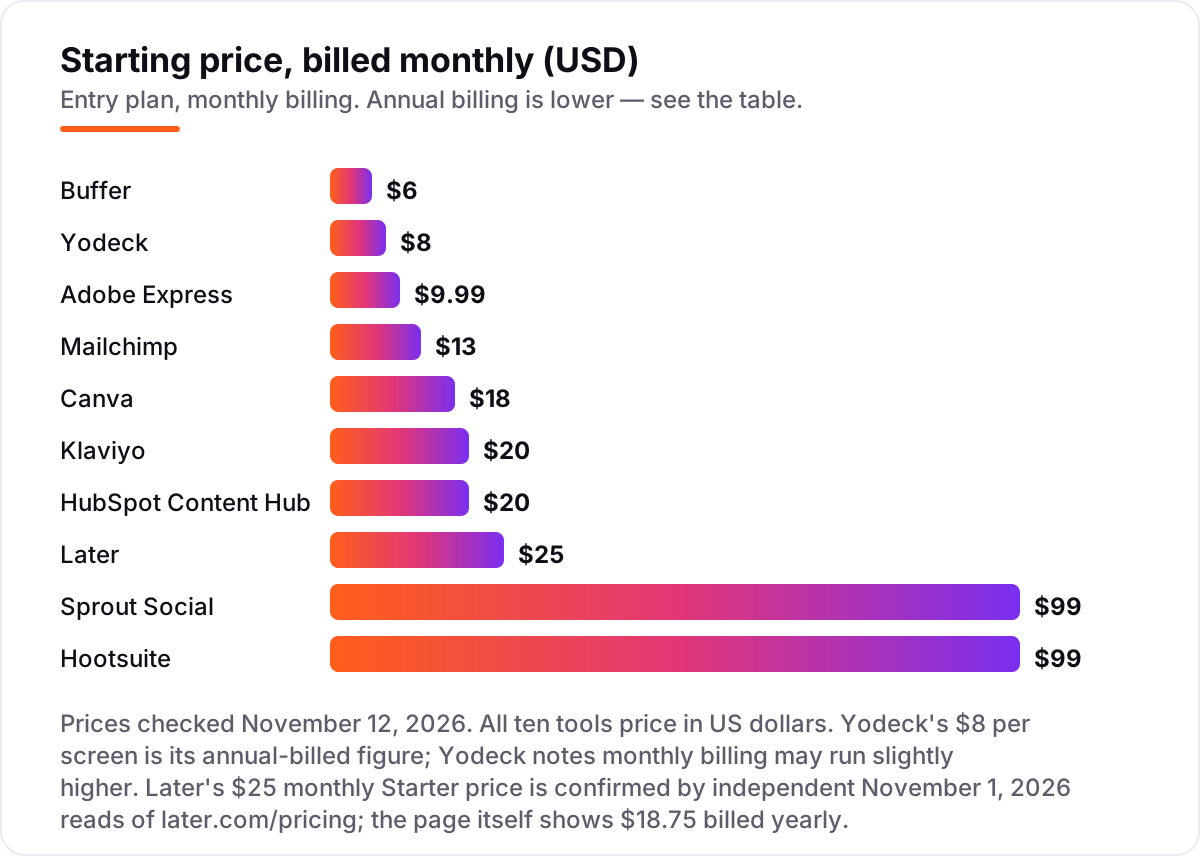
Content platform pricing: what you will actually pay
Take a one-store retailer with three social channels, a 500-contact email list and two screens inside the shop. On list prices, the subscription costs $65 a month on monthly billing: Canva Pro $18, Buffer Essentials for three channels at $6 each ($18), Mailchimp Essentials $13 and Yodeck Basic for two screens at $8 each ($16). Over a year that is $780. Annual billing cuts it to $648.60 a year: Canva $144, Buffer $180 for three channels at $5 each, Mailchimp $132.60 at the $11.05 promo rate and Yodeck $192 — a saving of $131.40 a year for paying up front.
A shop can also start at $0. Canva Free, Buffer Free, Mailchimp Free and Yodeck's free screen cover designs, three channels with 10 posts each, 250 contacts and one screen for nothing — but the caps bite fast: Mailchimp Free stops at 250 contacts and 500 sends, Buffer Free at 10 posts per channel, and Yodeck's screen stops being free the moment a second screen is added. At the other end, a premium stack costs $137 a month: Sprout Social Essentials $99, Canva Pro $18 and Klaviyo Email $20, or $1,644 a year — and that is before a second seat, which adds another $99 on Sprout Social.
Three costs sit outside every number above. First, the second person: Canva Pro, HubSpot Starter, Sprout Social and Hootsuite all charge per person or seat, so a team of three pays $54, $60, $297 and $297 a month on those tools. Second, the growing list: Mailchimp and Klaviyo charge by contacts or profiles, so a list that doubles roughly doubles the email bill. Third, the extras: SMS on Mailchimp and Klaviyo, extra screens on Yodeck and the inbox upgrade on Sprout Social all sit outside the headline price.
Know the difference: making content vs. publishing content
The confusion in this category is the job each tool does, not the feature list. Design tools make content: Canva and Adobe Express produce the image, the flyer and the sign, but they do not post anything. Publishing tools put content out: Buffer, Later, Sprout Social and Hootsuite schedule posts, send them at the best time and report what worked. Email tools do both for one channel: Mailchimp and Klaviyo design the email and send it. And Yodeck does both for the store itself: it designs the screen layout and plays it on the TV.
The mix-up costs money. A shop that buys Canva Pro and expects its posts to go out on their own will still need Buffer at $6 a channel or Later at $25 a month. A shop that buys Hootsuite expecting design tools will still need Canva at $18 a month for the visuals. The cheapest complete setup is one tool from each job: a design tool, a publishing tool and an email tool — for example Canva Pro, Buffer Essentials and Mailchimp Essentials at $49 a month before screens. Buy the job the shop does most first, then add the second job when the first one is working.
There is a second, quieter confusion: a free plan is not a free content operation. Canva Free, Buffer Free, Mailchimp Free and Yodeck's free screen all cost $0 a month, but the shop still pays in time — designing, scheduling and sending — and the caps force an upgrade the moment the shop gets busy. Budget on the subscription plus the hours, not on the $0 headline.
Quick comparison: tool type by need
| Buyer | Best pick | Why |
|---|---|---|
| Small shop that makes its own visuals | Canva | Templates and Brand Kit from $18/month |
| Shop that wants the cheapest scheduler | Buffer | Free plan, Essentials is $6/channel/month |
| Photo-led shop on Instagram and TikTok | Later | Grid preview, Starter is $25/month |
| Shop that sends a weekly newsletter | Mailchimp | Free plan, Essentials is $13/month |
| Online shop that wants sales-driven email | Klaviyo | Free plan, Email is $20/month |
| Shop that wants promos on in-store screens | Yodeck | Free plan, Basic is $8/screen/month |
Mistakes to avoid
- Budgeting on the subscription alone. The second person, the growing email list and the second screen all sit outside the headline price — a three-person team pays $297 a month on Sprout Social or Hootsuite, not $99.
- Buying a design tool and expecting it to publish. Canva and Adobe Express make visuals but post nothing; the shop still needs Buffer, Later, Sprout Social or Hootsuite to get the post out.
- Ignoring the pricing unit. A tool can be cheap for one person and dear for three: Canva and HubSpot charge per person, Buffer per channel, Mailchimp per contact and Yodeck per screen. Price the team and the channels the shop will have next year.
- Comparing monthly prices without checking billing. Annual billing cuts Canva Pro from $18 to $12 a month and Buffer Essentials from $6 to $5 a channel — but Yodeck's $8 a screen is the same either way, and Hootsuite has no annual discount published.
- Forgetting the free-plan caps. Buffer stops at 10 posts per channel, Later at 12 posts per profile and Mailchimp at 250 contacts. A free plan that runs out mid-month forces an upgrade at the worst moment.
How we chose
We verified each vendor's own pricing page through fresh search-index copies crawled November 10–12, 2026, backed by independent October–November 2026 reads of the same pages, and recorded the starting price exactly as shown, including the annual-billing figure where the page lists one, and we ranked the tools by fit for the most common buyer — a small US retailer with one store and a team of one to three — not by brand size. Three prices needed extra care. Later's pricing page opens on the yearly view, so it shows $18.75 a month billed yearly; the $25 monthly-billed Starter price is confirmed by independent reads of later.com/pricing dated November 1, 2026. Yodeck's own help pages note that its $8 per screen figure is based on annual billing and monthly billing may run slightly higher, so the $8 figure is the annual-billed price. HubSpot's G2 listing shows Starter at $15 a seat, a stale annual figure; HubSpot's own pricing page puts the standard price at $20 a seat, with a $7 promo for new customers on annual billing. Ratings come from fresh search-index copies of the G2 review pages crawled November 10–12, 2026, except Yodeck, whose rating is Capterra: Canva 4.7 from 7,529 reviews, Adobe Express 4.5 from 835, Later 4.5 from 380, Buffer 4.3 from 1,043, Sprout Social 4.4 from 7,584, Hootsuite 4.3 from 7,241, Mailchimp 4.3 from 12,984, Klaviyo 4.6 from 1,354 and HubSpot Content Hub 4.5 from 2,205. No vendor paid for a place in this list, and none of the links here are affiliate links.
What to do next
Start with the free plan or trial of your top pick and run one real week of content through it. Design five posts, schedule them, send one newsletter and put one screen live, then check that everything went out on time and the price did not jump when you added a second channel. If the shop is sorted but new shoppers are not finding it, our monthly SEO service handles the visibility side — or compare providers in our guide to SEO companies for small business. Once your tools are in place, find out what's holding your rankings back.
Frequently asked questions
What is the best platform for content for retail?
Canva Pro is the best fit for most small retailers at $18 a month, because it makes the visuals, and Buffer at $6 a channel a month schedules them. Mailchimp Essentials at $13 a month covers the newsletter, and Yodeck at $8 a screen covers the screens inside the store. A shop that sells online should add Klaviyo at $20 a month for abandoned-cart emails.
How much does retail content software cost?
Most small retailers pay $0 to $99 a month for the subscription. Eight tools here have free plans, and the first paid plans run $6 to $25 a month. A one-store setup with Canva Pro, Buffer for three channels, Mailchimp Essentials and two Yodeck screens costs $65 a month on monthly billing, or $648.60 a year with annual billing.
Is there free content software for retail?
Yes, with limits. Canva, Adobe Express, Buffer, Later, Mailchimp, Klaviyo, HubSpot Content Hub and Yodeck all have free plans or free tools. Only Sprout Social and Hootsuite offer a trial with no free tier. Free plans cap posts, contacts or screens, so a busy shop outgrows them and pays within the first months.
Should a retailer use Canva or Adobe Express?
Use Canva when templates and speed matter: it has the bigger retail template library, Brand Kit and Magic Resize for $18 a month. Use Adobe Express when Adobe Stock photos, Adobe Fonts and Firefly AI matter more, at $9.99 a month. Both need a scheduler like Buffer or Later, because neither one publishes posts itself.
What is the difference between per-channel and per-seat pricing?
Per-channel pricing, like Buffer at $6 a channel, charges for each social account connected, so the bill grows with every network added. Per-seat pricing, like Sprout Social and Hootsuite at $99 a person, charges for each team member, so the bill grows with every hire. Count the channels and the people you will have next year and price both units before buying.
Do I need in-store screens as well as social media?
Screens help when the shop has foot traffic and changing offers: a menu board, a sale sign or a new-arrivals loop that updates from one dashboard. Yodeck starts at $8 a screen a month, and the first screen is free. A shop that sells only online gains nothing from screens and should spend that money on email or social instead.
Can I switch content platforms later?
Yes, but move in a quiet week. Export the brand kit, templates, scheduled posts, email list and automations, then rebuild them in the new tool and test one full week of content before going live. Keep the old accounts open until the new ones are proven, because a mid-week switch is how posts and emails go missing.
Sources we checked (20)
- Canva pricing — canva.com/pricing (checked November 12, 2026)
- Canva on G2 — 4.7/5, 7,529 reviews (checked November 12, 2026)
- Buffer pricing — buffer.com/pricing (checked November 12, 2026)
- Buffer on G2 — 4.3/5, 1,043 reviews (checked November 12, 2026)
- Later pricing — later.com/pricing (checked November 12, 2026)
- Later Social on G2 — 4.5/5, 380 reviews (checked November 12, 2026)
- Mailchimp pricing — mailchimp.com/pricing (checked November 12, 2026)
- Mailchimp on G2 — 4.3/5, 12,984 reviews (checked November 12, 2026)
- Klaviyo pricing — klaviyo.com/grow/pricing-packages (checked November 12, 2026)
- Klaviyo on G2 — 4.6/5, 1,354 reviews (checked November 12, 2026)
- Adobe Express pricing — adobe.com/express/pricing (checked November 12, 2026)
- Adobe Express on G2 — 4.5/5, 835 reviews (checked November 12, 2026)
- HubSpot Content Hub pricing — hubspot.com/pricing/content (checked November 12, 2026)
- HubSpot Content Hub on G2 — 4.5/5, 2,205 reviews (checked November 12, 2026)
- Sprout Social pricing — sproutsocial.com/plans-and-pricing (checked November 12, 2026)
- Sprout Social on G2 — 4.4/5, 7,584 reviews (checked November 12, 2026)
- Hootsuite pricing — hootsuite.com/plans (checked November 12, 2026)
- Hootsuite on G2 — 4.3/5, 7,241 reviews (checked November 12, 2026)
- Yodeck pricing — yodeck.com/pricing (checked November 12, 2026)
- Yodeck on Capterra — 4.8/5, 4,953 reviews (checked November 12, 2026)
Make one of these tools?
We re-check this list every quarter. Send a correction, request a review, or ask about a clearly labeled sponsored spot.
Request a listingShamim
Founder of SerpAstra
A full-stack SEO and digital marketer who spends most days on Local SEO for dental practices, AI search visibility and lead generation.
Free SEO and AI visibility audit
Find out what is holding your rankings back
Send us your site. Within 2 business days you get a written audit, an AI visibility check and a short fix list ranked by impact. Free, with no contract attached.
Request my free audit→Related buying guides
 Marketing11 Best Content Calendar Software in 2026, Compared11 best content calendar software options compared on price, free plans, approvals and publishing, with every price checked November 10, 2026.Read guide →
 Marketing7 Best Social Media Management Tools in 2026 (Free and Paid, Compared)Compare the 7 best social media management tools on price, free plans, scheduling and inbox features, with every price checked November 6, 2026.Read guide →
 Marketing11 Best Email Marketing Software for Small Business in 2026, ComparedThe 11 best email marketing software for small business, compared on real 2026 prices, free plans and automation — Brevo starts at $9/month.Read guide →