
Best Crowdsourcing Platforms (2026): 9 Options Ranked for Every Budget
Compare the 9 best crowdsourcing platforms for hiring freelancers, running design contests and sourcing data work, with real fees checked November 12, 2026.
 Shamim Mia, Founder, SerpAstraLast verified November 12, 202615 min read
We compare pricing pages, documentation and public reviews. We never accept payment for rankings.

Key takeaways
- Upwork leads for most hiring at $0 to post with a 5% marketplace fee, Fiverr is fastest for fixed-price gigs at a 5.5% buyer fee, and Freelancer.com is cheapest on fees at 3%.
- The single most important buying factor is the pricing unit: a percentage fee, a one-time contest price or an hourly rate change the same job's cost by hundreds of dollars.
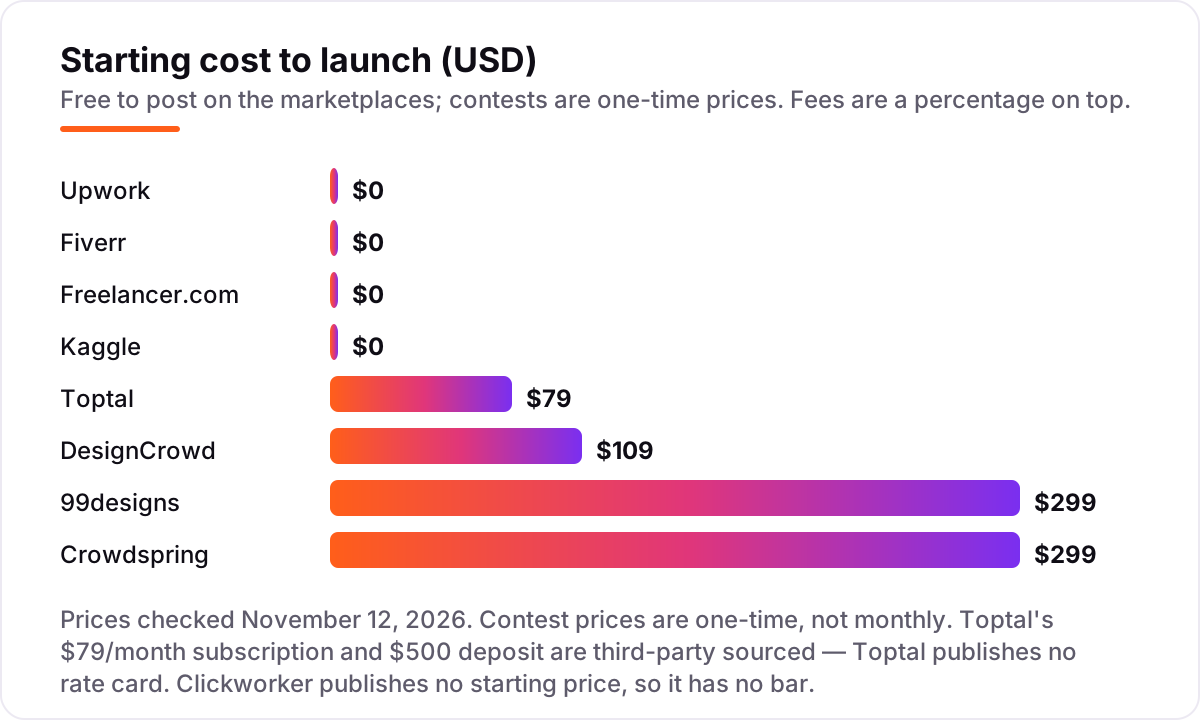
- Design contests start at $109 on DesignCrowd and $299 on 99designs and crowdspring; Toptal is the premium pick at $79 a month plus a $500 deposit.
- Amazon Mechanical Turk is not in this list: it stopped accepting new customers in July 2026 and shut down on September 30, 2026.
- Every price below was checked on November 12, 2026. Ratings are G2, except Clickworker, whose rating we could not verify today.
On this page
Quick comparison
| Tool | Best for | Starting price | Free plan |
|---|---|---|---|
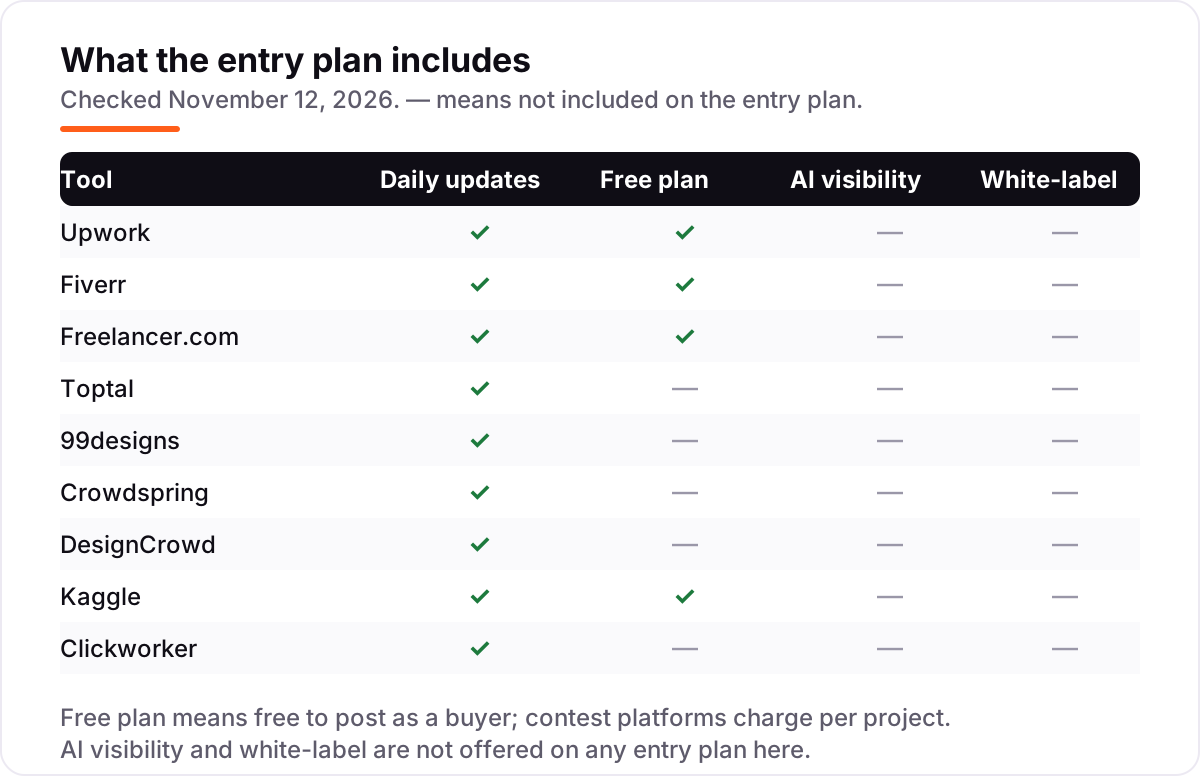
| Upwork | Small businesses hiring freelancers for ongoing or one-off work across any skill | Free; 5% fee | Yes (free to post) |
| Fiverr | Small businesses buying fixed-price, packaged services with a fast turnaround | Free; 5.5% fee | Yes (free to join) |
| Freelancer.com | Budget buyers who want competing bids on a fixed-price project | Free; 3% fee | Yes (free to post) |
| Toptal | Teams hiring a senior developer, designer or finance expert where a bad hire is expensive | $79/mo + deposit | No (deposit + $79/mo) |
| 99designs | Small businesses that want many logo or brand concepts to choose from | $299/contest | No |
| Crowdspring | Small businesses that want a design contest with a clear refund policy and all-in pricing | $299/project | No |
| DesignCrowd | Budget buyers who want the cheapest design contest entry point | $109/contest | No |
| Kaggle | Teams that need a machine-learning model built by competition, not by hiring | Free | Yes (free) |
| Clickworker | Enterprises that need large volumes of microtasks, data labeling or AI training data | Custom quote | No (custom quote) |
Make one of these tools?
We re-check this list every quarter. Send a correction, request a review, or ask about a clearly labeled sponsored spot.
Request a listingThe best crowdsourcing platforms

Upwork
Best for: Small businesses hiring freelancers for ongoing or one-off work across any skill
Upwork is the default first stop for hiring a freelancer, and the scale is the reason: more than 18 million ID-verified freelancers across 180 countries, covering everything from logo design to data engineering. Posting a job costs nothing on the Basic plan, and the 5% marketplace fee applies only when you pay — a $1,000 contract costs $1,050 plus a $0.99–$14.99 initiation fee. Job Success Scores and Top Rated badges give you a quality signal before you invite anyone.
The trade-off is screening. Upwork verifies identity, not skill, so a popular job post can draw dozens of generic proposals and a few scams. Shortlist by Job Success Score, interview the top three, and start with a small paid task before committing to a long contract.
What we like
- Largest talent pool here: 18+ million ID-verified freelancers across 180 countries, per Upwork
- Free to post and hire on Basic — you pay only the 5% marketplace fee on payments, plus a $0.99–$14.99 contract initiation fee
- Job Success Scores, Top Rated badges and client feedback on every profile, so quality is checkable before you hire
- Payment protection and escrow on hourly and fixed-price contracts, with dispute support
Watch out for
- The 5% fee and initiation fee apply to every contract, so small jobs carry a proportionally larger surcharge
- No vetting beyond identity checks — screening proposals and testing candidates is your job
- Reviewers frequently cite rising fees and low-quality proposals on open job posts

Fiverr
Best for: Small businesses buying fixed-price, packaged services with a fast turnaround
Fiverr flips the hiring process around: instead of posting a job and waiting for proposals, you browse packaged gigs with a fixed price, a delivery time and a revision count, then buy the one that fits. A $100 gig costs $109 at checkout — the 5.5% service fee plus the $3.50 small-order fee — and payment sits in escrow until you approve the delivery. For a defined deliverable with a deadline, that certainty is hard to beat.
The risk is quality at the cheap end. The lowest-priced gigs are often templates with light customization, and the 20% seller commission pushes experienced freelancers toward higher prices or off the platform. Filter by seller level, read recent reviews on the exact gig, and use Fiverr Pro when the work has to be right first time.
What we like
- Fixed prices up front: you see the gig price, delivery time and revisions before you pay anything
- Huge catalogue of packaged services, from a $5 logo tweak to full website builds, with seller ratings on every gig
- Buyer protection holds payment in escrow until you approve the delivery
- Fiverr Pro vets sellers for quality, so the top tier is a shortcut past the cheapest gigs
Watch out for
- The 5.5% service fee plus $3.50 on orders under $200 adds up to 9% on a $100 order
- Quality varies widely at the cheap end — the lowest-priced gigs are often templates, not custom work
- Sellers pay a flat 20% commission, which pushes some experienced freelancers to charge more or leave

Freelancer.com
Best for: Budget buyers who want competing bids on a fixed-price project
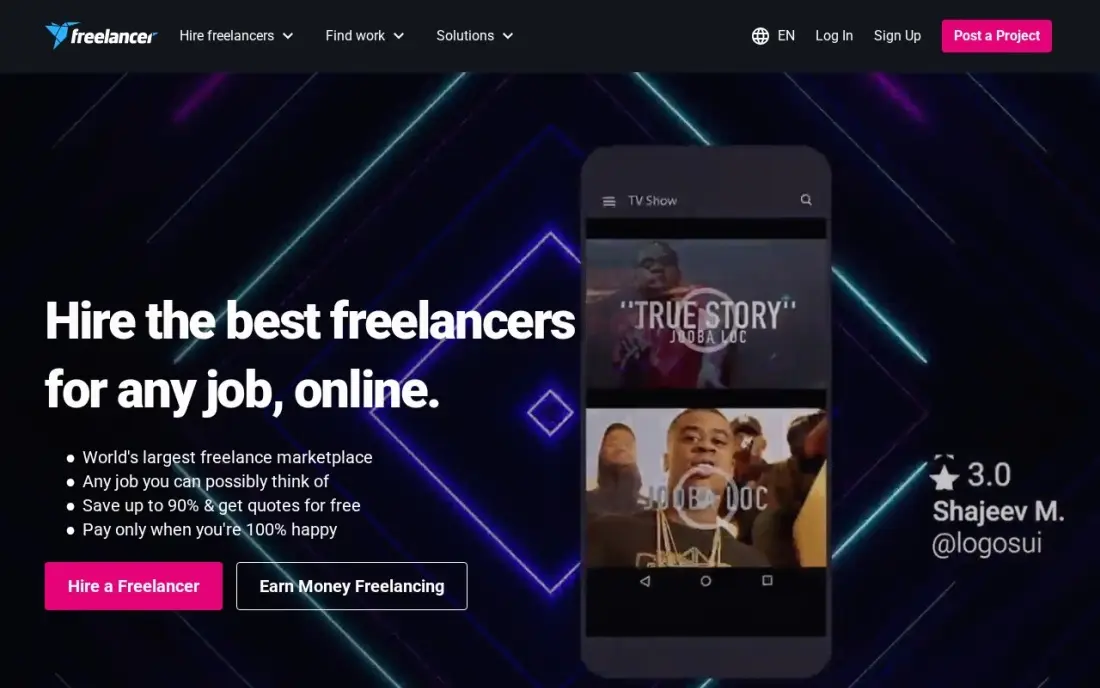
Freelancer.com works like Upwork with one big difference: the price. Employers pay 3% on fixed-price projects or $3, whichever is greater, against 5% on Upwork and 5.5% on Fiverr — on a $1,000 project that is $1,030 instead of $1,050 or $1,055. Open bidding means freelancers compete on price, so a clear brief with a realistic budget often draws quotes well below the first offer. Contests carry no employer fee at all.
The lower fee buys a smaller, less curated pool. Expect more low-quality bids to filter, and note that freelancers must hold a $20 minimum balance before bidding, which keeps some good sellers away. Write a tight brief, set a milestone for the first deliverable, and release payment only when the work matches the spec.
What we like
- Lowest client-side fee in this list at 3%, against 5% on Upwork and 5.5% on Fiverr
- Open bidding: freelancers compete on price, so a well-written brief can cut the quote sharply
- Contests carry no employer fee — you pay only the prize you set
- Milestone payments release money only when you approve the work
Watch out for
- Smaller and less curated talent pool than Upwork, with more low-quality bids to filter
- Freelancers need a $20 minimum balance before bidding, which discourages some good sellers
- Reviewers report inconsistent support and occasional spam bids on popular categories

Toptal
Best for: Teams hiring a senior developer, designer or finance expert where a bad hire is expensive
Toptal is the only platform here that vets before it matches: it says it admits the top 3% of applicants, and a human matcher introduces candidates within 24 to 48 hours. The price reflects that screening. You pay a $79 monthly subscription and a $500 refundable deposit before matching starts, then $60–$150+/hr — a 20-hour week at the $60 floor costs $1,200 plus the $79 subscription, deposit credited to the first invoice.
For a senior hire where a bad choice costs weeks, that premium is the point: the two-week trial is billed only if you continue, and Toptal holds the highest G2 score here at 4.7 out of 5. But there is no rate card — you cannot price a role until you start matching — so Toptal is a poor fit for small, one-off jobs.
What we like
- Rigorous screening — Toptal says it admits the top 3% of applicants — so shortlists arrive pre-vetted
- A human matcher introduces candidates in 24–48 hours, and the two-week trial is billed only if you continue
- Highest G2 score in this list at 4.7/5, with reviewers praising talent quality and support
- One blended hourly rate covers the talent and Toptal's margin, so there is no separate fee to calculate
Watch out for
- $79 a month plus a $500 deposit before any work starts, and hourly rates run $60–$150+ — the dearest entry here
- Toptal publishes no rate card, so you cannot price a role until you start the matching process
- The margin inside the hourly rate is not disclosed, so you cannot see what the talent actually earns

99designs
Best for: Small businesses that want many logo or brand concepts to choose from
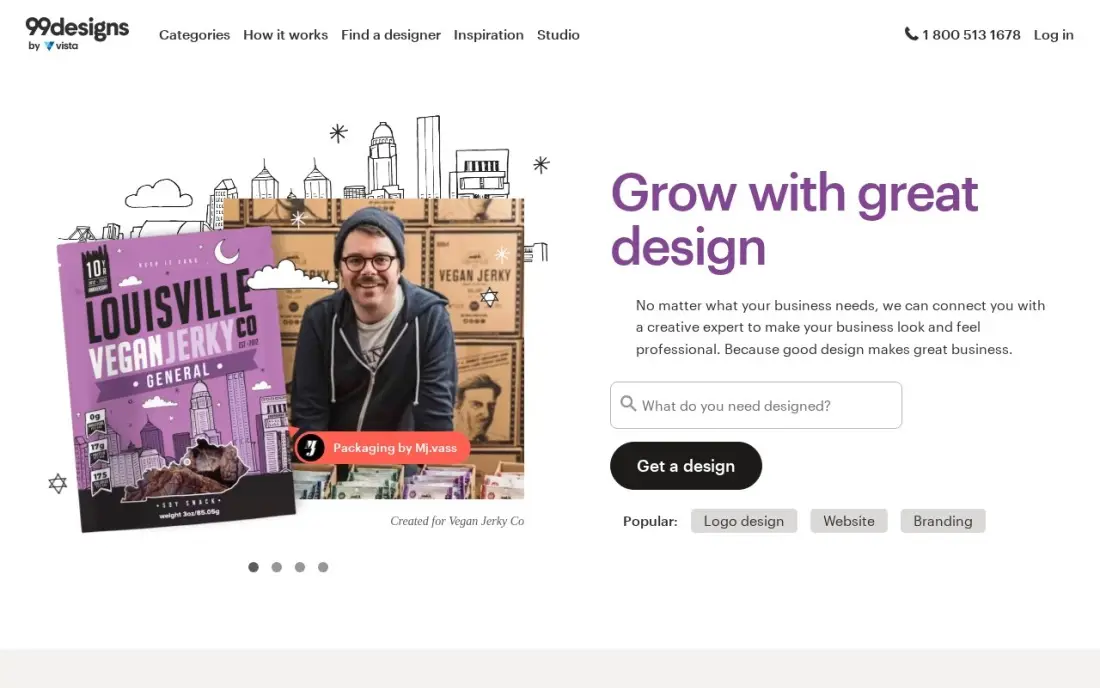
99designs sells choice: you post a brief, dozens of designers submit concepts, and you pay only the winner. A Bronze logo contest costs $299 and brings about 30 concepts; Silver at $499 brings about 60, and Gold at $899 limits the field to mid and top designers. Full copyright transfers with the winning design, and a money-back guarantee applies if nothing works. Add the 5% platform fee at checkout — a Bronze contest totals $313.95.
Contests suit buyers who know what they want to see but not how to describe it: the variety does the deciding. The weakness is the cheap end, where recycled or low-effort entries appear, and the per-project price — a business that needs design every month pays $299 every time. For a one-off logo or a rebrand, it is the most proven contest here.
What we like
- Dozens of concepts per contest — Bronze brings about 30 — so you compare real designs, not portfolios
- Full copyright ownership of the winning design is included in every package
- Money-back guarantee if no design works for you
- Direct hire is available too, so a contest winner can become your ongoing designer
Watch out for
- A 5% client platform fee applies at checkout on top of the contest price
- Higher tiers cost up to $1,299 for a logo, and cheap contests attract recycled or low-effort entries, per reviewers
- You pay per project, so a business with regular design needs pays $299 every time

Crowdspring
Best for: Small businesses that want a design contest with a clear refund policy and all-in pricing
Crowdspring runs the same contest model as 99designs with one clear advantage: the price is all-in. A Silver logo project costs $299 and covers the award and the fees, with about 60 designs and full intellectual-property transfer; Gold is $499 and Platinum $1,199. There is no platform fee added at checkout, and a 30-day refund applies if you are not happy with the entries. One-to-one projects from $200 let you work directly with a designer.
The trade-off is scale. Crowdspring's creative pool is smaller than 99designs', so contests draw fewer entries on average, and its G2 score of 3.6 from 15 reviews trails the bigger rival. Trustpilot reviewers also report designer payment disputes, which is worth knowing before you post. For a buyer who values a clean refund policy over the biggest crowd, it is the safer $299.
What we like
- All-inclusive pricing: the $299 Silver price covers the award and fees, with no platform fee added at checkout
- Clear 30-day refund policy if you are not happy with the entries
- Full intellectual-property transfer to the buyer, which reviewers cite as a real differentiator
- 1-to-1 projects from $200 let you negotiate directly with a designer you like
Watch out for
- Smaller creative pool than 99designs, so fewer entries per contest on average
- G2 score of 3.6/5 from 15 reviews, and Trustpilot reviewers report designer payment disputes
- Project management tools feel dated, and giving feedback to many designers at once is clunky

DesignCrowd
Best for: Budget buyers who want the cheapest design contest entry point
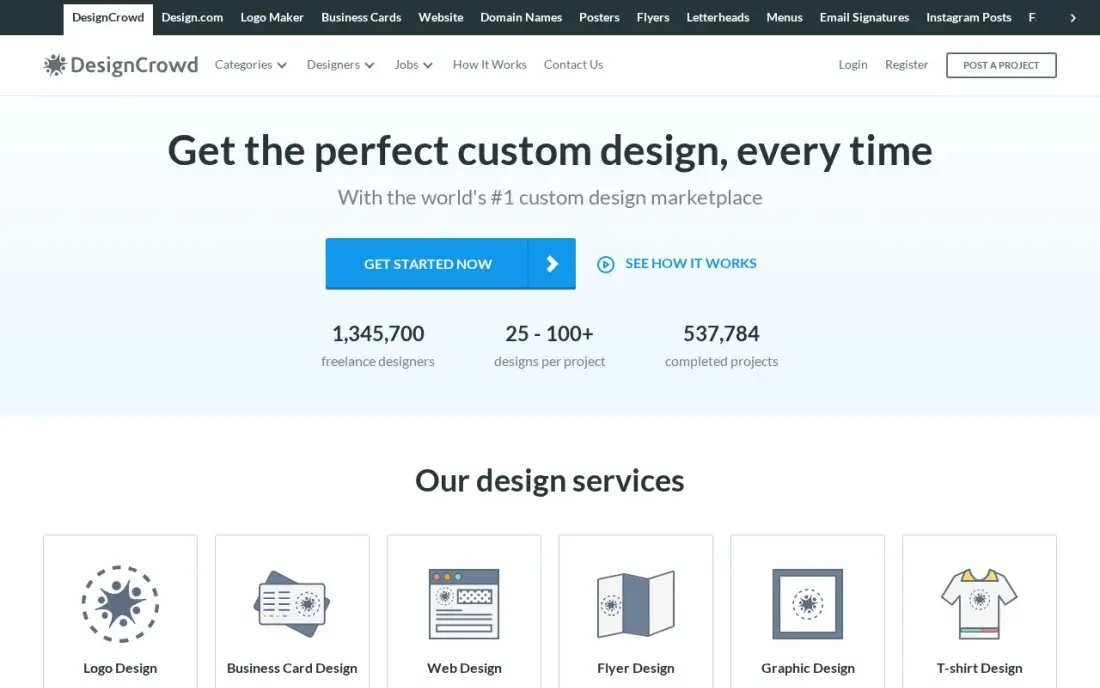
DesignCrowd is the cheapest way into a design contest: a logo package starts at $109 for one to three designs, and the platform says projects start from $99. Larger packages scale up — $229 for six or more designs, $319 for 50 or more, $739 for 150 or more — and the network claims over 1 million designers. A money-back guarantee applies if no design fits.
Read the fees page before you budget. DesignCrowd lists a posting fee of up to $129 and a 4% transaction fee, so a $109 contest can really cost about $242, and package prices appear only after you sign up. Its G2 score of 2.9 from 21 reviews is the lowest here, with reviewers citing uneven submission quality. Buy it for the low entry price, not for a guaranteed result.
What we like
- Lowest contest entry price in this list at $109 for a logo, against $299 at 99designs and crowdspring
- Over 1 million designers in the network, per DesignCrowd, with contests typically drawing 50–100+ entries on larger packages
- Money-back guarantee if you are not satisfied with the designs
- Fixed-price projects from $29 for simple design tasks
Watch out for
- Lowest G2 score here at 2.9/5 from 21 reviews, with reviewers citing variable submission quality
- A posting fee of up to $129 plus a 4% transaction fee can lift the real cost well above the $109 package price
- No single public pricing page — package prices appear only after you sign up and start a project

Kaggle
Best for: Teams that need a machine-learning model built by competition, not by hiring
Kaggle is the outlier in this list: it is not a marketplace but a competition platform owned by Google, and it is free. You post a data-science problem with a metric and a prize, and thousands of data scientists compete on a public leaderboard. Entrants train in free notebooks with about 30 GPU hours a week, and winning notebooks are public, so you can see the best solution.
That makes Kaggle the cheapest way to solve a hard machine-learning problem — a public competition costs $0 to launch, and you pay only the prize you offer. The limits are clear: it only fits data-science problems, top spots go to Grandmasters, and a private competition is not free. If your problem is a model, not a logo or a hire, start here.
What we like
- Completely free to join and run public competitions — no paid tier exists
- 27 million users, per Kaggle, including Grandmasters who have won competitions for Google and other sponsors
- Free GPU and TPU quota in notebooks, about 30 GPU hours a week, so entrants can train real models
- Winning notebooks are public, so you see exactly how the best solution works
Watch out for
- Only fits data-science problems — useless for design, writing or general freelance work
- Top leaderboard spots go to experienced Grandmasters, so small prizes attract few serious entries
- You set and fund the prize yourself, and running a private competition is not free

Clickworker
Best for: Enterprises that need large volumes of microtasks, data labeling or AI training data
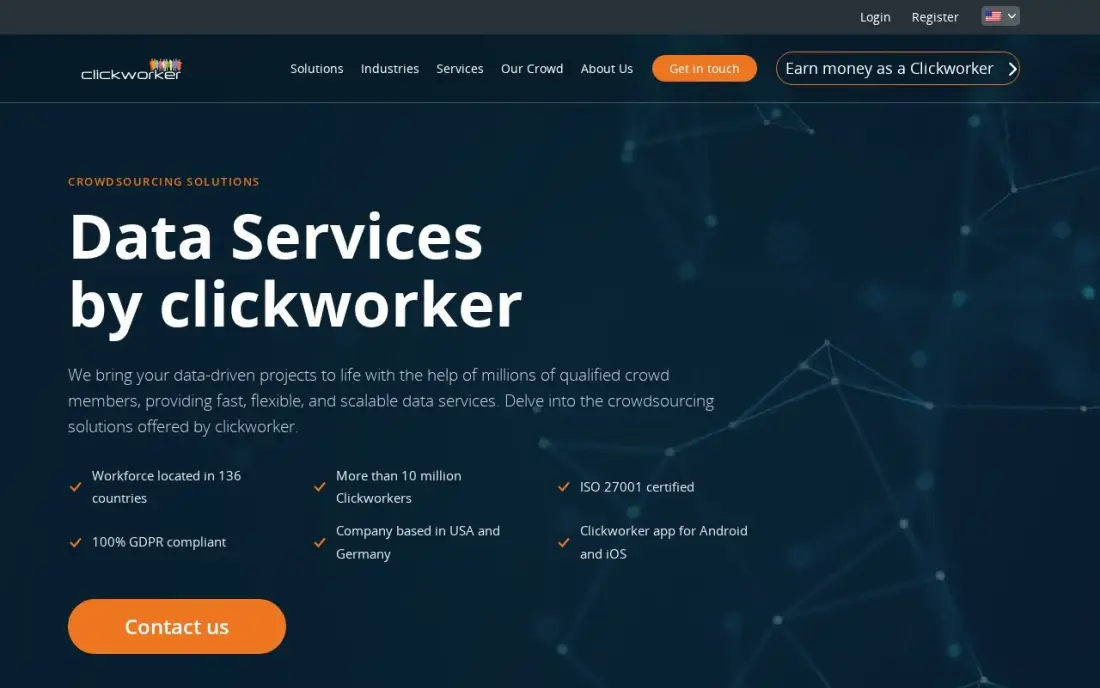
Clickworker is the microtask platform in this list: instead of hiring one person or running a contest, you split bulk work — data categorization, tagging, web research, text creation — into thousands of small paid tasks. Pay is per finished task, so you pay only for completed work, and qualified workers can access Microsoft's UHRS pool for search-relevance tasks. The platform has run since 2005 with weekly payouts.
The catch is that buyers get no number without a conversation: Clickworker publishes no starting price, and every engagement is a custom quote priced on volume, task type and quality checks. Task quality also varies by batch, and there is no visible requester rating system to check before you commit. For high-volume labeling or research, ask for a scoped quote — and a trial batch — before signing anything.
What we like
- Large established crowd for high-volume microtasks: categorization, tagging, web research and text creation
- Qualified workers get access to Microsoft's UHRS tasks, the best-paid tier of search-relevance work
- Pay is per completed task, so you pay only for finished work, with quality checks built in
- Weekly payouts and a long operating history since 2005
Watch out for
- No published price for buyers — every engagement starts with a sales conversation and a custom quote
- No G2 rating we could verify today, so buyer sentiment is harder to check than for the marketplaces
- Task quality varies by batch, and there is no visible requester rating system
The best crowdsourcing platforms turn work you cannot do in-house into a brief, a contest or a task list that thousands of people can pick up. The 9 platforms below are ranked by fit for the most common buyer — a small US business that needs real work done on a real budget — and every fee was checked on November 12, 2026.
How to choose the best crowdsourcing platforms
- Match the model to the job. A marketplace hires one person; a contest buys many ideas; microtasks split bulk work; a competition solves one hard problem.
- Price the fee, not the rate. A $50-an-hour freelancer costs $52.50 on Upwork Basic and $51.50 on Freelancer.com — and the gap widens on big jobs.
- Check who owns the work. Design contests transfer full copyright; marketplaces need the contract to say so; check before you pay.
- Check quality signals before you shortlist. Job Success Scores on Upwork, seller levels on Fiverr and vetting on Toptal — the platforms that show track records save you screening time.
- Count the extras. Contract initiation fees, small-order fees, posting fees and platform fees sit outside the headline price on most platforms here.
- Start small and test. Run one paid task or a small contest before committing a budget — every platform here lets you do that.
Crowdsourcing gets the work done, but it does not bring customers to your site on its own. If the business is not showing up when people nearby search, our local SEO service covers that side. And before you post a brief for a writer, run your titles through the free SERP snippet preview tool so the brief asks for titles that will actually rank.
Crowdsourcing platforms pricing: what you will actually pay
Take a small business that needs two things: a new logo and 20 hours of developer time at $50 an hour — $1,000 of developer work. On the logo, a 99designs Bronze contest costs $299 plus the 5% platform fee, $313.95 in total. Crowdspring Silver is $299 all-in. DesignCrowd's $109 package looks cheapest, but its fees page lists a posting fee of up to $129 and a 4% transaction fee, so the real total can reach about $242. On the developer work, the same $1,000 costs $1,050 on Upwork Basic plus a $0.99–$14.99 contract initiation fee, $1,030 on Freelancer.com, and $1,055 on Fiverr as a single $1,000 gig. Toptal is a different league: the same 20 hours at its $60-an-hour floor costs $1,200, plus the $79 monthly subscription, with the $500 deposit credited against the first invoice. Kaggle costs $0 to launch a public competition — you pay only the prize you offer. Clickworker gives no number at all without a quote, so budget it last.
Over a year, a business buying one $1,000 job a month pays $360 in fees on Freelancer.com, $600 on Upwork Basic and $660 on Fiverr — the fee, not the rate, is what separates the marketplaces.
Know the difference: marketplaces, contests, microtasks and competitions
The confusion in this category is the model, not the brand. A marketplace — Upwork, Fiverr, Freelancer.com, Toptal — matches you with one person who does the work: you post, you hire, you manage. A contest — 99designs, crowdspring, DesignCrowd — flips that around: you post one brief, many people submit finished work, and you pay only the winner. A microtask platform — Clickworker — splits bulk work into thousands of tiny paid tasks. A competition — Kaggle — sets one hard problem, a public leaderboard and a prize, and the best solution wins.
Each model fails in a different way. A marketplace fails when you hire the wrong person, so the quality signals matter most there. A contest fails when the brief is vague, because every entrant guesses at the same unclear target — write the brief as if the designers cannot ask you anything. Microtasks fail on quality control: without spot checks and clear instructions, a thousand small errors add up to one big one. Competitions fail when the prize is too small to attract serious entrants or the metric is fuzzy. Pick the model first, then the platform inside it.
Quick comparison: tool type by need
| Buyer | Best pick | Why |
|---|---|---|
| Hiring a freelancer for ongoing work | Upwork | Free to post, 5% fee, the largest verified pool |
| Buying a fixed-price service fast | Fiverr | Fixed gig prices, 5.5% buyer fee, escrow included |
| Getting the lowest client fee | Freelancer.com | 3% employer fee with open bidding |
| Hiring a senior specialist safely | Toptal | Vetted top 3%, $79/month plus a $500 deposit |
| Getting many logo ideas to choose from | 99designs | Contests from $299 with full copyright |
| Sourcing data or AI training work | Kaggle or Clickworker | Kaggle is free; Clickworker is custom quote |
Mistakes to avoid
- Budgeting on the rate and forgetting the fee. A $50-an-hour freelancer costs $52.50 on Upwork, $51.50 on Freelancer.com and $55 on Fiverr for a $1,000 order — and small-order, initiation and platform fees add more.
- Running a contest when you need a long-term hire. A contest buys finished designs, not a working relationship. If you need the same person next month, hire on a marketplace instead.
- Assuming you own the work. Design contests transfer copyright; marketplace contracts often do not say so by default. Get ownership in writing before you pay.
- Picking the cheapest gig or contest and expecting premium quality. The lowest-priced Fiverr gigs are often templates, and cheap contests attract recycled entries. Pay for the tier that matches the stakes.
- Skipping the test job. Every platform here lets you start small — one paid task, one $109 contest, one gig. A bad first job costs tens of dollars; a bad committed budget costs thousands.
How we chose
We checked each vendor's own pricing or fees page on November 12, 2026 — Upwork's pricing guide and Freelancer.com's fees page were read directly that day — and recorded the starting cost exactly as shown. Three figures needed extra care. Toptal publishes no rate card, so its $79-a-month subscription, $500 refundable deposit and $60–$150-an-hour rate band are third-party sourced from several independent 2026 pricing breakdowns that agree on all three numbers. Fiverr's 5.5% buyer fee plus $3.50 on orders under $200 comes from Fiverr's own help center as read in September–November 2026. DesignCrowd publishes no single pricing page — its $109 logo package comes from its own fees listings, and its posting fee of up to $129 plus a 4% transaction fee is stated in the pricing section above. Ratings come from G2 pages checked on November 12, 2026; Clickworker shows no rating because its G2 page could not be verified within the last three days. Amazon Mechanical Turk was left out on purpose: it stopped accepting new customers on July 30, 2026 and shut down permanently on September 30, 2026. We ranked the platforms by fit for the most common buyer — a small business buying real work — not by brand size. No vendor paid for a place in this list, and none of the links here are affiliate links.
What to do next
Start with the model, not the brand: if you need one person, post the job on Upwork or Freelancer.com; if you need ideas, run a $299 contest on 99designs or crowdspring; if you need data work, launch a free Kaggle competition. Run one small paid job first and check the delivery against the brief before you scale the budget. If the business is sorted but new clients are not finding it, our monthly SEO service handles the visibility side. Once your tools are in place, find out what's holding your rankings back.
Frequently asked questions
What is the best crowdsourcing platform?
Upwork is the best fit for most buyers: free to post, the largest verified talent pool and payment protection, with a 5% marketplace fee. Fiverr is better for fixed-price gigs you want delivered fast, and Freelancer.com is cheapest on client fees at 3%. For design, 99designs leads; for data science, Kaggle is free.
How much does crowdsourcing cost?
It depends on the model. Marketplaces charge a percentage: 3% on Freelancer.com, 5% on Upwork Basic and 5.5% on Fiverr, plus small per-order fees. Design contests are one-time prices from $109 on DesignCrowd and $299 on 99designs and crowdspring. Toptal adds a $79 monthly subscription and a $500 deposit. Kaggle is free.
Is there a free crowdsourcing platform?
Yes, with limits. Upwork, Fiverr and Freelancer.com are all free to join and post, and Kaggle is completely free, including competitions and GPU time. Free means no subscription, not no cost: you still pay the freelancer's rate plus the platform fee, and design contests always charge. The only fully free route to finished work is a Kaggle competition with no prize.
What is the difference between Upwork and Fiverr?
Upwork is a hiring marketplace: you post a job, freelancers propose, and you hire one person for hourly or fixed-price work. Fiverr is a gig marketplace: sellers list fixed-price packages and you buy one directly. Upwork suits ongoing or custom work; Fiverr suits defined deliverables you want fast. Upwork charges clients 5%, Fiverr 5.5% plus $3.50 on orders under $200.
Should I run a design contest or hire a freelancer for a logo?
Run a contest when you want choice: 99designs Bronze brings about 30 concepts for $299, and you pick the winner. Hire a freelancer when you know the style you want and need revisions with one designer. Contests cost more per logo but remove the risk of hiring the wrong person; a direct hire is cheaper if you already have a designer you trust.
Can I crowdsource data labeling or AI training data?
Yes. Kaggle competitions are free and suit machine-learning problems with a clear metric and a prize. Clickworker handles high-volume microtasks such as categorization, tagging and web research, but pricing is custom quote only. Amazon Mechanical Turk used to be the default here, but it shut down permanently on September 30, 2026, so do not build a workflow on it.
What should I check before paying a crowdsourcing platform?
Four things: the full fee on your job size, including initiation, small-order and platform fees; who owns the finished work and whether copyright transfers; whether the platform vets talent or leaves screening to you; and what happens if the work is bad — refund, revision or nothing. Then run one small paid job before you commit a real budget.
Sources we checked (18)
- Upwork pricing — upwork.com/resources/is-upwork-free (checked November 12, 2026)
- Upwork on G2 — 4.5/5, 3,217 reviews (checked November 12, 2026)
- Fiverr buyer fees — fiverr.com (5.5% service fee, $3.50 on orders under $200; checked November 12, 2026)
- Fiverr on G2 — 4.3/5, 463 reviews (checked November 12, 2026)
- Freelancer.com fees and charges — freelancer.com/feesandcharges (checked November 12, 2026)
- Freelancer.com on G2 — 4.1/5, 200 reviews (checked November 12, 2026)
- Toptal pricing — toptal.com ($79/month subscription, $500 deposit; third-party sourced, checked November 12, 2026)
- Toptal on G2 — 4.7/5, 270 reviews (checked November 12, 2026)
- 99designs pricing — 99designs.com/pricing (Bronze $299; checked November 12, 2026)
- 99designs on G2 — 4.0/5, 32 reviews (checked November 12, 2026)
- Crowdspring pricing — crowdspring.com help (logo projects from $299; checked November 12, 2026)
- Crowdspring on G2 — 3.6/5, 15 reviews (checked November 12, 2026)
- DesignCrowd pricing — designcrowd.com (logo packages from $109; checked November 12, 2026)
- DesignCrowd on G2 — 2.9/5, 21 reviews (checked November 12, 2026)
- Kaggle — kaggle.com (free; checked November 12, 2026)
- Kaggle on G2 — 4.7/5, 34 reviews (checked November 12, 2026)
- Clickworker — clickworker.com (custom quote; checked November 12, 2026)
- Amazon Mechanical Turk shutdown — rapidworkers.io (closed September 30, 2026)
Make one of these tools?
We re-check this list every quarter. Send a correction, request a review, or ask about a clearly labeled sponsored spot.
Request a listingShamim
Founder of SerpAstra
A full-stack SEO and digital marketer who spends most days on Local SEO for dental practices, AI search visibility and lead generation.
Free SEO and AI visibility audit
Find out what is holding your rankings back
Send us your site. Within 2 business days you get a written audit, an AI visibility check and a short fix list ranked by impact. Free, with no contract attached.
Request my free audit→Related buying guides
 Project & Product Management10 Best Project Management Software for Small Businesses in 2026, ComparedCompare the 10 best project management software for small businesses on price, free plans and features, with every price checked November 12, 2026.Read guide →
 Project & Product Management11 Best SAAS Project Management Software in 2026, ComparedCompare the 11 best SaaS project management software tools for 2026 on price, free plans and features, with every price checked November 12, 2026.Read guide →
 Marketing10 Best Marketing Project Management Tools in 2026, ComparedCompare the 10 best marketing project management tools on price, free plans, proofing and AI features, with every price checked November 5, 2026.Read guide →