
Best CRM Software for Banks in 2026: 12 Options Compared by Use Case
Compare the 12 best crm software for banks on price, banking features and compliance, with every price and G2 rating checked November 12, 2026.
 Shamim Mia, Founder, SerpAstraLast verified November 12, 202615 min read
We compare pricing pages, documentation and public reviews. We never accept payment for rankings.

Key takeaways
- Salesforce Financial Services Cloud leads for large banks at $325/user/month billed annually, with nCino right behind for banks that want lending and CRM on one platform.
- The single most important buying factor is the banking data model: households, financial accounts and life events, not generic contacts and deals.
- Three tools have genuinely free plans — HubSpot for two users, Zoho and Freshsales for three — and the cheapest paid seat is Freshsales Growth at $9/user/month billed annually.
- Every price below was checked on the vendor's own pricing page on November 12, 2026. Ratings are G2, with review counts shown.
On this page
Quick comparison
| Tool | Best for | Starting price | Free plan |
|---|---|---|---|
| Salesforce Financial Services Cloud | Large banks and wealth firms that need a banking data model, compliance controls and AI agents on one platform | $325/user/mo (annual) | No (free trial) |
| nCino | Banks that want CRM plus lending, onboarding and account opening on one platform | Custom quote | No (demo only) |
| Microsoft Dynamics 365 Sales | Banks already running Microsoft 365 that want the CRM inside Outlook, Teams and Power BI | $65/user/mo (annual) | No (30-day trial) |
| HubSpot Sales Hub | Small banks and credit unions that want a working CRM this week with no implementation project | Free; Starter $20/seat/mo | Yes (free plan) |
| Vymo | Banks with large distributed frontline sales or collections teams that need mobile-first coaching | Custom quote | No (demo only) |
| Zoho CRM | Community banks that want a full CRM for the lowest per-seat price in this list | $14/user/mo (annual) | Yes (free plan) |
| Sugar Sell | Mid-size banks that sell from existing accounts and need ERP-driven cross-sell signals | $68/user/mo (annual) | No (demo only) |
| Freshsales | Small bank teams that want phone, email and chat built into the CRM | $9/user/mo (annual) | Yes (free plan) |
| Pipedrive | Small bank teams that want the clearest visual pipeline in this category | $14/user/mo (annual) | No (14-day trial) |
| Insightly | Bank teams that want a won deal to become a tracked project in the same system | $29/user/mo (annual) | No (14-day trial) |
| monday Sales CRM | Bank teams that want to shape the pipeline as boards, with quotes and invoices built in | $12/seat/mo (annual) | No (14-day trial) |
| Copper | Banks that run entirely on Google Workspace and want the CRM inside Gmail | $23/seat/mo (annual) | No (14-day trial) |
Make one of these tools?
We re-check this list every quarter. Send a correction, request a review, or ask about a clearly labeled sponsored spot.
Request a listingThe best crm software for banks

Salesforce Financial Services Cloud
Best for: Large banks and wealth firms that need a banking data model, compliance controls and AI agents on one platform
Financial Services Cloud is the only tool built around how a bank sees a customer: households rather than isolated contacts, financial accounts rather than generic deals, and life events as the trigger for outreach. Sales Core starts at $325 per user a month billed annually, with Advanced at $500 and Max at $700, and the entry edition includes AI features and Slack for Sales. G2 named it the #1 Financial Services Product for 2026.
The price is the floor, not the ceiling. Implementation, integration with the core system and add-ons such as Data Cloud and MuleSoft are quoted separately, and reviewers describe the bill as multiples of the licence cost. Buy it when the bank has the staff and budget to run a platform; a community bank that wants a working CRM should look at HubSpot or Zoho instead.
What we like
- Purpose-built banking data model: households, financial accounts and life events instead of generic contacts and deals
- Named G2's #1 Financial Services Product for 2026, with a large ecosystem of banking integrations
- Agentforce AI agents and Einstein sit on the entry Sales Core edition, not a higher tier
- Compliance-ready controls: permission management, audit trails and regulated workflow support
Watch out for
- The highest starting price here at $325/user/month, and implementation plus integration services typically cost far more than the licences
- Setup is complex and needs trained admins or a partner; reviewers report a steep learning curve
- Add-ons such as Data Cloud and MuleSoft are priced separately and quickly raise the total

nCino
Best for: Banks that want CRM plus lending, onboarding and account opening on one platform
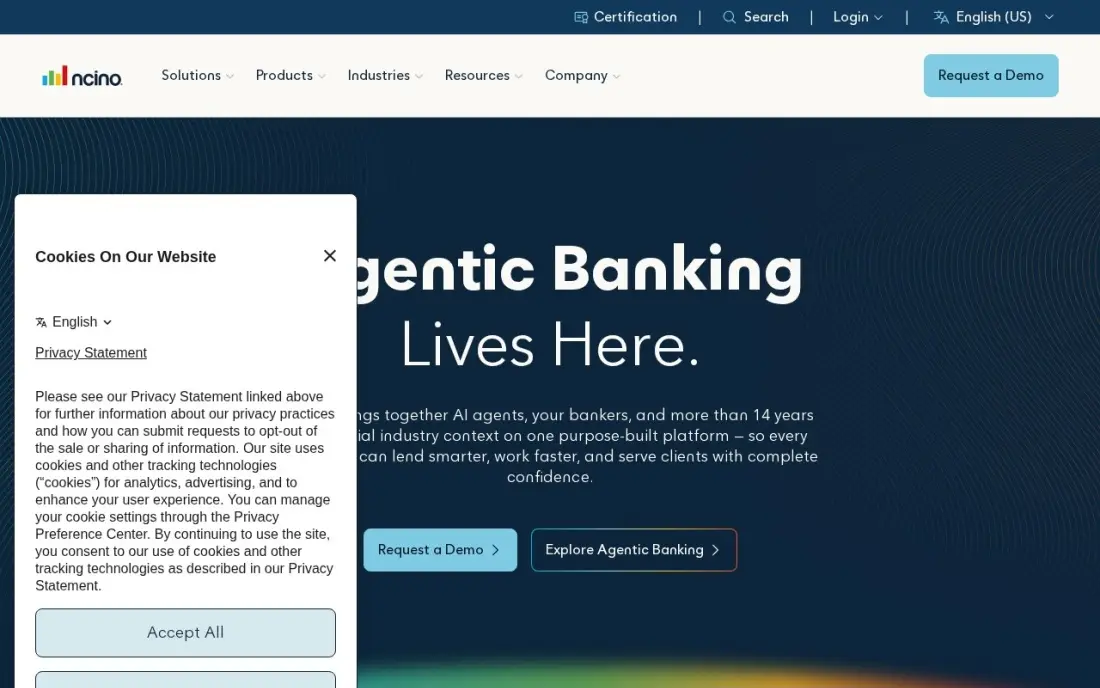
nCino calls itself the Bank Operating System, and the scope earns the name. Where Salesforce Financial Services Cloud is a CRM that a bank extends, nCino is a banking platform that includes relationship views alongside commercial lending, consumer lending, mortgage, account opening and onboarding. It is built on the Salesforce platform, and more than 2,700 financial institutions use it.
There is no published price and no trial: everything is quoted, and the sale runs through an enterprise cycle with implementation services on top. Reviewers praise the Salesforce integration and the loan process management, but warn that customisation needs extensive project work — one reviewer reports 18 months to become fully operational. Choose nCino when the bank wants lending and CRM on one system; choose a standalone CRM when only the relationship side needs replacing.
What we like
- One platform for CRM, commercial lending, consumer lending, mortgage, account opening and onboarding
- Built on the Salesforce platform, so it inherits Salesforce security, workflows and reporting
- Used by more than 2,700 financial institutions worldwide, from community banks to global enterprises
Watch out for
- Quote-only pricing with enterprise sales cycles; no published price and no free trial
- Reviewers report extensive customisation work and long implementations — one G2 reviewer cites 18 months to go live
- Small changes can need a project engagement rather than a settings change, per G2 reviewers

Microsoft Dynamics 365 Sales
Best for: Banks already running Microsoft 365 that want the CRM inside Outlook, Teams and Power BI
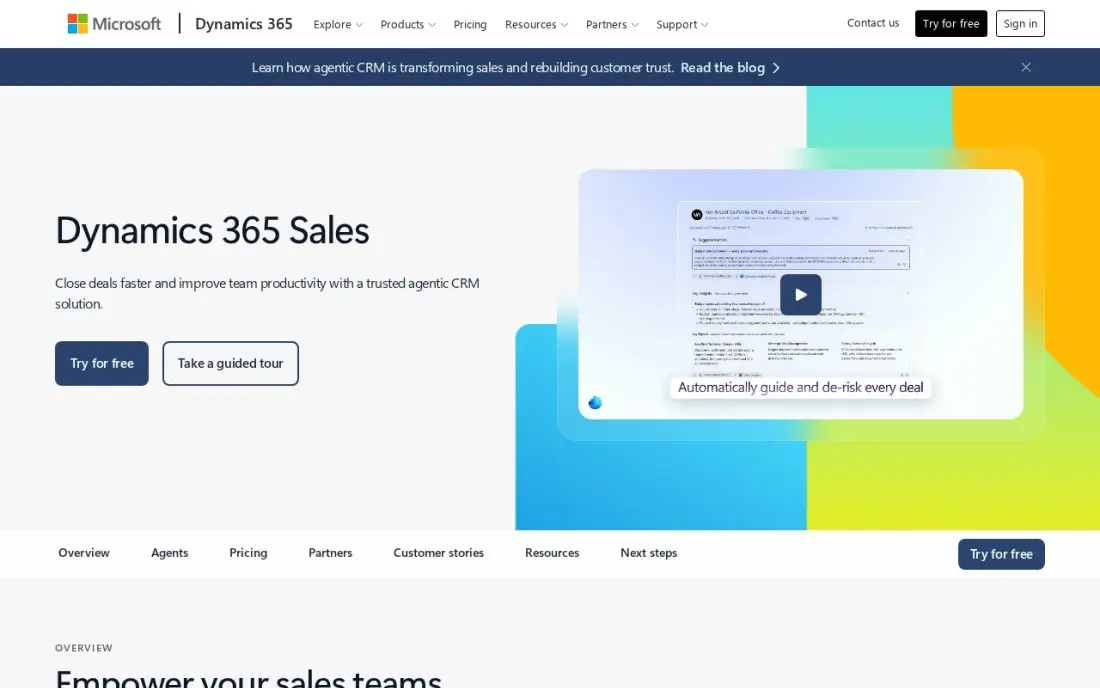
Dynamics 365 Sales is the natural choice for a bank that already lives in Microsoft 365. Sales Professional costs $65 per user a month paid yearly and covers core sales automation with quotes, orders and invoices, while Outlook emails, Teams meetings, SharePoint documents and Power BI reports connect natively. For a bank whose staff never leave Outlook, that removes a whole category of integration work.
The tier steps matter. Forecasting starts on Enterprise at $105, Copilot AI needs Premium at $150, and Professional caps custom tables at 15 per app. Microsoft publishes the list prices, which is rare in this category, but reviewers still describe the licensing as complex and the interface as heavy. Buy it when the bank is a Microsoft shop; a Google Workspace bank will get more from Copper.
What we like
- Native Microsoft 365 interoperation: Outlook, Teams, SharePoint and Power BI connect without a separate integration bill
- Quotes, orders, invoices and price lists are included on the $65 Professional plan
- Power Platform lets the bank build custom apps and automations without a separate integration platform
Watch out for
- Copilot AI needs Sales Premium at $150/user/month; Professional has no Copilot in Dynamics 365 Sales
- Forecasting starts on Enterprise at $105/user/month, not on Professional
- Reviewers describe licensing as complex and the interface as heavy, with a real learning curve

HubSpot Sales Hub
Best for: Small banks and credit unions that want a working CRM this week with no implementation project

HubSpot is the only tool a small bank can start using without a budget meeting. The free CRM covers two users, and Sales Hub Starter costs $20 per seat a month — a $7 annual promo for new customers also ran — with a second pipeline, sequences and 500 HubSpot Credits a month. The interface is the easiest here to learn, and G2 reviewers cite ease of use more than any other strength.
The trade-off is depth. There is no banking data model, so householding and financial accounts need custom objects, and the price climbs steeply: Professional is $90 a seat a month plus a required $1,500 onboarding fee. A community bank or credit union that wants pipeline visibility should start here; a large bank that needs compliance workflows should start with Salesforce Financial Services Cloud instead.
What we like
- Free CRM for up to two users, and the paid Starter plan starts at $20/seat/month at list
- Starter already includes AI agents (Prospecting agent, Notetaker) and 500 HubSpot Credits a month
- The easiest interface in this list to learn, with 1,216 G2 reviewers citing ease of use
- View-only seats are free on every tier, so managers can watch the pipeline without a licence
Watch out for
- Costs climb fast with team size, and Professional at $90/seat/month adds a required $1,500 onboarding fee
- No forecasting on Starter, and advanced features sit on Professional or Enterprise
- No banking-specific data model — householding and financial accounts need custom objects

Vymo
Best for: Banks with large distributed frontline sales or collections teams that need mobile-first coaching
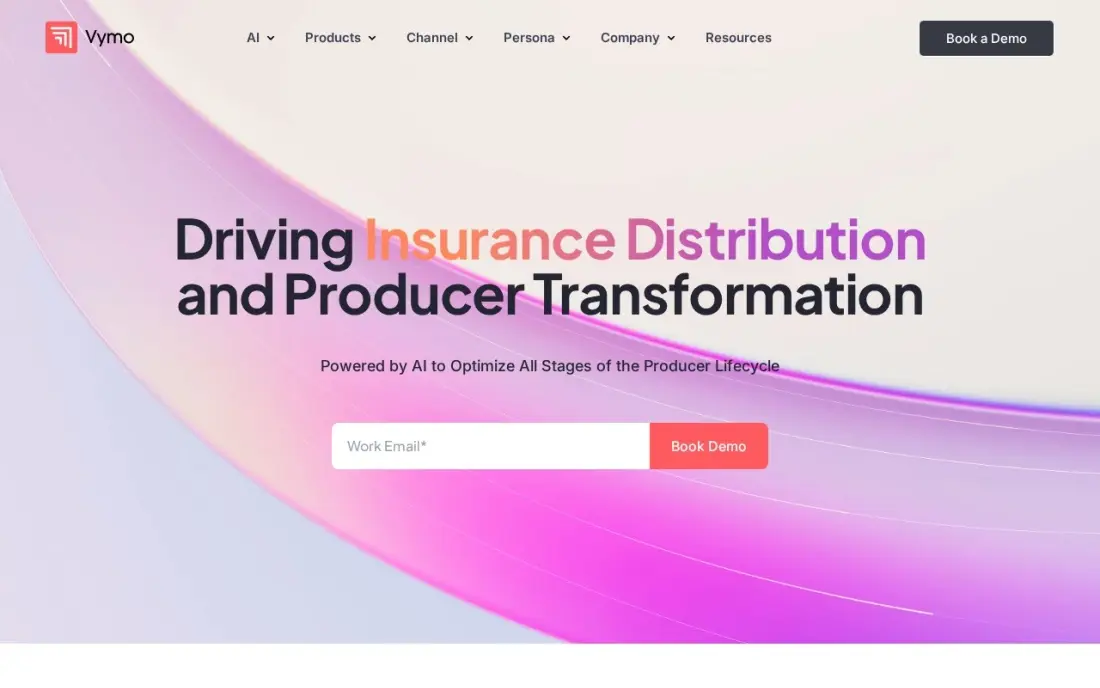
Vymo is not a generic CRM adapted for finance; it is a sales engagement platform built for banks, insurers and lenders from the ground up. It is mobile-first, captures rep activity automatically, and uses AI next-best actions to tell each frontline banker what to do next. More than 350,000 users at institutions including HDFC Bank, AIA and AXA use it, and it connects to core banking systems as well as Salesforce and Dynamics.
Two honest limits. Pricing is quote-only, and Vymo layers over a CRM rather than replacing one, so the bank still pays for the system underneath. G2 reviewers also report battery drain on the mobile app. Buy Vymo when the problem is frontline adoption and coaching across branches; buy a CRM first when the bank has no single customer record at all.
What we like
- Purpose-built for banking, insurance and lending, with integrations to core banking systems and existing CRMs
- Mobile-first design with automatic activity capture, built for distributed frontline teams
- AI next-best actions nudge each rep toward the next call, visit or follow-up
- Trusted by more than 350,000 users at institutions including HDFC Bank, AIA and AXA
Watch out for
- No published pricing — every deal is quoted through a sales conversation
- It layers over a CRM rather than replacing one, so the bank still pays for Salesforce or Dynamics underneath
- G2 reviewers report battery drain and occasional performance issues on the mobile app

Zoho CRM
Best for: Community banks that want a full CRM for the lowest per-seat price in this list
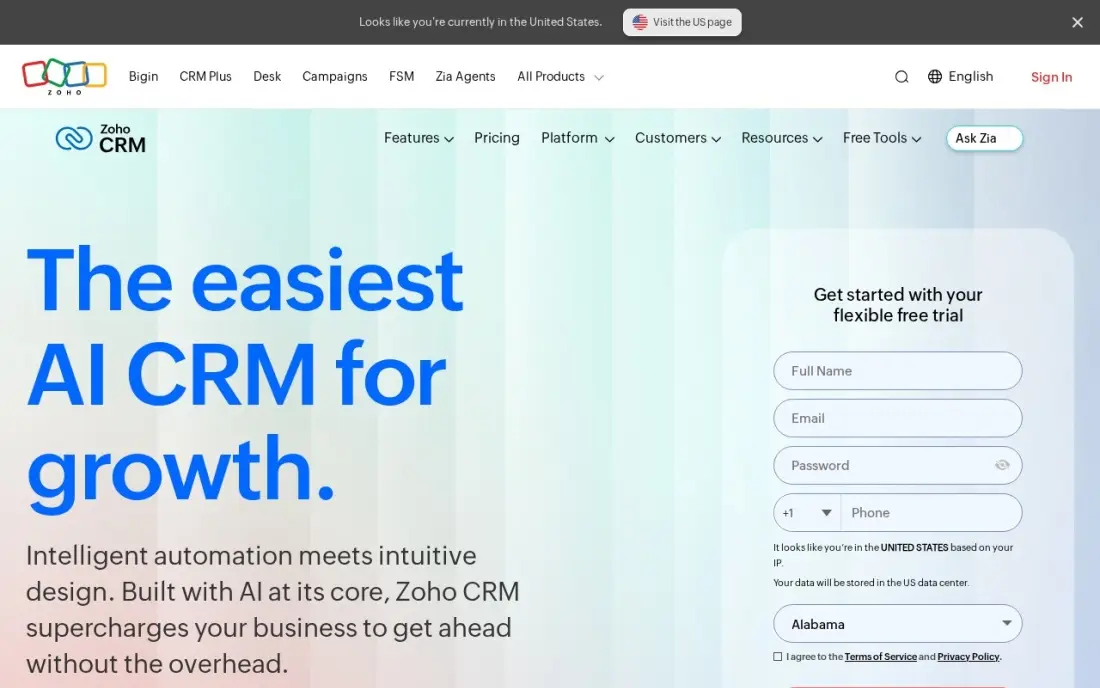
Zoho CRM is the cheapest way into a real CRM in this list. The free plan covers three users, and Standard costs $14 per user a month billed annually, or $20 billed monthly, with email integration, built-in calling, five pipelines, forecasting and workflow rules included. Professional is $23 and Enterprise $40, so the whole ladder stays below most competitors' entry prices.
The catch is the AI and the extras. Zia, Zoho's AI assistant, starts on Enterprise at $40, and support tiers, storage and backup are priced separately — Zoho's own licence calculator can put the first-year invoice well above the sticker price. Reviewers also note a crowded settings area. Pick Zoho when the budget is the constraint and the team can configure it themselves.
What we like
- The lowest paid starting price here: Standard at $14/user/month billed annually
- Free plan for up to three users, with paid editions from $14 to $52/user/month
- Automation, scoring rules and custom fields start on the $14 Standard plan, not a higher tier
- Deep bench of sibling Zoho apps — desk, campaigns, books — on the same account
Watch out for
- Zia AI starts on Enterprise at $40/user/month, not on Standard
- Reviewers cite a crowded settings area and a real learning curve on setup
- Support tiers, extra storage and backup are priced separately from the seat price

Sugar Sell
Best for: Mid-size banks that sell from existing accounts and need ERP-driven cross-sell signals
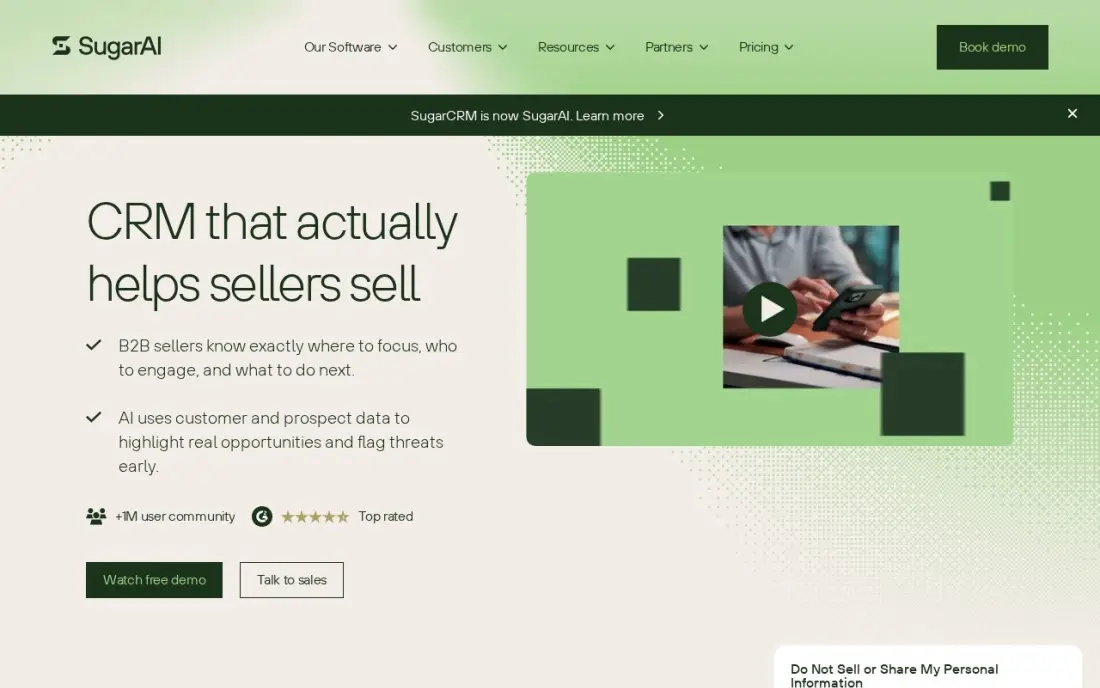
Sugar Sell is the CRM for banks that grow by selling more to the customers they already have. Its standout is Sugar Predict, which reads ERP purchase data to flag cross-sell, reorder and churn signals — the kind of account intelligence a commercial banking team actually uses. Standard+ costs $68 per user a month billed annually, with Advanced+ at $98 and Premier+ at $155.
Two things to know before budgeting. Sugar repriced in October 2026 — Standard+ rose from $59 to $68 — and the AI features sit on Advanced+, not the entry plan. There is also no published monthly price; the final number comes from a quote. Buy Sugar Sell when account intelligence is the job; buy Zoho or Freshsales when the job is simply tracking a pipeline cheaply.
What we like
- Sugar Predict reads ERP purchase data to flag cross-sell, reorder and churn signals (Precision+ packages)
- Strong process automation (SugarBPM) for guided selling and approvals
- Flexible and easy to use, per G2 reviewers, with deep customisation options
Watch out for
- Repriced in October 2026: Standard+ rose from $59 to $68/user/month, and AI starts at Advanced+ ($98)
- No monthly-billing price is published, and the final number comes from a quote
- The company rebranded as SugarAI in April 2026, and older SugarCRM pricing pages now redirect

Freshsales
Best for: Small bank teams that want phone, email and chat built into the CRM
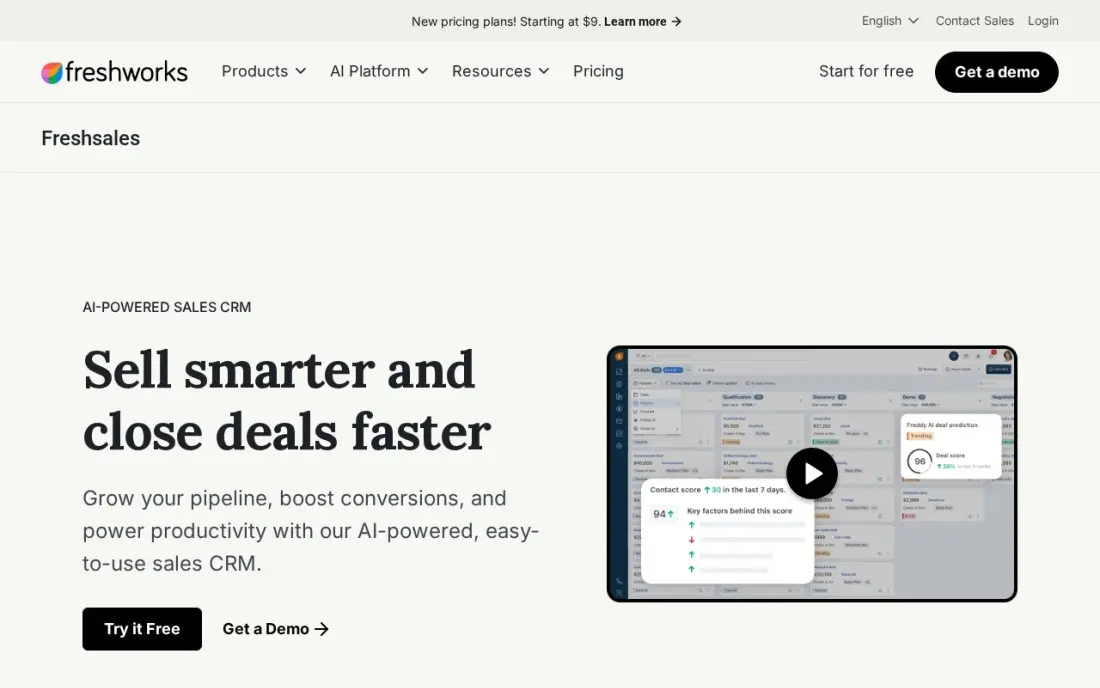
Freshsales is the cheapest paid seat: Growth costs $9 per user a month billed annually, or $11 billed monthly, and it already includes built-in phone, email and chat, a Kanban pipeline and basic workflows. There is also a free plan for up to three users — easy to miss, because it appears on Freshworks' plan comparison page rather than the main pricing page. G2 reviewers rate it 4.5 out of 5, citing ease of use most.
The extras add up. Freddy AI costs $49 per 100 sessions as an add-on, and sequences and lead scoring need Pro at $39 a user a month. Freshsales also has no banking-specific features, so a bank that needs householding or compliance workflows will outgrow it. Pick it for a small team that lives on the phone; pick HubSpot when marketing automation matters too.
What we like
- The cheapest paid seat in this list at $9/user/month billed annually
- Built-in phone, email and chat on every paid tier — no separate telephony bill
- A free plan for up to three users, listed on Freshworks' plan comparison page
- Rated 4.5/5 on G2, with ease of use the most-cited strength
Watch out for
- The free plan is easy to miss: the main pricing page shows only paid plans and a 21-day trial
- Freddy AI is a paid add-on at $49 per 100 sessions, not included in the seat price
- Sequences and lead scoring need Pro at $39/user/month, not Growth

Pipedrive
Best for: Small bank teams that want the clearest visual pipeline in this category
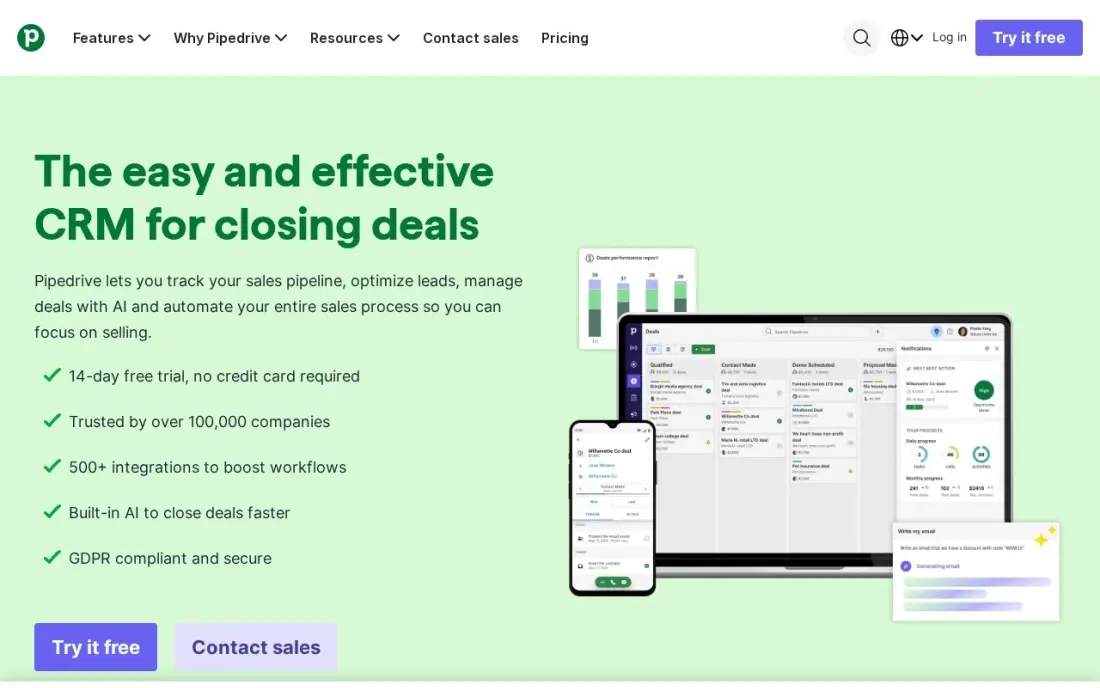
Pipedrive is a sales pipeline first and a CRM second, and the pipeline is the best-looking in this list. Lite costs $14 per user a month billed annually, or $24 billed monthly, and gives the team pipeline views, contacts, deals and simple reporting. G2 reviewers rate it 4.3 out of 5 from more than 5,100 reviews, and reps typically adopt it in under a day.
The entry tier is deliberately thin: no workflow automation, no forecasting and no email sequences, so most teams land on Premium at $59. Lead capture, enrichment and calling are paid add-ons. Pipedrive also has no banking features, so it fits a small lending or business-banking team that wants a clean board — not a bank that needs compliance workflows.
What we like
- The cleanest visual pipeline here — reps adopt it in under a day, per reviewers
- Rated 4.3/5 on G2 from more than 5,100 reviews, the largest review base of the budget tools
- No onboarding fee and no seat minimum on the entry tier
Watch out for
- Lite has no workflow automation and no revenue forecasting — most teams need Premium at $59
- Lead capture, enrichment, e-signatures and calling are paid add-ons, not included
- The entry tier was renamed from Lite to Lite in late 2025, so older guides cite the old name

Insightly
Best for: Bank teams that want a won deal to become a tracked project in the same system
Insightly is the CRM for teams whose work does not end at the signature. When a deal closes, it converts into a tracked project inside the same system, so sales and delivery stay connected — useful for a bank onboarding a client or rolling out a treasury product. Plus costs $29 per user a month billed annually, with Professional at $49 and Enterprise at $99, and those prices have not moved in more than two years.
Plus is a contact database with a pipeline: workflow automation and the AI Copilot both wait for Professional, and there is no published monthly price. The integration layer, AppConnect, is a separate product from $249 a month plus a $3,000 setup fee. Buy Insightly when the handoff from sales to delivery is the pain; buy Pipedrive when the pipeline alone is the job.
What we like
- Won deals convert into tracked projects inside the same CRM — the feature that defines Insightly
- Project management is included on every CRM plan, not a separate product
- No seat minimum on the CRM-only plans, and prices have not moved in more than two years
Watch out for
- Workflow automation and AI Copilot start on Professional at $49/user/month, not Plus
- No published monthly price — every CRM price reads 'billed annually'
- AppConnect, the integration layer for QuickBooks, Xero and DocuSign, starts at $249/month plus a $3,000 setup fee

monday Sales CRM
Best for: Bank teams that want to shape the pipeline as boards, with quotes and invoices built in
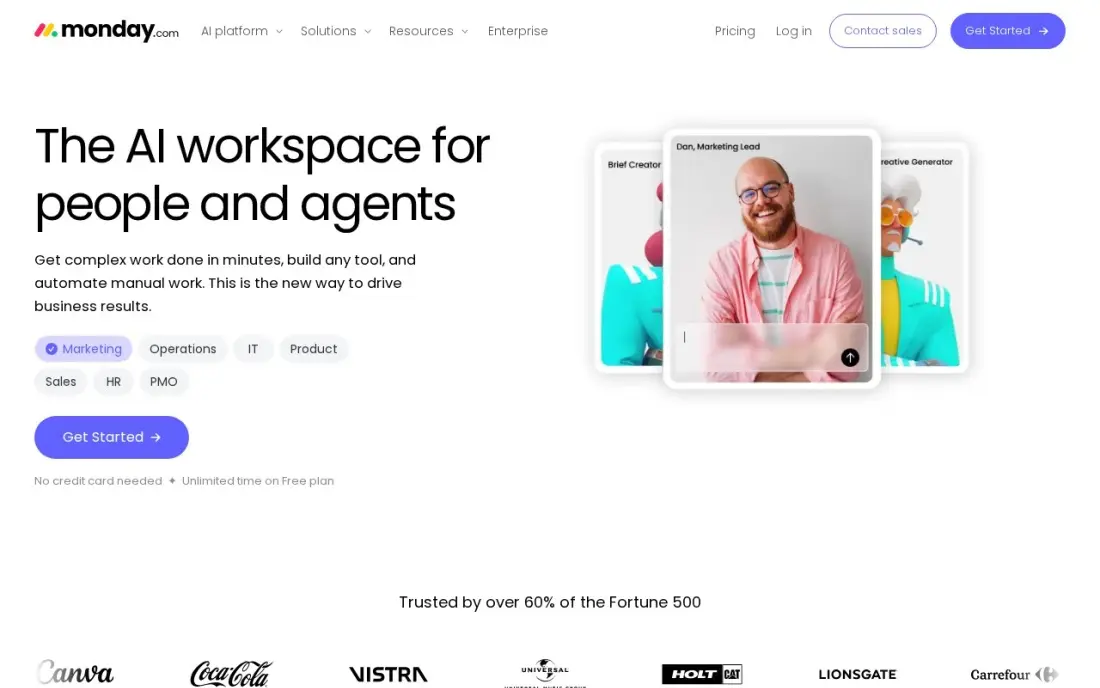
monday Sales CRM turns the pipeline into boards, and that flexibility is the whole pitch: deals, leads and activities can be viewed as tables, Kanban boards, timelines or dashboards, and columns, statuses and automations can be shaped without code. Basic costs $12 per seat a month billed annually, or $18 monthly, with quotes and invoices built in from the entry plan. G2 reviewers rate it 4.5 out of 5.
Basic is deliberately limited: 1,000 active contacts and deals, one dashboard, no custom automations and no email sequences. Every plan also carries a 3-seat minimum, so a two-person team pays for three. Pick monday when the bank's process does not fit a standard pipeline; pick Pipedrive when a standard pipeline is exactly what the team wants.
What we like
- Board-based pipelines the team can reshape without code — tables, Kanban, timelines or dashboards
- Quotes and invoices are built in from the $12 Basic plan
- Rated 4.5/5 on G2 from 1,975 reviews, with ease of use the most-cited strength
Watch out for
- Basic has no custom automations and no email sequences — those start on Standard and Pro
- A 3-seat minimum on every plan, and seats sell in buckets, so a two-person team pays for three
- Basic caps at 1,000 active contacts and deals, which a bank with history can outgrow fast

Copper
Best for: Banks that run entirely on Google Workspace and want the CRM inside Gmail
Copper is the CRM for a bank that lives in Gmail. It sits inside Google Workspace, so contacts, emails, meetings and files flow into the CRM automatically from Gmail, Calendar and Drive — no tab-switching, no manual entry. Basic costs $23 per seat a month billed annually, or $29 monthly, with 2,500 contacts, pipelines and task automation. G2 reviewers rate it 4.5 out of 5.
The dependency is the decision: Copper requires Google Workspace, so a Microsoft 365 bank should stop here. Basic also caps contacts at 2,500 and holds workflow automation and reporting for Professional at $59. Pick Copper when the bank runs on Google and wants the lowest-friction CRM in this list; pick Dynamics when it runs on Microsoft.
What we like
- Lives inside Gmail, Calendar and Drive — contacts, emails and files flow in automatically
- No manual data entry tax: the Google integration is the most-cited strength on G2
- Rated 4.5/5 on G2 from 1,158 reviews, and a Recommended for Google Workspace app
Watch out for
- Requires Google Workspace — useless for a Microsoft 365 bank
- Basic caps at 2,500 contacts, and workflow automation and reporting start on Professional at $59
- No free plan, only a 14-day trial, and seat minimums apply on the plan comparison table
The best crm software for banks is not the best CRM for everyone else: a bank needs households and financial accounts, audit trails and core banking integration, not just contacts and deals. The 12 tools below are ranked by fit for a US bank — from a community bank that needs a working CRM this week to a large institution that needs a banking data model — and every price was checked on the vendor's own pricing page on November 12, 2026.
How to choose the best crm software for banks
- Check the data model first. A banking CRM tracks households, financial accounts and life events; a generic CRM tracks contacts and deals. If the bank has to build householding from custom objects, the real cost is the build, not the licence.
- Check core banking integration. The CRM is only as good as its connection to the core: deposits, loans and account balances must flow in automatically, not through a spreadsheet export.
- Check compliance and audit trails. Regulators expect to see who touched a record, when and why. A tool without permission controls and an audit trail is a risk, not a saving.
- Check the pricing unit and the billing term. Most tools here price per user a month on annual billing; monthly billing costs more — Zoho is $20 instead of $14, Pipedrive $24 instead of $14, Copper $29 instead of $23. Price the team you will have next year, not the team you have today.
- Check frontline adoption. A CRM that branch staff will not open is a database, not a system. Mobile-first tools such as Vymo exist precisely because desk CRMs fail on the front line.
- Check the implementation timeline. A small bank can run HubSpot or Pipedrive within days; Salesforce Financial Services Cloud and nCino are projects measured in months. Ask every vendor for a reference bank of similar size.
A CRM organises the clients you already have, but it does not bring new ones through the door. If the bank is not showing up when people nearby search for banking services, our monthly SEO service covers that side. And before the bank sends its first email campaign, the free SERP snippet preview tool shows exactly how its pages will look in Google.
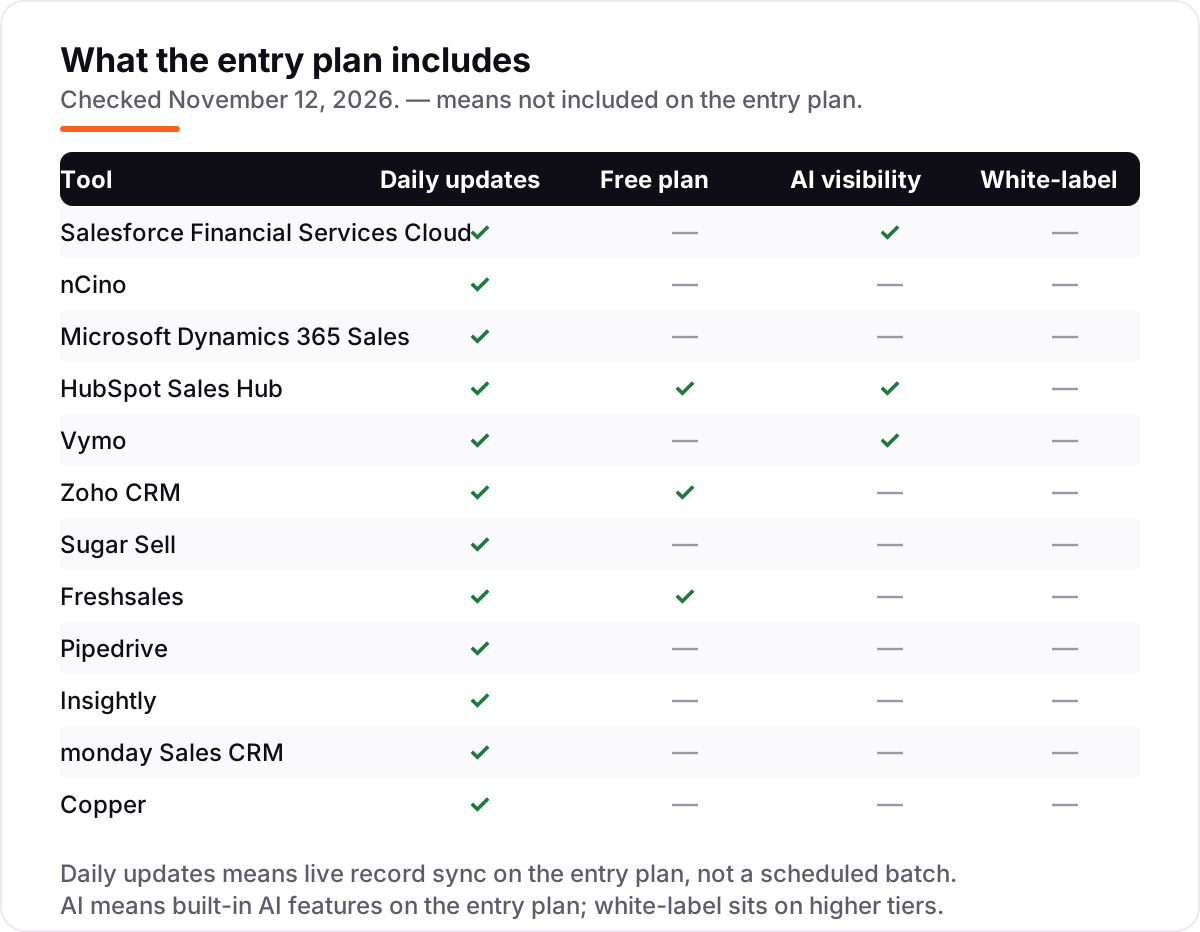
Whatever you shortlist, try it with real data before you pay. The trials in this list run 14 to 30 days, which is long enough to import a branch's book, make real calls and confirm the pipeline never loses a lead. Check two things in the trial: that records sync in real time across the team, and that the compliance reports your audit team needs come out without a spreadsheet workaround. Every tool here offers a trial, a free plan or a demo, so there is no reason to buy before the bank has run a real week on it.
CRM software for banks pricing: what you will actually pay
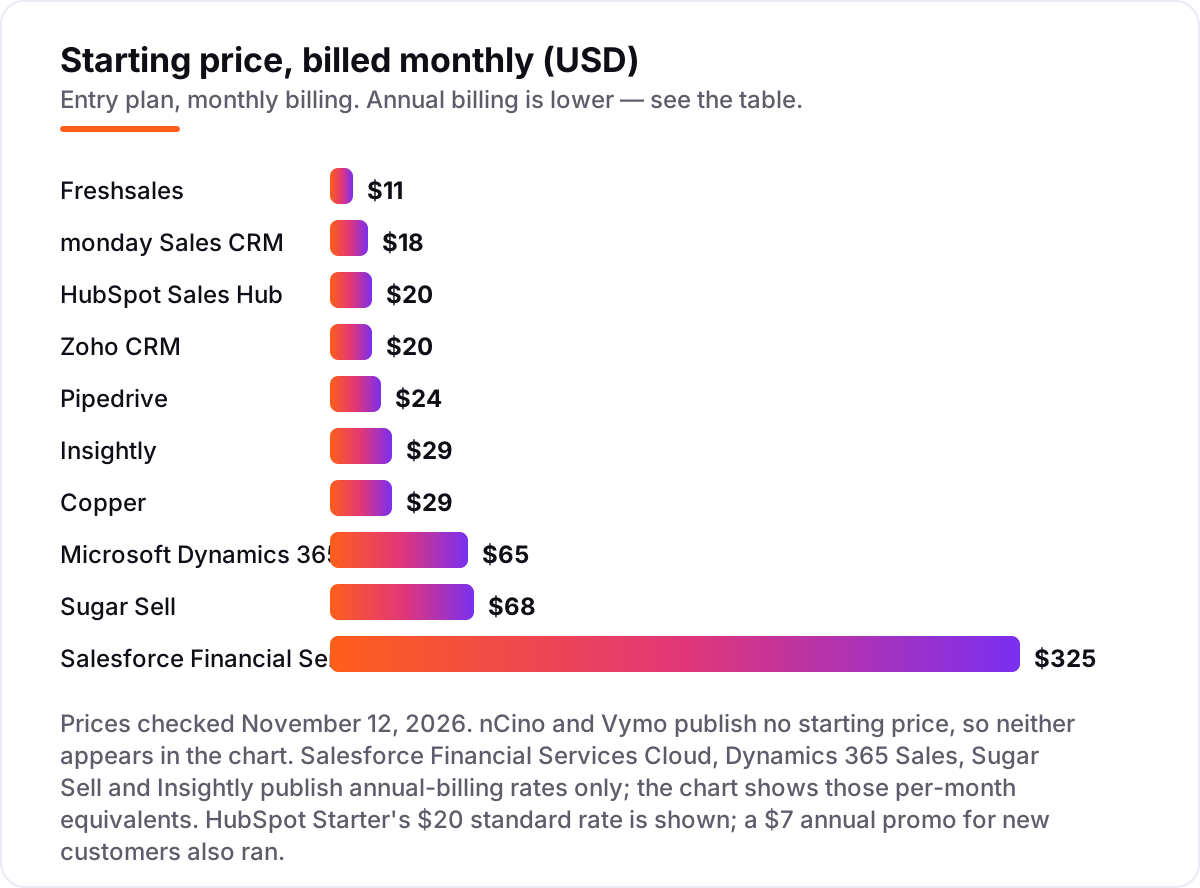
Take a 10-user team on annual billing. On list prices, the subscription costs $1,080 a year on Freshsales Growth, $1,440 on monday Basic, $1,680 on Zoho Standard and Pipedrive Lite, $2,400 on HubSpot Starter at list, $2,760 on Copper Basic, $3,480 on Insightly Plus, $7,800 on Dynamics 365 Sales Professional, $8,160 on Sugar Sell Standard+ and $39,000 on Salesforce Financial Services Cloud. nCino and Vymo publish no price, so both need a quote. HubSpot's $7 annual promo for new customers cuts the Starter bill to $840 a year for ten seats.
Monthly billing costs more for the same seat: Zoho Standard is $20 a month instead of $14, Freshsales Growth $11 instead of $9, Pipedrive Lite $24 instead of $14, monday Basic $18 instead of $12 and Copper Basic $29 instead of $23. Over a year, a 10-user team on monthly billing pays $600 more on Zoho, $240 more on Freshsales, $1,200 more on Pipedrive, $720 more on monday and $720 more on Copper than on annual billing.
Three costs sit outside every number above. First, implementation: Salesforce Financial Services Cloud and nCino are projects with partner fees on top of the licence, and reviewers describe the first-year bill as several multiples of the licence cost. Second, the AI and automation tiers: Copilot needs Dynamics 365 Premium at $150, HubSpot Professional is $90 a seat plus a required $1,500 onboarding fee, and Insightly's AppConnect integration layer starts at $249 a month plus a $3,000 setup fee. Third, the add-ons: Freshsales' Freddy AI costs $49 per 100 sessions, and Zoho's support tiers, storage and backup are priced separately.
Know the difference: a banking CRM vs a generic CRM
The confusion in this category is the data model, not the feature list. A generic CRM tracks contacts and deals: a person, a company, a pipeline stage. A banking CRM tracks households, financial accounts and life events: a family with a mortgage, a business with three accounts, a customer who just had a child and needs a college fund. Salesforce Financial Services Cloud and nCino are built that way; HubSpot, Zoho, Pipedrive, Freshsales, monday and Copper are general CRMs that a bank adapts with custom objects. The adaption works for pipeline tracking, but the compliance reports, household views and audit trails have to be built, not switched on.
There is a second, quieter confusion: a CRM and a sales engagement tool are not the same purchase. Vymo layers over Salesforce or Dynamics and coaches frontline staff; it does not replace the CRM underneath. A bank that buys Vymo still pays for the CRM, and a bank that buys a CRM still needs coaching if branch staff will not open it. Decide which problem is the pain — no single customer record, or staff who do not use the record — and buy that tool first.
Quick comparison: tool type by need
| Buyer | Best pick | Why |
|---|---|---|
| Large bank that needs a banking data model | Salesforce Financial Services Cloud | Households, financial accounts and compliance from $325/user/month |
| Bank that wants lending and CRM together | nCino | CRM plus loan origination and onboarding, custom quote |
| Bank that already runs Microsoft 365 | Microsoft Dynamics 365 Sales | Outlook, Teams and Power BI built in from $65/user/month |
| Small bank that wants a working CRM this week | HubSpot Sales Hub | Free CRM for two users, Starter is $20/seat/month |
| Bank with frontline teams across branches | Vymo | Mobile-first coaching with AI next-best actions, custom quote |
| Community bank on a tight budget | Zoho CRM | Full CRM from $14/user/month billed annually |
Mistakes to avoid
- Budgeting on the licence alone. Implementation, integration and add-ons sit outside the per-seat price, and on Salesforce Financial Services Cloud and nCino the first-year bill can be several multiples of the licence cost.
- Comparing prices without checking the billing term. The annual price is usually 15–20% lower — Pipedrive Lite drops from $24 to $14 a user a month — and Salesforce Financial Services Cloud, Sugar Sell and Insightly publish annual rates only.
- Buying a generic CRM and expecting banking workflows. Householding, financial accounts and audit trails need building on HubSpot, Zoho or Pipedrive; only the banking tools have them built in.
- Ignoring the caps. monday Basic stops at 1,000 active contacts and deals, Copper Basic at 2,500 contacts, and a 3-seat minimum applies on monday. A cap that runs out mid-quarter forces an upgrade at the worst moment.
- Picking a quote-only platform without budgeting for the sales cycle. nCino and Vymo publish no price and no trial, so the bank cannot trial them — the decision runs through an enterprise sales process, not a checkout page.
How we chose
We verified each vendor's own pricing page from fresh copies dated November 10–12, 2026 and recorded the starting price exactly as shown, including the annual-billing figure where the page lists one, and we ranked the tools by fit for the most common buyer — a US bank, from a community bank to a large institution — not by brand size. Five prices needed extra care. Salesforce's $325 is Financial Services Cloud, not the $25 Sales Cloud Starter that some guides cite for the wrong product. Sugar Sell repriced in October 2026, when Standard+ rose from $59 to $68, and the company rebranded as SugarAI in April 2026. Pipedrive's entry tier was renamed from Essential to Lite in late 2025, so older guides cite the old name. Freshsales' free plan appears on Freshworks' plan comparison page rather than the main pricing page, and its $11 monthly rate comes from an independent November 1, 2026 read of the pricing page. Insightly publishes no monthly price at all. Ratings come from fresh copies of the G2 pages dated November 10–12, 2026: Vymo 4.6 from 163 reviews, Freshsales 4.5 from 1,236, monday 4.5 from 1,975, Copper 4.5 from 1,158, HubSpot 4.4 from 13,909, Pipedrive 4.3 from 5,121, Salesforce 4.3 from 429, nCino 4.2 from 14, Insightly 4.2 from 950, Zoho 4.1 from 2,960, Dynamics 365 3.8 from 1,623 and Sugar Sell 3.8 from 776. No vendor paid for a place in this list, and none of the links here are affiliate links.
What to do next
Start with the free plan or trial of your top pick and run one real week of client work through it. Import a branch's book, make real calls and confirm the pipeline never loses a lead, then check that the compliance reports your audit team needs come out without a spreadsheet workaround. If the bank is sorted but new clients are not finding it, our monthly SEO service handles the visibility side — or compare providers in our guide to SEO companies for small business. Once your tools are in place, find out what's holding your rankings back.
Frequently asked questions
What is the best CRM software for banks?
Salesforce Financial Services Cloud is the best fit for large banks at $325/user/month billed annually, with nCino the best choice when lending and CRM must live on one platform. Small banks should start with HubSpot or Zoho, and banks with large frontline teams should look at Vymo for mobile-first coaching. The right pick depends on the bank's size and on whether it needs a banking data model.
How much does CRM software for banks cost?
On annual billing, a 10-user team pays $1,080 a year on Freshsales Growth, $1,440 on monday Basic, $1,680 on Zoho Standard or Pipedrive Lite, $2,400 on HubSpot Starter at list, $2,760 on Copper Basic, $3,480 on Insightly Plus, $7,800 on Dynamics 365 Professional, $8,160 on Sugar Sell Standard+ and $39,000 on Salesforce Financial Services Cloud. nCino and Vymo publish no price.
Is there a free CRM for banks?
Yes, with limits. HubSpot has a free CRM for up to two users, and Zoho and Freshsales both have free plans for up to three users. The other nine tools offer a 14-day or 30-day free trial, or a demo in the case of nCino, Vymo and Sugar Sell. A free plan covers a pilot team, but banking features such as householding and compliance workflows need a paid plan.
What is the difference between a banking CRM and a regular CRM?
A regular CRM tracks contacts and deals. A banking CRM tracks households, financial accounts and life events, keeps audit trails for regulators, and connects to the core banking system. Salesforce Financial Services Cloud and nCino are built that way; HubSpot, Zoho and Pipedrive are general CRMs that a bank adapts with custom objects. The gap matters most for compliance reporting.
Can a small bank use HubSpot or Zoho instead of Salesforce?
Yes, and many do. HubSpot's free CRM or Starter at $20/seat/month covers pipeline visibility, email and sequences for a community bank or credit union, and Zoho Standard at $14/user/month billed annually adds workflows and forecasting. The trade-off is that householding, financial accounts and compliance reports need custom objects, and neither tool has a banking data model built in.
How long does it take to implement a banking CRM?
A small bank can run HubSpot, Zoho or Pipedrive within days, with no implementation project. Salesforce Financial Services Cloud typically takes weeks to months with a partner, plus core banking integration. nCino is the longest: one G2 reviewer reports 18 months to go fully live. Budget the implementation time, not just the licence, and ask every vendor for a reference bank of similar size.
Can a bank switch CRM later?
Yes, but move in a quiet quarter. Export the client list, household links, deals, activity history and open cases, then import them into the new tool and test the pipeline before going live. Keep the old system open until the new one is proven, because a mid-quarter switch is how records get lost. Check data-export terms and contract length before signing.
Sources we checked (24)
- Salesforce Financial Services Cloud pricing — salesforce.com/financial-services/cloud/sales (checked November 12, 2026)
- Salesforce Financial Services Cloud on G2 — 4.3/5, 429 reviews (checked November 12, 2026)
- nCino on G2 — 4.2/5, 14 reviews (checked November 12, 2026)
- Microsoft Dynamics 365 Sales pricing — microsoft.com/en-us/dynamics-365/products/sales/pricing (checked November 12, 2026)
- Microsoft Dynamics 365 Sales on G2 — 3.8/5, 1,623 reviews (checked November 12, 2026)
- HubSpot Sales Hub pricing — hubspot.com/pricing/sales (checked November 12, 2026)
- HubSpot Sales Hub on G2 — 4.4/5, 13,909 reviews (checked November 12, 2026)
- Vymo pricing — vymo.com/pricing (checked November 12, 2026)
- Vymo on G2 — 4.6/5, 163 reviews (checked November 12, 2026)
- Zoho CRM pricing — zoho.com/crm/zohocrm-pricing.html (checked November 12, 2026)
- Zoho CRM on G2 — 4.1/5, 2,960 reviews (checked November 12, 2026)
- Sugar Sell pricing — sugarai.com/pricing (checked November 12, 2026)
- Sugar Sell on G2 — 3.8/5, 776 reviews (checked November 12, 2026)
- Freshsales pricing — freshworks.com/crm/pricing (checked November 12, 2026)
- Freshsales plan comparison — freshworks.com/crm/pricing-compare (checked November 12, 2026)
- Freshsales on G2 — 4.5/5, 1,236 reviews (checked November 12, 2026)
- Pipedrive pricing — pipedrive.com/en/pricing (checked November 12, 2026)
- Pipedrive on G2 — 4.3/5, 5,121 reviews (checked November 12, 2026)
- Insightly pricing — insightly.com/pricing (checked November 12, 2026)
- Insightly on G2 — 4.2/5, 950 reviews (checked November 12, 2026)
- monday Sales CRM pricing — monday.com/crm/pricing (checked November 12, 2026)
- monday Sales CRM on G2 — 4.5/5, 1,975 reviews (checked November 12, 2026)
- Copper pricing — copper.com/pricing (checked November 12, 2026)
- Copper on G2 — 4.5/5, 1,158 reviews (checked November 12, 2026)
Make one of these tools?
We re-check this list every quarter. Send a correction, request a review, or ask about a clearly labeled sponsored spot.
Request a listingShamim
Founder of SerpAstra
A full-stack SEO and digital marketer who spends most days on Local SEO for dental practices, AI search visibility and lead generation.
Free SEO and AI visibility audit
Find out what is holding your rankings back
Send us your site. Within 2 business days you get a written audit, an AI visibility check and a short fix list ranked by impact. Free, with no contract attached.
Request my free audit→Related buying guides
 Sales & CRMBest Marketing CRM Software for 2026: 11 Options Compared by Use CaseCompare the 11 best marketing crm software options for 2026 on price, free plans, automation and AI features, with every price checked November 5, 2026.Read guide →
 Sales & CRM12 Best CRM Email Marketing Software in 2026, Compared12 best crm email marketing software tools compared on price, CRM depth and automation, with real starting prices checked on November 4, 2026.Read guide →
 SEO & AI Search Visibility8 Best SEO Platforms for Finance in 2026 (Pros, Cons and Pricing)8 best SEO platform for finance options compared on price, YMYL content tools, branch tracking and AI visibility. All prices checked November 1, 2026.Read guide →