
12 Best CRM Software for Accountants in 2026, Compared
Compare the 12 best CRM software for accountants on price, QuickBooks sync and client portals, with every price checked on November 12, 2026.
 Shamim Mia, Founder, SerpAstraLast verified November 12, 202615 min read
We compare pricing pages, documentation and public reviews. We never accept payment for rankings.

Key takeaways
- Karbon leads for accounting firms at $59 a user a month billed annually, with TaxDome from $800 a seat a year and Method CRM from $25 a user a month billed annually.
- The single most important buying factor is whether the CRM talks to the accounting software: Method CRM syncs two-way with QuickBooks, Karbon and TaxDome run the work itself, and the general CRMs need connectors.
- Two tools have genuinely free plans — HubSpot for two users and Zoho for three — but both end the day the firm hires its third or fourth person.
- Every price below was checked on the vendor's own pricing page on November 12, 2026. Ratings are G2, with review counts shown.
On this page
Quick comparison
| Tool | Best for | Starting price | Free plan |
|---|---|---|---|
| Karbon | Accounting and bookkeeping firms of 5+ staff where client work arrives by email and needs triage into jobs | $79/user/mo | No (14-day trial) |
| TaxDome | Tax and bookkeeping firms that want a client portal, e-signatures and billing in one per-seat price | $800/seat/yr | No (14-day trial) |
| Method CRM | QuickBooks and Xero users who want the CRM to read and write the same customer, invoice and payment data | $28/user/mo | No (free trial) |
| HubSpot Sales Hub | Small firms that want a free CRM now and a full sales and marketing platform to grow into | $20/seat/mo | Yes (free plan) |
| Zoho CRM | Small firms that want a permanent free plan and the cheapest paid tier with automation | $20/user/mo | Yes (free plan) |
| Pipedrive | Small firms that live in the pipeline and want the clearest deal board for the money | $24/seat/mo | No (14-day trial) |
| Freshsales | Small teams that want built-in phone and email in the cheapest paid seat here | $11/user/mo | No (21-day trial) |
| monday Sales CRM | Visual teams that want to build their own CRM boards instead of living in fixed forms | $18/seat/mo | No (14-day trial) |
| Nutshell | Small B2B teams that want a low paid floor, unlimited contacts and US-based support | $19/user/mo | No (14-day trial) |
| Insightly | Firms that sell advisory projects and want the deal to become a project in the same CRM | $29/user/mo (annual) | No (14-day trial) |
| Less Annoying CRM | Solo accountants and tiny firms that want one price, every feature, and no learning curve | $15/user/mo | No (30-day trial) |
| Salesforce Sales Cloud | Large firms and multi-partner practices that need deep customization and the biggest app marketplace | $25/user/mo | No (30-day trial) |
Make one of these tools?
We re-check this list every quarter. Send a correction, request a review, or ask about a clearly labeled sponsored spot.
Request a listingThe best crm software for accountants

Karbon
Best for: Accounting and bookkeeping firms of 5+ staff where client work arrives by email and needs triage into jobs
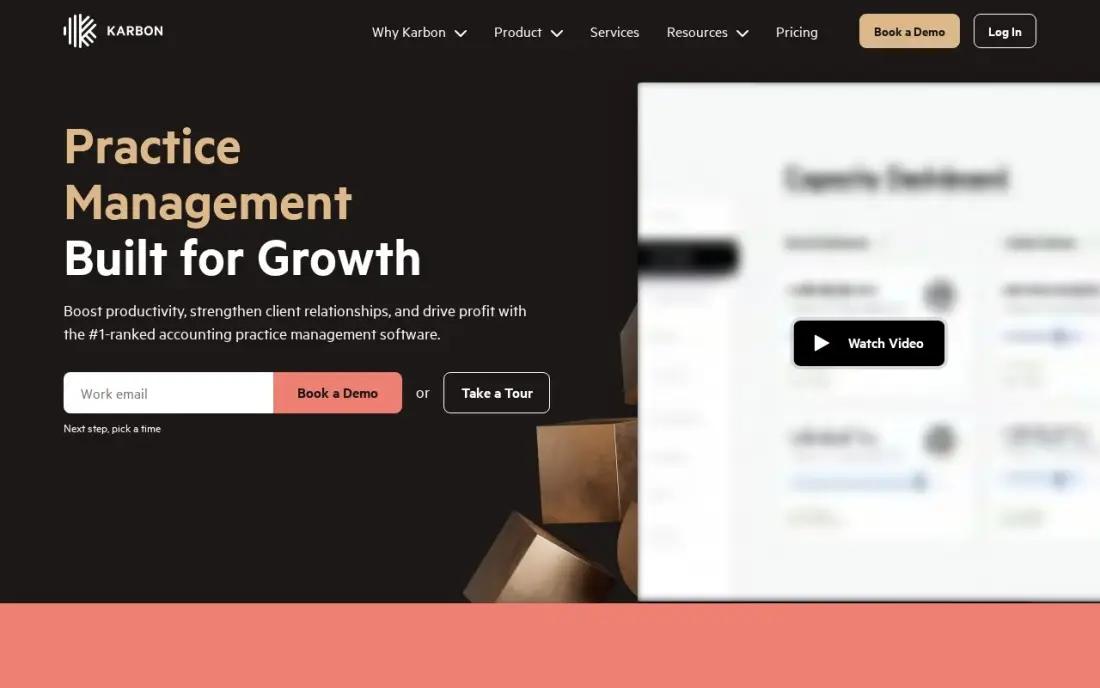
Karbon is the tool here built for accountants. The shared Triage inbox turns client emails into jobs that any team member can pick up, and workflow templates, time tracking, budgets and billing live in the same place, with QuickBooks Online and Xero integrations. Team starts at $79 a user a month billed monthly, or $59 billed annually, and it ranked number one on G2's Accounting Practice Management grids for Fall 2025 and Winter 2026.
The catch is the tiering. Task automation and automatic client reminders wait for Business at $89 a user a month billed annually, and monthly billing is only open to teams of four or more — a firm of one to three must commit to a year. Expect a real implementation curve. Pick Karbon when the firm's problem is managing client work, not finding leads.
What we like
- Shared Triage inbox turns client emails into assignable, trackable work instead of a mailbox one person owns
- Workflow templates, time tracking, budgets and billing in one place, with QuickBooks Online and Xero integrations
- Ranked #1 on G2's Accounting Practice Management grids for Fall 2025 and Winter 2026
Watch out for
- Task automation and automatic client reminders need Business at $89/user/month billed annually, not Team
- Monthly billing is only available to teams of four or more, so firms of one to three must commit annually
- Reviewers report a real implementation curve and weaker reporting than the category leader should have

TaxDome
Best for: Tax and bookkeeping firms that want a client portal, e-signatures and billing in one per-seat price
TaxDome packs the most into one price. A single per-seat charge covers the client portal and mobile app, unlimited e-signatures and storage, document management, workflows, proposals and payments, and the portal is branded with the firm's own name. Essentials is $800 a seat a year for a solo firm, and Pro at $1,000 a seat a year adds seasonal monthly seats at $100 for tax-season staff.
The price is honest but front-loaded: every plan bills upfront annually with no monthly option, so a ten-person firm pays $10,000 on day one for Pro, and Essentials is solo-only, so a second person forces the Pro tier. The feature list is wide enough that new users report a steep learning curve. Pick TaxDome when the firm wants one tool for everything.
What we like
- Branded client portal and mobile app with secure chat, plus unlimited e-signatures and storage on every plan
- One per-seat price covers CRM, documents, workflows, e-signatures, proposals and payments
- Pro adds seasonal monthly seats at $100/seat/month for tax-season staff
Watch out for
- Every plan bills upfront annually with no monthly option, so a 10-person firm pays $10,000 on day one on Pro
- Essentials is solo-only, so a second person forces the $1,000 Pro tier
- Reviewers note a steep learning curve from the breadth of features

Method CRM
Best for: QuickBooks and Xero users who want the CRM to read and write the same customer, invoice and payment data
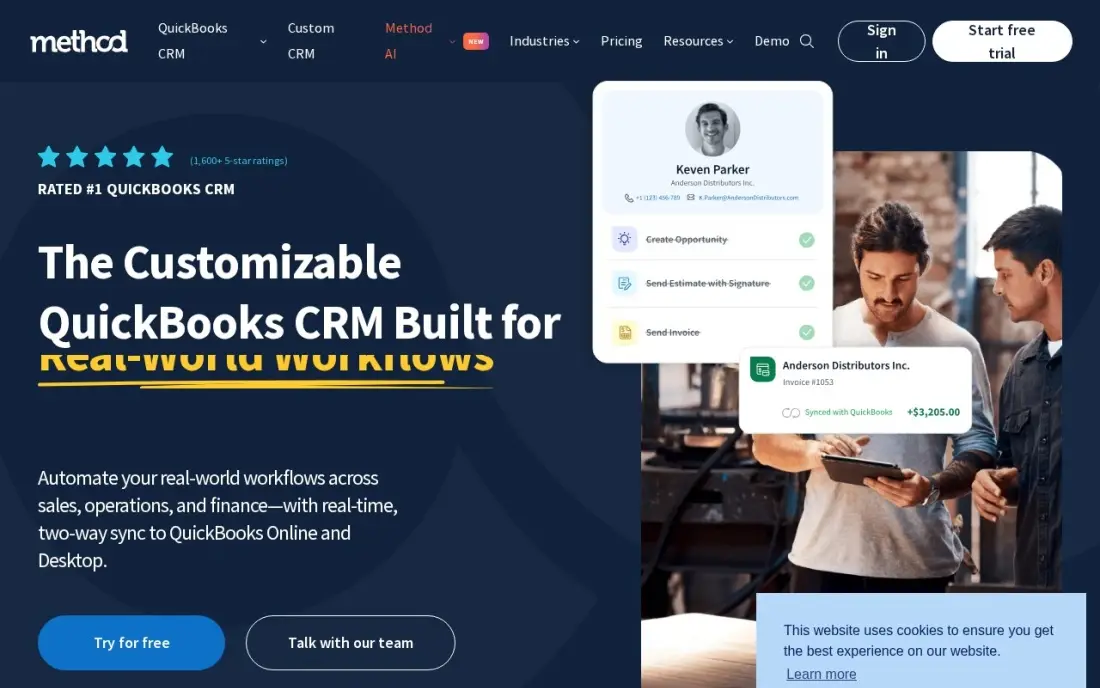
Method CRM is the only tool here that lives inside QuickBooks. Its two-way sync keeps contacts, estimates, invoices and payments identical in both systems in real time, so the team works in the CRM while the books stay the books. Contact Management starts at $28 a user a month billed monthly, or $25 billed annually, and the free trial needs no credit card. Lead-to-cash workflows and payment collection are built in.
The fit is narrow by design: it only makes sense for a firm running QuickBooks or Xero. Note the price: Method's own blog lists the annual Contact Management price at $27, not $25, so confirm the figure at checkout. Pick Method when QuickBooks is the firm's system of record; pick Karbon when the work itself needs managing.
What we like
- Real-time two-way sync with QuickBooks Online, QuickBooks Desktop and Xero — estimates, invoices and payments live in the CRM
- Lead-to-cash workflows built for QuickBooks users, with payment collection inside the CRM
- Free trial needs no credit card and no contract
Watch out for
- Only useful if the firm runs QuickBooks or Xero — there is no standalone accounting side
- Customization beyond the standard screens often needs paid developer help, per G2 reviewers
- Method's own blog lists the annual Contact Management price at $27, not $25 — confirm at checkout

HubSpot Sales Hub
Best for: Small firms that want a free CRM now and a full sales and marketing platform to grow into
HubSpot is the safest free start here. The free CRM covers two users with contacts, deals, pipelines and email tracking at $0, and Starter at $20 a seat a month adds email scheduling, 50 workflows and Breeze AI drafting with 500 HubSpot Credits a month. It also has the largest integration marketplace here, including a QuickBooks Online app, so the firm can grow without switching tools.
The bill grows in jumps. Professional is $90 a seat a month billed annually plus a $1,500 onboarding fee, and the $20 list price is often shown discounted to $7 for new customers — budget the renewal at list. Contact-tier fees push the real cost above the seat price as the database grows. Pick HubSpot for the free start and the ecosystem; pick Zoho for the cheapest paid plan.
What we like
- A real free CRM for up to two users, with contacts, deals, pipelines and email tracking at $0
- Breeze AI drafting and Copilot included from Starter, with 500 HubSpot Credits a month
- The largest integration marketplace here, including a QuickBooks Online app
Watch out for
- The step from Starter to Professional is steep — $90/seat/month billed annually plus a $1,500 onboarding fee
- Starter's $20 list price is often shown discounted to $7 for new customers, so budget renewals at list
- Contact-tier fees and add-ons push the real cost above the seat price as the database grows

Zoho CRM
Best for: Small firms that want a permanent free plan and the cheapest paid tier with automation
Zoho CRM is the budget pick. The free plan covers three users with leads, contacts, deals and basic workflows at $0, and Standard at $14 a user a month billed annually is the cheapest paid tier here with scoring rules and workflows. It connects natively to Zoho Books, and a QuickBooks connector runs through Zoho Flow, so a firm that already uses Zoho's tools gets a joined-up system for very little money.
The free plan ends the day the firm hires a fourth person — every seat then moves to a paid plan — and Zia AI is not on Standard, so AI assistance needs a higher tier. Reviewers also cite a steep learning curve and uneven support. Pick Zoho when the firm is small and price-sensitive.
What we like
- The only permanent free plan here for three users, with leads, contacts, deals and basic workflows at $0
- Standard at $14/user/month billed annually is the cheapest paid tier with scoring rules and workflows
- Native integration with Zoho Books, plus a QuickBooks connector through Zoho Flow
Watch out for
- A fourth user moves every seat to a paid plan, so the free plan ends the day the firm hires
- Zia AI is not on Standard — AI assistance needs a higher tier
- Reviewers cite a steep learning curve and uneven support quality

Pipedrive
Best for: Small firms that live in the pipeline and want the clearest deal board for the money
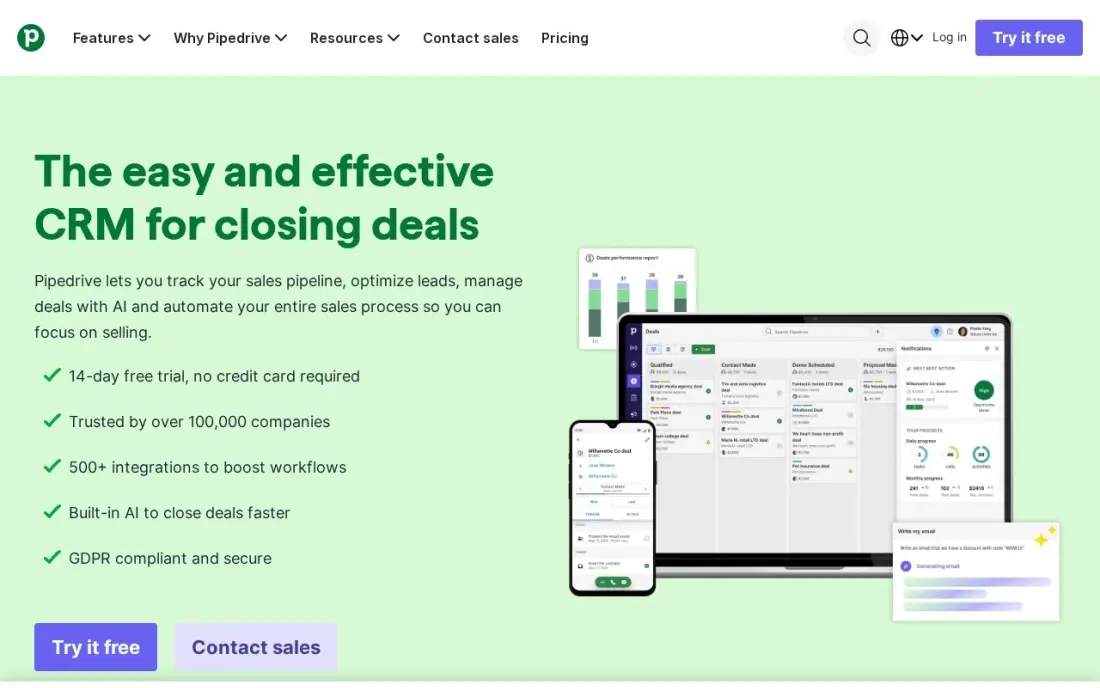
Pipedrive is the clearest pipeline here. Lite at $24 a seat a month billed monthly, or $14 billed annually, buys drag-and-drop deals, a leads inbox, calendar sync and even AI report creation and meeting intelligence. It carries the highest ease-of-use and ease-of-setup scores among the general CRMs in this list, so a small team is productive in a day rather than a week.
Lite is deliberately limited: no workflow automation and no two-way email sync, both of which start on Growth at $39 a seat a month billed annually, and email marketing and website tracking are paid add-ons on every plan. Annual billing is non-refundable. Pick Pipedrive when the deal board is the job; pick Freshsales when the team needs phone and email built into the cheapest seat.
What we like
- The clearest visual pipeline here, with drag-and-drop deals, a leads inbox and calendar sync from Lite
- AI report creation and meeting intelligence are included on the $14 Lite plan
- Highest ease-of-use and ease-of-setup scores among the general CRMs in this list
Watch out for
- Lite has no workflow automation and no two-way email sync — both start on Growth at $39/seat/month billed annually
- Email marketing and website tracking are paid add-ons on every plan
- Annual billing is non-refundable, so a mid-year cancellation keeps access but returns nothing

Freshsales
Best for: Small teams that want built-in phone and email in the cheapest paid seat here
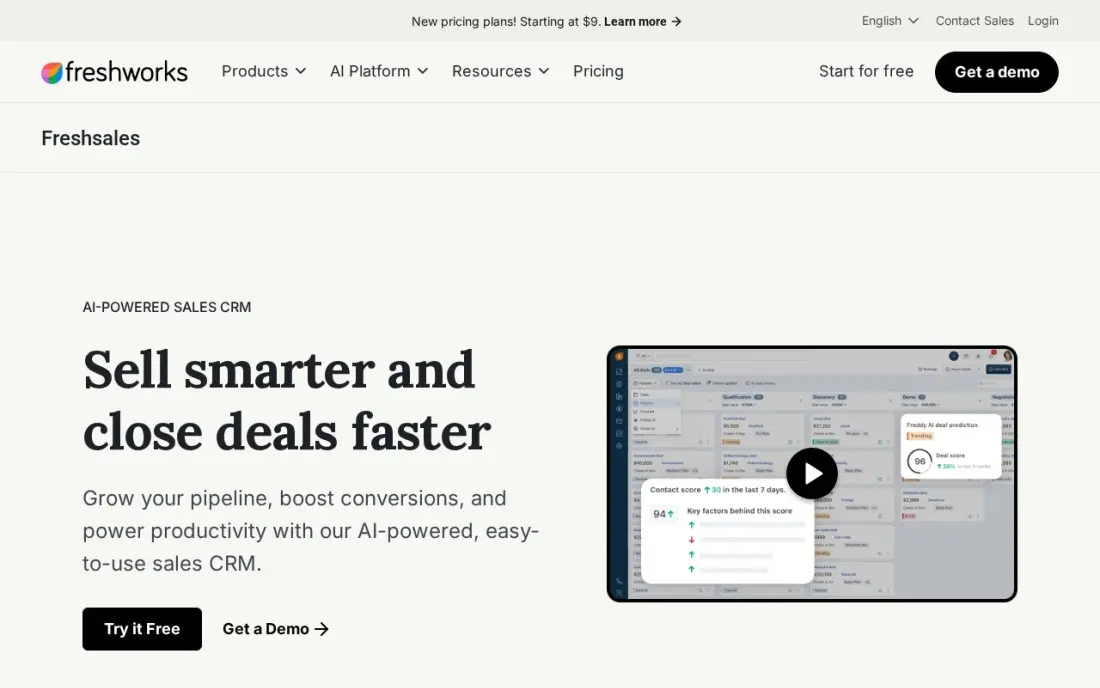
Freshsales is the cheapest paid seat in this list. Growth at $11 a user a month billed monthly, or $9 billed annually, includes phone, email and chat, a kanban pipeline, contact lifecycle stages and Freddy AI basics — and there is no onboarding fee at any tier. For a small team that makes calls and sends emails from the CRM, nothing else here starts this low.
The free plan is gone from the main pricing page — only a 21-day trial, though a Freshworks compare page still lists a free tier — and the jump to Pro is steep: $9 to $39, with sequences and multiple pipelines waiting for Pro. Calling beyond the included minutes is billed separately. Pick Freshsales for the lowest paid price; pick Nutshell when unlimited contacts matter more.
What we like
- The cheapest paid seat in this list at $9/user/month billed annually, with phone, email and chat built in
- Freddy AI basics on Growth, with contact lifecycle stages and a kanban pipeline
- No onboarding fee at any tier
Watch out for
- The free plan is gone from the main pricing page — only a 21-day trial, though a compare page still lists a free tier
- The jump from Growth to Pro is 4.3x ($9 to $39), and sequences and multiple pipelines wait for Pro
- Calling usage beyond the included minutes is billed separately

monday Sales CRM
Best for: Visual teams that want to build their own CRM boards instead of living in fixed forms
monday Sales CRM is the flexible pick. The firm builds its own boards, automations and dashboards instead of living in fixed forms, and Basic starts at $18 a seat a month billed monthly, or $12 billed annually, with email integration and 5GB of storage. It has the highest ease-of-use score among the general CRMs here, at 8.8 on G2, so non-technical staff can shape it themselves.
The limits are structural: a three-seat minimum, so a solo accountant still pays for three seats, automations starting on Standard at $17 a seat a month billed annually, and seats sold in fixed blocks, so adding one person can mean buying a block. Pick monday when the firm's process is unusual and the CRM should fit it; pick Pipedrive when a fixed pipeline is fine.
What we like
- Boards, automations and dashboards the firm configures itself — the most flexible layout here
- Basic starts at $12/seat/month billed annually, with email integration and 5GB storage
- Highest ease-of-use score among the general CRMs, at 8.8 on G2
Watch out for
- Three-seat minimum, so a solo accountant still pays for three seats
- Automations start on Standard at $17/seat/month billed annually, not Basic
- Seats are sold in fixed blocks, so adding one person can mean buying a block

Nutshell
Best for: Small B2B teams that want a low paid floor, unlimited contacts and US-based support
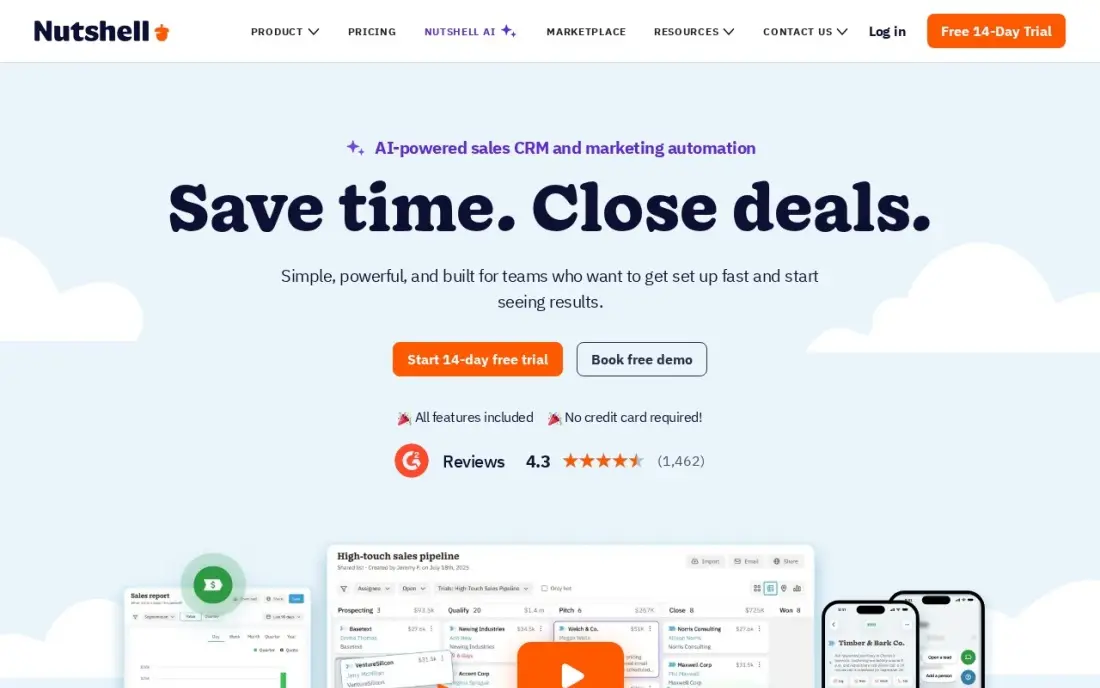
Nutshell is the low-floor pick. Foundation at $19 a user a month billed monthly, or $13 billed annually, is the lowest annual per-seat price among the general CRMs here, and every tier includes unlimited contacts, accounts and storage. It also carries the highest G2 support score in this list at 8.7, with free live support on Foundation — the kind of thing a small firm notices when something breaks.
Foundation has hard edges: no sales automation and no second pipeline below Pro at $49 a user a month billed monthly, and the 100-open-leads cap on Foundation is one a busy team hits within weeks. The mobile app trails the desktop version, per G2 reviewers. Pick Nutshell for the low price and the support; pick monday when the firm needs a second pipeline on the entry plan.
What we like
- The lowest annual per-seat price among the general CRMs here at $13/user/month billed annually
- Unlimited contacts, accounts and storage on every tier, including Foundation
- Highest G2 support score in this list at 8.7, with free live support on Foundation
Watch out for
- No sales automation and no second pipeline below Pro at $49/user/month billed monthly
- Foundation caps at 100 open leads at once, which a busy team hits within weeks
- The mobile app trails the desktop version, per G2 reviewers

Insightly
Best for: Firms that sell advisory projects and want the deal to become a project in the same CRM
Insightly is the only CRM here that turns a won deal into a managed project without a second tool. Plus at $29 a user a month billed annually includes project management, 100,000 records, 10GB of storage and 2,500 emails a day, and the pricing is flat and predictable — $29, $49 or $99, with no per-module charges.
Plus is also the most limited entry plan here in two ways: no workflow automation and no Copilot AI, both of which start on Professional at $49, and Insightly publishes annual prices only, so the monthly cost is quoted by sales. Onboarding and Premier support fees are labeled required on top of the subscription. Pick Insightly when projects are the product; pick a general CRM when the firm only needs the pipeline.
What we like
- The only CRM here that turns a won deal into a managed project without a second tool
- Plus includes 100,000 records and 10GB storage with project management from the first paid tier
- Per-user pricing is flat and predictable — $29, $49 or $99 with no per-module charges
Watch out for
- Plus has no workflow automation and no Copilot AI — both start on Professional at $49/user/month
- Insightly publishes annual prices only, so the monthly cost is quoted by sales
- Onboarding and Premier support fees are labeled required on top of the subscription

Less Annoying CRM
Best for: Solo accountants and tiny firms that want one price, every feature, and no learning curve
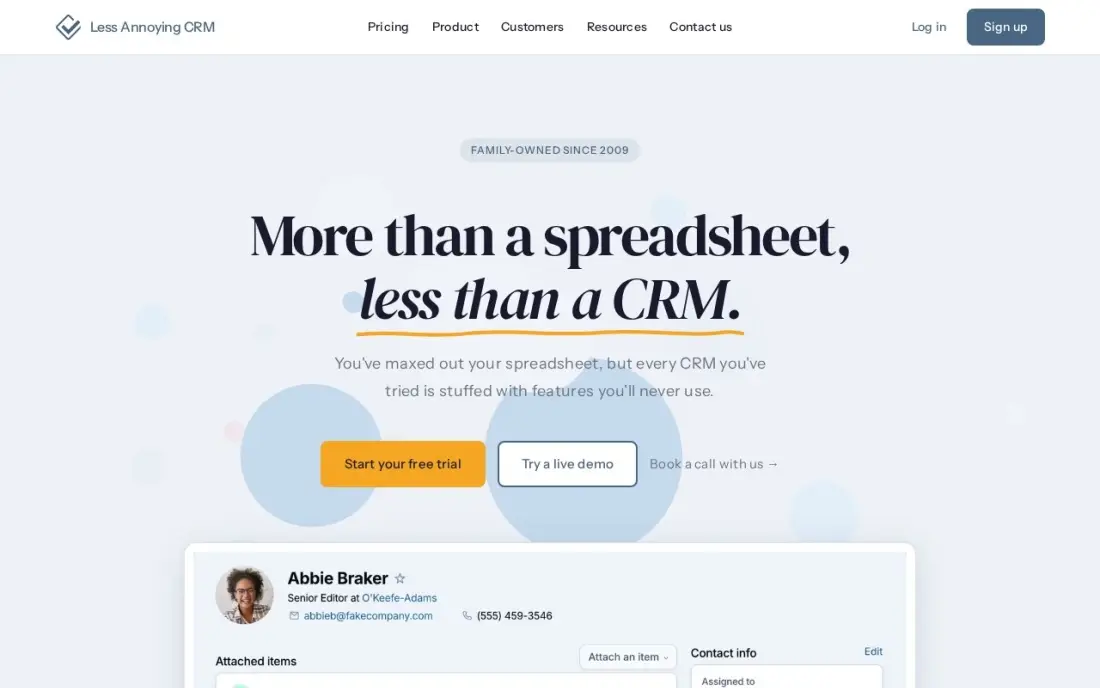
Less Annoying CRM is the simplest pick in this list, and the highest rated: 4.9 out of 5 on G2 from 671 reviews, with 94% five-star. One plan at $15 a user a month covers every feature — unlimited contacts, companies and pipelines, tasks, calendar and 25GB of storage per user — with no tiers, no upsells and no annual lock-in. The 30-day trial needs no credit card, and support is free phone support from real humans.
Simple means limited: no workflow automation, no email sequences and no AI — the vendor says so plainly — and there is no native QuickBooks sync or mobile app, so accounting data moves through Zapier or manual export. Pick Less Annoying CRM when the firm is small and wants one price for everything.
What we like
- One plan at $15/user/month with every feature included — no tiers, no upsells, no annual lock-in
- The highest G2 score in this list at 4.9/5, with 94% five-star reviews
- Free phone support from real humans, and the 30-day trial needs no credit card
Watch out for
- No workflow automation, email sequences or AI — the vendor says so plainly
- No native QuickBooks sync; accounting data moves through Zapier or manual export
- No mobile app, so field work means the desktop site

Salesforce Sales Cloud
Best for: Large firms and multi-partner practices that need deep customization and the biggest app marketplace
Salesforce Sales Cloud is the enterprise pick. Starter Suite at $25 a user a month, billed monthly or annually, bundles sales, service, marketing and commerce tools with Slack included, plus AI email and built-in sales flows. Nothing else here matches its depth of customization or the AppExchange marketplace, and for a large firm or multi-partner practice that is exactly the point.
The second step quadruples the price — Pro Suite is $100 a user a month, and only Starter can be billed monthly — and API access is a $25 a user a month add-on, so integrations cost extra. G2 reviewers cite a steep learning curve and high cost as the top complaints. Pick Salesforce when the firm is big enough to staff it; pick HubSpot when the team needs depth without the enterprise overhead.
What we like
- The deepest customization and the largest AppExchange marketplace in this list
- Starter Suite bundles sales, service, marketing and commerce tools, with Slack included
- AI email and built-in sales flows from the $25 Starter Suite
Watch out for
- The second step quadruples the price — Pro Suite is $100/user/month, and only Starter can be billed monthly
- API access is a $25/user/month add-on, so integrations cost extra
- G2 reviewers cite a steep learning curve and high cost as the top complaints
The best CRM software for accountants does two jobs at once: it keeps every client, deadline and document in one place, and it talks to the accounting software the firm already runs. The 12 tools below are ranked by fit for the most common buyer, a small US accounting firm with one to ten staff, and every price was checked on the vendor's own pricing page on November 12, 2026.
How to choose the best crm software for accountants
- Check the accounting sync first. Method CRM syncs two-way with QuickBooks in real time; Karbon and HubSpot connect to QuickBooks Online; Zoho connects through Zoho Flow; Less Annoying CRM has no native sync. If the CRM and the books disagree, the firm pays for it twice.
- Decide whether the firm needs a CRM or practice management. A general CRM tracks deals and clients. Karbon and TaxDome also run the work — jobs, documents, e-signatures and billing. Most firms need the second kind, or a CRM plus a separate practice tool.
- Count the pricing unit, not the headline. Karbon and TaxDome charge per user or per seat, HubSpot per seat, and TaxDome bills a full year upfront. A $15 seat becomes $75 a month for five people and $900 a year — price the team you will have next year.
- Check the free plan's cap. HubSpot's free plan covers two users and Zoho's covers three, so both end the day the firm hires. A free plan that runs out mid-quarter is not a free plan.
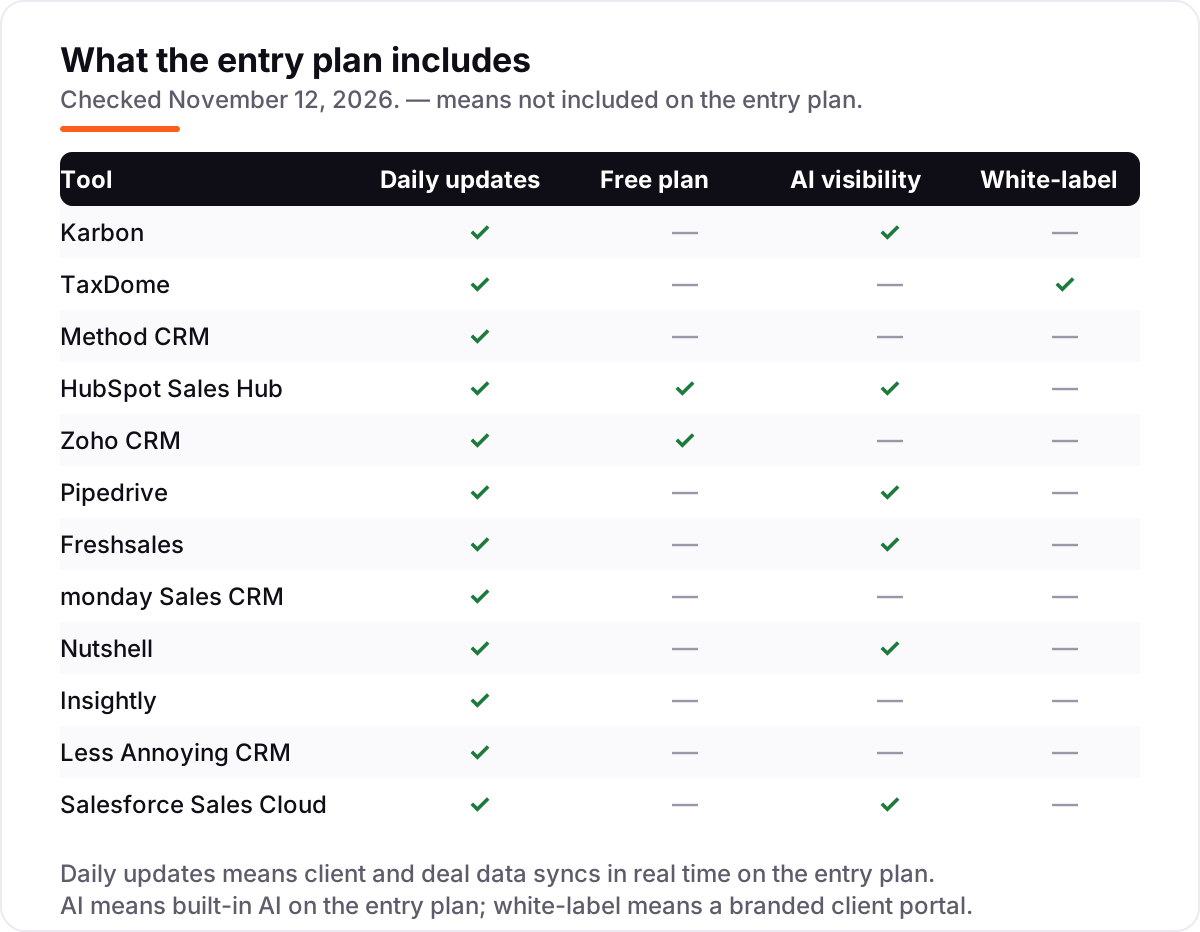
- Check what the entry plan leaves out. Workflow automation waits for higher tiers at Pipedrive, monday, Nutshell and Insightly, and AI is missing from the entry plan at Zoho and Insightly. Buy the tier that has the feature, not the tier that mentions it.
- Think about the next hire, not the next month. A solo accountant who hires two people needs a plan that grows by the person, not one that jumps to an enterprise tier or forces a full year upfront.
A CRM organizes the client list, but it does not bring in new clients on its own. If the firm is not showing up when businesses nearby search, our monthly SEO service covers that side. And before the firm asks clients for reviews, the free Google review link generator makes a one-tap review link for the front desk.
Whatever you shortlist, try it with real work before you pay. The trials here run 14 to 30 days — long enough to send a real client email, move a real deal and sync a real invoice. Check two things in the trial: that the accounting sync actually moves data both ways, and that the client portal works for a client who has never used it. Every tool here offers a trial or a free plan, so buy only after a real week on it.
CRM software for accountants pricing: what you will actually pay
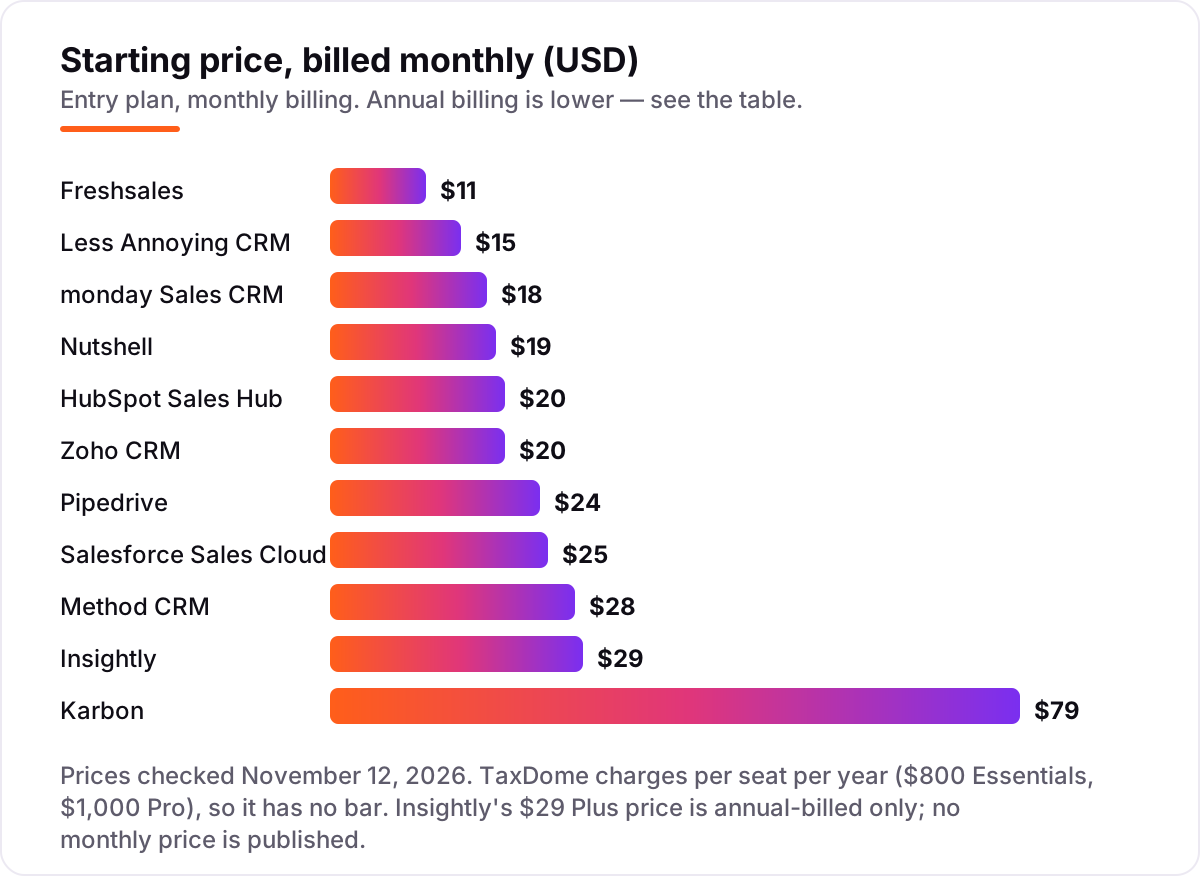
Take a five-person accounting firm, all on the entry plan, billed annually where the vendor offers it. The subscription costs $540 a year on Freshsales Growth, $720 on monday Basic, $780 on Nutshell Foundation, $840 on Zoho Standard and Pipedrive Lite, $900 on Less Annoying CRM, $1,200 on HubSpot Starter, $1,500 on Method CRM and Salesforce Starter Suite, and $1,740 on Insightly Plus. Karbon Team costs $3,540 a year for five users, and TaxDome Pro costs $5,000 upfront — Essentials is solo-only, so a five-person firm cannot use it.
On monthly billing the same five seats cost $55 a month on Freshsales, $75 on Less Annoying CRM, $90 on monday, $95 on Nutshell, $100 on HubSpot and Zoho, $120 on Pipedrive, $125 on Salesforce, $140 on Method and $395 on Karbon. Insightly publishes no monthly price, and TaxDome bills annually only. The gap between the cheapest and dearest monthly option is $55 against $395 — seven times — for the same five people, decided entirely by which tool fits the firm.
Three costs sit outside every number above. First, onboarding: HubSpot Professional carries a $1,500 fee, and Salesforce charges $1,500 to $3,500 by tier. Second, add-ons: Salesforce API access is $25 a user a month, and Pipedrive's email marketing is a paid add-on on every plan. Third, the free plans: HubSpot's covers two of the five seats and Zoho's three, so a five-person firm cannot stay free — budget the paid tier from the first hire past the cap.
Know the difference: a CRM vs practice management software
The confusion in this category is not the feature list — it is what the software is for. A general CRM tracks leads, deals and clients: Pipedrive, HubSpot, Zoho, Freshsales, monday, Nutshell, Insightly, Less Annoying CRM and Salesforce all do this well, and most of them charge per seat per month for it. Practice management software runs the work itself: Karbon's Triage inbox turns client emails into jobs, and TaxDome's portal handles documents, e-signatures, proposals and payments. The two kinds overlap on the client list and almost nowhere else.
The practical test is the email inbox. If the firm's daily problem is that client emails sit unanswered while deadlines slip, the firm needs practice management — Karbon or TaxDome — because a deal board will not answer an email. If the problem is winning new advisory work and tracking it to a signature, a general CRM is enough, and Method CRM is the strongest choice for a QuickBooks firm because the deal and the invoice are the same record. Buying a general CRM to run a tax practice is like buying a diary to run a kitchen: the pages are right, but the work still happens somewhere else.
There is a second confusion: the free plan. HubSpot's free CRM and Zoho's free plan are real products, but they are CRMs, not practice management — neither manages jobs, documents or e-signatures. A firm that starts free and later needs the practice side pays twice: in the months spent on the wrong tool, and in the migration.
Quick comparison: tool type by need
| Buyer | Best pick | Why |
|---|---|---|
| Accounting firm that wants the work managed, not just the pipeline | Karbon | Shared Triage inbox and workflows from $59/user/month billed annually |
| Tax or bookkeeping firm that wants one tool for everything | TaxDome | Portal, e-signatures and billing for $800/seat/year |
| QuickBooks or Xero firm that wants a live two-way sync | Method CRM | Real-time sync from $25/user/month billed annually |
| Small firm that wants a free CRM to start on | HubSpot Sales Hub | Free plan for 2 users, Starter is $20/seat/month |
| Small firm on the tightest budget | Freshsales | Cheapest paid seat at $9/user/month billed annually |
| Solo accountant who wants one price and no tiers | Less Annoying CRM | Single $15/user/month plan with every feature |
Mistakes to avoid
- Budgeting on the subscription alone. HubSpot Professional adds a $1,500 onboarding fee, Salesforce API access adds $25 a user a month, and Pipedrive's email marketing is an add-on. The subscription is the smallest part of the bill for a firm that integrates.
- Comparing monthly prices without checking billing. The annual price is usually 15–25% lower — Karbon drops from $79 to $59 a user a month — and TaxDome and Less Annoying CRM have no monthly option at all in the other direction: TaxDome bills annually only, Less Annoying CRM monthly only.
- Ignoring the pricing unit. Karbon, TaxDome and HubSpot charge per seat, so five people cost five seats. A tool that is cheap for one person is dear for five: the same five seats cost $55 a month on Freshsales and $395 on Karbon.
- Buying a CRM to run a practice. A deal board does not answer client emails, collect e-signatures or track jobs. If the firm's problem is managing work, buy Karbon or TaxDome — or budget for a second tool.
- Forgetting the free-plan caps. HubSpot's free plan stops at two users and Zoho's at three. A firm that hires past the cap pays for every seat, not just the new one — so price the team you will have next year, not the team you have today.
How we chose
We checked each vendor's own pricing page on November 12, 2026 and recorded the starting price exactly as shown, including the annual-billing figure where the page lists one, and we ranked the tools by fit for the most common buyer — a small US accounting firm with one to ten staff — not by brand size. Three prices needed extra care. Freshsales no longer shows a free plan on its main pricing page, only a 21-day trial, though a Freshworks compare page still lists a free tier for up to three users, so the free plan is treated as retired here. Method CRM's own blog lists the annual Contact Management price at $27 a user a month, not the $25 on its pricing page, so confirm the figure at checkout. TaxDome bills per seat per year with no monthly option, so no monthly figure is given for it, and Insightly publishes annual prices only, so its $29 Plus price is the annual-billed figure. Ratings come from G2 pages opened on November 12, 2026, with counts as shown on the linked source pages: Karbon 4.7/1,220, TaxDome 4.7/701, Method CRM 4.4/349, HubSpot 4.4/13,909, Zoho CRM 4.1/2,947, Pipedrive 4.3/3,111, Freshsales 4.5/1,236, monday 4.5/1,975, Nutshell 4.3/1,430, Insightly 4.2/950, Less Annoying CRM 4.9/671 and Salesforce 4.4/27,591. G2 counts vary between the product page and compare pages for the same tool, so the count shown is the one on the source page linked. No vendor paid for a place in this list, and none of the links here are affiliate links.
What to do next
Start with the free plan or trial of your top pick and run one real week of client work through it. Check that the accounting sync actually moves data both ways, that the client portal works for a client who has never used it, and that the team can find every open job in one place. If the firm also needs help with the numbers side, compare options in our guide to bookkeeping and payroll software for small business, and if the firm is sorted but new clients are not finding it, our monthly SEO service handles the visibility side. Once your tools are in place, find out what's holding your rankings back.
Frequently asked questions
What is the best CRM software for accountants?
Karbon is the best fit for most accounting firms, at $59 a user a month billed annually, because it manages client work, not just deals. TaxDome is the best all-in-one at $800 a seat a year, and Method CRM is the best for QuickBooks users at $25 a user a month billed annually. A firm that only needs a pipeline should look at Pipedrive or Freshsales instead.
How much does CRM software for accountants cost?
Most small firms pay $540 to $5,000 a year for the subscription. The cheapest paid seats are Freshsales at $9 a user a month billed annually and monday at $12, while Karbon costs $3,540 a year for five users and TaxDome Pro costs $5,000 upfront. HubSpot and Zoho have free plans for two and three users.
Is there a free CRM for accountants?
Yes, with limits. HubSpot's free CRM covers two users with contacts, deals and pipelines at $0, and Zoho's free plan covers three users. Both end when the firm hires past the cap, and neither includes the practice-management features that Karbon and TaxDome charge for. A solo accountant can run on either for free.
Does CRM software integrate with QuickBooks?
Method CRM syncs two-way with QuickBooks Online and QuickBooks Desktop in real time, so contacts, estimates, invoices and payments match in both systems. Karbon and HubSpot connect to QuickBooks Online, Zoho connects through Zoho Flow, and Less Annoying CRM has no native QuickBooks sync — it uses Zapier or manual export instead.
What is the difference between a CRM and practice management software?
A general CRM tracks leads, deals and clients: Pipedrive, HubSpot and Zoho do this well. Practice management software runs the work itself — jobs, documents, e-signatures and billing — which is what Karbon and TaxDome add. Most accounting firms need the second kind, or a CRM plus a separate practice tool.
Can I switch CRM software later?
Yes, but move in a quiet week. Export the client list, contacts, deals, documents and open jobs, then import them into the new tool and test the pipeline, the client portal and the accounting sync before going live. Keep the old system open until the new one is proven, because a mid-month switch is how client emails get lost.
What should I check before paying for CRM software?
Check how the price grows with your team, whether the accounting sync is included or an add-on, and whether the free plan ends at the next hire. Then run the trial with real work: send a real client email, move a real deal and sync a real invoice. Every tool here offers a trial or a free plan, so there is no reason to buy untested.
Sources we checked (24)
- Karbon pricing — karbonhq.com/pricing (checked November 12, 2026)
- Karbon on G2 — 4.7/5, 1,220 reviews (checked November 12, 2026)
- TaxDome pricing — taxdome.com/pricing (checked November 12, 2026)
- TaxDome on G2 — 4.7/5, 701 reviews (checked November 12, 2026)
- Method CRM pricing — method.me/pricing (checked November 12, 2026)
- Method CRM on G2 — 4.4/5, 349 reviews (checked November 12, 2026)
- HubSpot Sales Hub pricing — hubspot.com/pricing/sales (checked November 12, 2026)
- HubSpot Sales Hub on G2 — 4.4/5, 13,909 reviews (checked November 12, 2026)
- Zoho CRM pricing — zoho.com/crm/zohocrm-pricing.html (checked November 12, 2026)
- Zoho CRM on G2 — 4.1/5, 2,947 reviews (checked November 12, 2026)
- Pipedrive pricing — pipedrive.com/en/pricing (checked November 12, 2026)
- Pipedrive on G2 — 4.3/5, 3,111 reviews (checked November 12, 2026)
- Freshsales pricing — freshworks.com/crm/pricing (checked November 12, 2026)
- Freshsales on G2 — 4.5/5, 1,236 reviews (checked November 12, 2026)
- monday Sales CRM pricing — monday.com/crm/pricing (checked November 12, 2026)
- monday Sales CRM on G2 — 4.5/5, 1,975 reviews (checked November 12, 2026)
- Nutshell pricing — nutshell.com/pricing (checked November 12, 2026)
- Nutshell on G2 — 4.3/5, 1,430 reviews (checked November 12, 2026)
- Insightly pricing — insightly.com/pricing (checked November 12, 2026)
- Insightly on G2 — 4.2/5, 950 reviews (checked November 12, 2026)
- Less Annoying CRM pricing — lessannoyingcrm.com/pricing (checked November 12, 2026)
- Less Annoying CRM on G2 — 4.9/5, 671 reviews (checked November 12, 2026)
- Salesforce Sales Cloud pricing — salesforce.com/sales/pricing (checked November 12, 2026)
- Salesforce Sales Cloud on G2 — 4.4/5, 27,591 reviews (checked November 12, 2026)
Make one of these tools?
We re-check this list every quarter. Send a correction, request a review, or ask about a clearly labeled sponsored spot.
Request a listingShamim
Founder of SerpAstra
A full-stack SEO and digital marketer who spends most days on Local SEO for dental practices, AI search visibility and lead generation.
Free SEO and AI visibility audit
Find out what is holding your rankings back
Send us your site. Within 2 business days you get a written audit, an AI visibility check and a short fix list ranked by impact. Free, with no contract attached.
Request my free audit→Related buying guides
 HR & Payroll10 Best Bookkeeping and Payroll Software for Small Business in 2026, ComparedThe 10 best bookkeeping and payroll software for small business, compared on real 2026 prices, per-employee payroll fees and free plans at your headcount.Read guide →
 Sales & CRM12 Best CRM Email Marketing Software in 2026, Compared12 best crm email marketing software tools compared on price, CRM depth and automation, with real starting prices checked on November 4, 2026.Read guide →
 Sales & CRMBest Marketing CRM Software for 2026: 11 Options Compared by Use CaseCompare the 11 best marketing crm software options for 2026 on price, free plans, automation and AI features, with every price checked November 5, 2026.Read guide →