
10 Best CRM and Invoicing Software in 2026, Compared
Compare the 10 best crm and invoicing software tools on price, free plans, native invoicing and CRM depth, with every price checked November 12, 2026.
 Shamim Mia, Founder, SerpAstraLast verified November 12, 202615 min read
We compare pricing pages, documentation and public reviews. We never accept payment for rankings.

Key takeaways
- HubSpot CRM is the best fit for most buyers: a free CRM for 2 users, then $20/seat/month on Starter with invoicing included; Zoho CRM follows at $14/user/month billed annually with free invoicing alongside, and FreshBooks at $23/month for invoicing-led service work.
- The single most important buying factor is whether invoicing is native or bolted on: Pipedrive and Copper invoice through add-ons or integrations, while HubSpot, FreshBooks, HoneyBook and QuickBooks Online bill from inside the product.
- Per-seat pricing decides the real bill: monday sales CRM looks cheapest at $12/seat/month billed annually, but the 3-seat minimum means $36 a month at least.
- Payment processing is billed on top of every subscription here — card fees run about 2.9% plus $0.25 per transaction, so budget for them separately.
On this page
Quick comparison
| Tool | Best for | Starting price | Free plan |
|---|---|---|---|
| HubSpot CRM | Small teams that want a free CRM now and native invoicing in the same database when they start paying | $20/seat/mo | Yes (free CRM) |
| Zoho CRM | Small teams that want the cheapest paid CRM with a free plan for up to 3 users and invoicing through Zoho Invoice | $14/user/mo (annual) | Yes (free plan) |
| FreshBooks | Freelancers and service businesses that bill clients for time and want invoicing to lead, with light client tracking built in | $23/mo | No (30-day trial) |
| HoneyBook | Solo service professionals who sell projects and want proposals, contracts and invoices in one flat-priced client system | $29/mo (annual) | No (7-day trial) |
| Pipedrive | Sales-led small teams that want the cleanest visual pipeline and invoice through an add-on or an accounting integration | $14/user/mo (annual) | No (14-day trial) |
| monday sales CRM | Teams already running projects on monday.com that want deals, quotes and invoices on the same boards | $12/seat/mo (annual) | No (14-day trial) |
| Salesforce | Growing businesses that want the deepest CRM ecosystem and plan to scale, with invoicing through quotes and integrations | $25/user/mo | Yes (Free Suite) |
| Insightly | Service teams that want a won deal to turn into a project inside the same CRM, with quotes and invoicing alongside | $29/user/mo (annual) | No (14-day trial) |
| Copper | Small teams that live in Gmail and Google Workspace and want the CRM to fill itself in from email and calendar | $23/user/mo (annual) | No (14-day trial) |
| QuickBooks Online | Small businesses that want full accounting behind their invoices, with customer records and payment tracking in one ledger | $38/mo | Yes (Free plan) |
Make one of these tools?
We re-check this list every quarter. Send a correction, request a review, or ask about a clearly labeled sponsored spot.
Request a listingThe best crm and invoicing software

HubSpot CRM
Best for: Small teams that want a free CRM now and native invoicing in the same database when they start paying
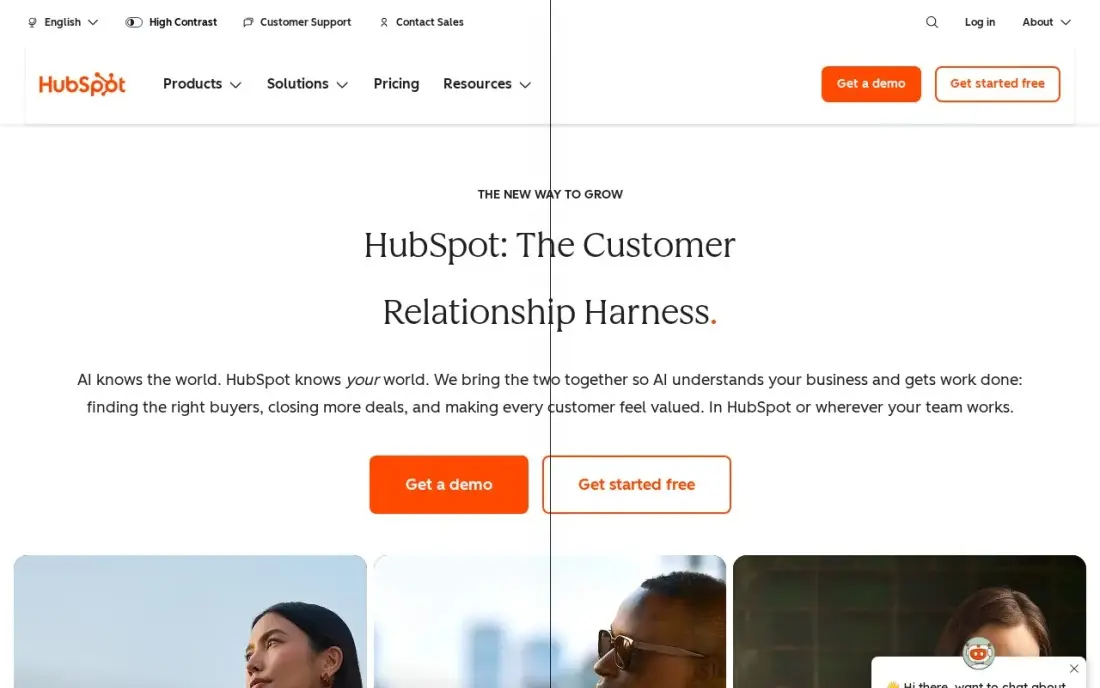
HubSpot is the only tool here that starts free and stays useful at $0: the free CRM covers two users, 1,000 contacts, deal pipelines and email tracking, and the Starter seat at $20 a month adds sequences, payment links and the invoices tool through HubSpot Payments. That makes it the natural first pick for a team that wants the CRM and the billing in one database instead of two subscriptions that need syncing.
The catch is the ladder. Starter is generous, but Professional jumps to $100 a seat plus a $1,500 onboarding fee, and card processing fees apply on every invoice you collect. Buy HubSpot when you want one system that grows from free to enterprise; buy Zoho CRM or FreshBooks when you want the paid tier to stay cheap.
What we like
- A real free CRM for 2 users and 1,000 contacts, with deal pipelines and email tracking at $0
- Invoices, quotes and payment links run through HubSpot Payments from the Starter seat
- One shared database for contacts, deals and invoices, so nothing needs syncing
- Breeze AI features are included on every tier, including the free plan
Watch out for
- Professional jumps to $100 a seat a month plus a $1,500 onboarding fee — a steep step from Starter
- Card processing fees apply on every invoice collected through HubSpot Payments
- Contact and automation limits tighten quickly on the free plan as the database grows

Zoho CRM
Best for: Small teams that want the cheapest paid CRM with a free plan for up to 3 users and invoicing through Zoho Invoice
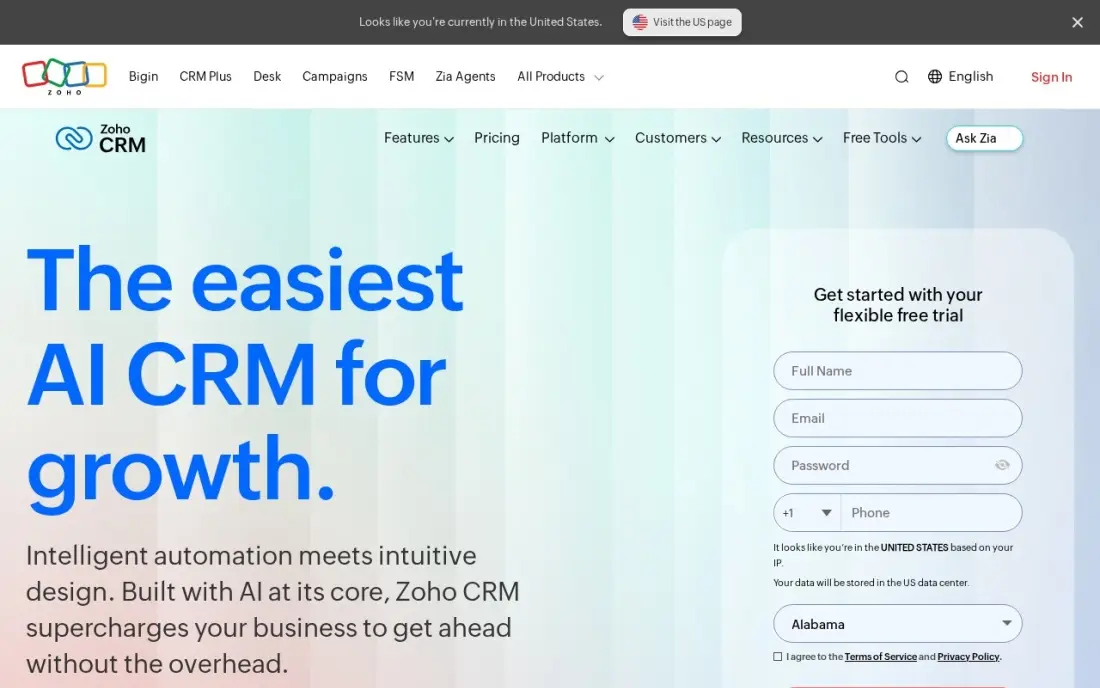
Zoho CRM is the value pick because the free plan is genuinely usable: up to 3 users, full contact and deal management, and Zoho Invoice free alongside it for billing. Standard costs $20 a user a month, or $14 billed annually, and adds email integration, calling, up to 5 pipelines and workflow automation — features other CRMs hold for higher tiers.
The trade-off is that invoicing lives in a separate app, not inside the CRM, so the two still need connecting even though both are Zoho products. Setup also takes longer than HubSpot or Pipedrive. Choose Zoho CRM when the budget matters most and a free start for three users covers the first year.
What we like
- Free for up to 3 users, and Standard is $14/user/month billed annually — the cheapest paid step here
- Zoho Invoice is free and connects to the CRM, so invoicing costs nothing extra
- Workflow automation starts on Standard, not a higher tier
- Deep Zoho ecosystem: Books, Inventory, Expense and Payroll connect without third-party tools
Watch out for
- Invoicing runs through the separate Zoho Invoice app, not inside the CRM itself
- Zia AI and advanced automation wait for Enterprise at $40/user/month billed annually
- Setup takes longer than HubSpot or Pipedrive, and support quality draws mixed reviews

FreshBooks
Best for: Freelancers and service businesses that bill clients for time and want invoicing to lead, with light client tracking built in
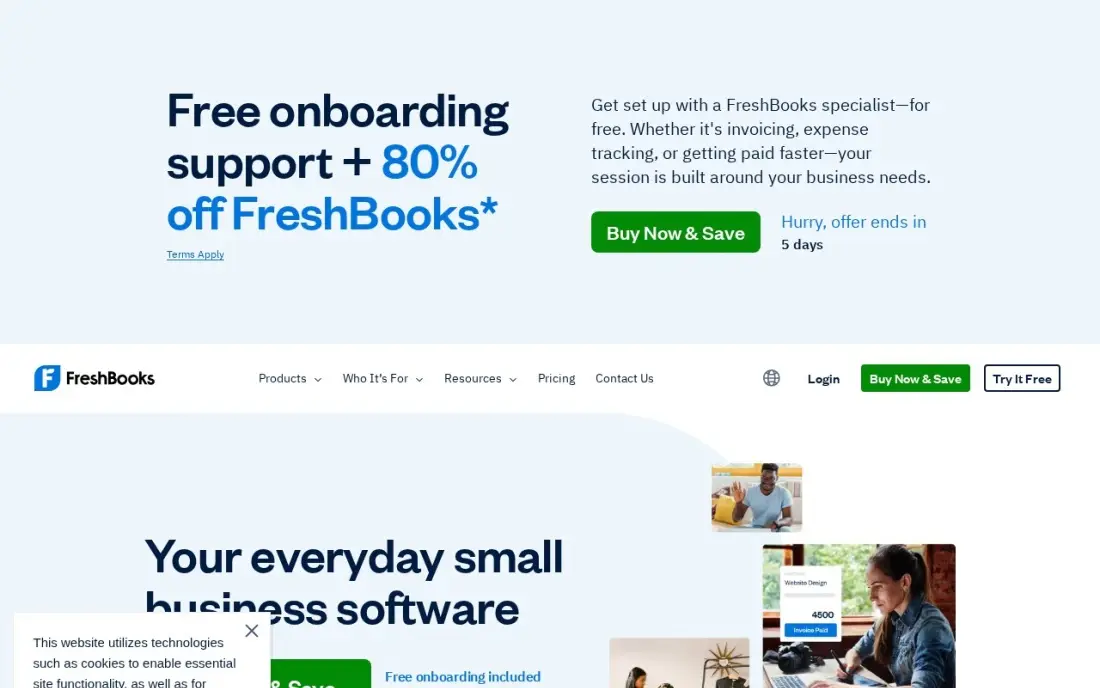
FreshBooks is built for service businesses that bill for time: invoicing, estimates, expenses and time tracking sit at the front, and client records sit behind them. Lite costs $23 a month and covers 5 billable clients; Plus costs $43 for 50 clients and adds double-entry reports, bank reconciliation and free accountant access; Premium costs $70 and removes the client cap entirely.
The client cap is the thing that decides your bill. A sixth client moves you from Lite to Plus, and every extra team member costs $11 a month on top of the plan. There is no sales pipeline, so it suits businesses that win work by conversation, not by staged deals. Pick FreshBooks when invoicing is the job; pick HubSpot when you need a real pipeline.
What we like
- The easiest invoicing in this list: clean invoices, estimates, recurring billing and payment reminders
- Time tracking and expense tracking built in, so billable hours flow straight onto invoices
- Client records keep contact details, invoice history and payments in one place
- Plus adds double-entry reports, bank reconciliation and free accountant access for $43/month
Watch out for
- Lite covers only 5 billable clients — a sixth client forces Plus at $43/month
- Every extra team member costs $11/month on top of the plan price
- No sales pipeline or deal stages; it is invoicing software with client records, not a full CRM

HoneyBook
Best for: Solo service professionals who sell projects and want proposals, contracts and invoices in one flat-priced client system
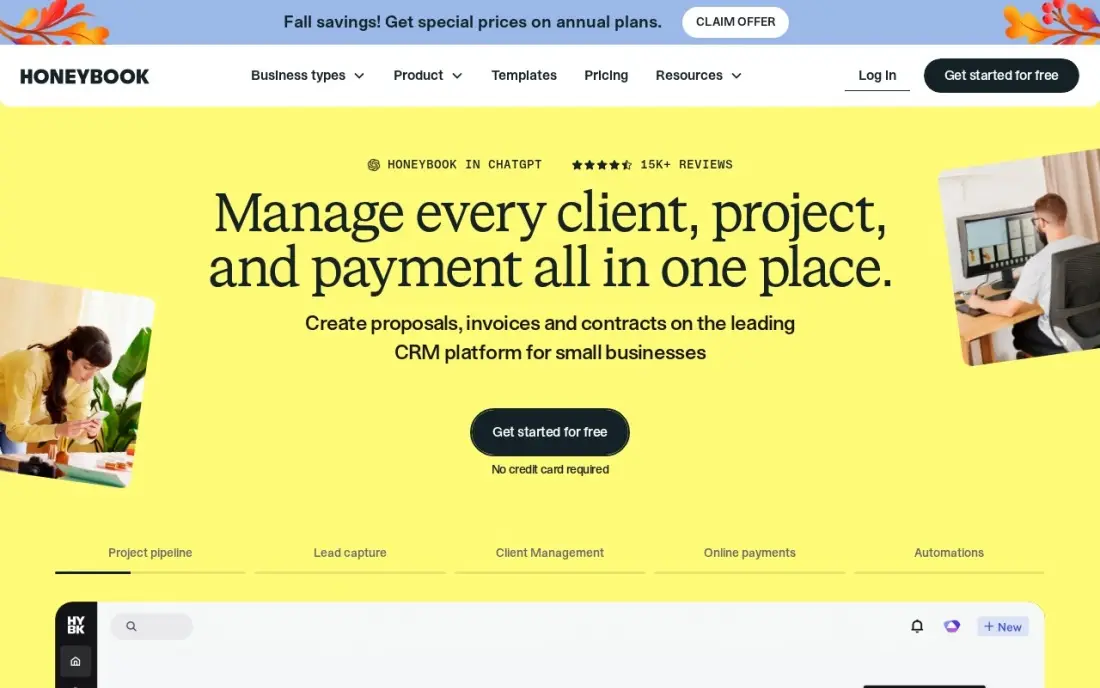
HoneyBook is the only tool here built around the whole client journey: a lead comes in, gets a proposal, signs a contract, and pays the invoice without leaving the system. Starter costs $36 a month, or $29 billed annually, and covers unlimited clients and projects, invoices, payments, proposals, contracts and the client portal, with HoneyBook AI on every plan.
The limits are the ones that push you up a tier. Starter is one user only, with no scheduler and no automations — both start on Essentials at $49 a month billed annually. Card fees add 2.9% plus $0.25 to every payment. Pick HoneyBook when you sell projects, not hours, and the proposal-to-payment flow is the whole job.
What we like
- Proposals, contracts, invoices and payments in one flow, built for project-based service work
- Flat monthly price per account, not per seat, with unlimited clients and projects on every plan
- HoneyBook AI is included on every plan, including Starter
- Client portal and templates keep the whole booking-to-payment journey in one place
Watch out for
- Starter is one user only — a team needs Essentials at $49/month billed annually
- No scheduler and no automations on Starter; both start on Essentials
- Card processing fees of 2.9% plus $0.25 apply on every card payment collected

Pipedrive
Best for: Sales-led small teams that want the cleanest visual pipeline and invoice through an add-on or an accounting integration
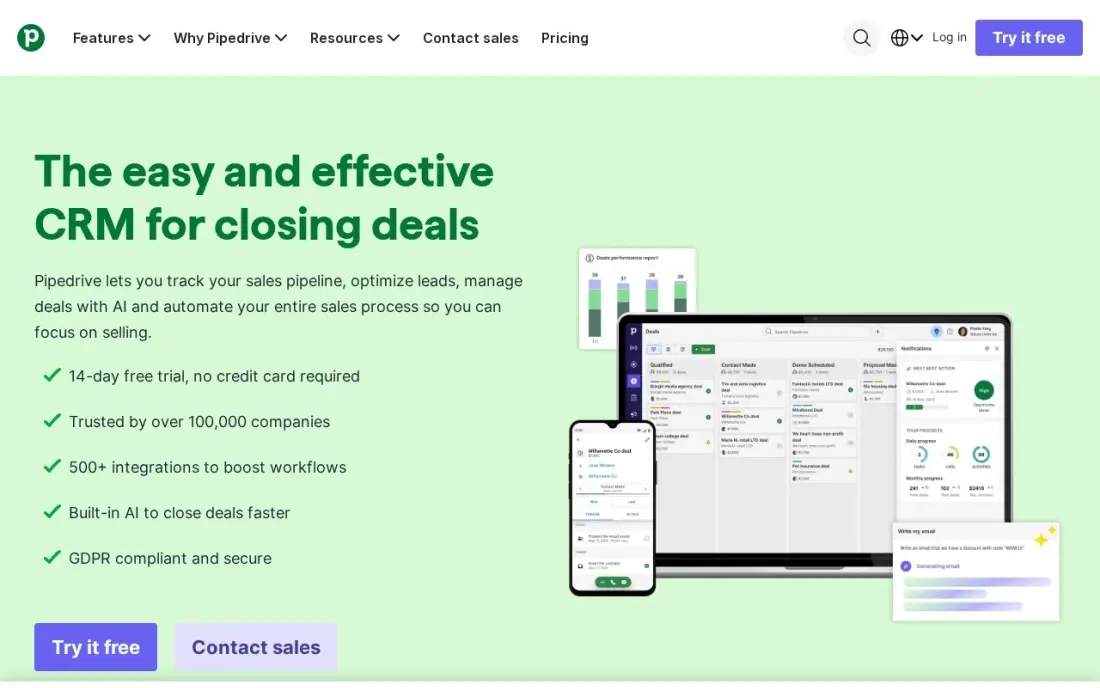
Pipedrive is a sales pipeline first and everything else second: the visual deal board is the clearest in this list, and reps adopt it in a day. Lite costs $24 a user a month, or $14 billed annually, and covers the pipeline, contacts, email integration and basic reporting. It is the cheapest per-seat CRM here on annual billing, and the one most likely to get used daily.
The honest limit is invoicing. There is no native invoicing on Lite — quotes and invoices come through the Smart Docs add-on or a QuickBooks or Xero integration, which is a second subscription. Choose Pipedrive when the pipeline is the priority and the accounting tool already handles billing.
What we like
- The cleanest visual pipeline in this list, with drag-and-drop deals reps adopt in a day
- Entry price of $14/user/month billed annually undercuts most per-seat CRMs here
- Two-way email sync and a solid mobile app keep the pipeline current from anywhere
- More than 400 integrations cover invoicing through QuickBooks, Xero and other accounting tools
Watch out for
- No native invoicing on the entry plan — quotes and invoices need the Smart Docs add-on or a QuickBooks or Xero integration
- Workflow automation and email sequences start on higher tiers, not Lite
- Add-ons stack up: LeadBooster, Smart Docs and Projects are all billed separately

monday sales CRM
Best for: Teams already running projects on monday.com that want deals, quotes and invoices on the same boards
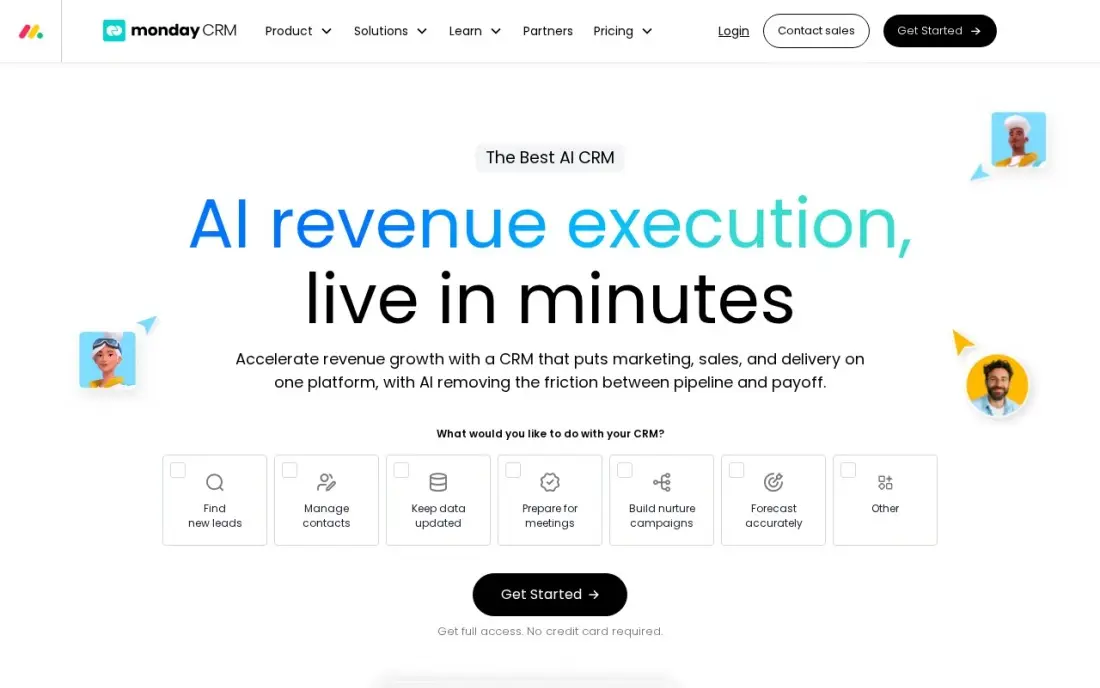
monday sales CRM is the flexible pick: boards bend to fit whatever sales process a team actually runs, and quotes and invoices are built in rather than bolted on. Basic costs $18 a seat a month, or $12 billed annually, and covers 1,000 active contacts and deals, one dashboard and 20 quotes or invoices a month. Teams already on monday.com get deals and delivery in one account.
The catch is the seat math. Plans start from 3 seats, so the real entry cost is $54 a month billed monthly, and a four-person team pays for five seats. Basic also has no custom automations. Pick monday sales CRM when the team already lives on monday.com boards and the per-seat price is the draw.
What we like
- Boards flex to fit any sales process, and quotes and invoices are built into the CRM
- Lowest per-seat entry price here at $12/seat/month billed annually
- Same platform as monday.com work management, so deals and delivery live in one account
- Strong templates and a visual interface that non-technical teams pick up fast
Watch out for
- Three-seat minimum, so the real entry cost is $54/month billed monthly, not $18
- No custom automations on Basic, and AI agents start on Standard at $17/seat/month billed annually
- Invoices are limited to 20 quotes or invoices a month on Basic

Salesforce
Best for: Growing businesses that want the deepest CRM ecosystem and plan to scale, with invoicing through quotes and integrations
Salesforce is the category definer, and the Starter Suite at $25 a user a month is its answer to small businesses that assumed Salesforce was out of reach. It covers leads, accounts, contacts and opportunities, with sales flows, lead routing, email sync and email marketing, and Slack is included at no extra cost. A Free Suite covers two users at $0 before any paid seat.
The ladder is the warning. Pro Suite costs $100 a user a month, four times Starter, and everything above Starter is an annual commitment. Invoicing runs through quotes and integrations rather than a built-in billing flow. Buy Salesforce when the business plans to scale into the ecosystem; buy HubSpot when the budget must stay flat.
What we like
- The deepest CRM ecosystem here, with the widest integration and app marketplace
- Starter Suite covers leads, accounts, contacts, opportunities and email marketing in one price
- Slack is included at no extra cost on Starter Suite
- Free Suite gives two users a $0 starting point before any paid seat
Watch out for
- Starter Suite is the only plan with monthly billing; everything above it is an annual commitment
- The step from Starter at $25 to Pro Suite at $100 per user is a fourfold jump
- Agentforce AI is a paid add-on from $125/user/month, not part of the entry price

Insightly
Best for: Service teams that want a won deal to turn into a project inside the same CRM, with quotes and invoicing alongside
Insightly earns its place by closing the gap between selling and delivering: project management is included from Plus, so a won deal becomes a project in the same system instead of a handoff to another tool. Plus costs $29 a user a month on annual billing and covers 100,000 records, quotes, invoicing and dashboards, with no seat buckets to round up.
The limits are the annual-only billing and the automation gate. Plus has no workflow automation — that starts on Professional at $49 a user a month — and onboarding fees are labelled required. Pick Insightly when won deals must become projects in the same CRM; pick Pipedrive when the pipeline alone is enough.
What we like
- Project management is included from Plus, so a won deal becomes a project without a second tool
- Quotes and invoicing sit beside the pipeline, with 100,000 records on Plus
- Per-user pricing is flat and predictable, with no seat buckets to round up
- Solid dashboards and a mobile app that reviewers rate well for field teams
Watch out for
- No monthly price published — every plan is billed annually, so the $29 figure is an annual commitment
- Plus has no workflow automation; real automation starts on Professional at $49/user/month
- Onboarding and Premier support fees are labelled required on top of the licence price

Copper
Best for: Small teams that live in Gmail and Google Workspace and want the CRM to fill itself in from email and calendar
Copper is the only CRM here built to live inside Gmail: a sidebar captures contacts, emails and calendar events with no manual entry, and Google Drive keeps the files beside the deal. Basic costs $29 a user a month, or $23 billed annually, and covers 2,500 contacts, pipelines, contact enrichment and team collaboration. For a Google Workspace team, it removes the data entry other CRMs demand.
Outside Google Workspace it loses its reason to exist, and the ladder climbs fast — real automation waits for Professional at $59 a user a month billed annually, and custom dashboards wait for Business. Invoicing runs through QuickBooks or Xero integrations. Pick Copper only if the whole team lives in Gmail.
What we like
- Lives inside Gmail as a sidebar, so contacts and emails are captured with no manual entry
- Google Calendar and Drive sync keep deals, meetings and files in one place
- Highest reviewer score here for ease of setup among the per-seat CRMs
- Quotes and invoices run through integrations with QuickBooks and Xero
Watch out for
- Only makes sense inside Google Workspace; outside it, the main selling point disappears
- Basic caps at 2,500 contacts, and real automation waits for Professional at $59/user/month billed annually
- Reporting and custom dashboards are thin until Business at $99/user/month billed annually

QuickBooks Online
Best for: Small businesses that want full accounting behind their invoices, with customer records and payment tracking in one ledger
QuickBooks Online is the accounting-first entry in this list: full double-entry accounting sits behind every invoice, so the books and the billing are one system instead of two. Simple Start costs $38 a month for one user, with invoicing, payments, bank feeds, bills and reporting included, and Intuit Intelligence AI features come on the entry plan rather than a higher tier.
The CRM side is the limit. There is no deal pipeline and no sales automation — only customer records and invoicing — and Simple Start covers one user, so a three-person team needs Essentials at $85 a month. Pick QuickBooks Online when the books matter more than the pipeline; pick HubSpot when selling matters more than accounting.
What we like
- Full double-entry accounting sits behind every invoice, so the books and the billing are one system
- The accounting software most US accountants already use, so finding help is easy
- Intuit Intelligence AI features are included on Simple Start, not held for the top tier
- Invoicing, bills, bank feeds and reporting all come in the single subscription
Watch out for
- Simple Start covers one user — a three-person team needs Essentials at $85/month
- Price rises most years, and renewals went up again from August 1, 2026
- The CRM side is basic: no deal pipeline or sales automation, only customer records and invoicing
The best crm and invoicing software keeps two jobs in one place: it tracks who your customers are and gets them billed without a second subscription or a sync that breaks. We ranked the ten tools below by fit for the most common buyer — a US service business with two to five people that sends 10 to 40 invoices a month — and every price was checked on the vendor's own pricing page on November 12, 2026.
How to choose the best crm and invoicing software
- Check whether invoicing is native. HubSpot, FreshBooks, HoneyBook and QuickBooks Online bill from inside the product; Pipedrive and Copper invoice through an add-on or an accounting integration, which is a second subscription.
- Count the seats, not the headline price. Per-seat tools multiply fast: monday sales CRM is $12 a seat billed annually, but the 3-seat minimum means $36 a month at least.
- Find the cap that forces the next tier. FreshBooks Lite stops at 5 billable clients, monday Basic at 20 invoices a month, and Copper Basic at 2,500 contacts. The cap you hit first is your real starting price.
- Price the payment fees. Card processing runs about 2.9% plus $0.25 per transaction on most tools here, and it is billed on top of the subscription, not inside it.
- Match the tool to how you win work. Project sellers fit HoneyBook, pipeline sellers fit Pipedrive, and businesses that live on repeat billing fit FreshBooks or QuickBooks Online.
CRM software is one system in your stack, not the whole stack. If the business also needs to be found online, our guide to cloud CRM software covers the wider category. And before you publish new pages for the services you sell, run your titles through the free SERP snippet preview tool — it shows exactly how the title and description will look in Google.
Whatever you shortlist, try it with real data before you pay. The free plans and trials in this list are long enough to run one genuine month — your contacts, your deals, your invoices — and that month tells you more than any review can. Check two things in the trial: that an invoice goes from deal to paid without leaving the tool, and that your accountant can see the records they need. Every tool here gives your accountant or a colleague a way in, so there is no reason to buy before they have looked at it.
CRM and invoicing software pricing: what you will actually pay
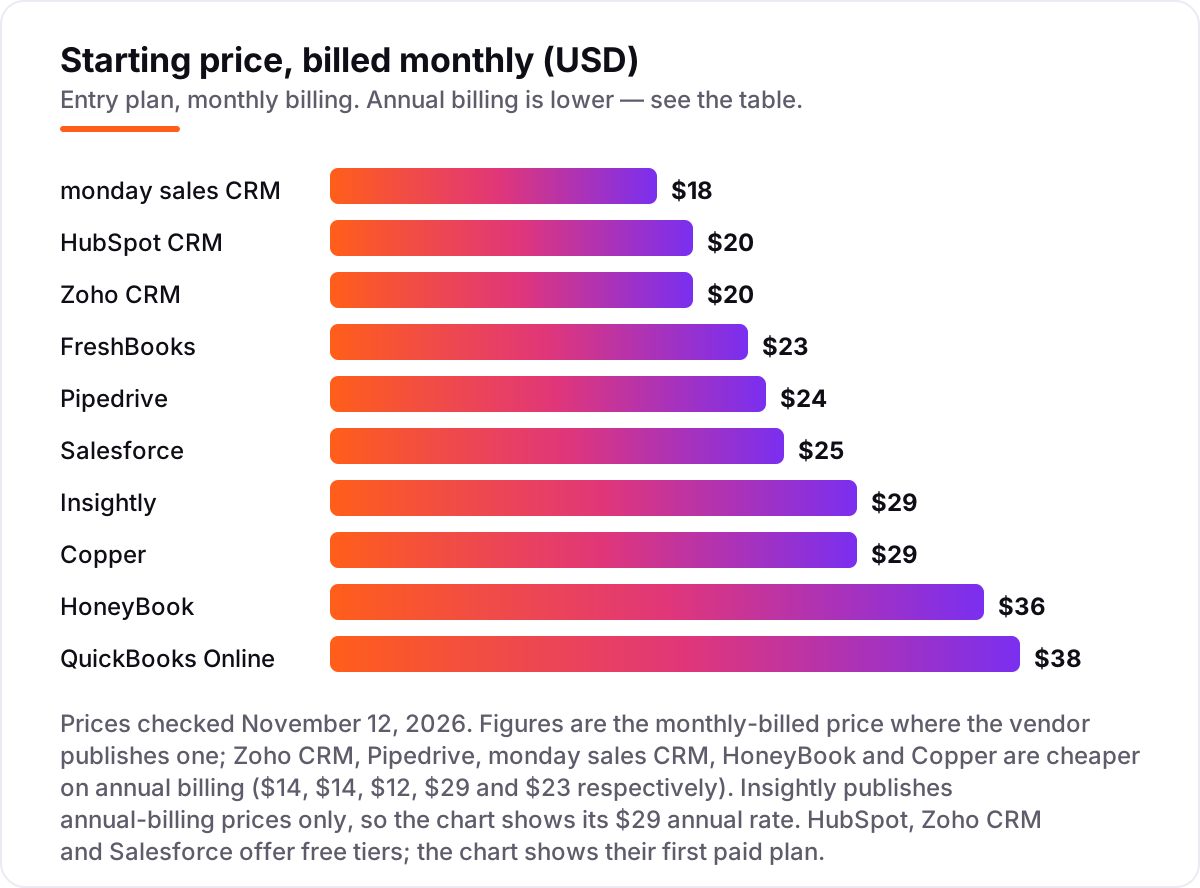
Take a three-person service business that sends about 20 invoices a month. On annual-billing list prices, the subscription costs $348 a year on HoneyBook Starter, $432 on monday sales CRM Basic, $456 on QuickBooks Online Simple Start, $504 on Zoho CRM Standard or Pipedrive Lite, $540 on FreshBooks Lite with two extra seats, $720 on HubSpot Sales Hub Starter, $828 on Copper Basic, $900 on Salesforce Starter Suite and $1,044 on Insightly Plus. Two of those numbers need adjusting before they are real: FreshBooks Lite covers one user, so two extra team members at $11 each bring it from $23 to $45 a month, and QuickBooks Online Simple Start covers one user, so a three-person team needs Essentials at $85 a month, or $1,020 a year.
Three of the ten can also start at $0 for this team. HubSpot CRM is free for 2 users, so a two-person business pays nothing until the third seat, and Zoho CRM is free for up to 3 users, so the whole team pays nothing in year one. Salesforce Free Suite covers 2 users at $0, with the third seat at $25 a month. Over a year, the same three people and the same 20 invoices cost $0 at the free end and $1,044 at the dear end — a gap that comes entirely from seat counts, billing choices and free tiers, not from features.
Three costs sit outside every number above. First, the introductory discounts — 50% off for three months on QuickBooks Online, and new-customer offers on HubSpot Starter — end, so budget on the list price. Second, card processing: about 2.9% plus $0.25 per transaction on the invoices you collect, which on $5,000 of monthly card payments is roughly $150 a month. Third, the add-ons: Pipedrive invoicing needs Smart Docs or an accounting integration, and Insightly charges required onboarding fees on top of the licence. If the business sells products rather than services, the accounting side matters more — see our guide to accounting and invoicing software for small business.
Annual billing cuts the bill on most tools here: Zoho CRM Standard drops from $720 to $504 a year, Pipedrive Lite from $864 to $504, monday Basic from $648 to $432, Copper Basic from $1,044 to $828, and HoneyBook Starter from $432 to $348. Insightly publishes no monthly price, so the annual figure is the whole story. One more cost to check before you commit: a second business is a second subscription on every tool in this list, so an owner with two businesses pays double whatever the chart shows.
Know the difference: a CRM with invoicing vs an invoicing tool with contacts
The confusion in this category is between two products that look alike from the outside. A CRM with invoicing starts from the relationship: it tracks leads, deals and conversations, and adds billing so a won deal becomes an invoice without retyping the client. An invoicing tool with contacts starts from the bill: it tracks who owes what, and adds contact records so invoices go to the right person. FreshBooks is the second kind — it has client records but no deal pipeline — while HubSpot, Zoho CRM and Salesforce are the first kind.
The practical test is the direction work flows. If you win work by conversation and then bill for it, the invoicing-led tool fits: the invoice is the product, and the contact record is the address book. If you win work through a staged pipeline — lead, quote, negotiation, close — the CRM-led tool fits: the deal is the product, and the invoice is the last step. Buying the wrong kind means paying for a pipeline you never open, or tracking deals in a spreadsheet because the invoicing tool has nowhere to put them.
There is a second, quieter confusion: an integration is not the same as a native feature. Pipedrive and Copper both invoice, but only through an add-on or a QuickBooks or Xero integration, which is a second subscription with its own login, its own price and its own sync. Native invoicing means the invoice, the payment and the client record live in one database. If the invoice matters as much as the deal, buy native; if the accounting tool already handles billing well, the integration route is fine and often cheaper.
Quick comparison: tool type by need
| Buyer | Best pick | Why |
|---|---|---|
| Most small teams | HubSpot CRM | Free CRM for 2 users, Starter is $20/seat/month with invoicing included |
| Best value with a free plan | Zoho CRM | Free for 3 users, Standard is $14/user/month billed annually |
| Service business that lives on invoices | FreshBooks | Invoicing-first design, Lite is $23/month for 5 clients |
| Project sellers | HoneyBook | Proposals, contracts and invoices in one flow, Starter is $29/month billed annually |
| Sales-led team that wants a pipeline | Pipedrive | Clearest deal board here, Lite is $14/user/month billed annually |
| Team already on monday.com | monday sales CRM | Quotes and invoices on the same boards, Basic is $12/seat/month billed annually |
| Business that plans to scale | Salesforce | Deepest ecosystem, Starter Suite is $25/user/month |
| Deal must become a project | Insightly | Project management included from Plus at $29/user/month billed annually |
| Team that lives in Gmail | Copper | CRM inside Gmail, Basic is $23/user/month billed annually |
| Books matter more than pipeline | QuickBooks Online | Full accounting behind every invoice, Simple Start is $38/month |
Mistakes to avoid
- Budgeting on the promo price. The 50% introductory discount on QuickBooks Online and the new-customer offers on HubSpot Starter last three months or less. The list price is what you pay after that, so compare tools on that number.
- Buying a pipeline tool when you need an invoicing tool. Pipedrive and Copper are excellent CRMs, but invoicing costs extra through an add-on or an integration. If the invoice is the job, buy the tool that bills natively.
- Ignoring the seat minimum. monday sales CRM looks cheapest at $12 a seat billed annually, but plans start from 3 seats, so a solo buyer pays $36 a month at least. Price the minimum, not the per-seat figure.
- Forgetting the payment fees. Card processing at about 2.9% plus $0.25 per transaction sits on top of every subscription here. On $5,000 of monthly card payments, that is roughly $150 a month — more than most of these subscriptions.
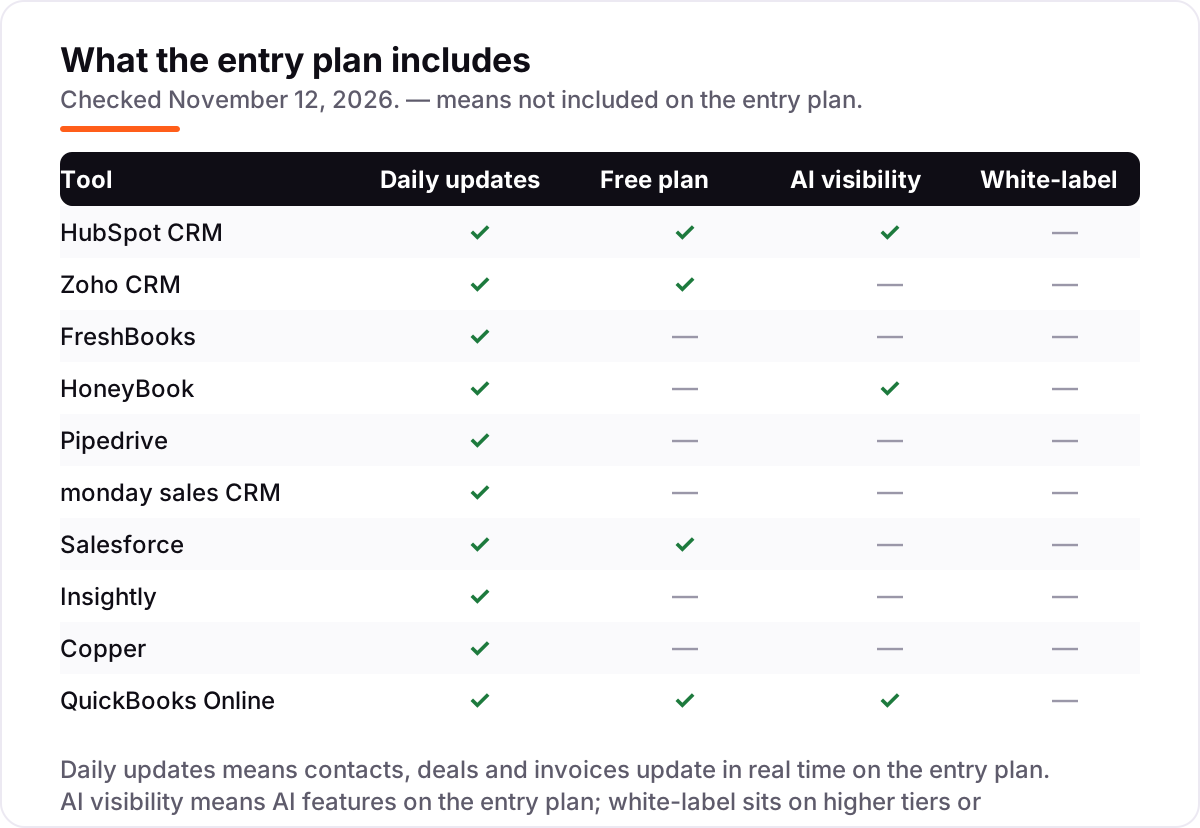
- Paying for the top tier before you need it. AI features, workflow automation and white-label sit on higher tiers across this list. Buy the entry plan, run one real month, and upgrade when a named limit actually bites.
How we chose
We checked each vendor's own pricing page on November 12, 2026 and recorded the starting price exactly as shown, including the annual-billing figure where the page lists one, and we ranked the tools by fit for the most common buyer — a US service business with two to five people that sends 10 to 40 invoices a month — not by brand size. Browser page fetches were unavailable on November 12, 2026, so each price was verified from fresh search-index copies of the vendor's own pricing page plus at least one independent October–November 2026 read, with two or more sources agreeing on every figure; no price here rests on a single source. Ratings come from fresh search-index copies of the exact G2 review pages, crawled within the last few days, with score and review count visible — the monday CRM copy was crawled November 8, 2026. Insightly publishes annual-billing prices only and no monthly price, so its $29 figure is the annual rate, not a monthly-billed price. Keap was considered and left out because published sources disagree on its entry price, ranging from $79 to $299 a month, and we would rather omit a tool than print a disputed price. No vendor paid for a place in this list, and none of the links here are affiliate links.
What to do next
Start with the free plan or trial of your top pick and run one real month of deals and invoices through it. Check that an invoice goes from deal to paid without leaving the tool, and that the reports match what your accountant expects before you commit to a year. If the tools are sorted but new customers are not finding you, our monthly SEO service handles the visibility side — or compare providers in our guide to AI CRM software. Once your tools are in place, find out what's holding your rankings back.
Frequently asked questions
What is the best crm and invoicing software?
HubSpot CRM is the best fit for most buyers: a free CRM for 2 users, then $20/seat/month on Starter with invoicing included. Zoho CRM is the value pick at $14/user/month billed annually with free invoicing alongside, and FreshBooks at $23/month is best when invoicing leads.
How much does crm and invoicing software cost?
Entry prices run from $0 to $38 a month. HubSpot, Zoho CRM and Salesforce all have free tiers, and the first paid plans cost $12–$38 per user a month. A three-person team typically pays $348–$1,044 a year for the subscription alone, before card processing fees.
Is there really free crm and invoicing software?
Yes, with limits. HubSpot CRM is free for 2 users and 1,000 contacts, Zoho CRM is free for up to 3 users with Zoho Invoice free alongside, and Salesforce Free Suite covers 2 users at $0. QuickBooks Free covers 1 user and 2 invoices a month.
Can I send invoices from Pipedrive or Copper?
Not natively on the entry plan. Pipedrive invoices through the Smart Docs add-on or a QuickBooks or Xero integration, and Copper invoices through the same accounting integrations. If invoicing must live inside the CRM, pick HubSpot, FreshBooks, HoneyBook or QuickBooks Online instead.
Do I still need accounting software if my CRM sends invoices?
Usually yes, at least for the books. A CRM invoice records that a client owes you; accounting software records the double-entry ledger, reconciles the bank and produces tax-ready reports. QuickBooks Online is the only tool here that does both jobs in one subscription.
Can I switch crm and invoicing software later?
Yes, but plan the move for a quiet month. Export contacts, deals, open invoices and payment history from the old tool, then import them into the new one and reconcile the bank before going live. Switching mid-month means chasing payments across two systems.
What should I check before I buy?
Check four things: whether invoicing is native or an add-on, the per-seat or per-account price for your actual team size, the contact or invoice cap that forces the next tier, and the card processing fee on every payment. Run the free plan or trial with real invoices before you commit.
Sources we checked (20)
- HubSpot Sales Hub pricing — hubspot.com/pricing/sales (checked November 12, 2026)
- Zoho CRM pricing — zoho.com/crm/zohocrm-pricing.html (checked November 12, 2026)
- FreshBooks pricing — freshbooks.com/pricing (checked November 12, 2026)
- HoneyBook pricing — honeybook.com/pricing (checked November 12, 2026)
- Pipedrive pricing — pipedrive.com/pricing (checked November 12, 2026)
- monday sales CRM pricing — monday.com/crm/pricing (checked November 12, 2026)
- Salesforce Sales Cloud pricing — salesforce.com/editions-pricing/sales-cloud/ (checked November 12, 2026)
- Insightly pricing — insightly.com/pricing (checked November 12, 2026)
- Copper pricing — copper.com/pricing (checked November 12, 2026)
- QuickBooks Online pricing — quickbooks.intuit.com/pricing/ (checked November 12, 2026)
- HubSpot Sales Hub on G2 — g2.com/products/hubspot-sales-hub/reviews (checked November 12, 2026)
- Zoho CRM on G2 — g2.com/products/zoho-crm/reviews (checked November 12, 2026)
- FreshBooks on G2 — g2.com/products/freshbooks/reviews (checked November 12, 2026)
- HoneyBook on G2 — g2.com/products/honeybook/reviews (checked November 12, 2026)
- Pipedrive on G2 — g2.com/products/pipedrive/reviews (checked November 12, 2026)
- monday CRM on G2 — g2.com/products/monday-crm/reviews (checked November 12, 2026)
- Salesforce Sales Cloud on G2 — g2.com/products/agentforce-sales-formerly-salesforce-sales-cloud/reviews (checked November 12, 2026)
- Insightly CRM on G2 — g2.com/products/insightly-crm/reviews (checked November 12, 2026)
- Copper on G2 — g2.com/products/copper/reviews (checked November 12, 2026)
- QuickBooks Online on G2 — g2.com/products/quickbooks-online/reviews (checked November 12, 2026)
Make one of these tools?
We re-check this list every quarter. Send a correction, request a review, or ask about a clearly labeled sponsored spot.
Request a listingShamim
Founder of SerpAstra
A full-stack SEO and digital marketer who spends most days on Local SEO for dental practices, AI search visibility and lead generation.
Free SEO and AI visibility audit
Find out what is holding your rankings back
Send us your site. Within 2 business days you get a written audit, an AI visibility check and a short fix list ranked by impact. Free, with no contract attached.
Request my free audit→Related buying guides
 Sales & CRM9 Best AI CRM Software in 2026: Pricing, Features and Pros & ConsCompare the 9 best AI CRM software options on price, AI features and free plans for small sales teams, with every price checked November 12, 2026.Read guide →
 Sales & CRM7 Best Cloud CRM Software in 2026: Pricing, Features and Pros & ConsCompare the 7 best cloud crm software options on price, free plans, AI features and ease of use, with every price checked November 12, 2026.Read guide →
 Accounting & Finance7 Best Accounting and Invoicing Software for Small Business in 2026, Compared7 best accounting and invoicing software for small business picks compared on real list prices, free plans and bank feeds — checked November 2, 2026.Read guide →