
8 Best AI Image Generators for Ecommerce in 2026, Compared
Compare the 8 best AI image generators for ecommerce product photos, from Photoroom to Firefly, on output, image limits and real cost, checked November 2026.
 Shamim Mia, Founder, SerpAstraLast verified November 2, 20269 min read
We compare pricing pages, documentation and public reviews. We never accept payment for rankings.

Key takeaways
- Photoroom is the best all-round pick for product photos: Pro costs $7.50 a month billed yearly and covers 1,000 exports a month with AI backgrounds and batch processing.
- Pebblely is the simplest product-scene generator, at $19 a month for 200 images or $39 for 500, with every feature on both plans.
- Adobe Firefly is the safest text-to-image choice for commercial use: Standard costs $9.99 a month for up to 400 images, and Adobe says its own models are trained on licensed and public domain content.
- General chat tools such as ChatGPT and Gemini make good lifestyle and ad images, but they can redraw product details, so keep them away from the main listing photo.
On this page
Quick comparison
| Tool | Best for | Starting price | Free plan |
|---|---|---|---|
| Photoroom | Stores that need clean product photos and AI backgrounds at volume for the lowest price per image | $7.50/mo yearly | Trial |
| Pebblely | Small brands that want styled lifestyle scenes for products without learning prompts | $19/mo; $15 yearly | Not listed |
| Adobe Firefly | Brands that want text-to-image campaign visuals with the clearest commercial-use position | $9.99/mo | Yes, limited |
| Canva Pro | Store owners who turn product photos into ads, banners and social posts in one place | $18/mo; $144/yr | Yes (free plan) |
| Picsart | Phone-first sellers who edit product photos and generate AI images from one app | $15/mo; $126/yr | Yes |
| ChatGPT | Merchants who want lifestyle, ad and social images described in plain words and refined in conversation | $20/mo (no annual) | Yes (limited images) |
| Gemini app | Small stores that want free AI scene and ad images with no new subscription | Free; Pro $19.99/mo | Yes (daily limits) |
| Adobe Photoshop | Stores with an in-house designer who needs pixel-level control over hero and campaign images | $22.99/mo yearly | No (7-day trial) |
Make one of these tools?
We re-check this list every quarter. Send a correction, request a review, or ask about a clearly labeled sponsored spot.
Request a listingThe best AI image generators for ecommerce

Photoroom
Best for: Stores that need clean product photos and AI backgrounds at volume for the lowest price per image
Photoroom is built for the job most stores actually have: take a product shot from a phone, cut it out cleanly and put it on a white or AI-generated background without redrawing the product. Pro costs $7.50 a month billed yearly, or $90 a year, and covers 1,000 exports a month, 4,000 basic AI background generations, batch processing and AI fashion models for clothing.
Max at $20.99 a month billed yearly adds Shopify integration and short product videos for ads, which saves a download-and-upload step for Shopify stores. Monthly-billing prices are not listed, and 4K output waits for Ultra at $82.50 a month. For a catalog of a few hundred SKUs, it is the lowest cost per finished image in this list.
What we like
- Pro covers 1,000 exports and 4,000 basic AI background generations a month for $7.50 billed yearly
- Batch processing, AI Backgrounds and AI Fashion Models are on the entry plan
- Max adds Shopify integration and product video for $20.99 a month billed yearly
Watch out for
- Monthly-billing prices are not shown, so the low headline needs a yearly commitment
- 4K images are reserved for Ultra at $82.50 a month billed yearly
- Credit allowances may vary by country, per the pricing page

Pebblely
Best for: Small brands that want styled lifestyle scenes for products without learning prompts
Pebblely does one thing: it puts your product into a styled scene. You upload a product photo, pick one of 40+ themes or describe the setting in your own words, and it returns lifestyle images sized for a feed or a banner. Its rebuilt 2026 version no longer needs a background removal step first, and bulk generation lets you run several products at once.
Basic costs $19 a month, or $15 billed annually, for 200 images; Pro costs $39 a month, or $32 annually, for 500. Both plans carry every feature, so the only choice is volume. It does not replace a photo editor or a white-background tool, but for a small brand that needs fresh social and banner scenes each week, it is the quickest route.
What we like
- Upload a product, describe the scene, and get styled photos with no background removal step
- 40+ ready-made themes plus a custom mode for written scene descriptions
- Both plans include every feature; only the image allowance differs
Watch out for
- 200 images a month on Basic runs out fast for a large catalog
- Scene generation only — no batch retouching or video

Adobe Firefly
Best for: Brands that want text-to-image campaign visuals with the clearest commercial-use position
Adobe Firefly is the text-to-image tool to pick when a legal team asks where the images came from. Adobe says its own Firefly models are trained on licensed and public domain content and that their outputs are safe for commercial use, and it attaches content credentials to results. That matters for banners, ads and seasonal campaign art where a store publishes at scale.
Firefly Standard costs $9.99 a month for 2,000 generative credits, which Adobe puts at up to 400 images and 20 five-second videos. Pro at $19.99 doubles that. The fine print: partner models inside Firefly are the user's responsibility, and indemnification is reserved for eligible enterprise customers. A free plan with limited daily generations lets you test it first.
What we like
- Adobe states outputs from its own Firefly models are safe for commercial use
- Standard includes 2,000 generative credits, up to 400 images and 20 five-second videos a month
- A free plan with daily generations lets you test before paying
Watch out for
- Partner models in Firefly are not covered by Adobe's commercial-use statement
- The free plan's daily limit is not published
- IP indemnification is for eligible enterprise customers, not individual plans

Canva Pro
Best for: Store owners who turn product photos into ads, banners and social posts in one place
Canva Pro is where many stores finish their product images rather than create them. The background remover and Magic Edit clean up a product shot, Magic Resize turns one ad into every social size, and a Brand Kit keeps fonts, colors and logo consistent across every banner. Pro costs $18 a month billed monthly, or $144 a year billed annually, with 100GB of storage.
It is not a specialist product photo tool: there is no batch background pipeline like Photoroom's and no RAW editing. The value is speed from photo to finished marketing asset, with thousands of templates for sales, launches and email headers. If your team already designs in Canva, add its AI tools before buying a second subscription.
What we like
- Background remover and Magic Edit clean up listing photos without opening a photo editor
- Magic Resize turns one listing graphic into every social size in a click
- Brand Kit keeps every flyer on the brokerage colors, fonts and logo
- Thousands of real estate flyer and social templates, so a just-listed post takes minutes
Watch out for
- A design platform first: no RAW processing, no batch color correction and no layered retouching
- Background remover and Magic Edit sit behind Pro — the free plan cannot touch up photos
- Export quality and print control are weaker than a dedicated photo editor

Picsart
Best for: Phone-first sellers who edit product photos and generate AI images from one app
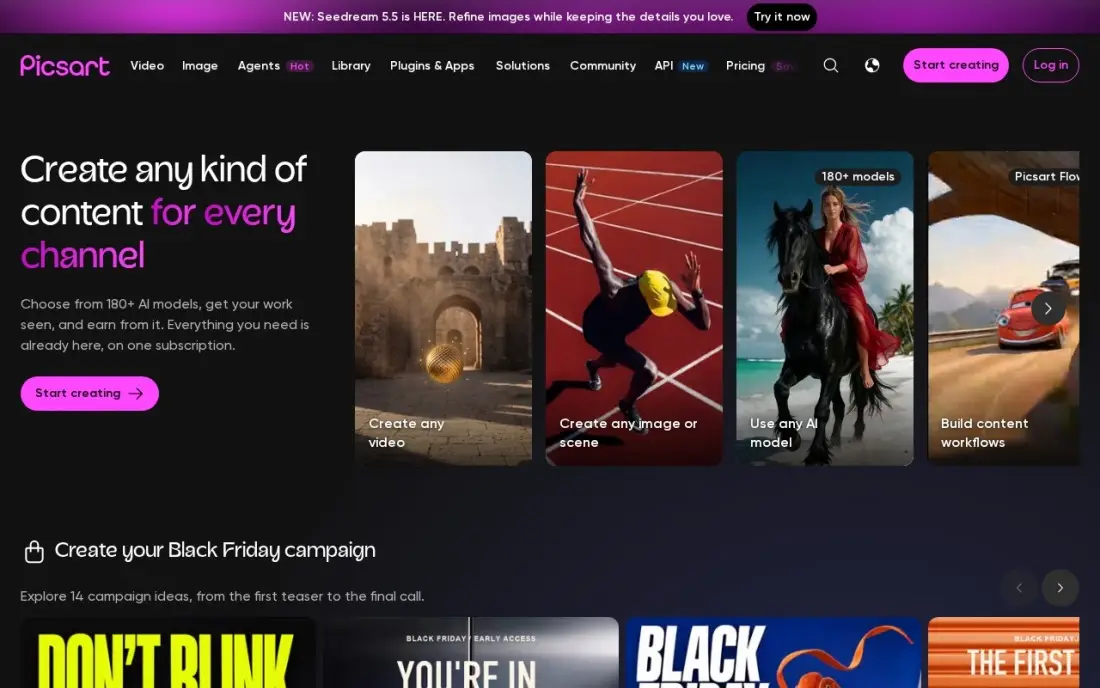
Picsart suits the seller who shoots and edits on a phone. Pro costs $15 a month billed monthly, or $126 a year, and includes advanced background and object removal, a one-tap enhancer, 100GB of storage and 500 AI credits a month for generating images and short video. Bulk editing handles 50 images at once, which helps when a new batch of stock arrives.
The credit meter is the limit: 500 AI credits a month goes quickly if every product gets several generated scenes. In-app prices also differ from the website, with the App Store selling Pro from $13.99 a month. For a marketplace seller who lists from a phone, it covers editing and generation without a desktop.
What we like
- Photo and video editing plus AI image and video generation in one app, with 500 AI credits a month on Pro
- Pro includes advanced background and object removal, a one-tap enhancer, premium templates and 100 GB of storage
- Bulk editing handles 50 images at once, and three brand kits come with Pro
Watch out for
- AI generation is capped at 500 credits a month on Pro, so heavy AI use hits the ceiling fast
- In-app prices differ from the website: the App Store sells Pro from $13.99 a month, cheaper on yearly billing
- Free tier locks several desirable features behind the paywall and shows ads

ChatGPT
Best for: Merchants who want lifestyle, ad and social images described in plain words and refined in conversation
ChatGPT is useful for the images around a product rather than the product shot itself. Describe a scene, an ad layout or a seasonal banner in plain words, upload a product photo for reference, and refine the result over several messages instead of starting again. The free plan includes limited image generation, and Plus costs $20 a month billed monthly, with no annual discount.
The risk for ecommerce is accuracy. A general image model can redraw labels, logos, stitching or proportions, and a listing image that does not match the item invites returns. Use ChatGPT for mood images, ad concepts and blog graphics, and keep the main listing photo on a tool that preserves the real product pixels.
What we like
- Describe the backdrop, outfit and lighting in plain words and iterate in conversation
- Free plan includes unlimited everyday text chats plus limited image generation
- Refine the same image across turns instead of starting over each time
- Plus raises image limits and adds advanced reasoning for $20 a month
Watch out for
- Free plan caps image generation at an unpublished number of images
- No trained face model, so likeness varies from one generation to the next
- Plus is billed monthly only, so there is no annual discount to take

Gemini app
Best for: Small stores that want free AI scene and ad images with no new subscription
The Gemini app is the cheapest way to test AI imagery for a store. A free Google account includes image generation with the Nano Banana model and no watermark on results, so you can ask for a product on a marble counter or a holiday banner and see what works before paying for anything. Google AI Pro costs $19.99 a month, or $199.99 a year, for higher limits.
Free accounts hit daily limits that Google does not publish, and like any general model it can drift from the real product after several edits. Treat it as a free concept tool for social posts and ad tests, and check every generated image against the item before it goes anywhere near a product page.
What we like
- Turns one selfie into a polished headshot in seconds with a plain written prompt
- Free tier includes the Nano Banana image model with no watermark on results
- No app install and no credit card, just a free Google account
- Paid Pro plan quadruples usage limits and adds 5 TB of storage
Watch out for
- One selfie gives the model little to work with, so faces can drift after several rounds of edits
- Free accounts hit unpublished daily limits that Google says may change
- No trained model of your face, so every new style starts from scratch

Adobe Photoshop
Best for: Stores with an in-house designer who needs pixel-level control over hero and campaign images
Photoshop is the tool for the images that have to be perfect: a hero banner, a packaging mockup or a product shot where Generative Fill extends the background and Generative Remove clears a stray reflection. Layers and masks let a designer combine AI output with the real product photo, so the item itself is never redrawn. The single app costs $22.99 a month on an annual plan, or $34.49 billed monthly.
It is the most expensive and slowest option here, with a learning curve measured in weeks and a 50% early-termination fee on the annual contract. Check the Photography plan first: it includes Photoshop plus Lightroom and 1TB for $19.99 a month. Buy it when someone on the team already knows it.
What we like
- Generative Fill and Remove rebuild window views, skies and missing corners from a text prompt
- Layers, masks and frequency separation give full control over every pixel of a hero shot
- The largest plugin ecosystem here, including real estate presets, sky packs and virtual staging tools
- Runs as a Lightroom plugin, so the batch workflow and the retouching stay in one pipeline
Watch out for
- Costs more than the Photography plan while delivering less: $22.99 a month against $19.99 for Photoshop plus Lightroom and 1TB
- The annual contract carries an early-termination fee of 50% of the remaining months
- Steep learning curve — the full toolset takes weeks to learn, not an afternoon
The best AI image generator for ecommerce turns a plain product photo into images that sell: clean white-background shots for listings, styled scenes for social, and banners for campaigns, without a studio day. We compared eight tools across two kinds of AI imagery, product-preserving editors and text-to-image generators, and checked every price on the vendor's own page in November 2026.
How to choose the best AI image generator for ecommerce
- Keep the real product in the frame. Listing photos must match the item. Tools that cut out your photo and replace the background are safer than models that redraw the whole image.
- Count your images, not your seats. Most plans cap exports, images or credits each month, so price the tool on how many finished images a month your catalog needs.
- Check batch processing. Fifty new SKUs means fifty identical edits. Batch tools save hours; one-at-a-time chat tools do not.
- Read the commercial-use terms. Adobe makes a clear statement for its own Firefly models; other tools leave more of the risk with you.
- Match output to the channel. Marketplaces want plain backgrounds and set sizes, social wants scenes, and ads want text space. Pick the tool that exports what you post most.
- Price annual against monthly. Several headline prices here need a yearly commitment, so compare the price you will actually pay.
Better images lift conversion, but they only help if shoppers find the page. Our AI search optimization service makes product pages visible in Google and AI answers, and the SEO for ecommerce guide covers image alt text, file names and page speed.
AI image generator pricing: what you will actually pay
Take a store that adds around 300 finished product images a month. Photoroom Pro covers 1,000 exports a month for $7.50 billed yearly, which is $90 a year. Adobe Firefly Standard covers up to 400 images a month at $9.99, or $119.88 a year. Pebblely Basic stops at 200 images, so this store needs Pro at $39 a month billed monthly, $468 a year, or $32 a month billed annually, $384 a year.
The design and chat tools price differently. Picsart Pro costs $126 a year billed annually and Canva Pro $144, but neither is priced per image, and Picsart's 500 AI credits limit how much it can generate. ChatGPT Plus costs $240 a year with no annual discount, the Gemini app is free with unpublished daily limits, and Photoshop costs $275.88 a year on its $22.99 annual plan. The cheapest working setup for most stores is one product-photo tool plus the free tier of a general generator for ad concepts.
Know the difference: product photo editors vs text-to-image generators
A product photo editor starts from your photo. Photoroom, Pebblely, Canva and Picsart cut the product out and change only what is around it: the background, the shadow, the scene. The product pixels stay real, which is what a listing needs, and batch tools apply the same treatment to a whole catalog.
A text-to-image generator starts from words. Adobe Firefly, ChatGPT and Gemini can produce a full scene, a banner or an ad concept from a prompt, and some accept a product photo as a reference, but the model may redraw the item. That is fine for mood images, blog graphics and ad tests, and risky for the main product photo, where a wrong color or label means returns.
Quick comparison: tool type by need
| Buyer | Best pick | Why |
|---|---|---|
| Catalogs at volume | Photoroom | 1,000 exports a month and batch processing for $7.50/month billed yearly |
| Styled product scenes | Pebblely | 40+ themes, 200 images for $19/month, every feature on both plans |
| Commercial campaign art | Adobe Firefly | Adobe's commercial-use statement for its own models, from $9.99/month |
| Ads and social posts | Canva Pro | Background remover, Magic Resize and Brand Kit for $144/year |
| Phone-first sellers | Picsart | Editing, bulk edits and 500 AI credits for $15/month |
| Concepts by conversation | ChatGPT | Describe and refine images in plain words, Plus $20/month |
| Free testing | Gemini app | Free image generation with a Google account |
| In-house designers | Adobe Photoshop | Generative Fill with layers and masks, $22.99/month on an annual plan |
Mistakes to avoid
- Letting AI redraw the product. A generated image that changes the label, color or shape of the item misleads buyers and drives returns. Keep real product pixels on listing photos.
- Ignoring marketplace image rules. Many marketplaces require a plain background for the main image. Check the rules before you upload a styled scene as the first photo.
- Paying for credits you burn on retries. Generations that miss still use credits, so test prompts on a free tier before scaling up.
- Skipping alt text and compression. Large, unnamed AI images slow pages and give search engines nothing to read. Rename, compress and describe every image.
- Generating branded items you do not own. Prompts that copy another brand's logo or design create legal risk, whatever the tool's terms say.
How we chose
We read each vendor's own pricing page in November 2026 and recorded prices as shown, including whether the headline needs annual billing. Where a vendor publishes no monthly price or free plan details, we say so rather than estimate. We ranked tools by fit for the most common buyer, a small or mid-size online store that needs accurate listing photos first and marketing images second. Ratings come from G2 pages where the database records them, checked on the dates shown in the sources. No vendor paid for a place in this list, and none of the links here are affiliate links.
What to do next
Take ten of your real product photos and run them through one product-photo tool and one free generator this week. Compare the results on your actual product pages, not in the app, and keep the one that looks right on a phone. When the images are ready, make sure shoppers can find them. Book a free SEO review.
Frequently asked questions
What is the best AI image generator for ecommerce?
Photoroom is the best all-round pick for product photos, with Pro at $7.50 a month billed yearly for 1,000 exports a month. Pebblely is the simplest for styled scenes from $19 a month, and Adobe Firefly is the safest text-to-image option for commercial campaigns at $9.99 a month.
Can I use AI-generated images for product listings?
Yes, as long as the product itself is shown accurately. Tools that keep your real product photo and replace only the background, such as Photoroom and Pebblely, are safer for listings than text-to-image models, which can change labels, colors or proportions. Check each marketplace's image rules before uploading.
Is there a free AI image generator for product photos?
Adobe Firefly has a free plan with limited daily generations, the Gemini app includes free image generation with a Google account, and ChatGPT's free plan includes limited image generation. Canva and Picsart also have free plans, though their background and AI tools are mostly on Pro.
Are AI product images safe for commercial use?
It depends on the model. Adobe states that outputs from its own Firefly models are safe for commercial use because they are trained on licensed and public domain content, but it says partner models are the user's responsibility. For other tools, read the terms and avoid generating logos or branded items you do not own.
How much does AI product photography cost per month?
On published prices, Photoroom Pro costs $7.50 a month billed yearly, Adobe Firefly Standard $9.99 a month, Picsart Pro $15, Canva Pro $18, Pebblely Basic $19 and ChatGPT Plus $20 a month. Photoshop costs $22.99 a month on an annual plan.
Do AI images help product pages rank in search?
Images help when they are original, fast to load and described well. Give each image a descriptive file name and alt text, compress it, and keep at least one accurate photo of the real product, since search engines and shoppers both judge pages on how well the images match the item.
Sources we checked (11)
- Photoroom — photoroom.com/pricing (checked November 16, 2026)
- Pebblely — pebblely.com/blog/introducing-new-pebblely (checked November 16, 2026)
- Adobe Firefly — www.adobe.com/products/firefly/plans.html (checked November 16, 2026)
- Canva Pro — www.canva.com (checked November 8, 2026)
- Canva Pro reviews on G2 (checked November 8, 2026)
- Picsart — www.picsart.com/pricing (checked November 10, 2026)
- Picsart reviews on G2 (checked November 10, 2026)
- ChatGPT — chatgpt.com/pricing (checked November 2, 2026)
- Gemini app — gemini.google.com (checked November 2, 2026)
- Adobe Photoshop — www.adobe.com/products/photoshop.html (checked November 8, 2026)
- Adobe Photoshop reviews on G2 (checked November 8, 2026)
Make one of these tools?
We re-check this list every quarter. Send a correction, request a review, or ask about a clearly labeled sponsored spot.
Request a listingShamim
Founder of SerpAstra
A full-stack SEO and digital marketer who spends most days on Local SEO for dental practices, AI search visibility and lead generation.
Free SEO and AI visibility audit
Find out what is holding your rankings back
Send us your site. Within 2 business days you get a written audit, an AI visibility check and a short fix list ranked by impact. Free, with no contract attached.
Request my free audit→Related buying guides
 Ecommerce8 Best AI Tools for Ecommerce in 2026, ComparedCompare the 8 best AI tools for ecommerce across support, chat, analytics, SMS, reviews, design and copy, with what each AI feature really costs per month.Read guide →
 Ecommerce8 Best Ecommerce Platforms for Product Listings in 2026, ComparedCompare the 8 best ecommerce platforms for product listings: catalog tools, marketplace crosslisting and stock sync, with every price checked on vendor pages.Read guide →
 Marketing7 Best AI Platforms for Ad Design in 2026 (Pros, Cons and Pricing)The 7 best ai platform for ad design options compared on price, AI generation and ad formats, with real 2026 prices checked on each vendor pricing page.Read guide →